

Pré-requisitos
- Obtain an AIHubMix chave de API Get it here: https://console.aihubmix.com/token
- Install Visual Studio Code or IntelliJ IDEA
Using Cline in VS Code
1. Install Cline
Abra VS Code, go to the Extensions Marketplace, search for Cline, and install it.
2. Model Configuration & chave de API
After installation, clique no Cline icon no left sidebar to abra o configuration panel, then selecione an API Provider.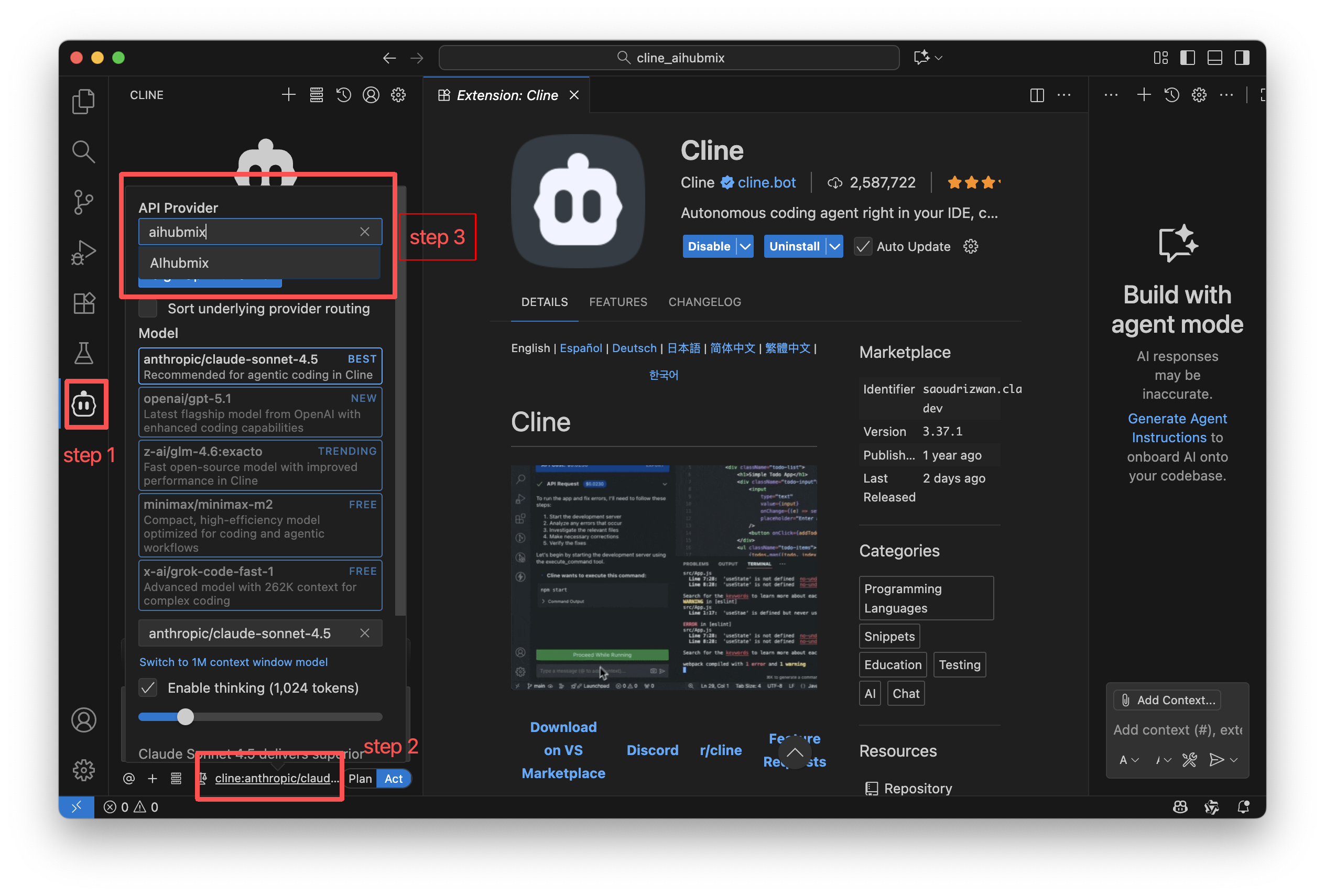
3. Using Cline
Above the input box, você pode control Cline’s read/write and command execution permissions via Auto-approve.Enabling these permissions improves automation but may increase token usage, so it’s recommended to turn them on only after you fully understand Cline’s behavior. Cline offers two working modes, which você pode switch at the bottom of the chat panel:
- Plan Mode: Focuses on information gathering, problem decomposition, and task planning. It does not directly modify files.
- Act Mode: Executes changes, runs commands, and completes tasks based on the plan.
Using Cline in IntelliJ IDEA
1. Install Cline
Abra IntelliJ IDEA, go to the Plugins Marketplace, search for Cline, and install it.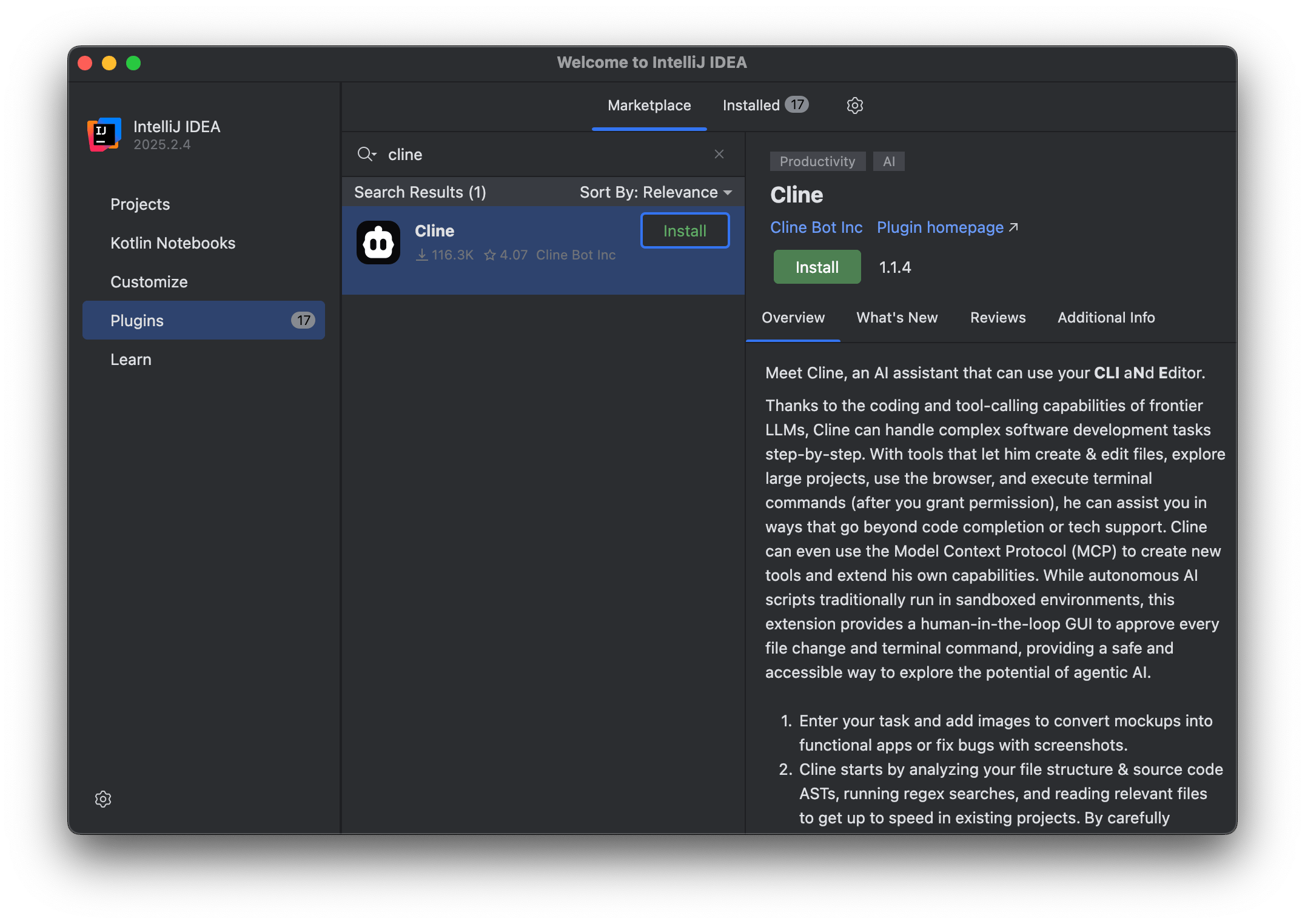
2. Mode Selection
On first launch, selecione Bring my own chave de API → Continue.
3. Model Configuration & chave de API
After installation, clique no Cline icon no right sidebar to abra o configuration page.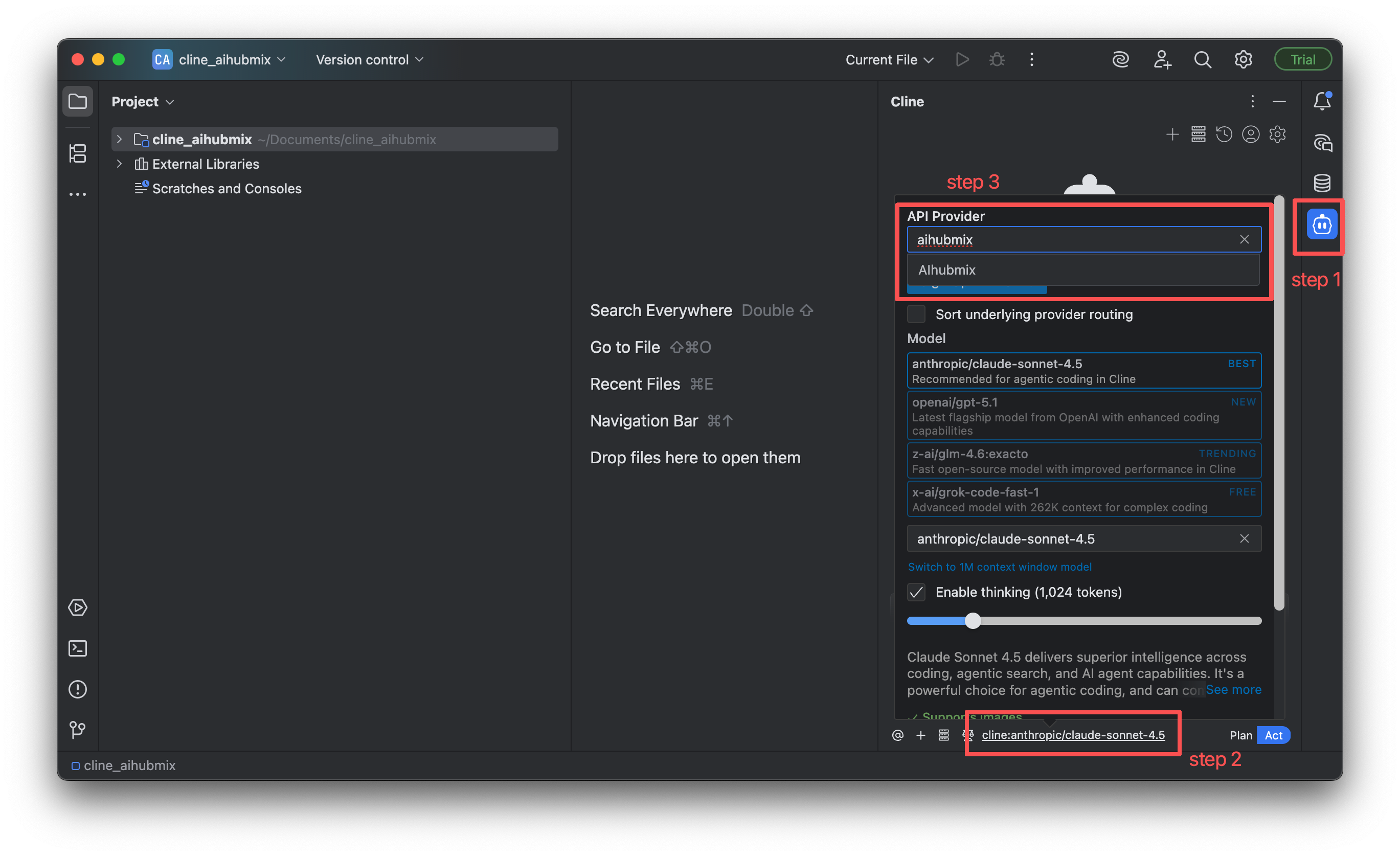
4. Using Cline
The usage in IntelliJ IDEA is almost the same as in VS Code:- Você pode enable Auto-approve above the input box.
- Você pode switch between Plan and Act modes at the bottom of the interface.
MCP (Model Context Protocol) Support
Cline suporta installing MCP Client services via plugins.Supported MCPs can be found no Cline MCP Marketplace

Model Recommendations
Different stages of software development require different AI capabilities. Choosing the right model can improve efficiency in requirements analysis, coding, testing, and deployment.1. Design & Architecture Phase
This phase relies more on abstract reasoning, system design, and domain knowledge. It’s better to escolha models with strong reasoning and planning capabilities.- o1
- gemini-2.5-pro
2. Development Phase
This phase requires stable performance in code generation, pattern understanding, function completion, and debugging suggestions. Escolha models with strong, well-rounded coding capabilities.- gemini-2.5-pro
- claude-sonnet-4-5
- gpt-5
- coding-glm-4.6(cost- effective)
- qwen3-coder-plus
3. Testing Phase
This phase focuses on edge cases, robustness, exception flows, and test case generation. It’s suitable to escolha models that are good at code analysis and reasoning.- claude-3-7-sonnet
- o3 / o4-mini
- gpt-5
4. Deployment & Review Phase
This phase benefits from models with large context windows that can understand entire codebases to perform audits, refactoring suggestions, or deployment verification.- gemini-2.5-pro
- gpt-5
- o3 / o4-mini
Última atualização: 2026-06-01