

General Usage
-
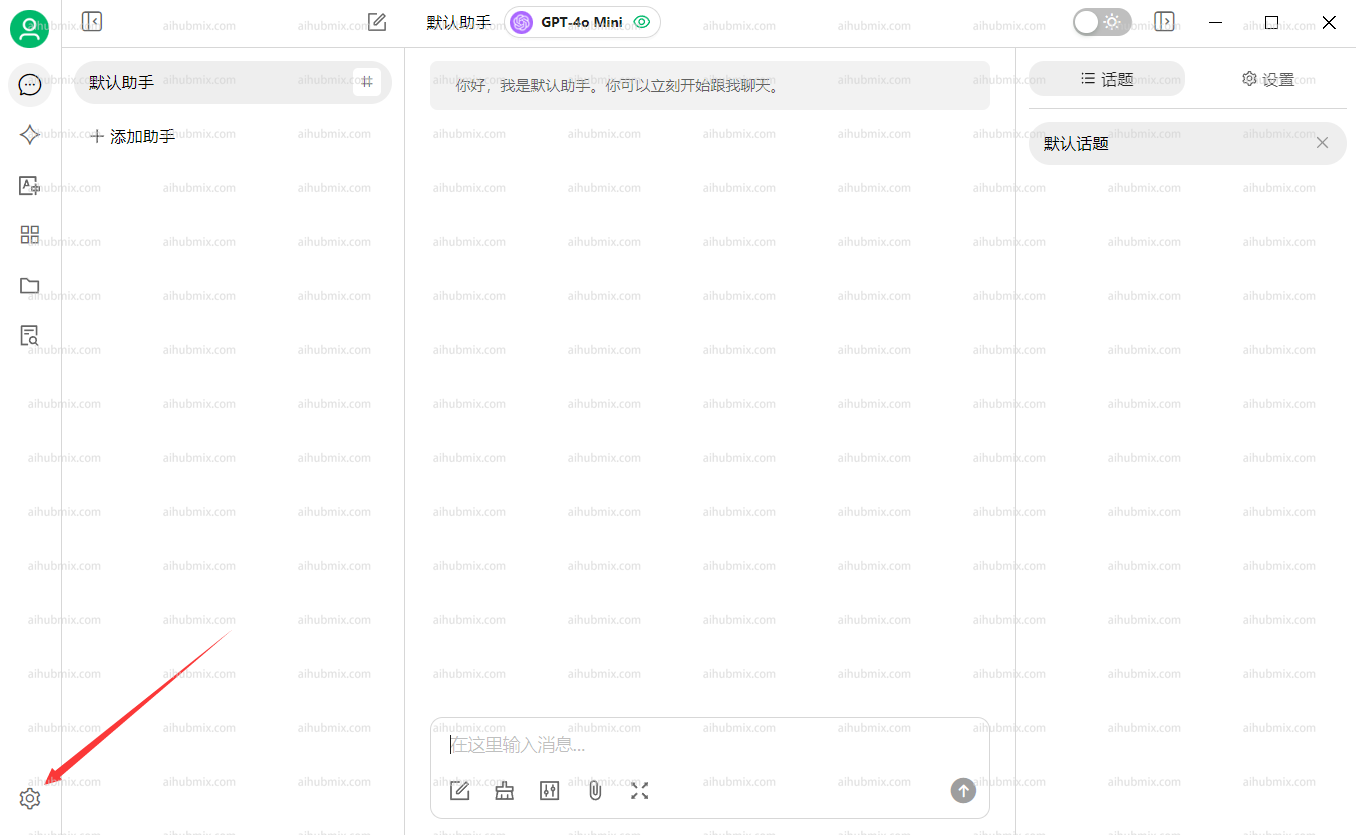
Abra Settings a partir do bottom-left corner of the app.
- Na seção Model Providers, selecione AiHubMix and clique no button no top-right corner to enable it.
-
No campo chave de API, enter the Key from this site.
Leave the API Base URL unchanged.
Note: If the connection check fails, try disabling your VPN.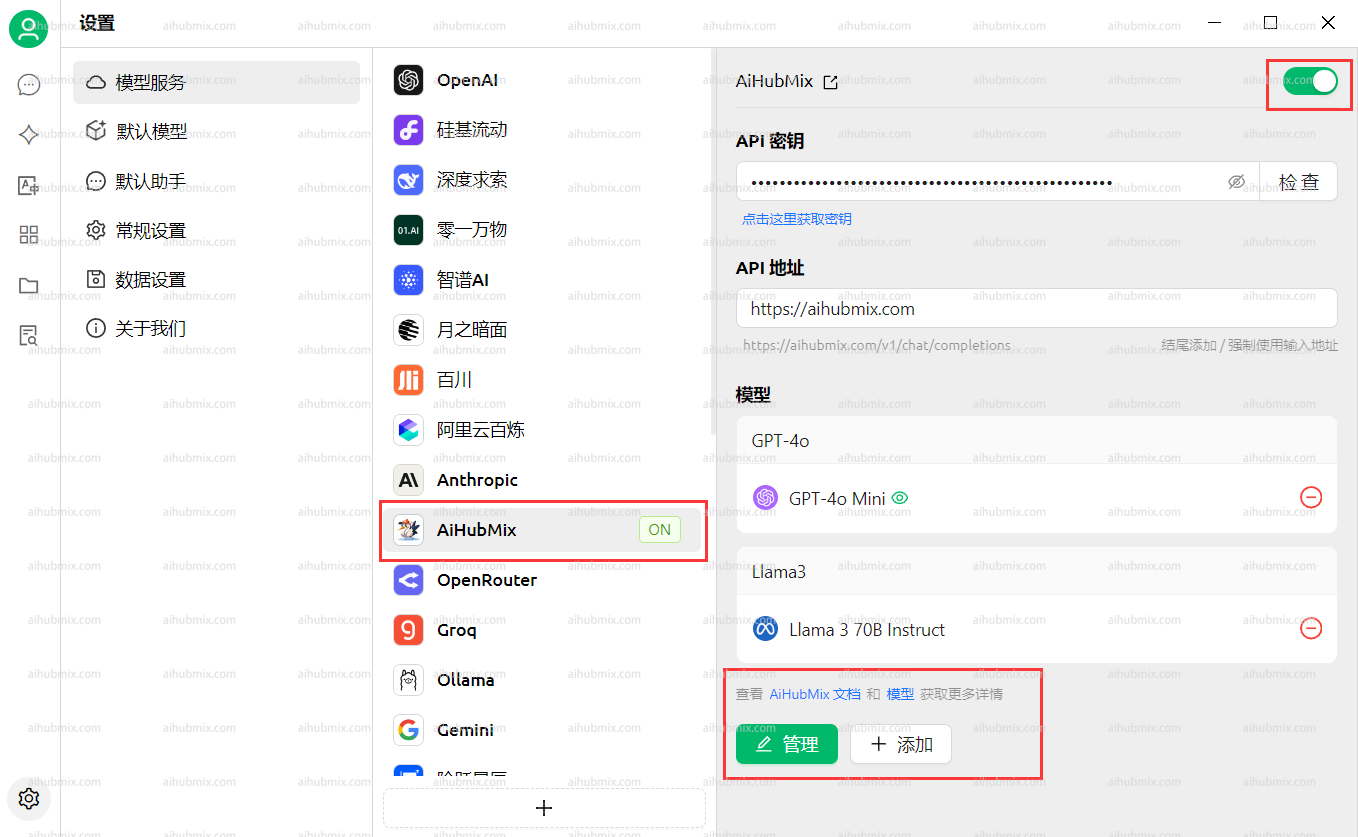
-
Clique Add Model at the bottom.
For the Model ID, go to the settings page on this website, selecione the model you want to use, and copy-paste its name.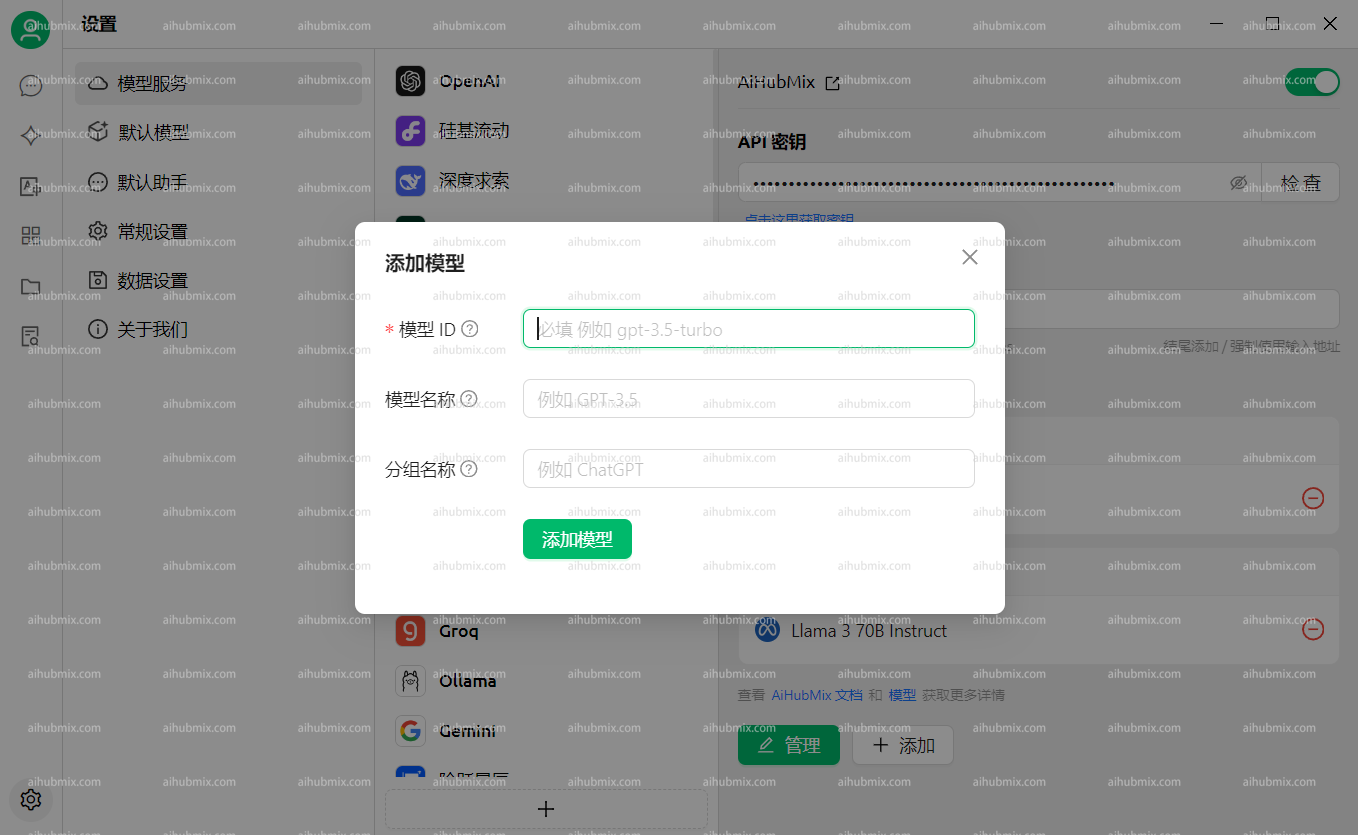
Perguntas Frequentes
The model indicates it cannot see images
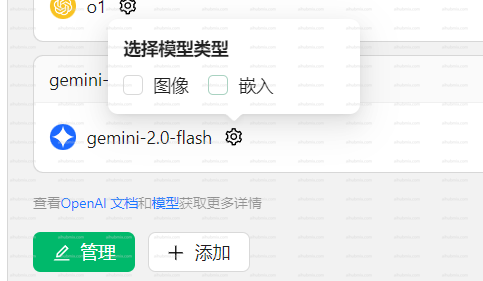
Some newer models may not recognize images after they are uploaded.In this case, você precisa manually enable the Image option on the settings page.
The
Please disable streaming output when using this model.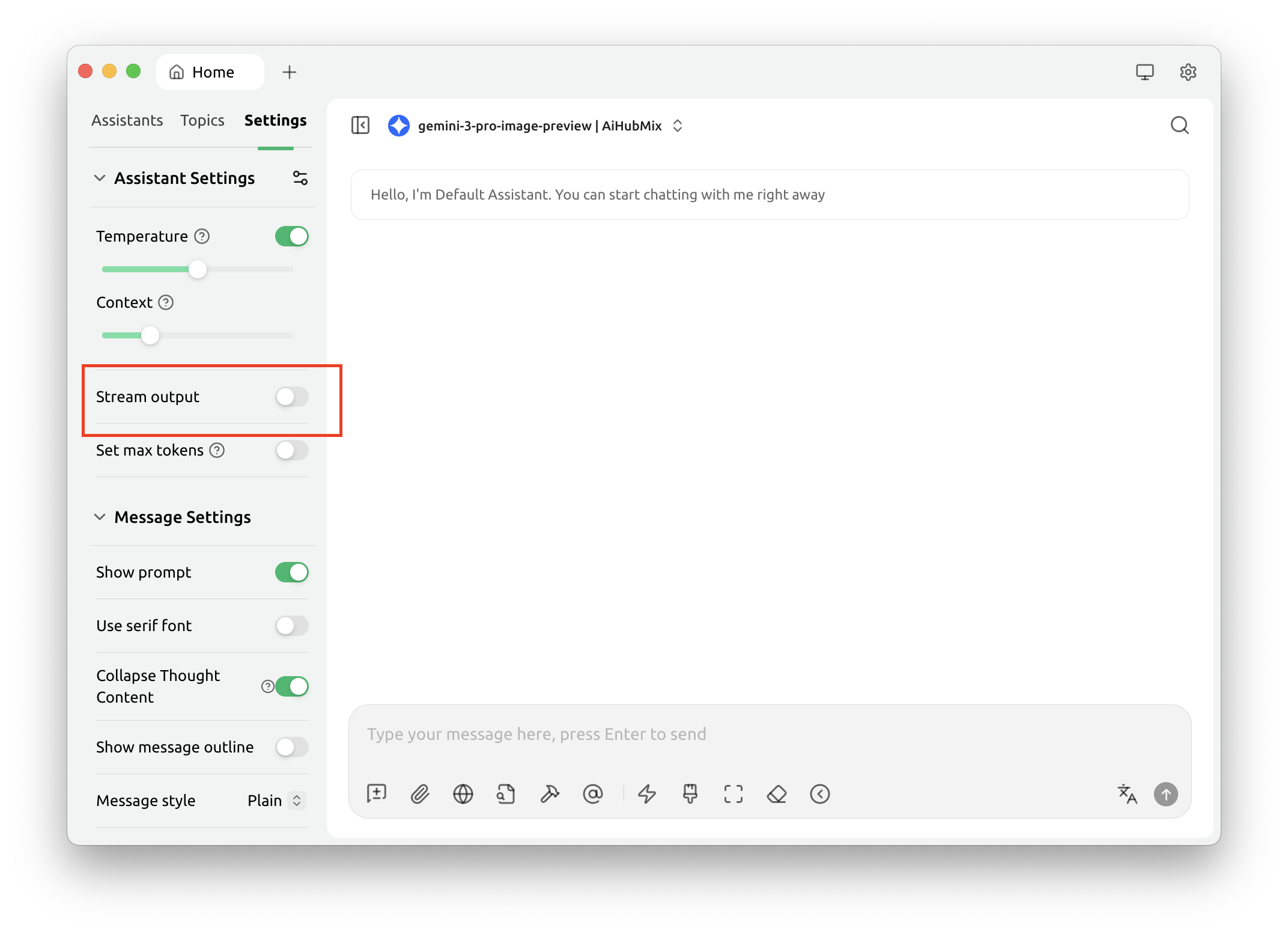
gemini-3-pro-image-preview model cannot return images when streaming output is enabled.Please disable streaming output when using this model.
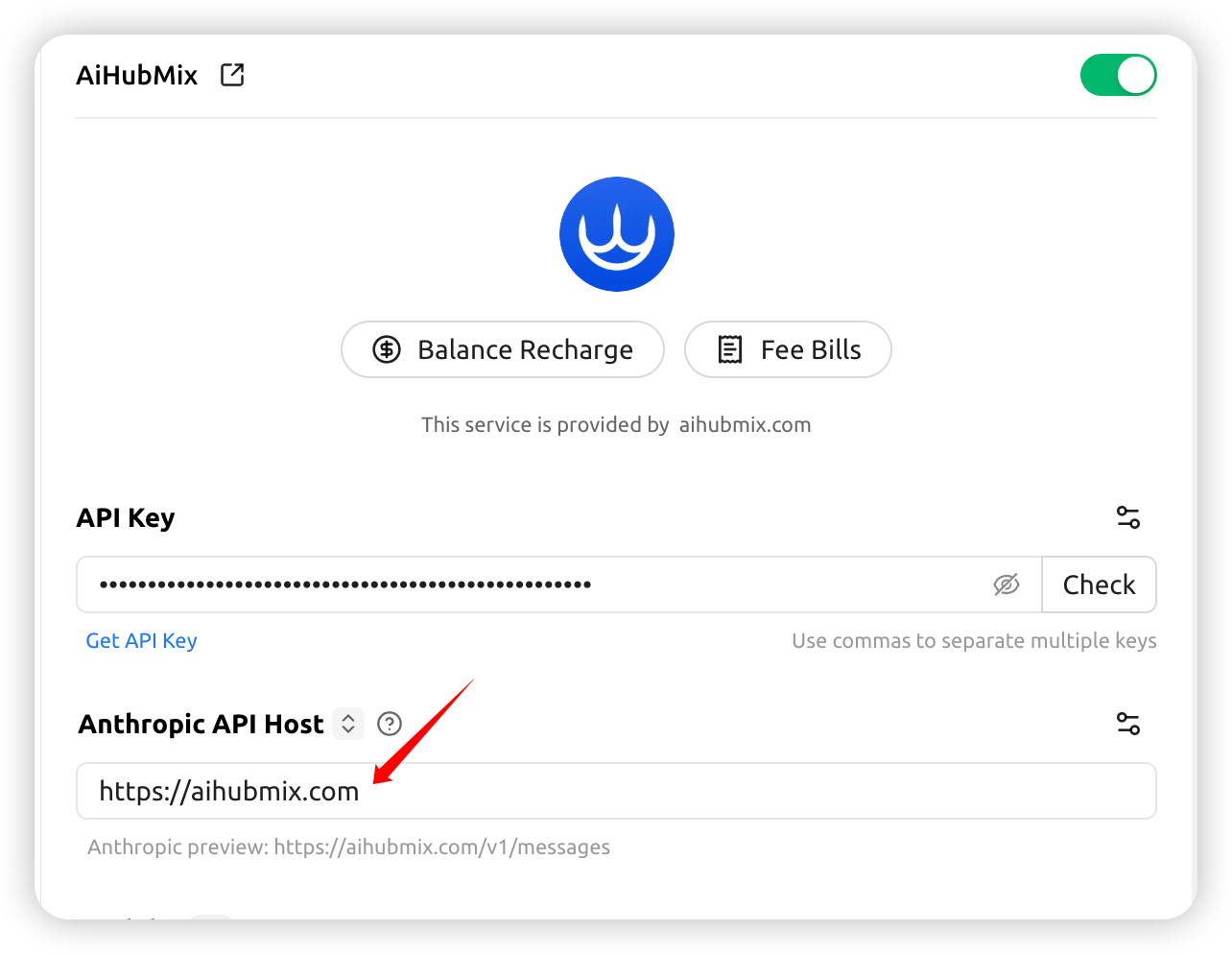
Calling Claude models returns AI_APICallError
Check whether the request URL shown no error message ishttps://aihubmix.com/anthropic/v1/messages.
If so, go to Settings and change the Anthropic API Host to: https://aihubmix.com
Habilitar o cache de prompt do Claude
Nas “API Settings” do provedor Aihubmix (engrenagem à direita do nome do provedor), configure “Cache Token Threshold”, “Cache System Message” e “Cache Last N Messages” para injetar automaticamente ocache_control nos modelos Claude. O significado de cada item e os pontos-chave para acertar o cache estão em Cache de Prompt do Claude.
Última atualização: 2026-06-01