

Guia de Configuração Rápida:
1️⃣ Instale o npm Package Globally
Certifique-se your Node.js version is ≥ 20, then execute o seguinte in your terminal:2️⃣ Configure Environment Variables
Add your Aihubmix key and forwarding address à sua system environment variables. Você pode generate a key on the Aihubmix Keys page. Por exemplo, add o seguinte à sua ~/.zshrc:3️⃣ Apply the Configuration
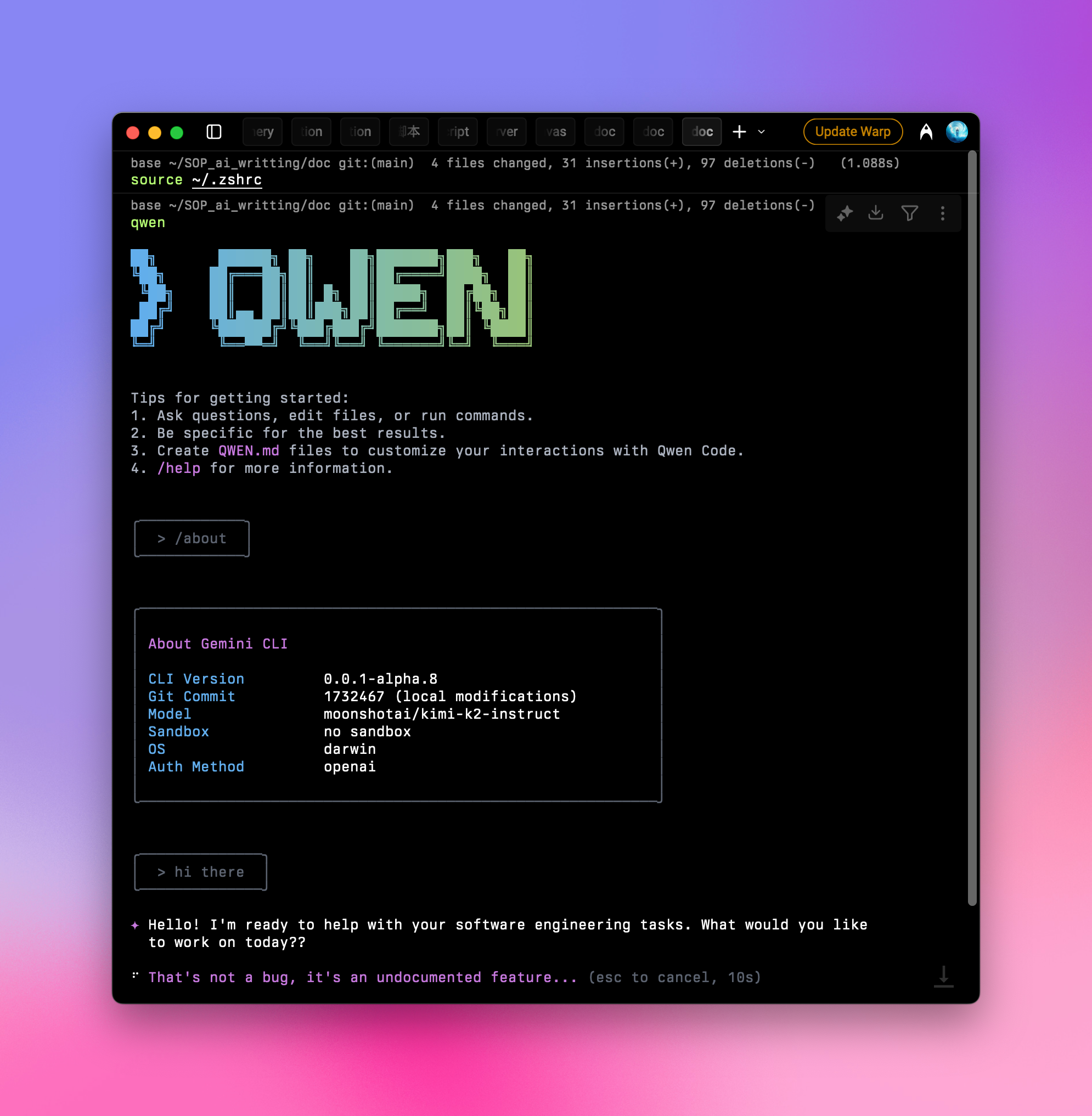
After adding the configuration, run source ~/.zshrc in your terminal and press Enter.
4️⃣ Launch and Use
Type o seguinte in your terminal:/about and press Enter to confirm your setup. You’ll see the current version and the selected large language model:
Some users have reported that Qwen Code may occasionally get stuck. Recomendamos setting a limited quota for your token↗ to avoid unnecessary waste.