Introduction
The MCP Generator is a CLI tool that generates an MCP server based on your company’s documentation & OpenAPI specification if available. It takes in your documentation and a OpenAPI spec and outputs an MCP server that can be used with any MCP client. The MCP Generator is delivered via npm package and generates an MCP server that can be used with any MCP client. Mintlify enables you to create an MCP server that allows AI tools to interact with your docs in these key scenarios:- Docs Q&A, similar to our AI Chat. This is automatically enabled for your docs, no setup required.
- Real-time API querying, if you have an OpenAPI spec, head to the
Mintlify Dashboard > Products > MCP Serverand hit the toggle to enable your OpenAPI spec.By enabling the OpenAPI toggle, you are allowing the MCP server to access all endpoints in your OpenAPI spec.
Install the MCP server
Example installation with the Mintlify MCP server
To use the Mintlify MCP server you will need an API key from your Mintlify account. If you don’t have one, navigate toSettings > API Keys > Chat API Key and create a new key.
Start the MCP server locally
1
Install the server through the CLI
Run the following command to install the server:
2
Add the authentication token
The following response will be given after running the previous command:Using your API chat key, copy the authentication token and paste it into the CLI.
3
Start your MCP server
You can now run:
Use your server with Claude
Download the Claude Desktop App
1
Navigate to the Settings > Developer
2
Click on Edit Config
Add the following to the
claude_desktop_config.json:3
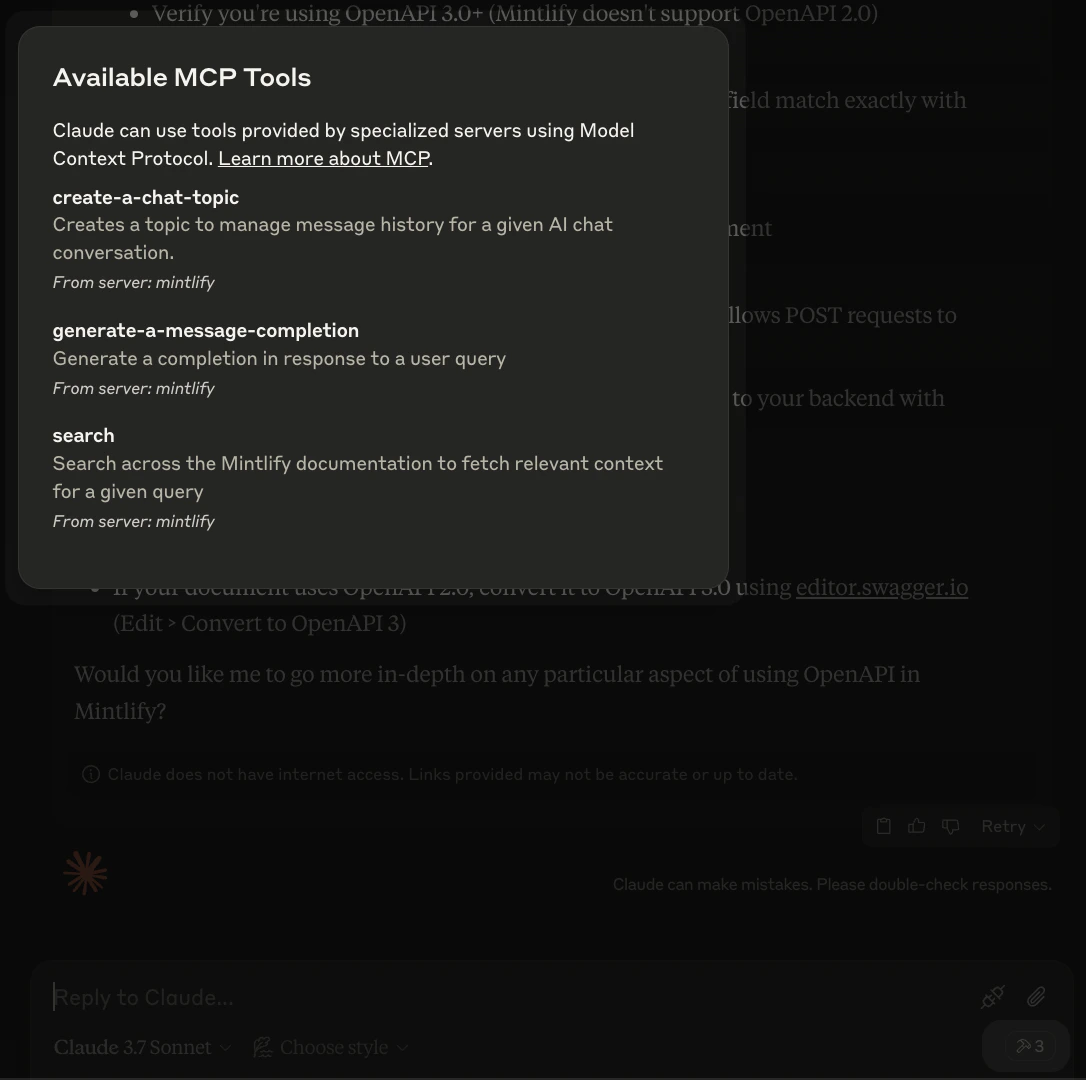
If you see the hammer icon, you're all set!
If you click on it, you should see the available MCP Tools in your server.