

Install The GCMP Extension
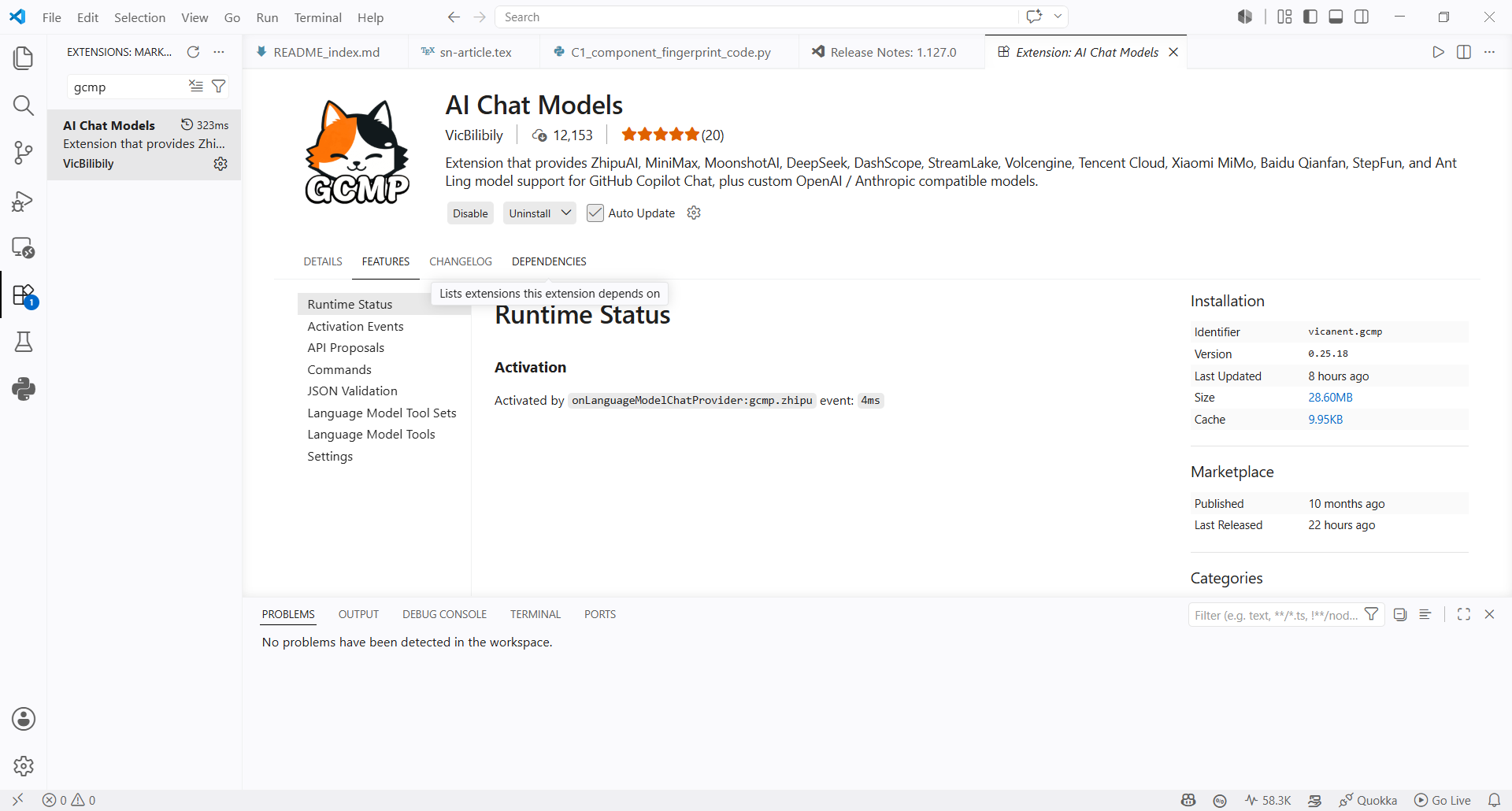
- Search for
GCMPin the VS Code Extensions Marketplace and install AI Chat Models.
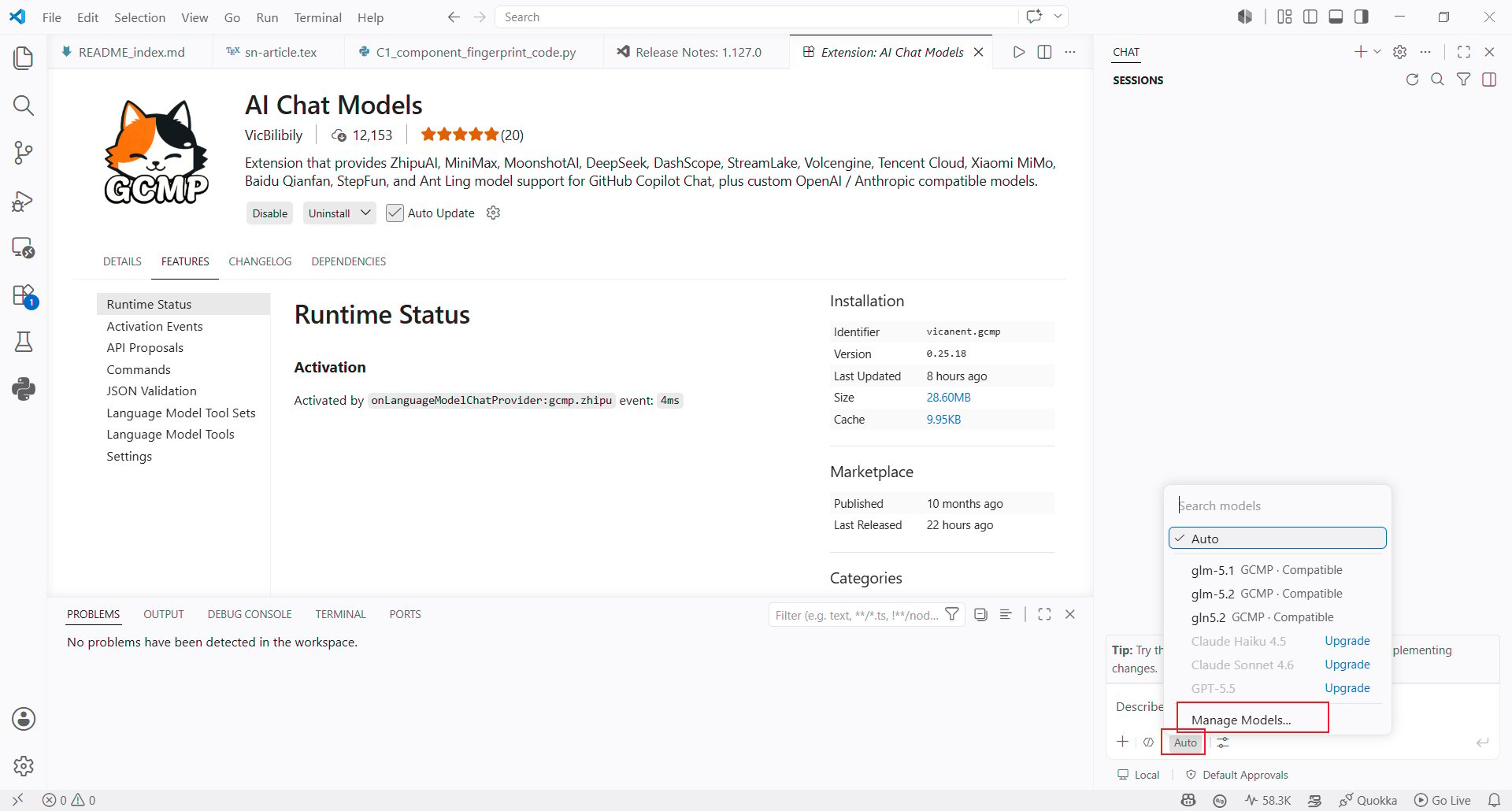
- After installation, open the model selector in Copilot Chat and click Manage Models… at the bottom.
Configure The AIHubMix API Key
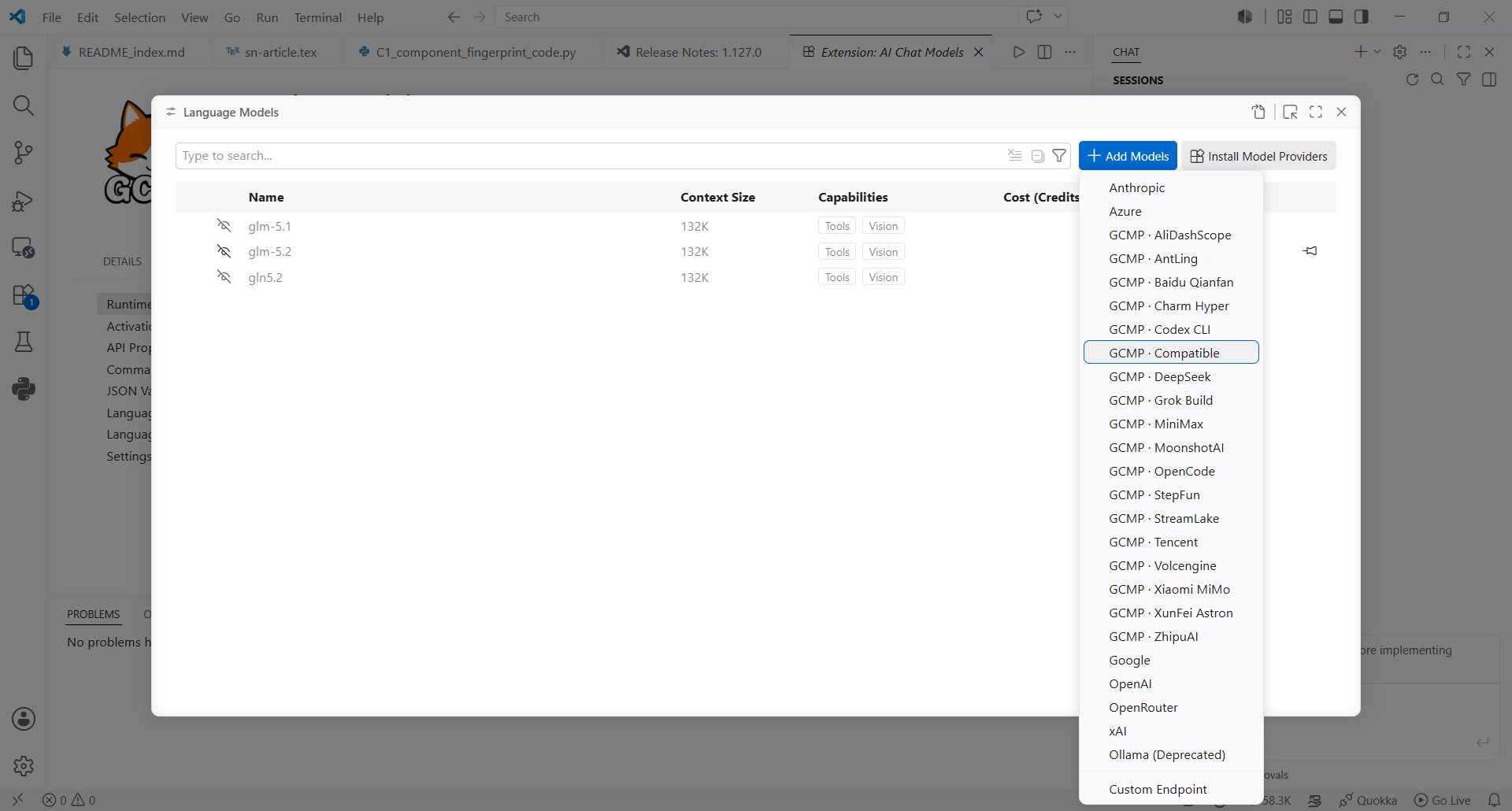
- In the model provider list, select Compatible.
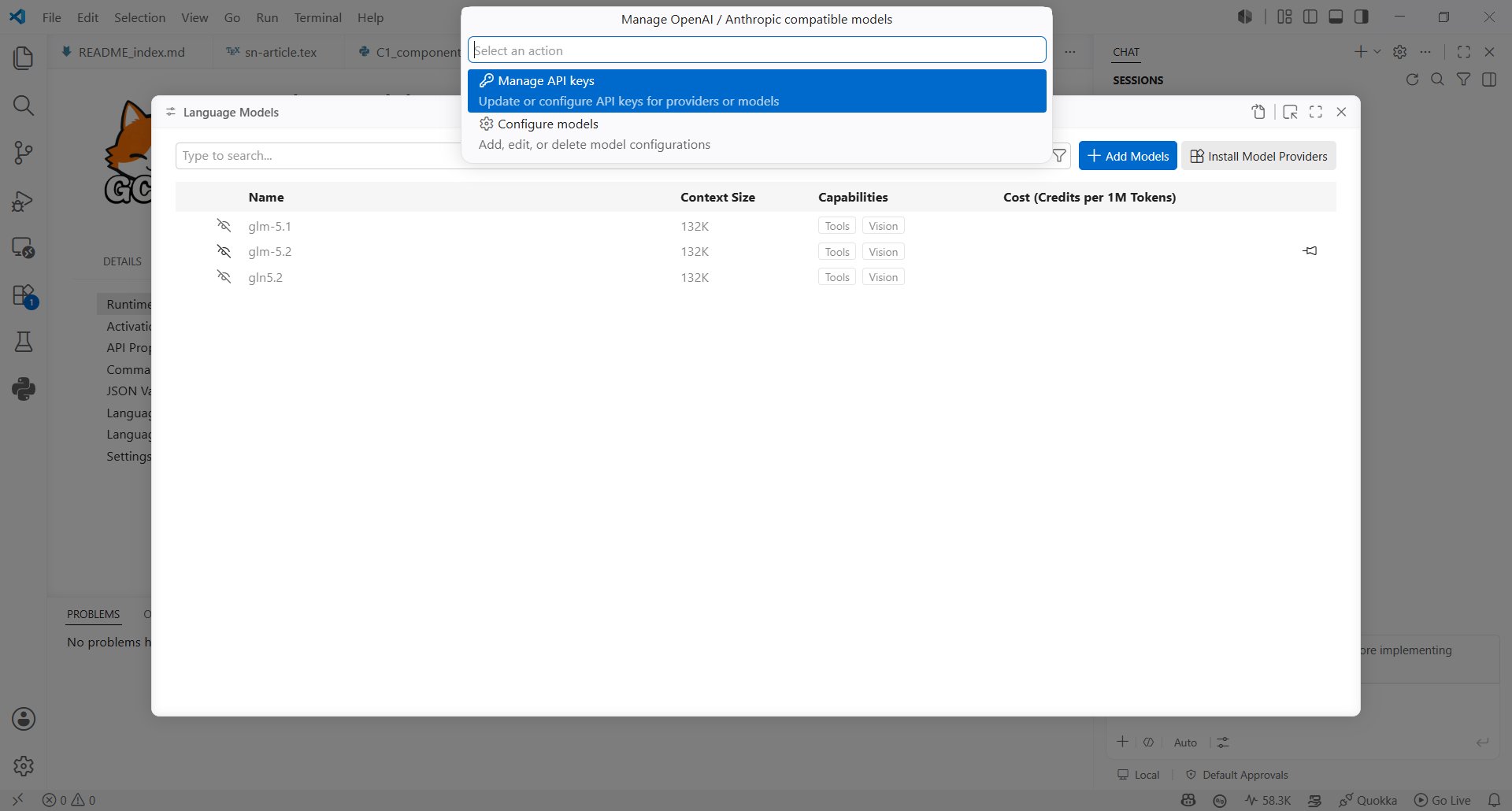
- In Manage OpenAI / Anthropic compatible models, choose Manage API keys.
- Enter your AIHubMix API Key in the Set AIHubMix input.
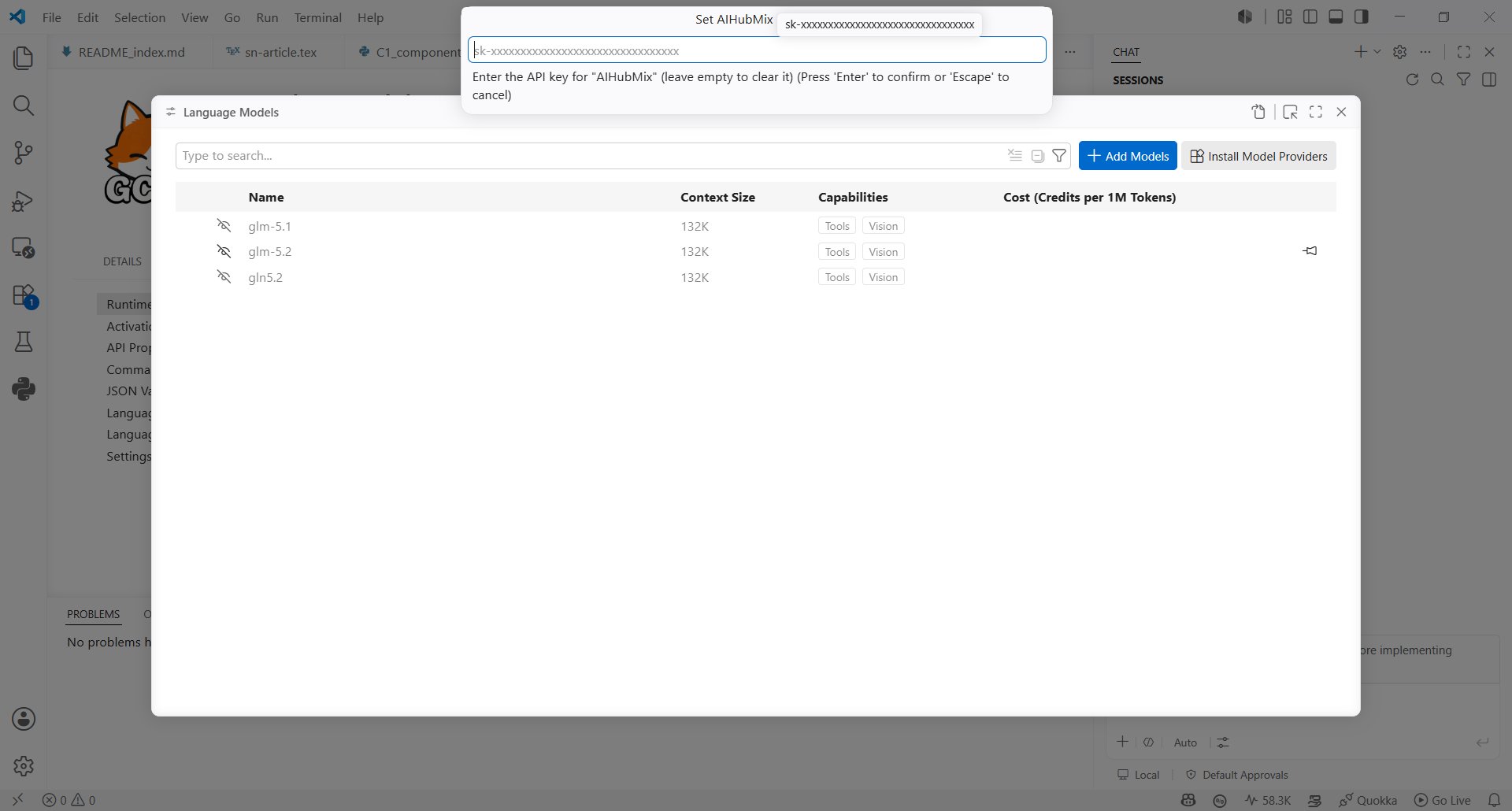
Create An AIHubMix Model
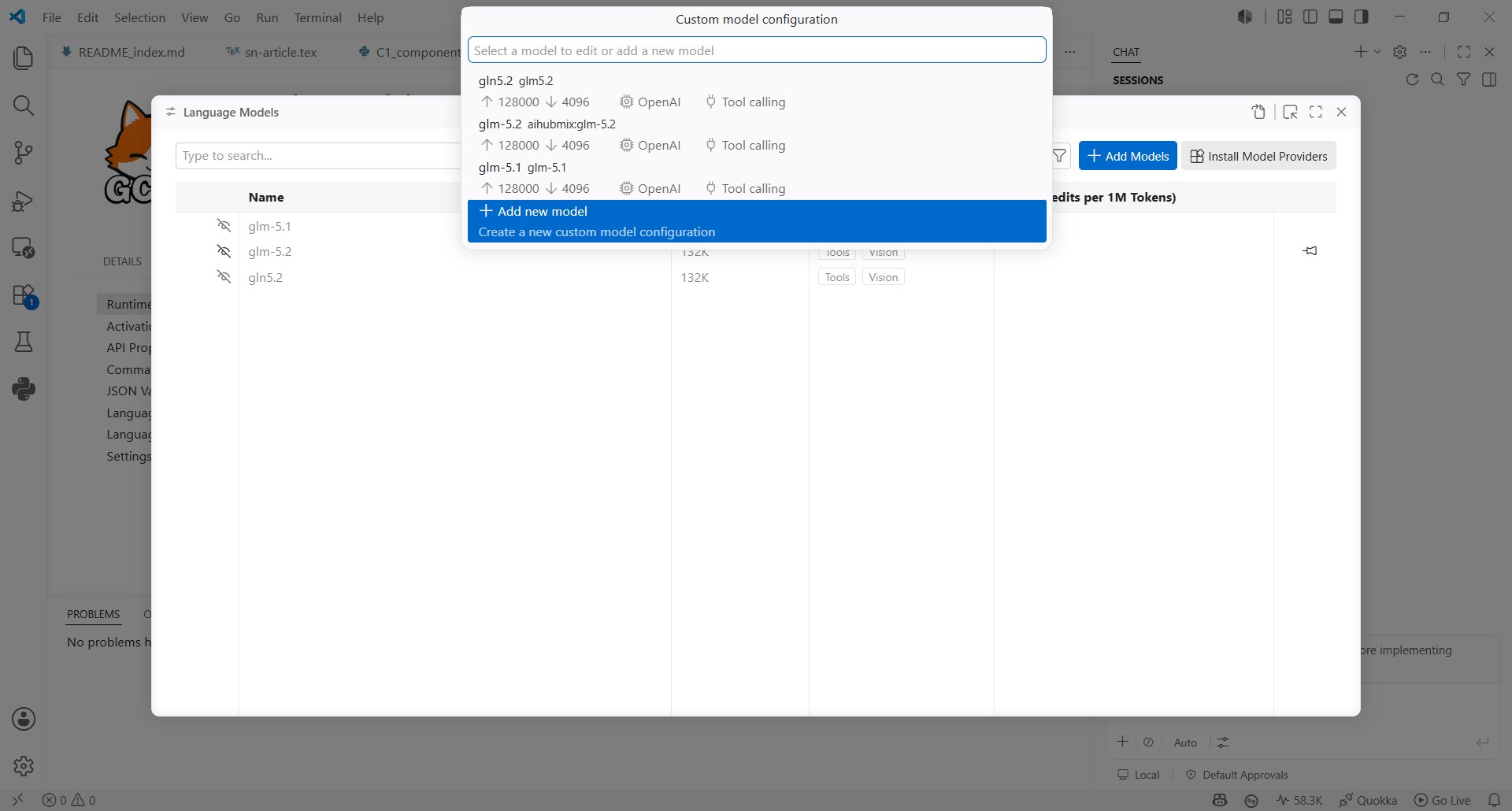
- Return to the model configuration entry, choose Configure models, then click Add new model.
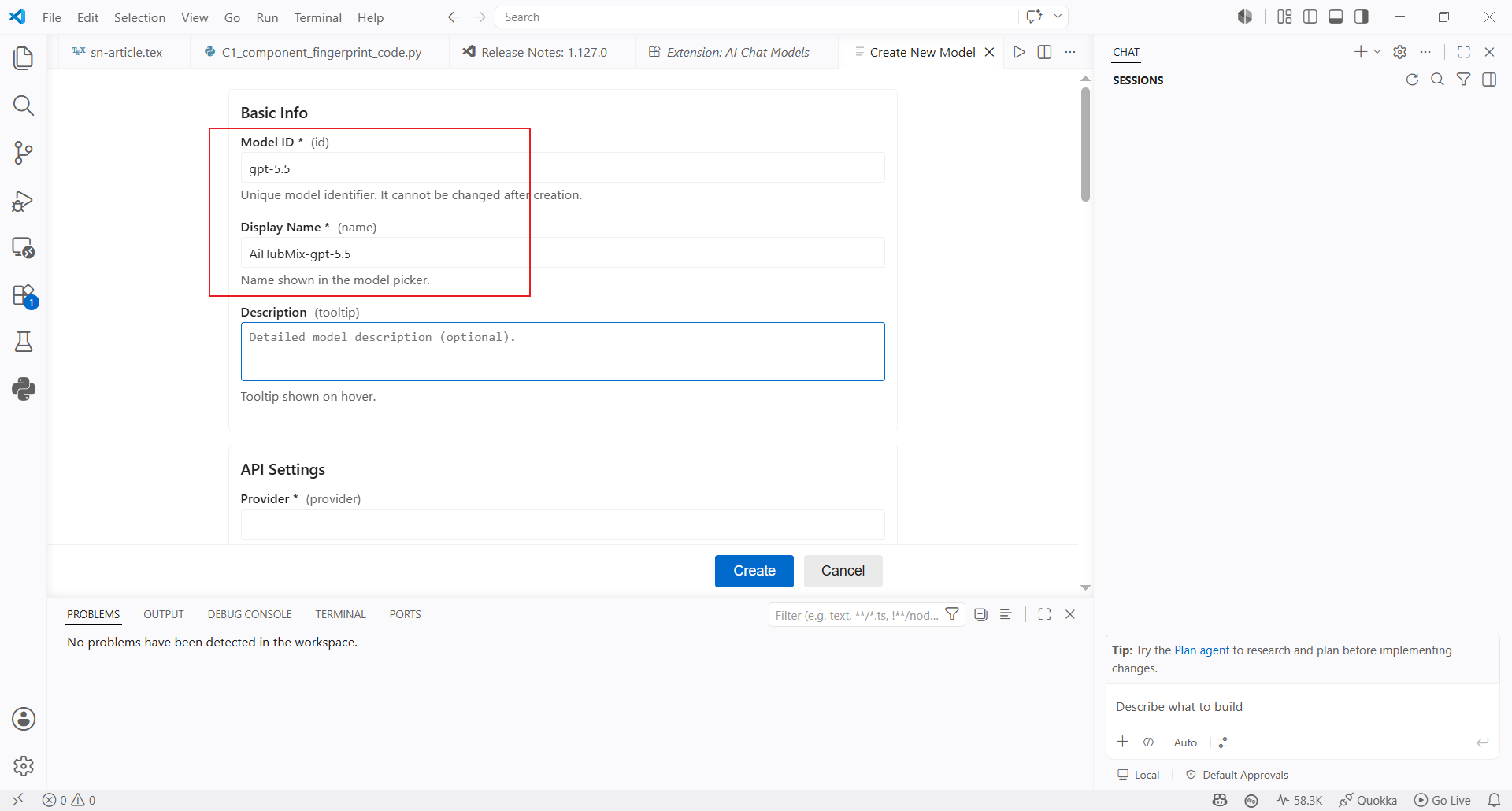
- Fill in the basic model information:
- Model ID: enter the model ID you want to use, such as
gpt-5.5 - Display Name: enter the name shown in the model selector, such as
AiHubMix-gpt-5.5 - Description: optional text shown when hovering over the model
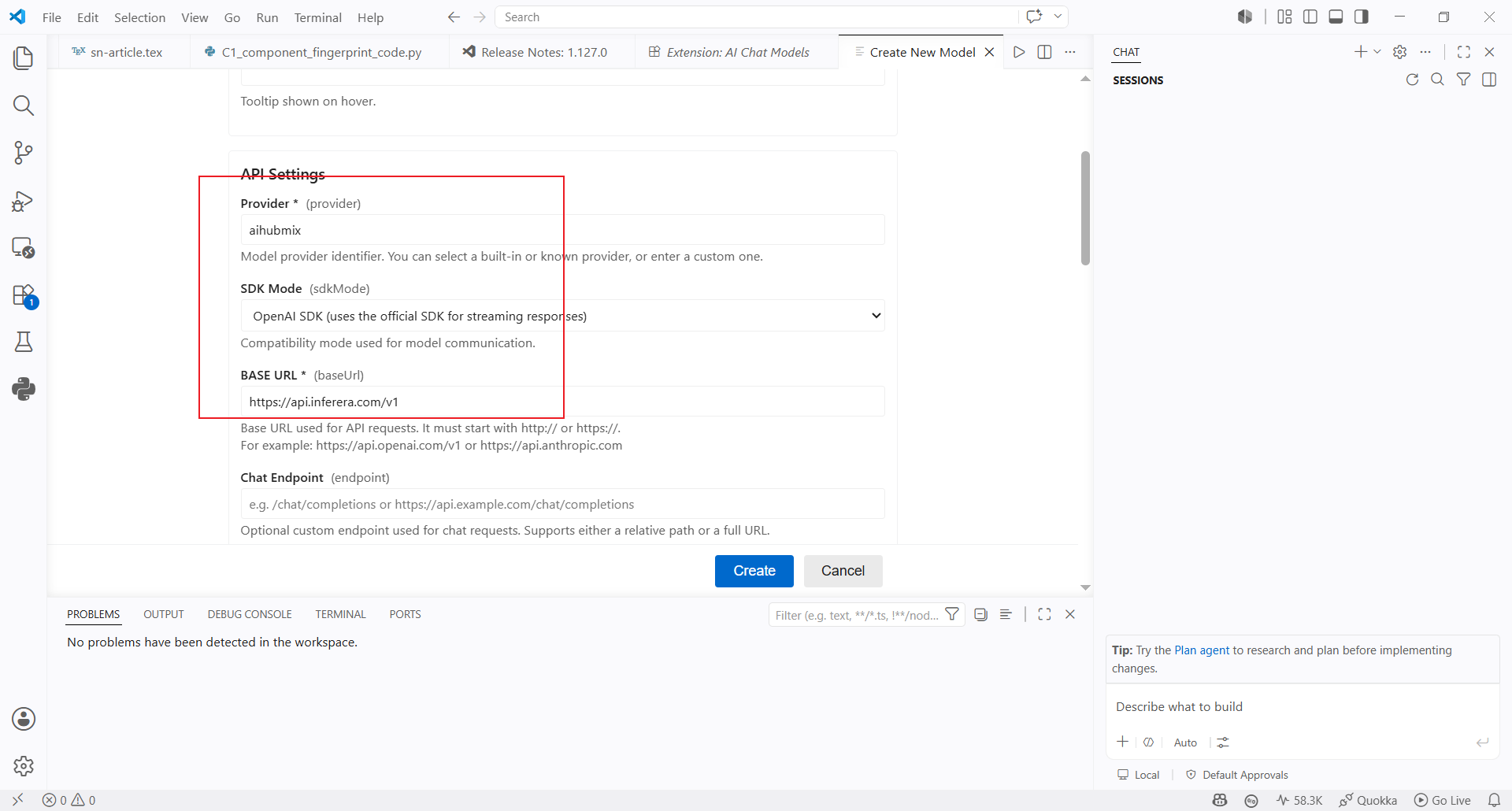
- Continue with the API settings:
- Provider: enter
aihubmix - SDK Mode: select OpenAI-compatible mode
- Base URL: use
https://aihubmix.com/v1by default; if the primary address is unavailable, use the backup URLhttps://api.inferera.com/v1 - Chat Endpoint: leave it empty
Use The Model
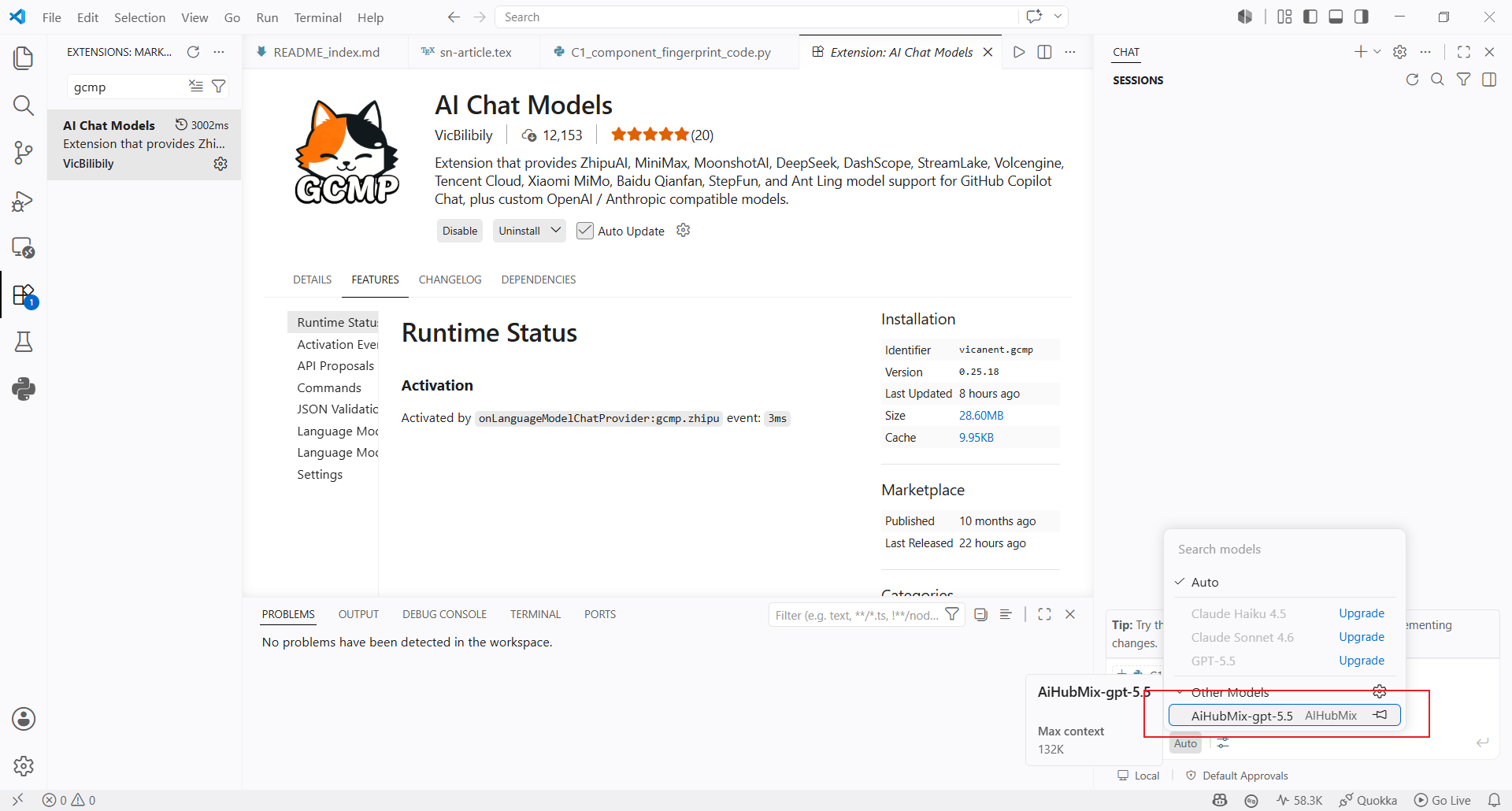
- Return to the Copilot Chat model selector and choose the
AiHubMix-gpt-5.5model you just created.
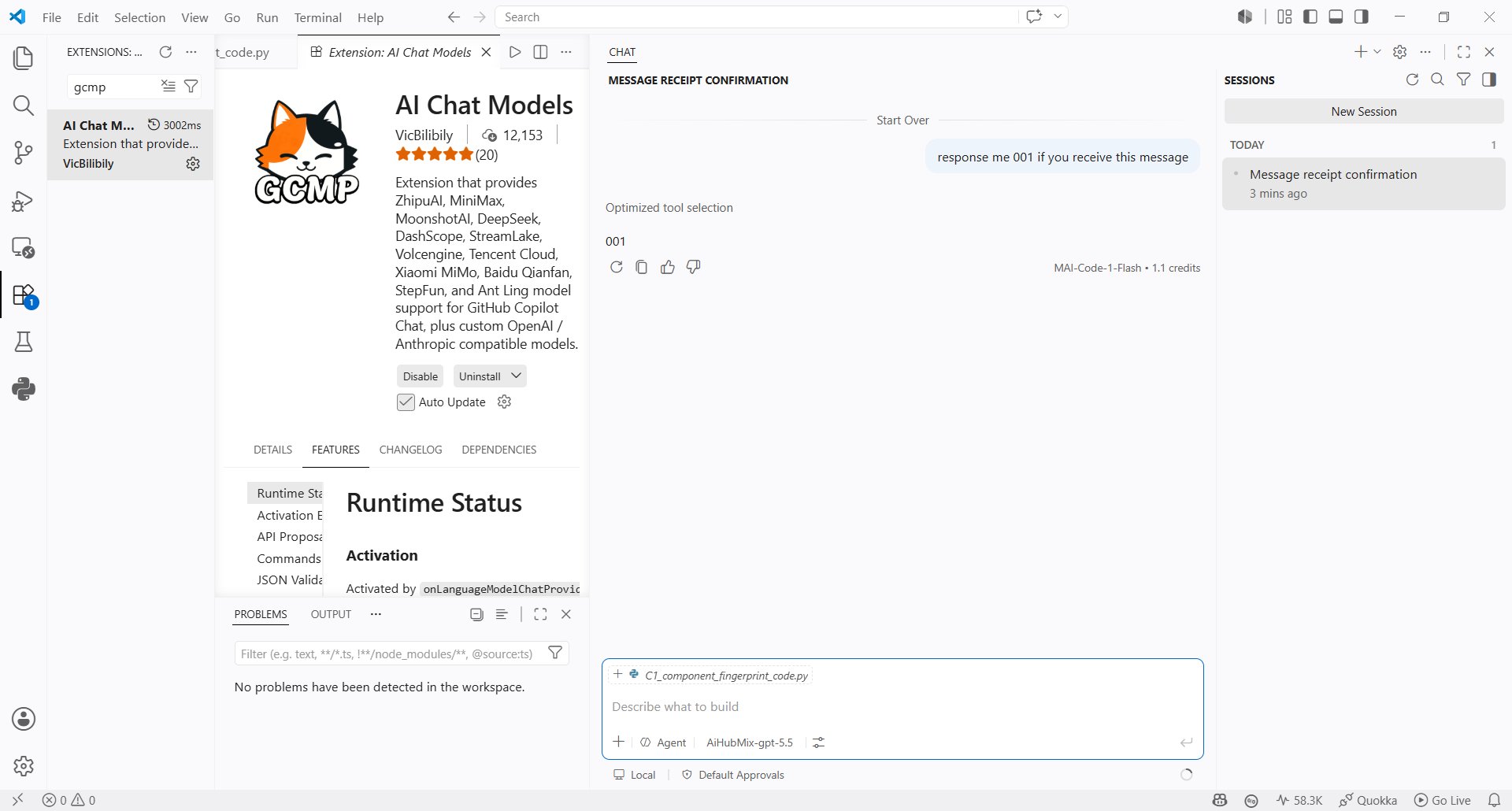
- Send a message in Copilot Chat to confirm that the model responds correctly.
Last updated: 2026-07-02