

GCMP-Erweiterung installieren
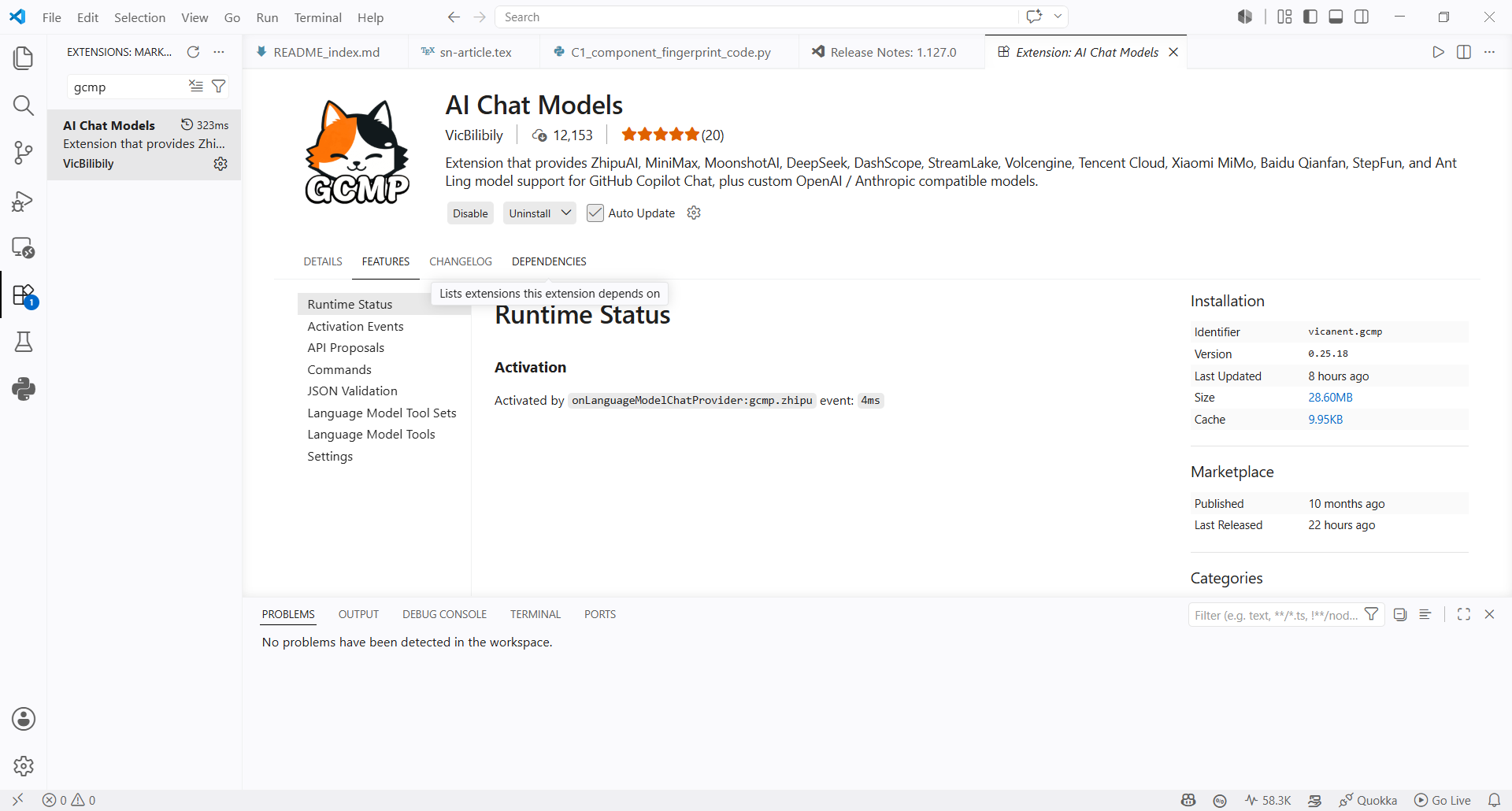
- Suchen Sie im VS Code Extension Marketplace nach
GCMPund installieren Sie AI Chat Models.
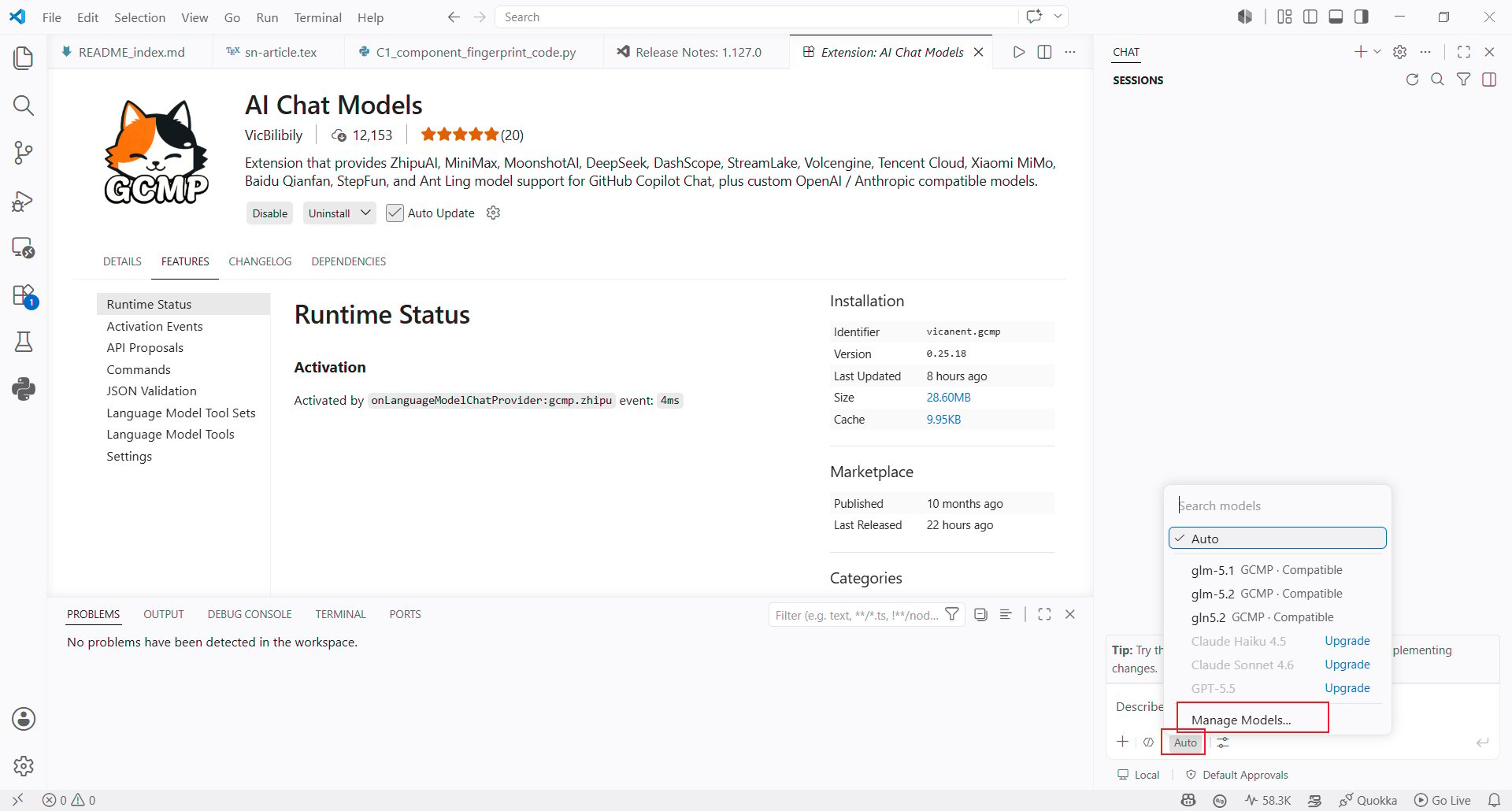
- Öffnen Sie nach der Installation den Modellauswähler in Copilot Chat und klicken Sie unten auf Manage Models….
AIHubMix API Key konfigurieren
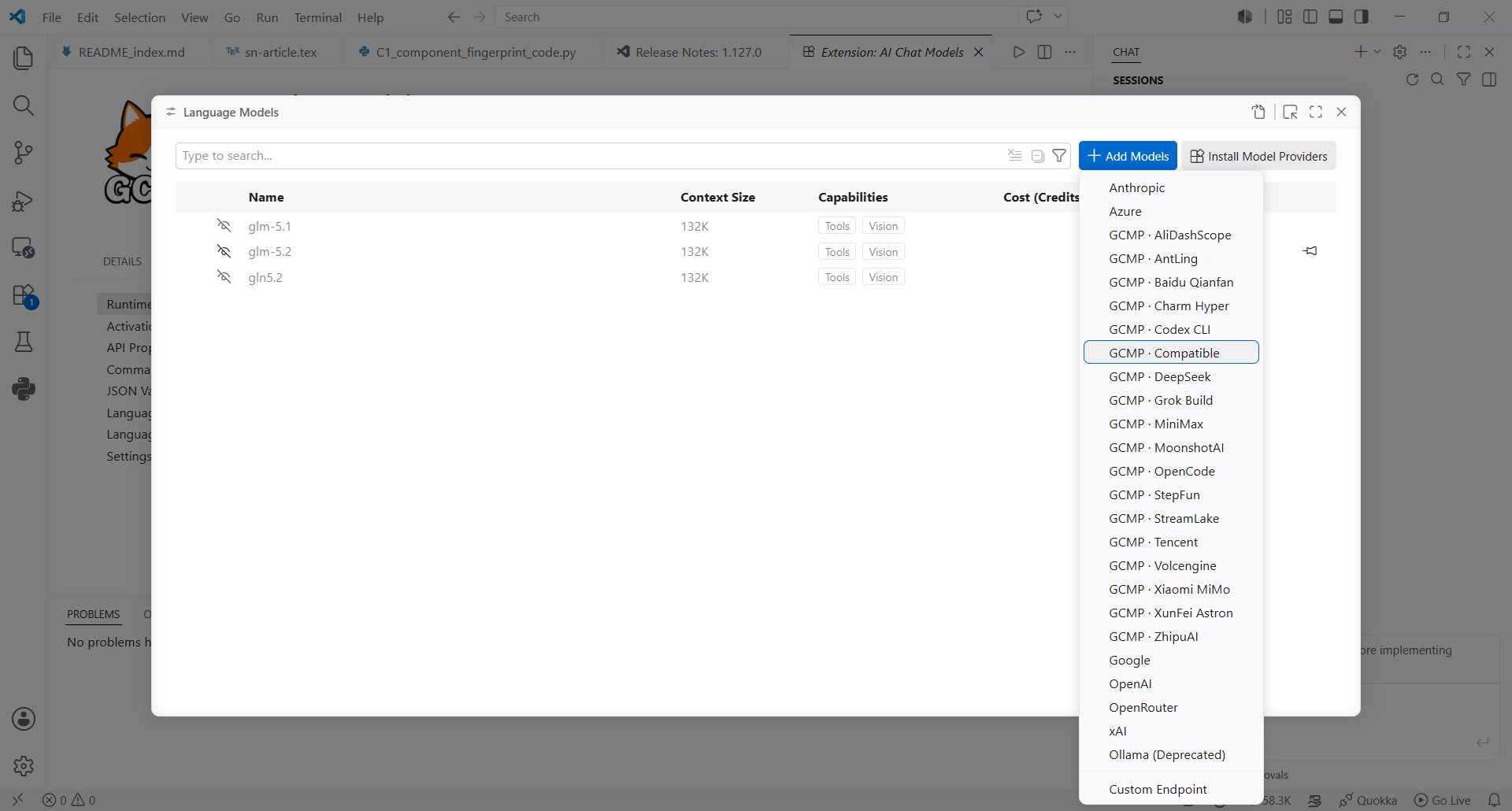
- Wählen Sie in der Liste der Modellanbieter Compatible aus.
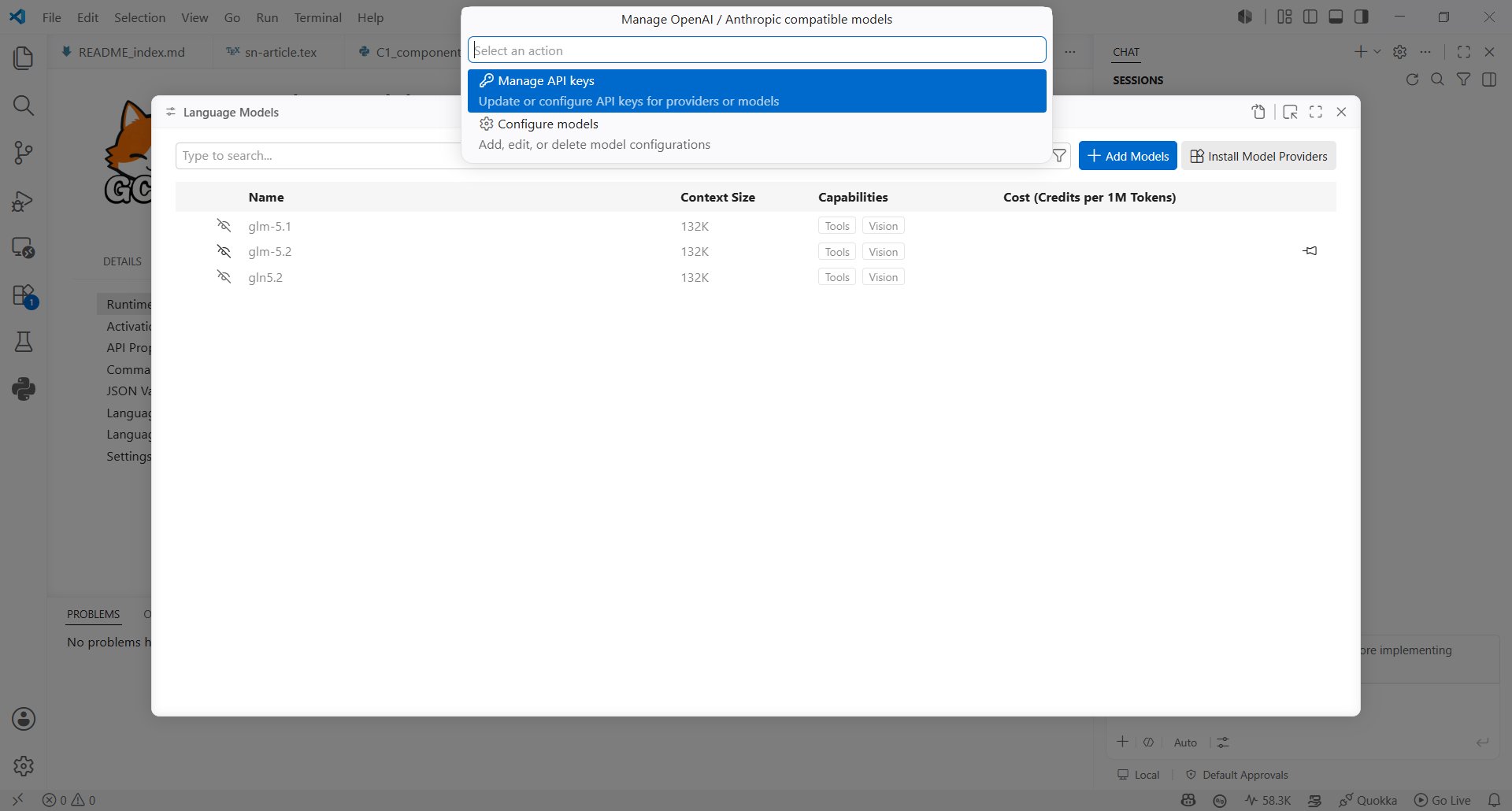
- Wählen Sie unter Manage OpenAI / Anthropic compatible models die Option Manage API keys aus.
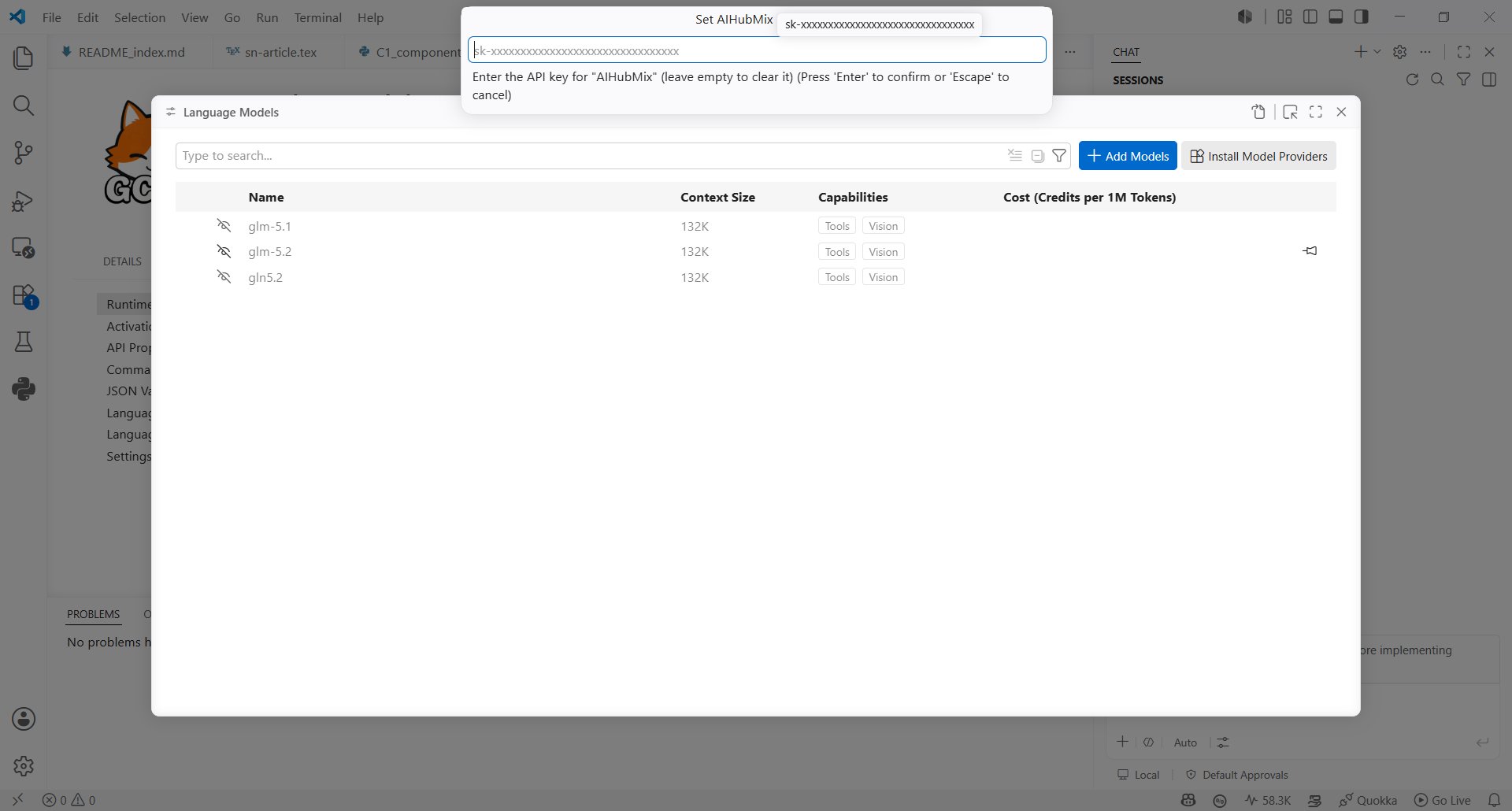
- Geben Sie Ihren AIHubMix API Key in das Feld Set AIHubMix ein.
AIHubMix-Modell erstellen
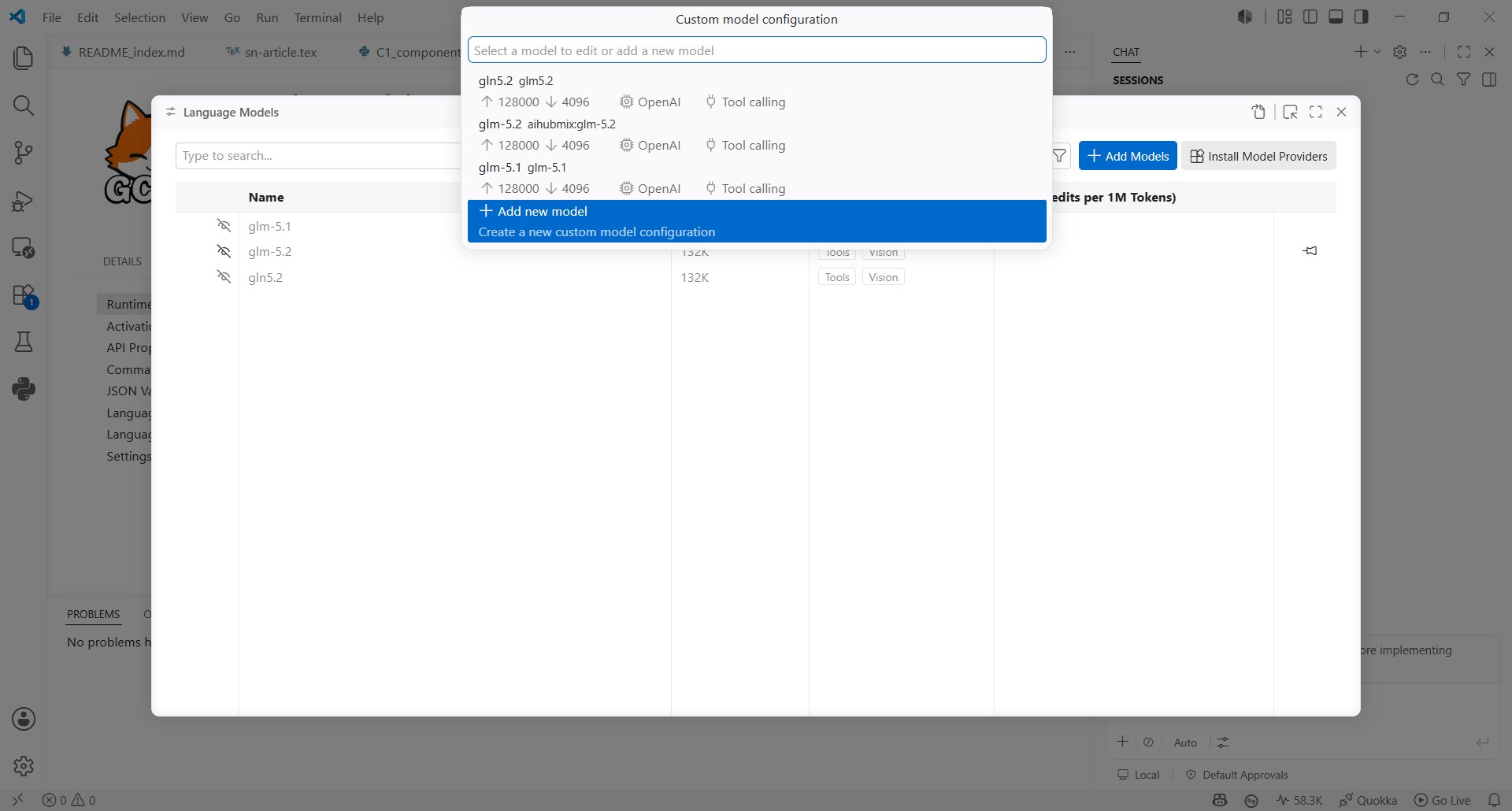
- Kehren Sie zur Modellkonfiguration zurück, wählen Sie Configure models und klicken Sie auf Add new model.
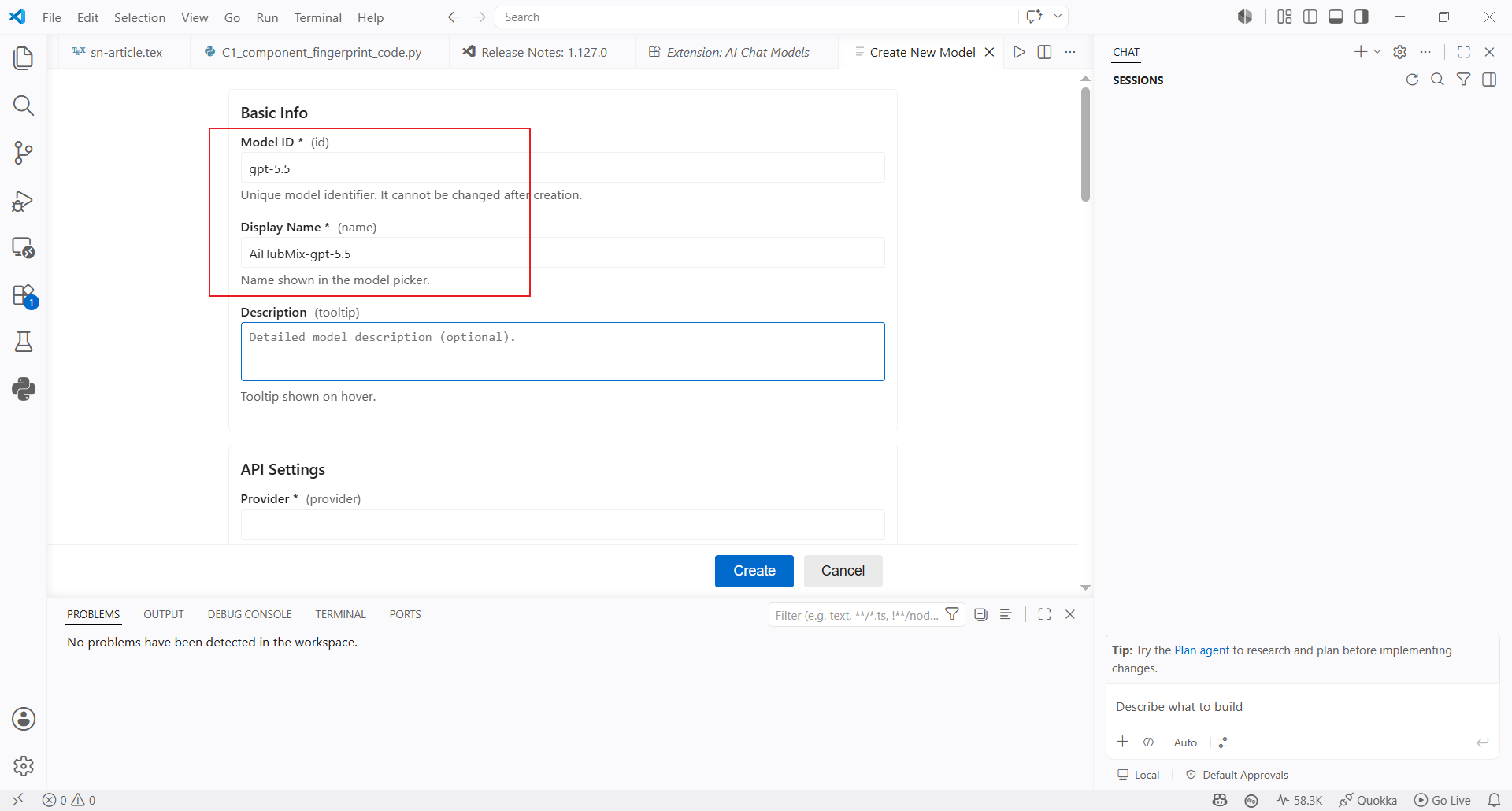
- Geben Sie die grundlegenden Modellinformationen ein:
- Model ID: Geben Sie die gewünschte Modell-ID ein, zum Beispiel
gpt-5.5 - Display Name: Geben Sie den Namen ein, der im Modellauswähler angezeigt wird, zum Beispiel
AiHubMix-gpt-5.5 - Description: optionaler Text, der beim Bewegen des Mauszeigers über das Modell angezeigt wird
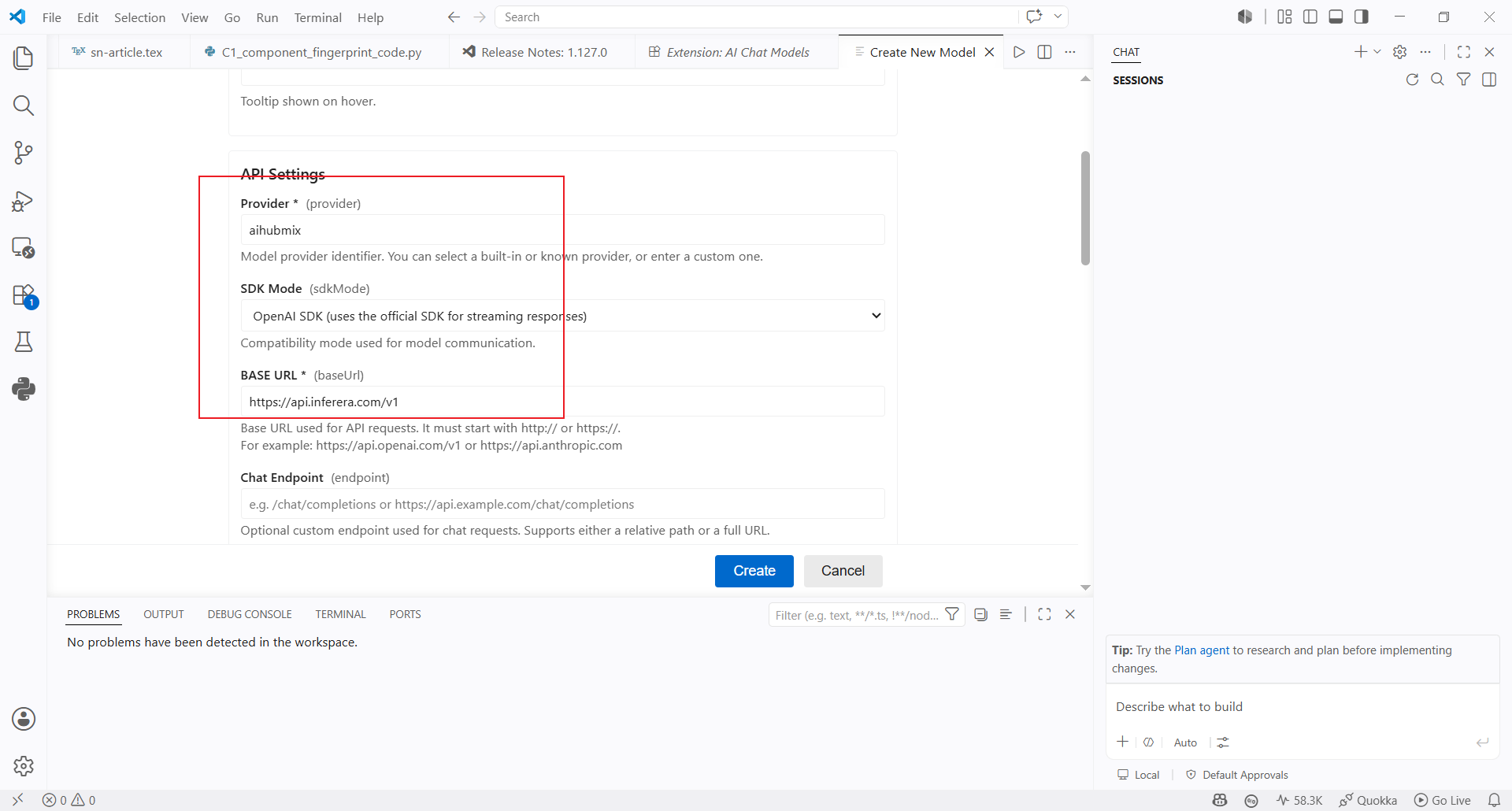
- Füllen Sie anschließend die API-Einstellungen aus:
- Provider: Geben Sie
aihubmixein - SDK Mode: Wählen Sie den OpenAI-kompatiblen Modus aus
- Base URL: Verwenden Sie standardmäßig
https://aihubmix.com/v1; falls die primäre Adresse nicht verfügbar ist, nutzen Sie die Ersatz-URLhttps://api.inferera.com/v1 - Chat Endpoint: Lassen Sie das Feld leer
Modell verwenden
- Kehren Sie zum Modellauswähler von Copilot Chat zurück und wählen Sie das soeben erstellte Modell
AiHubMix-gpt-5.5aus.
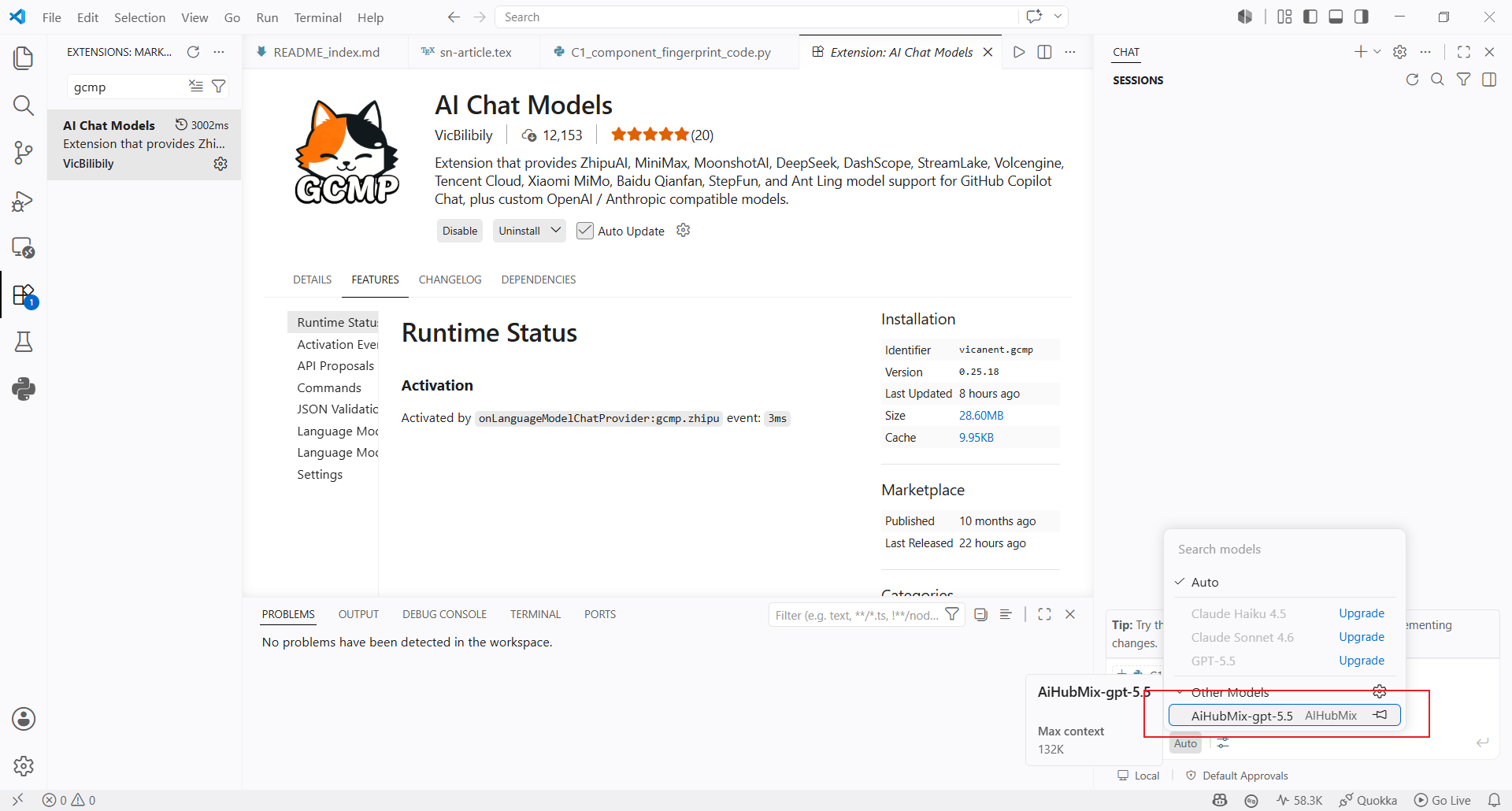
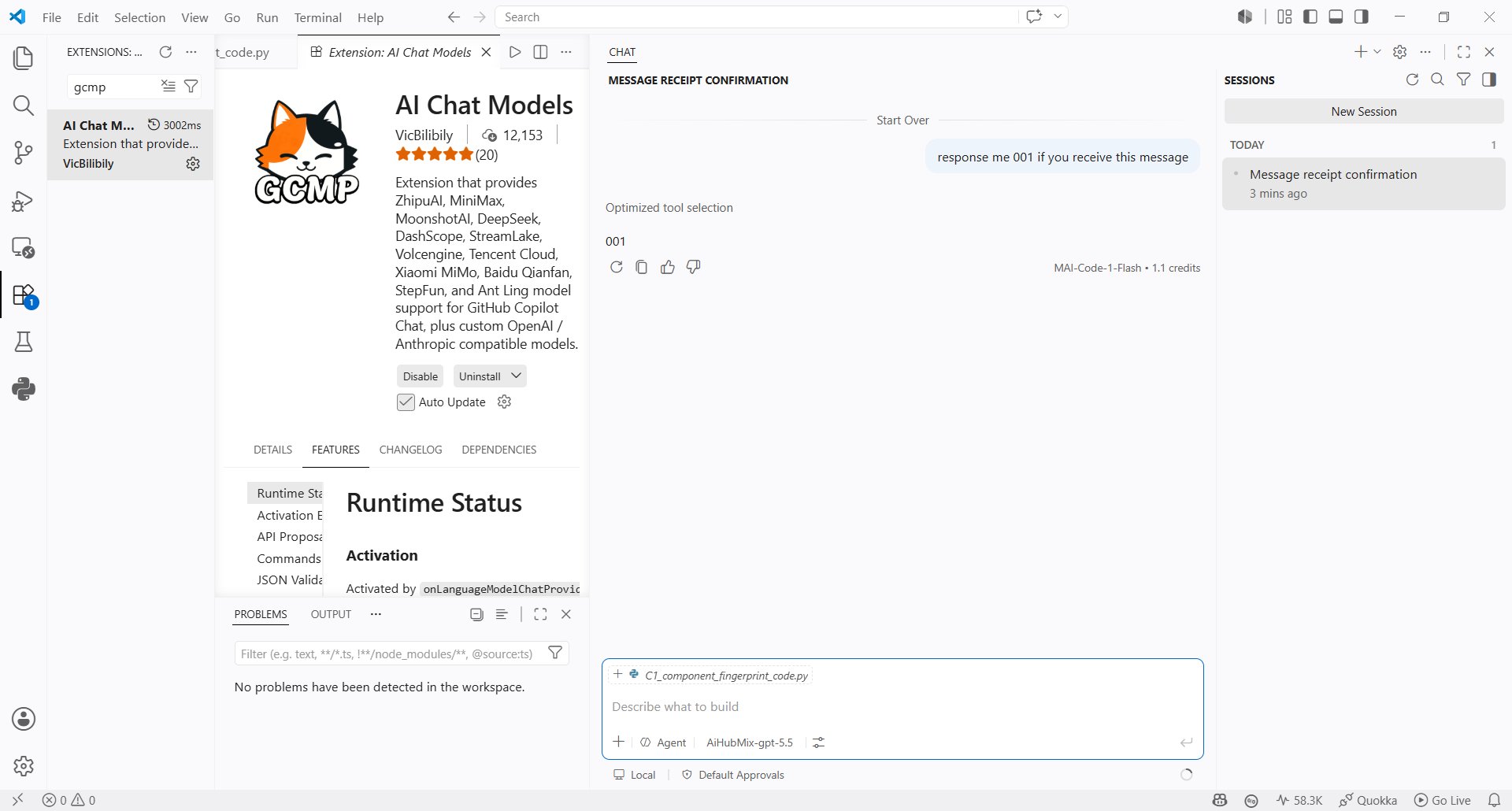
- Senden Sie eine Nachricht in Copilot Chat, um zu prüfen, ob das Modell korrekt antwortet.
Zuletzt aktualisiert: 2026-07-02