


Quick Start
Step 1: Install Hermes
Open your terminal and run the following command:Linux / macOS / WSL2
Android / Termux
Native Windows is not supported. Please install WSL2 and run Hermes Agent from within WSL2.
Step 2: Choose a Provider
After a successful installation, select Quick setup -> More providers -> Custom endpoint.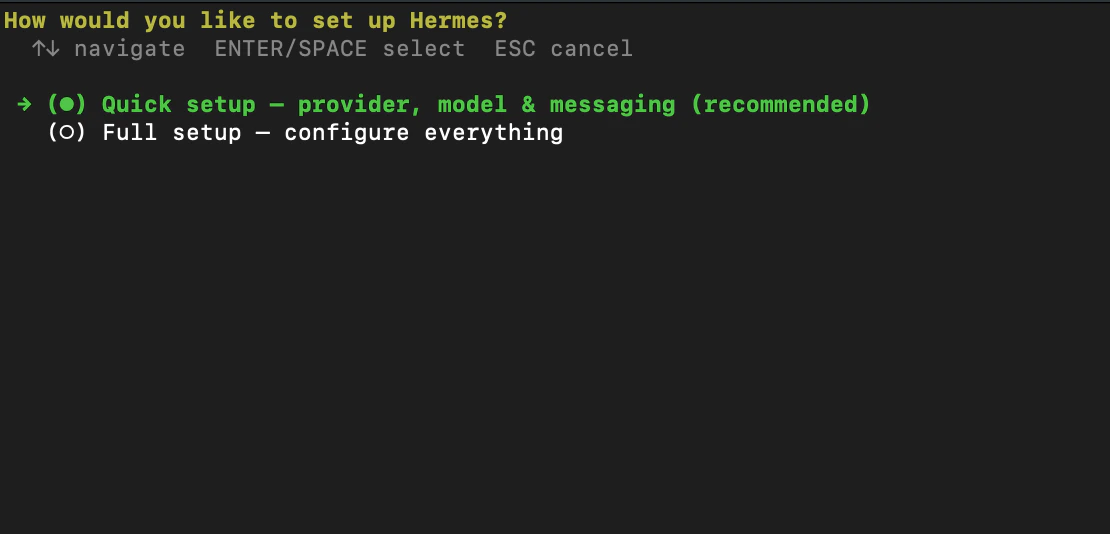
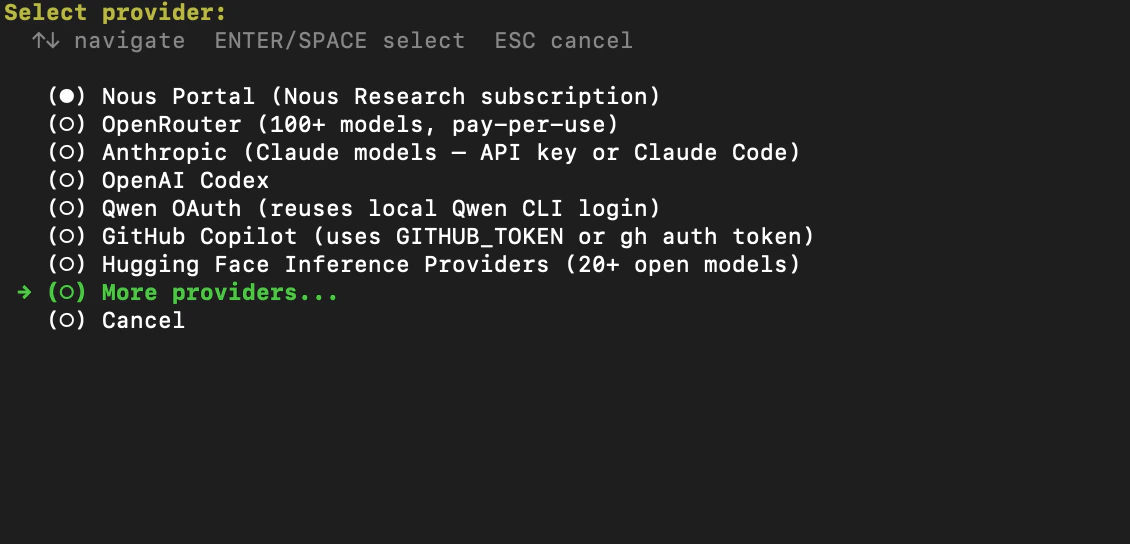
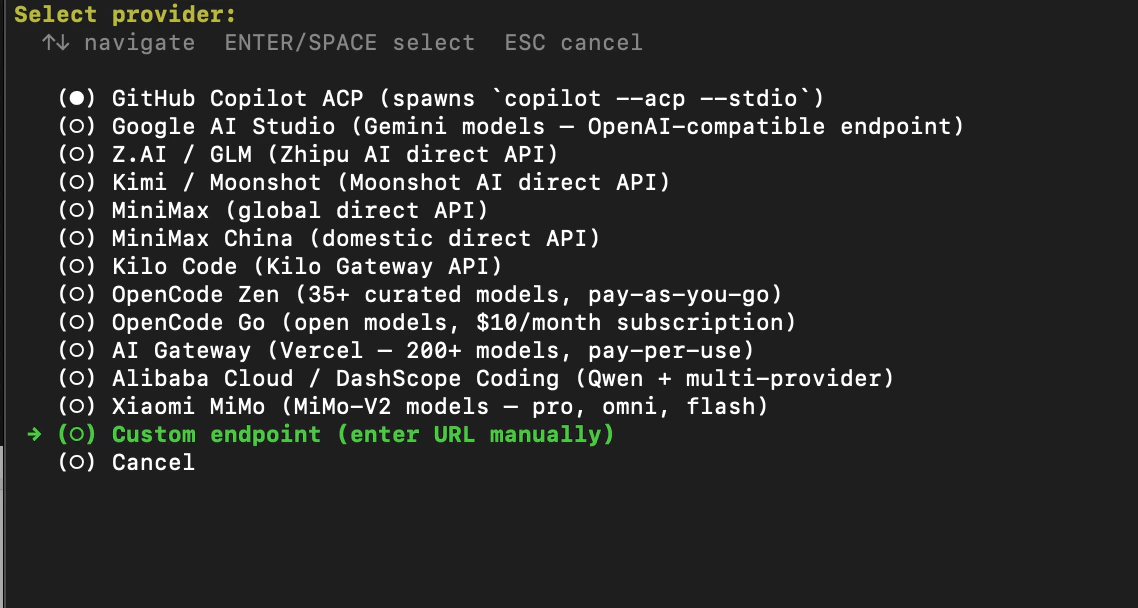
Step 3: Configure AIHubMix Parameters
- Enter the API base URL:
https://aihubmix.com/v1. - Enter your AIHUBMIX_API_KEY: sk-***.
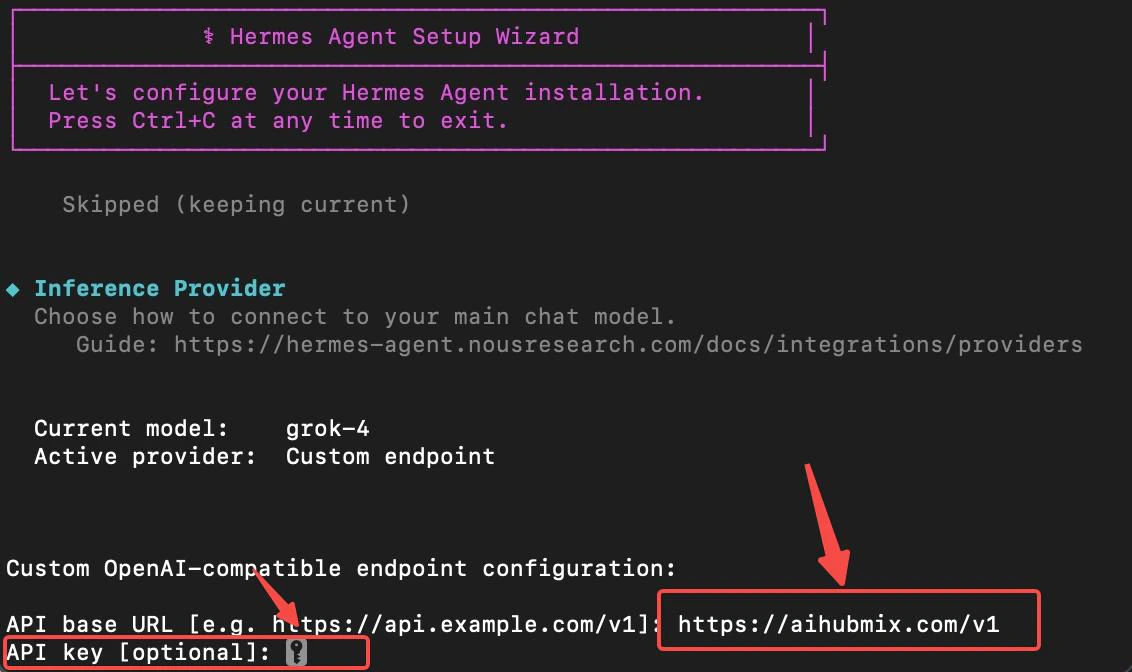
- Enter the model ID to select the model you want to use.
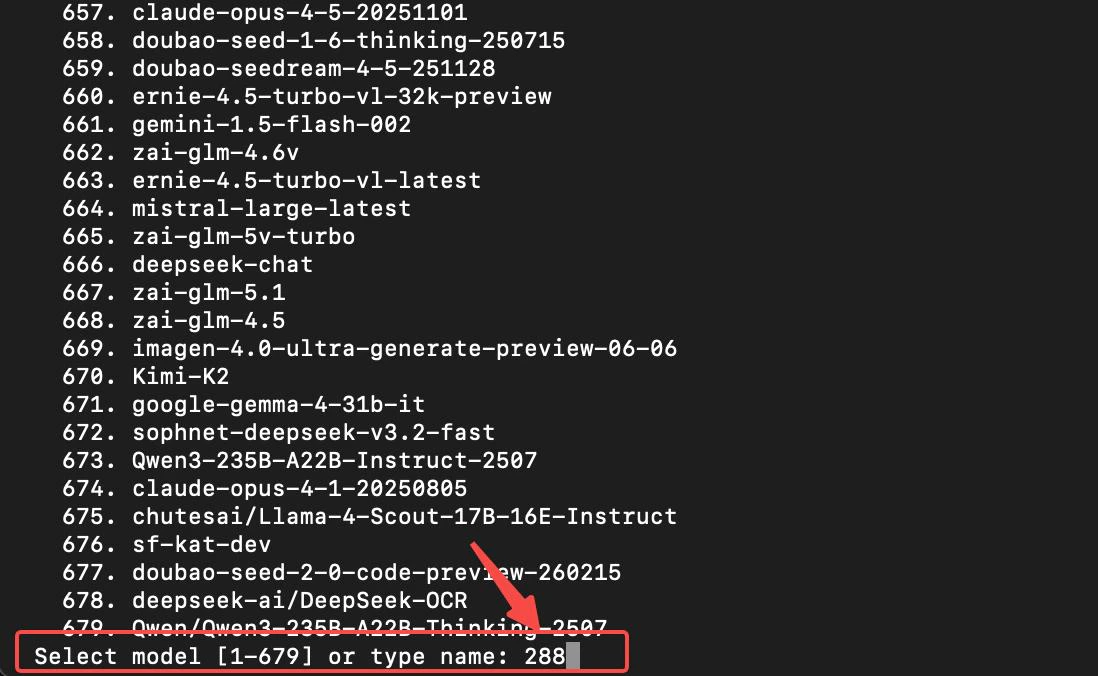
Step 4: Set Up the Messaging Platform
Configure the messaging platform as needed (use Skip as a reference) -> Whether to run now (select Y)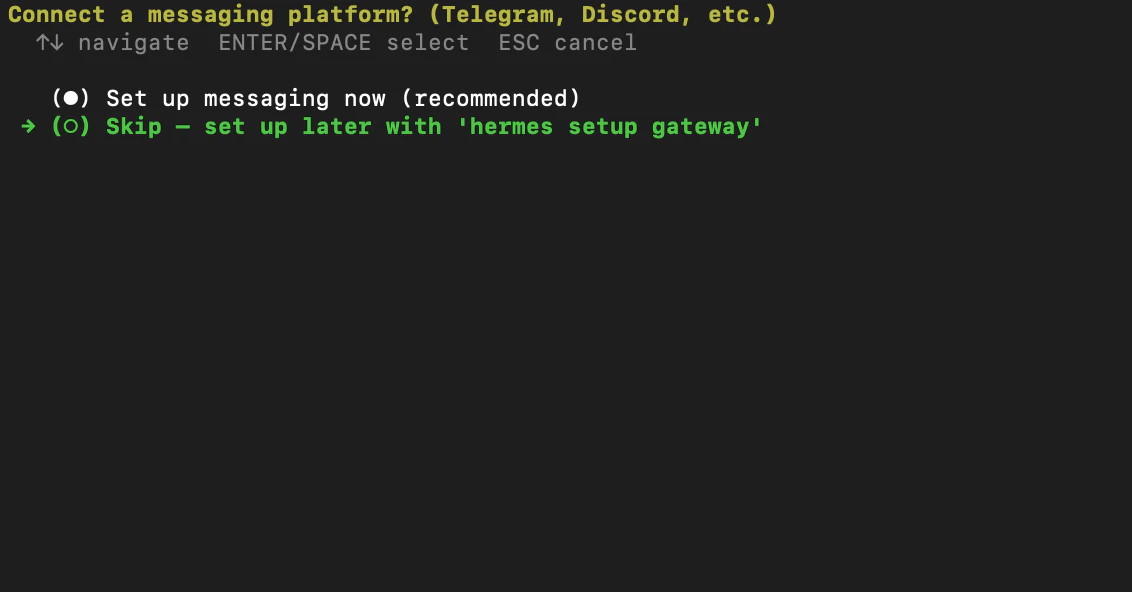
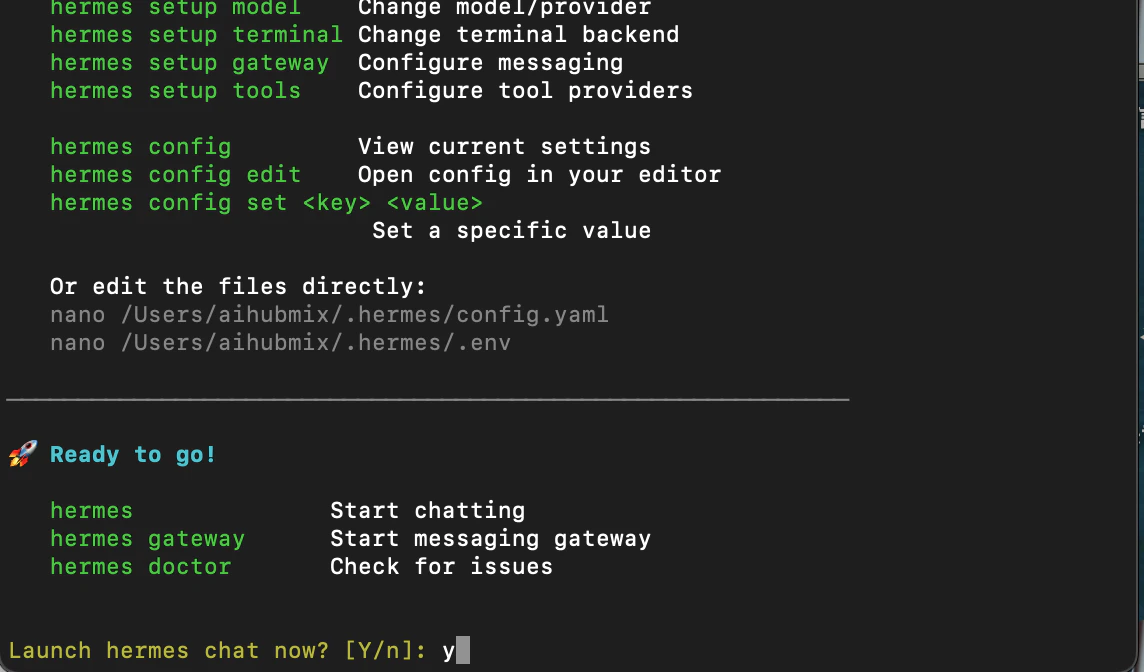
Step 5: Run a Test
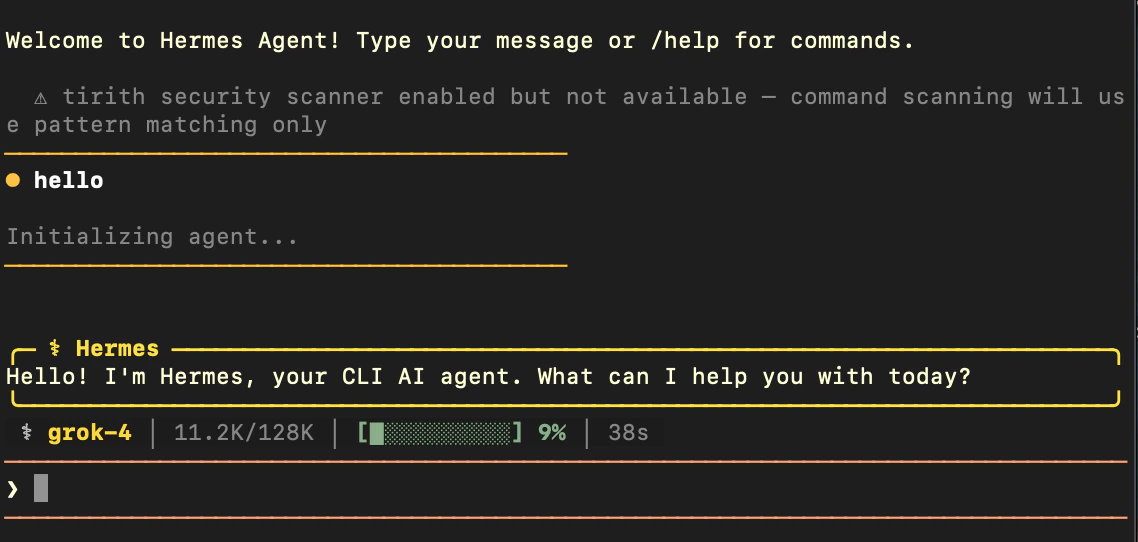
- Enter
hermesin the terminal to open the Hermes Agent interactive interface.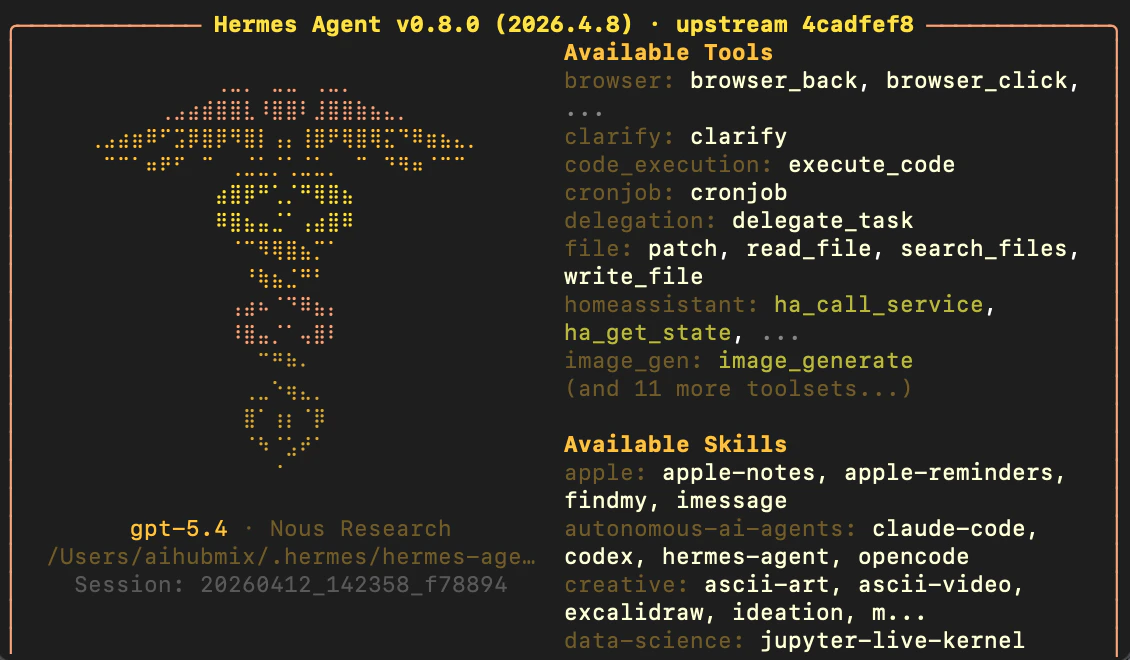
- Type a message into the input box. If the model responds normally, the installation was successful.
Install via the Official Plugin
The Custom endpoint route above requires entering the base URL and model id by hand each time. AIHubMix publishes an official model provider plugin. Once installed, AIHubMix is registered with Hermes as theaihubmix provider, callable directly with --provider aihubmix, and the model list is populated from the AIHubMix model catalog API. The plugin modifies no Hermes core files.
Source and full documentation: AIhubmix/hermes-provider-aihubmix
Install
Copy the plugin directory into the Hermes model provider directory:hermes plugins enable aihubmix to add the name to plugins.enabled.
hermes plugins install AIhubmix/hermes-provider-aihubmix does not work for this plugin. That command installs to ~/.hermes/plugins/<repo-name>/ and warns that the repository root has no plugin.yaml, while model providers are discovered from ~/.hermes/plugins/model-providers/ only, so the plugin never registers. The manifest aihubmix/plugin.yaml declares kind: model-provider, but the command does not read that field when choosing the install directory. Use one of the two methods above. This behavior was verified on Hermes 0.20.5.Set the API key
hermes setup reads the environment variable, and hermes doctor uses it to probe the model catalog API.
Usage
/model after selecting AIHubMix.
The model list comes from the AIHubMix model catalog API and includes only entries that advertise tools or function_calling. Either marker qualifies on its own. When that API is unavailable the plugin falls back to the generic /v1/models list, and when that fails as well it uses a small built-in fallback list.
Set AIHUBMIX_BASE_URL to point at a proxy or a self-hosted relay. When that value differs from the default, the plugin uses the generic {base_url}/models path to list models.
Common Commands
Code blockFAQ
Why does the plugin not work after hermes plugins install?
That command installs to ~/.hermes/plugins/<repo-name>/, while Hermes discovers model providers from ~/.hermes/plugins/model-providers/ only, so the plugin never registers. The manifest aihubmix/plugin.yaml declares kind: model-provider, but the command does not read that field when choosing the install directory, so the install itself reports success. Use the directory copy shown above, or install with pip and run hermes plugins enable aihubmix.
How does the plugin differ from the Custom endpoint route?
The Custom endpoint route requires entering the base URL and model id by hand. The plugin registers AIHubMix as the named provideraihubmix, supports --provider aihubmix directly, and populates the model list from the AIHubMix model catalog API, filtered to models that support tool calling.
The /model list is empty or shorter than expected. What should I check?
Confirm that AIHUBMIX_API_KEY is set and valid, which hermes doctor can check. The list includes only models that advertise tools or function_calling, so it is shorter than the full catalog. When AIHUBMIX_BASE_URL is set to a value other than the default, the plugin uses {base_url}/models instead.
Last updated: 2026-08-25