

Configuration
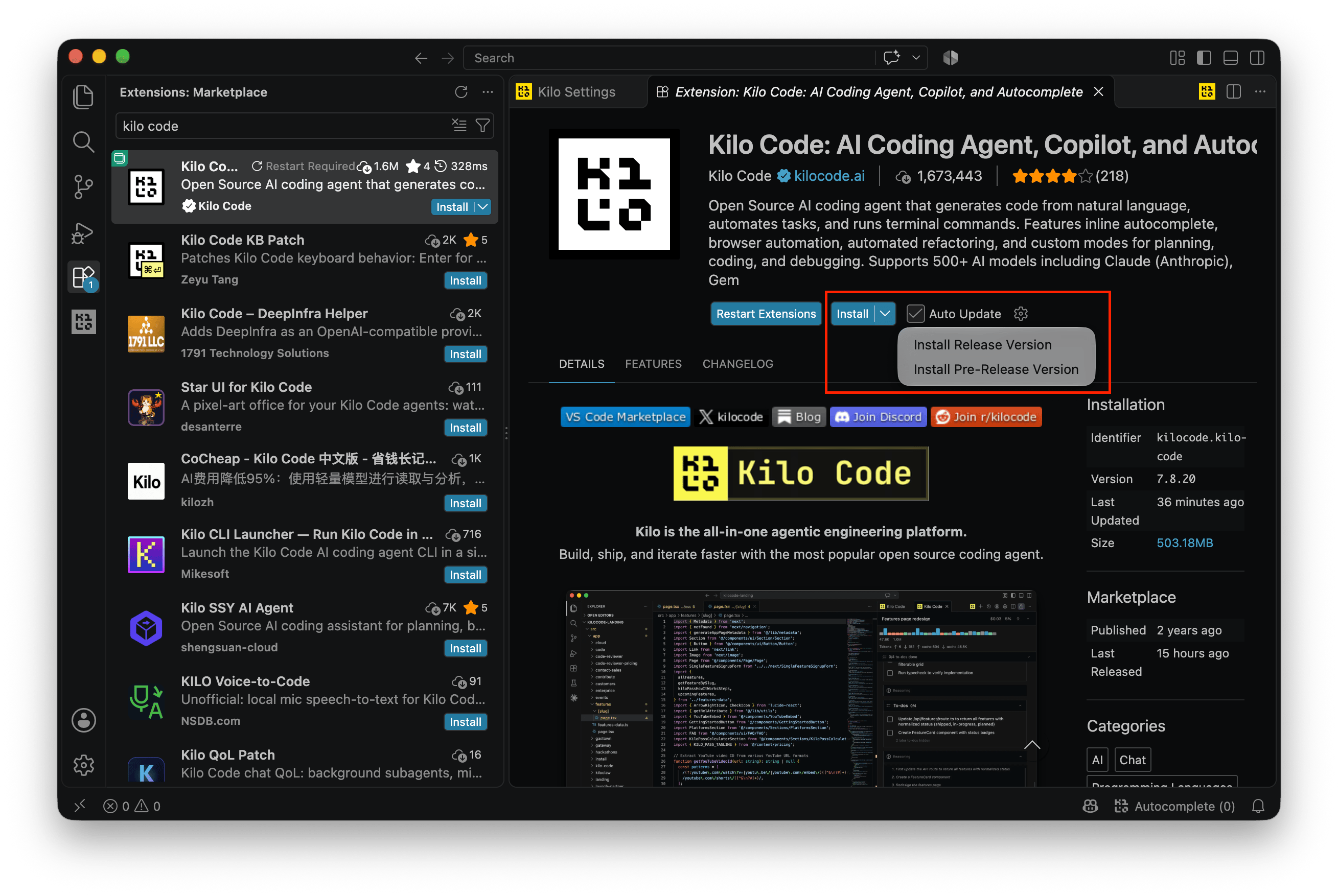
1. Install the pre-release build
In the VS Code Extensions view, search forKilo Code and pick the entry published by kilocode. Click the arrow next to Install and choose Install Pre-Release Version. The extension currently ships on the pre-release channel, and the regular build does not show the screens described here.
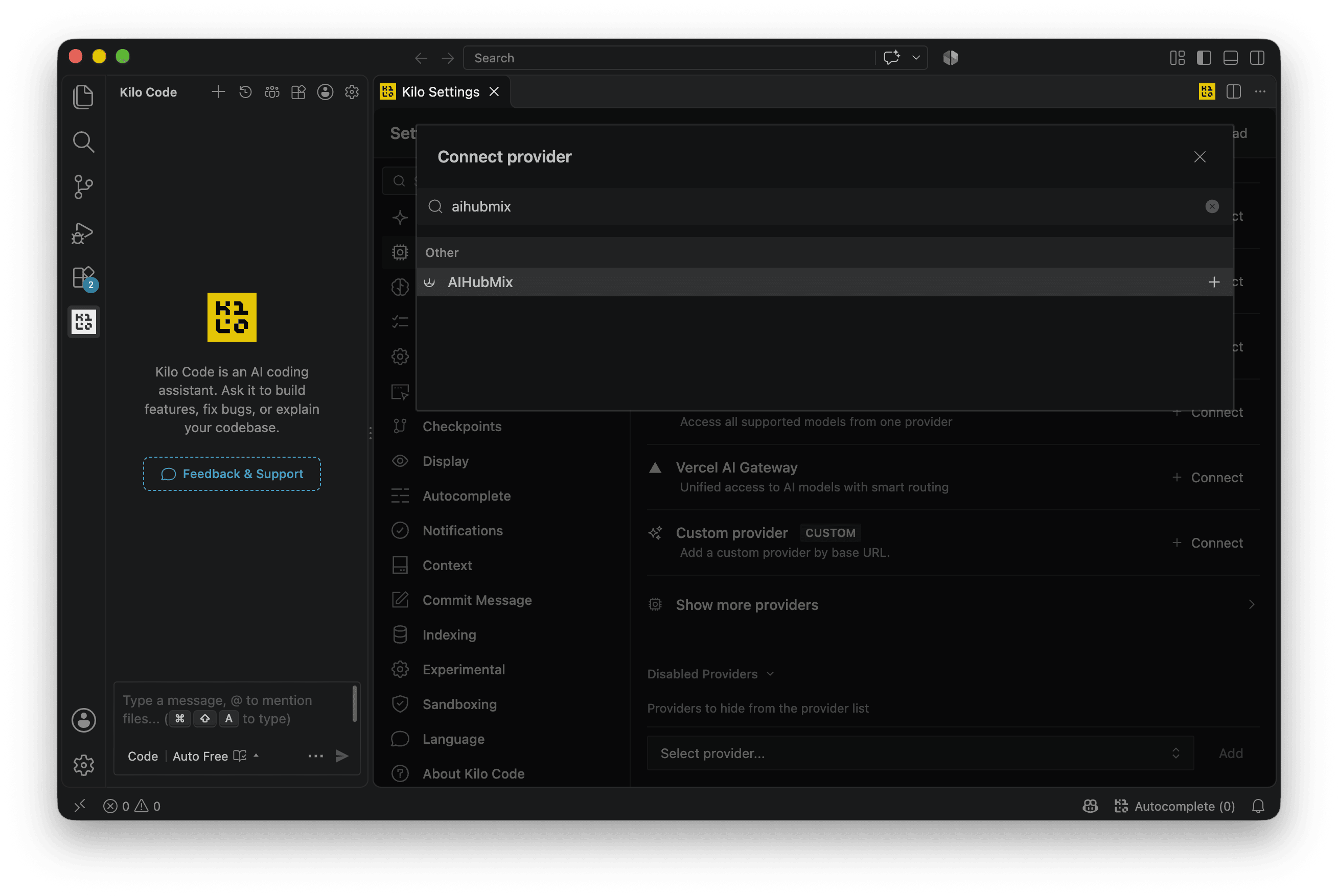
2. Connect AIHubMix
Open the Kilo icon in the Activity Bar, then go to Settings → Providers → Connect provider, typeaihubmix in the search box and pick AIHubMix.
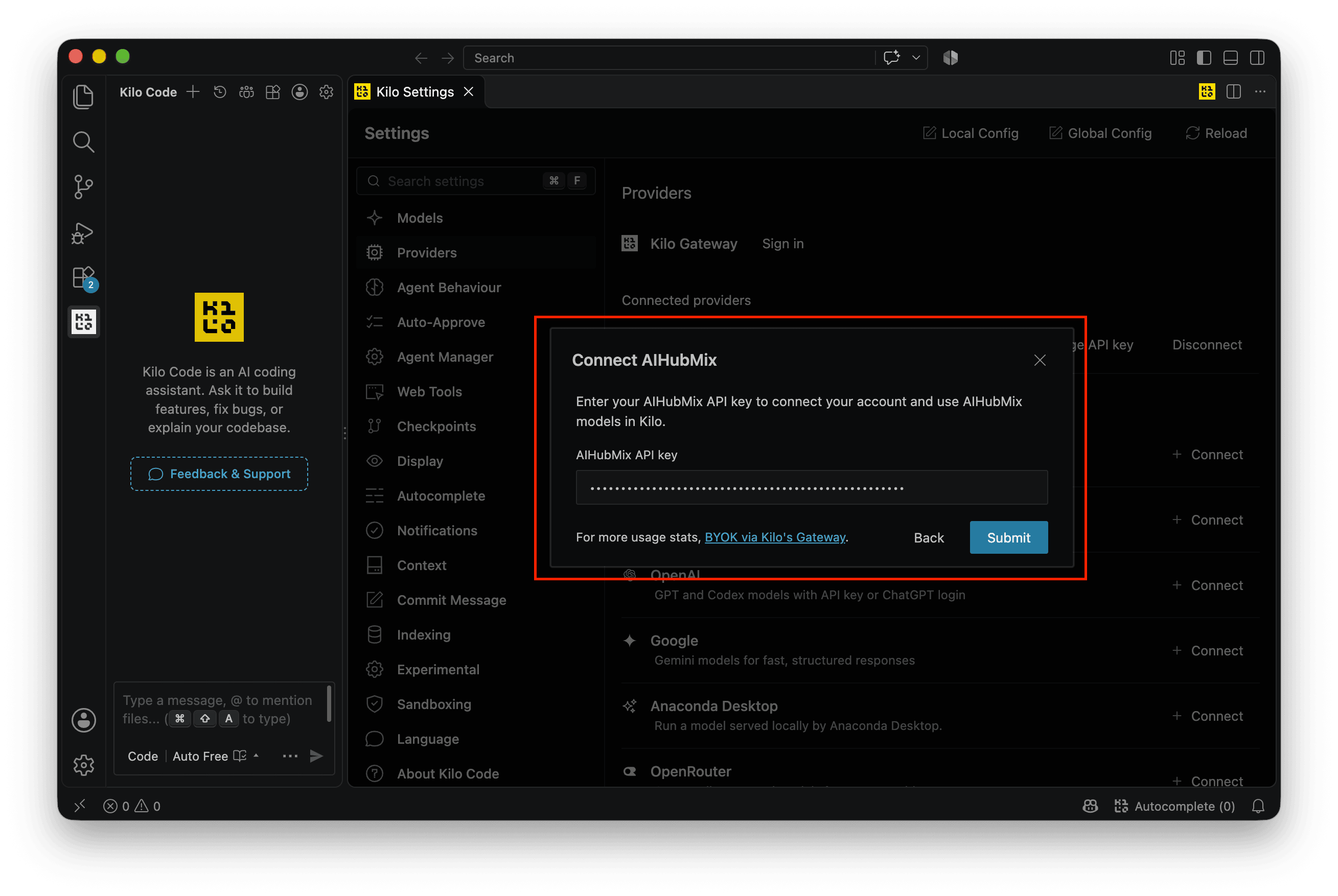
3. Enter the API key
Fill in the key in theConnect AIHubMix panel and click Submit. Keys are created on the AIHubMix 「Keys」page.
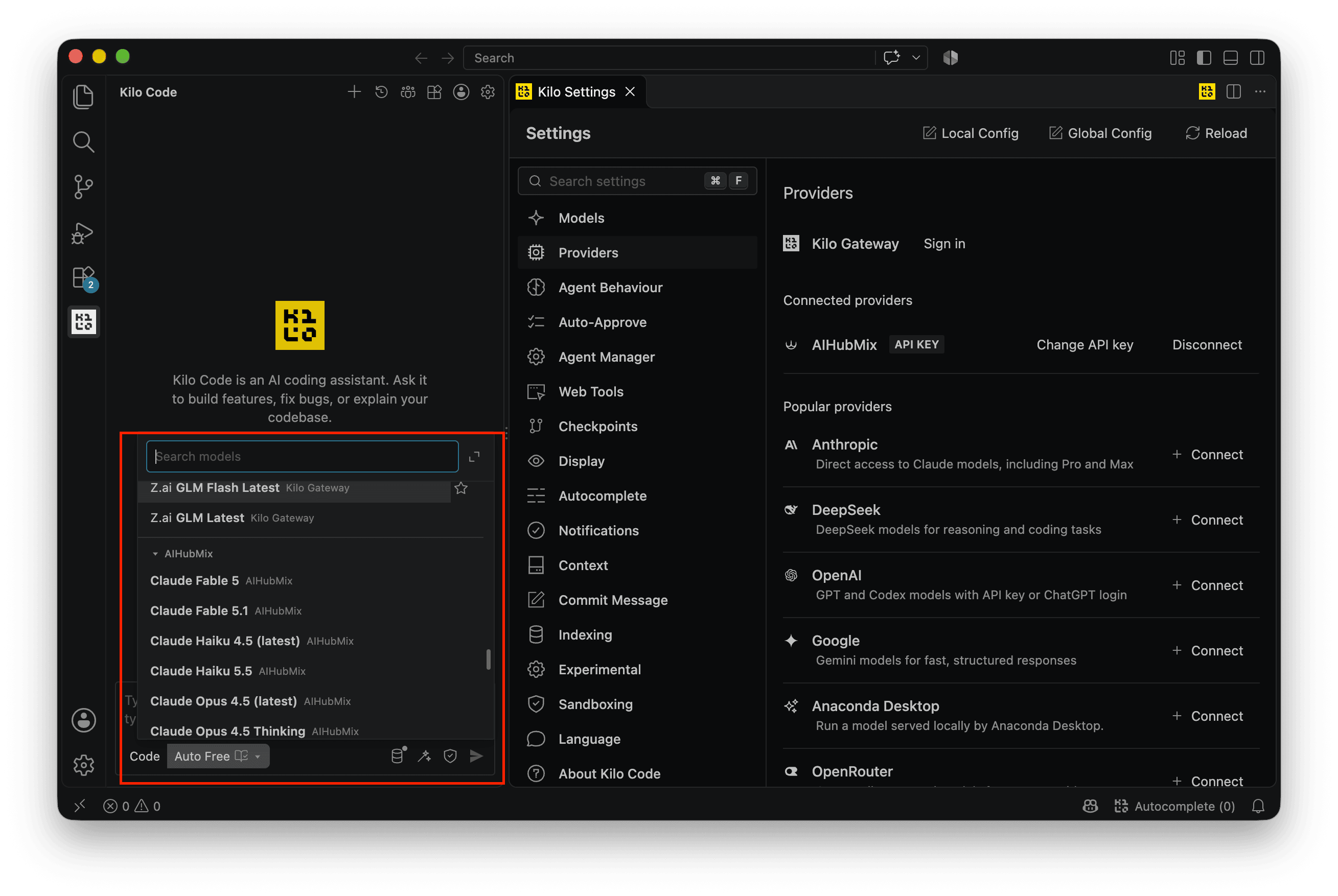
Switching models
Click the current model name under the input box to open the list. Models under theAIHubMix group are ready to use.
Last updated: 2026-10-28