


快速開始
Step 1: 安裝 Hermes
開啟終端機,執行以下命令:Linux / macOS / WSL2
Android / Termux
不支援原生 Windows 系統,請安裝WSL2並從 WSL2 中執行 Hermes Agent。
Step2:選擇供應商
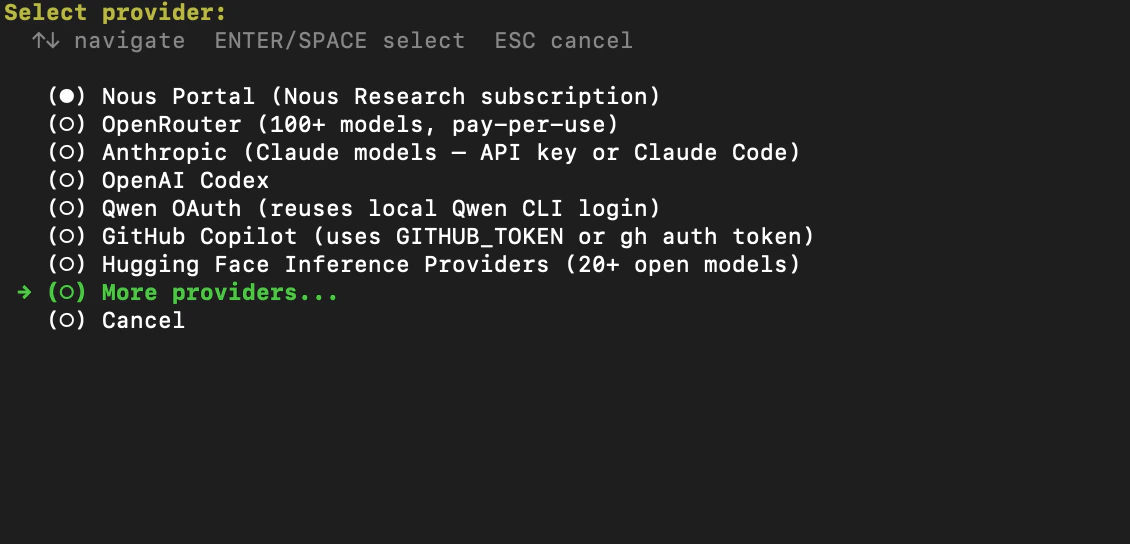
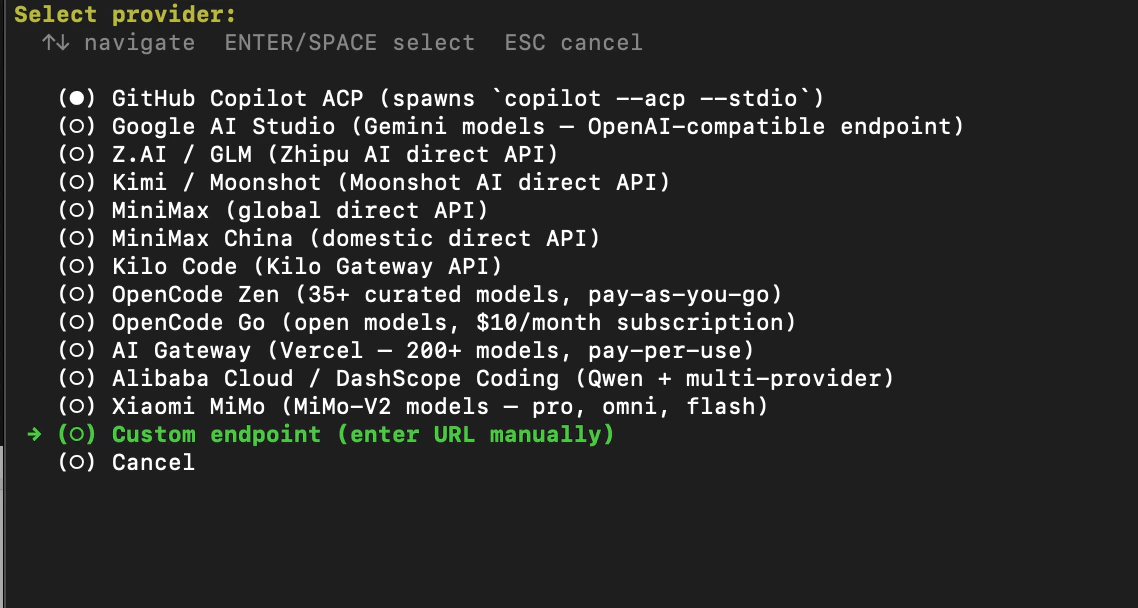
安裝成功後,選擇 Quick setup -> More providers -> Custom endpoint。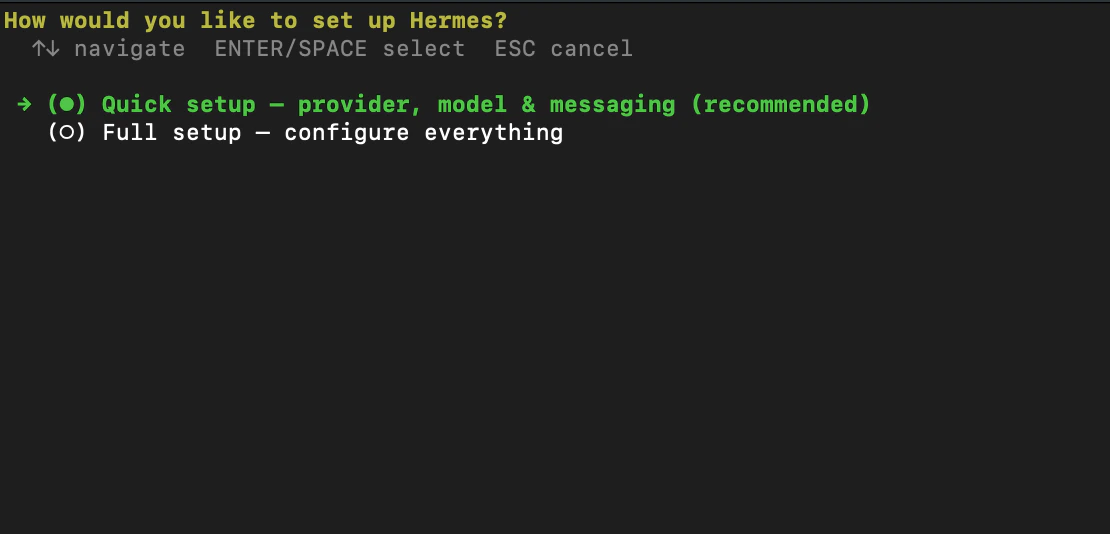
Step3:設定 AIHubMix 參數
- 輸入 API base URL :
https://aihubmix.com/v1。 - 輸入 AIHUBMIX_API_KEY:sk-***。
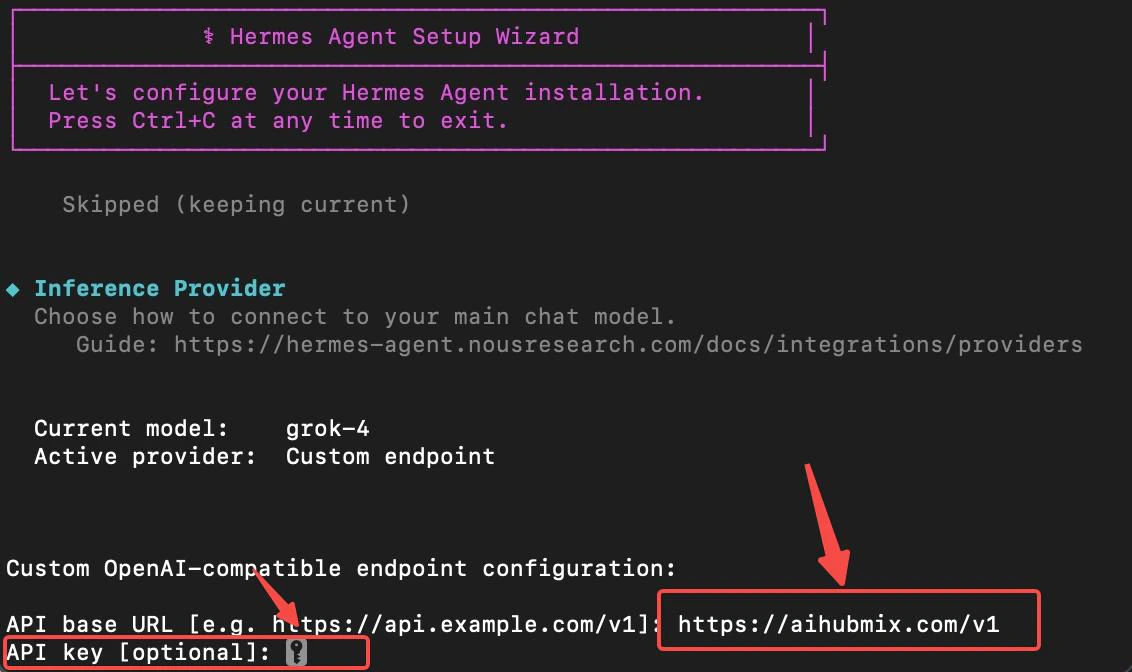
- 輸入模型編號,選擇需要使用的模型。
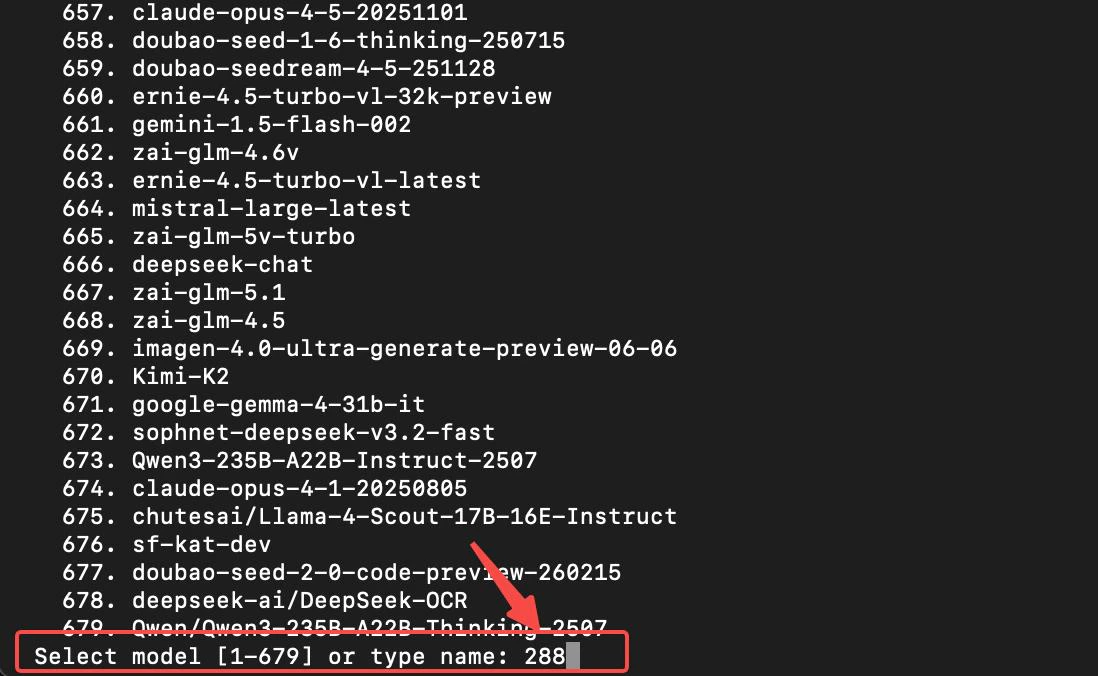
Step 4:設定訊息平台
依需求設定訊息平台(使用 Skip 作為參考)-> 是否需要執行(選擇 Y)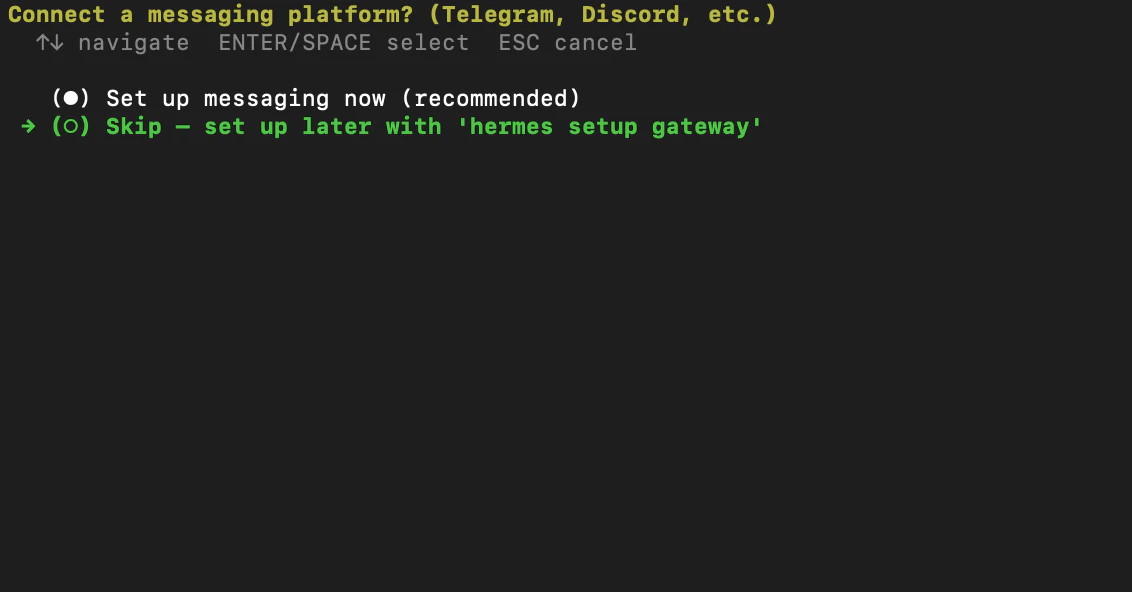
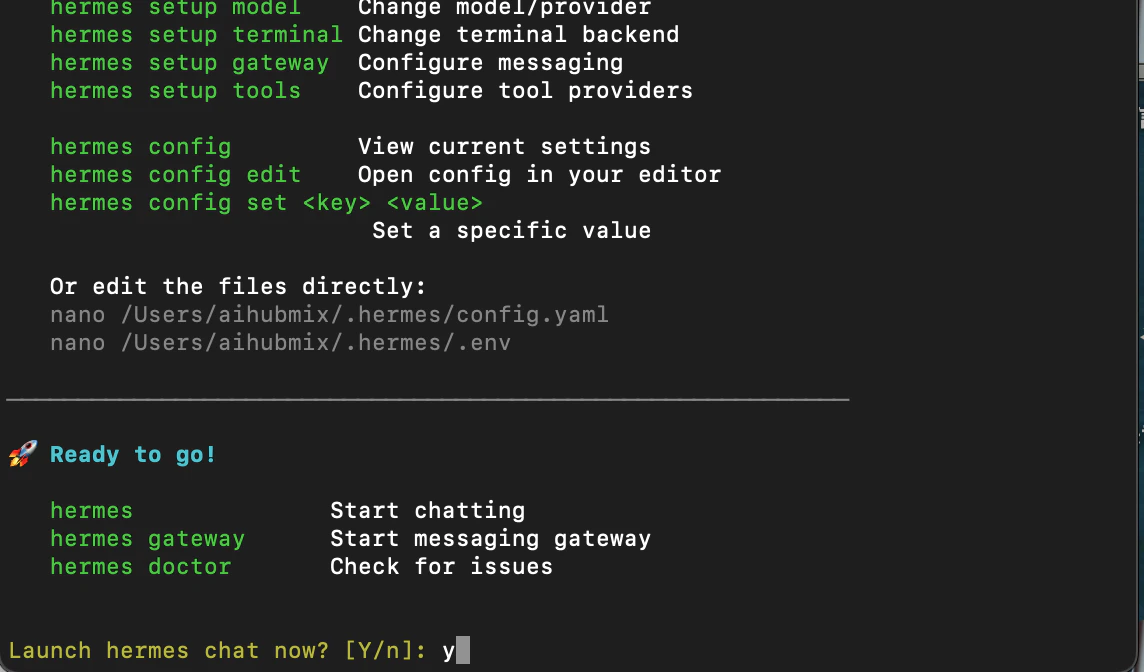
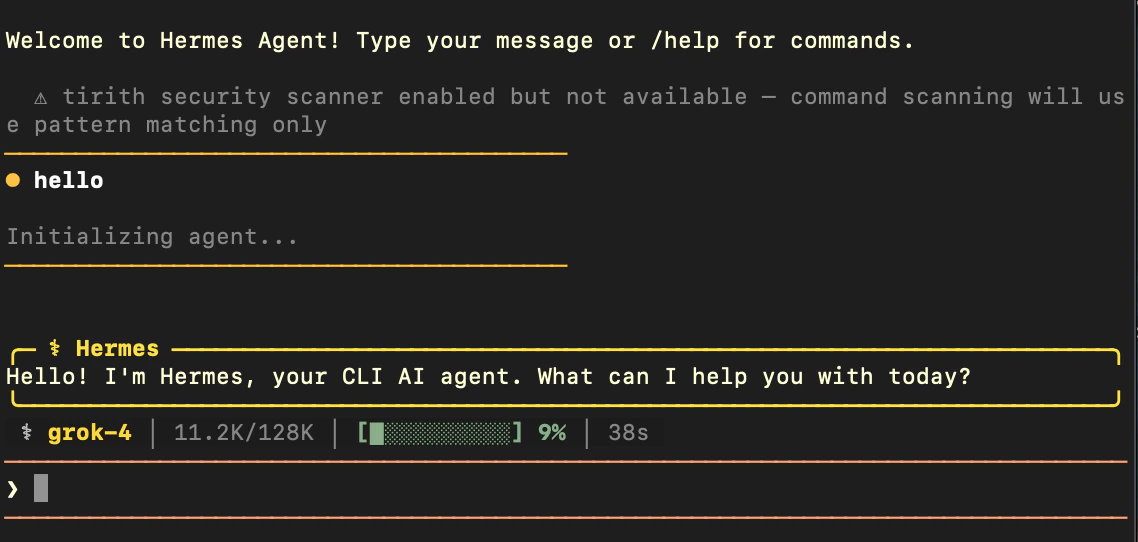
Step 5:執行測試
- 在終端機輸入
hermes,進入 Hermes Agent 互動頁面。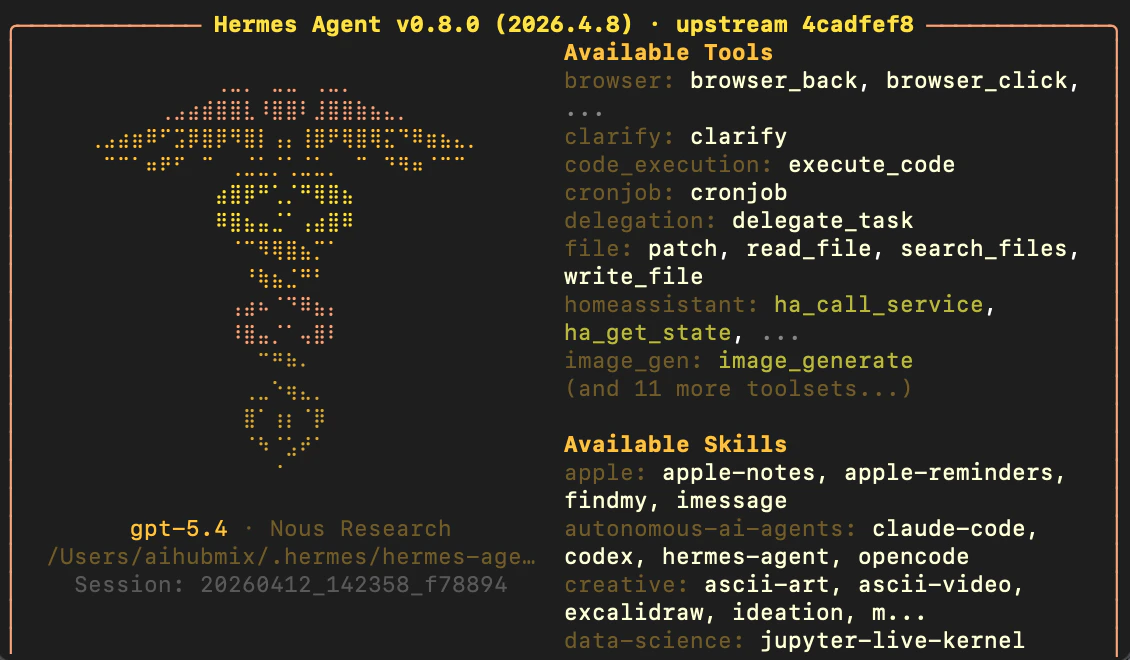
- 在對話框中輸入內容,若模型正常回應,則代表安裝成功。
使用官方外掛接入
上面的 Custom endpoint 方式需要每次手動填寫 base URL 與模型編號。AIHubMix 提供了官方的 model provider(模型供應商)外掛,安裝後 AIHubMix 會作為aihubmix 供應商註冊進 Hermes,可直接以 --provider aihubmix 呼叫,模型清單由 AIHubMix 的模型目錄介面自動填入。外掛不會改動 Hermes 任何核心檔案。
原始碼與完整說明:AIhubmix/hermes-provider-aihubmix
安裝
將外掛目錄複製到 Hermes 的 model provider 目錄:hermes plugins enable aihubmix 寫入 plugins.enabled 後才生效。
hermes plugins install AIhubmix/hermes-provider-aihubmix 對本外掛無效。該指令會把外掛安裝到 ~/.hermes/plugins/<儲存庫名稱>/,並提示儲存庫根目錄沒有 plugin.yaml,而 model provider 僅從 ~/.hermes/plugins/model-providers/ 探索,外掛不會註冊。外掛資訊清單 aihubmix/plugin.yaml 中宣告了 kind: model-provider,但該指令在選擇安裝目錄時不會讀取這個欄位。請改用上面兩種方式之一。此行為已在 Hermes 0.20.5 上驗證。設定金鑰
hermes setup 會讀取該環境變數,hermes doctor 會用它偵測模型目錄介面的連通性。
使用
/model 互動式挑選模型。
模型清單取自 AIHubMix 的模型目錄介面,只列出標註了 tools 或 function_calling 的項目,兩個標記滿足其一即可。該介面無法使用時,外掛會回退到通用的 /v1/models 清單;再無法使用時則採用內建的少量備援模型清單。
設定 AIHUBMIX_BASE_URL 可指向代理或自建中轉位址。當該值與預設位址不同時,外掛改用通用的 {base_url}/models 路徑取得模型清單。
常用指令
程式碼區塊常見問題
hermes plugins install 安裝完為什麼無法使用?
該指令會把外掛安裝到 ~/.hermes/plugins/<儲存庫名稱>/,而 Hermes 的 model provider 僅從 ~/.hermes/plugins/model-providers/ 探索,外掛因此不會註冊。外掛資訊清單 aihubmix/plugin.yaml 中宣告了 kind: model-provider,但該指令在選擇安裝目錄時不會讀取這個欄位,所以安裝本身會顯示成功。請改用上文的目錄複製方式,或以 pip 安裝後執行 hermes plugins enable aihubmix。
外掛方式與 Custom endpoint 有什麼差別?
Custom endpoint 需要手動填寫 base URL 與模型編號。外掛會把 AIHubMix 註冊為具名供應商aihubmix,支援 --provider aihubmix 直接呼叫,模型清單由 AIHubMix 的模型目錄介面自動填入,並過濾為支援工具呼叫的模型。
/model 裡模型清單為空或偏少怎麼辦?
先確認 AIHUBMIX_API_KEY 已設定且有效,可用 hermes doctor 檢查。清單只包含標註了 tools 或 function_calling 的模型,因此會少於全部模型數。若設定了 AIHUBMIX_BASE_URL 且與預設位址不同,外掛改用 {base_url}/models 取得清單。
更新時間:2026-08-25