

安裝
安裝前請確認 Node >= 22。
openclaw,直接複製文件中的命令即可。
openclaw,請把命令開頭的 openclaw 替換成本機可執行檔路徑:
你的安裝路徑 是佔位符,請替換為你實際安裝 OpenClaw 的上層目錄。例如 OpenClaw 位於 D:\Apps\OpenClaw 時,應寫成 & "D:\Apps\OpenClaw\openclaw.cmd" models status。終端機設定
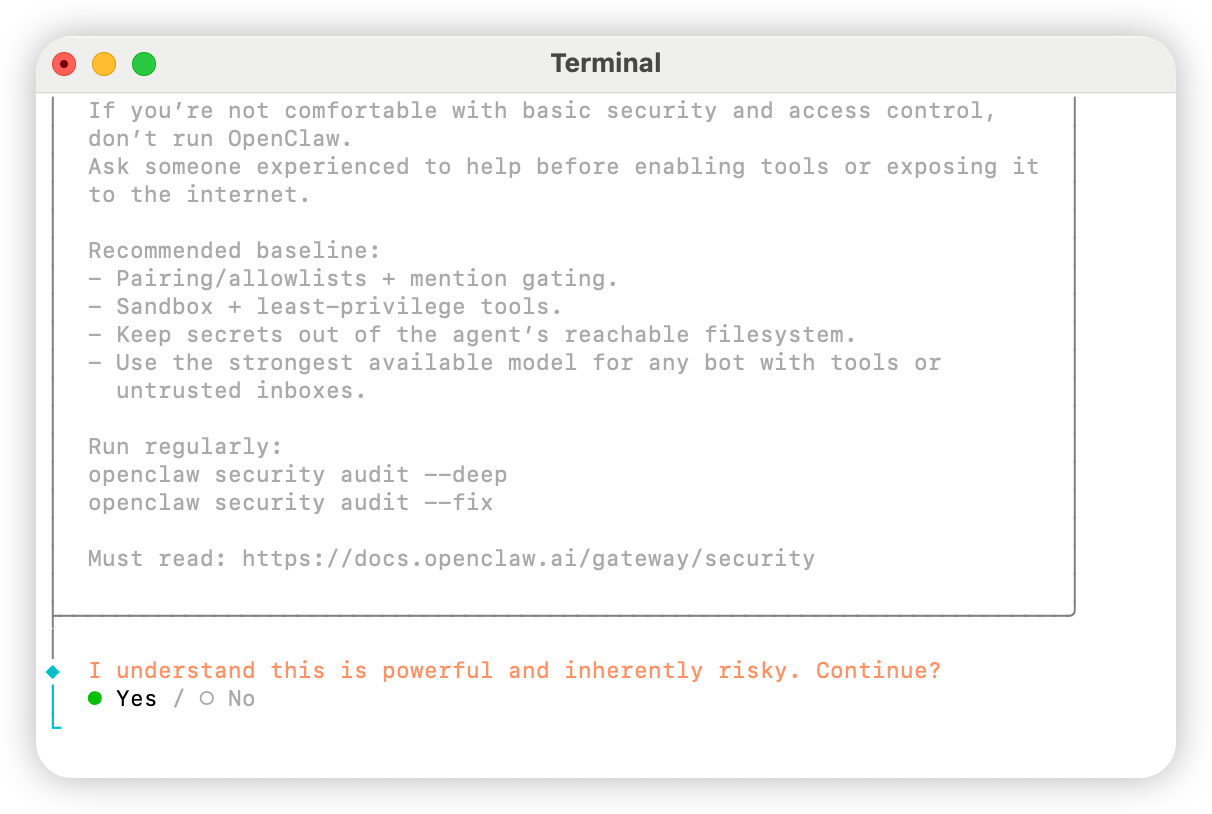
開啟終端機並執行下列指令以啟動設定Yes
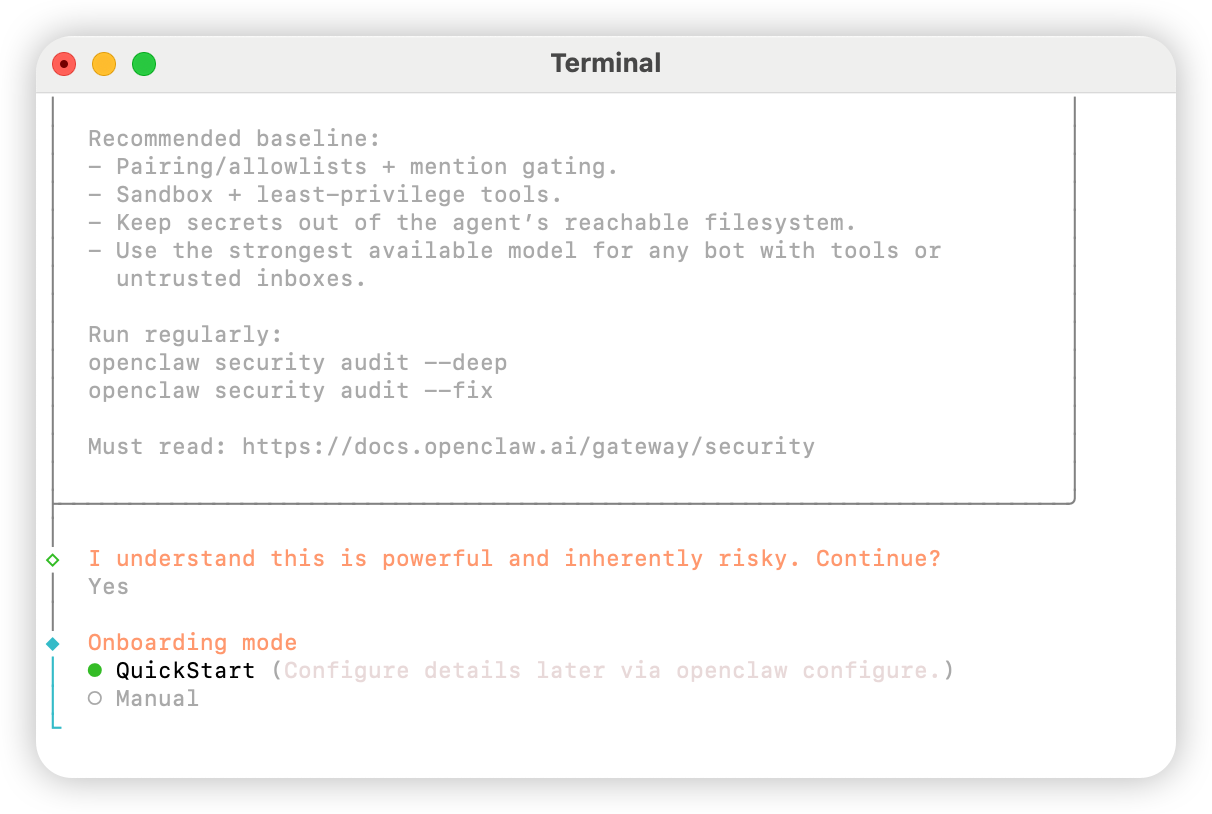
QuickStart
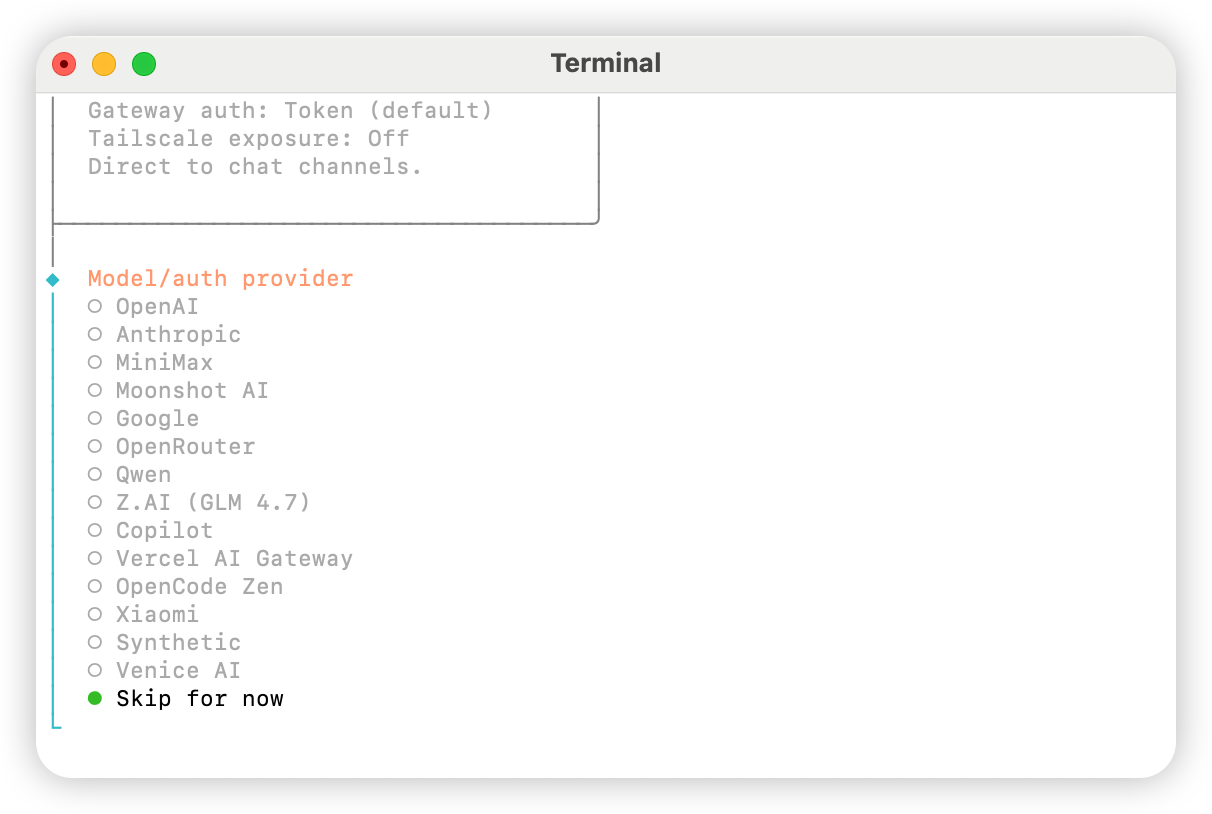
Skip for now
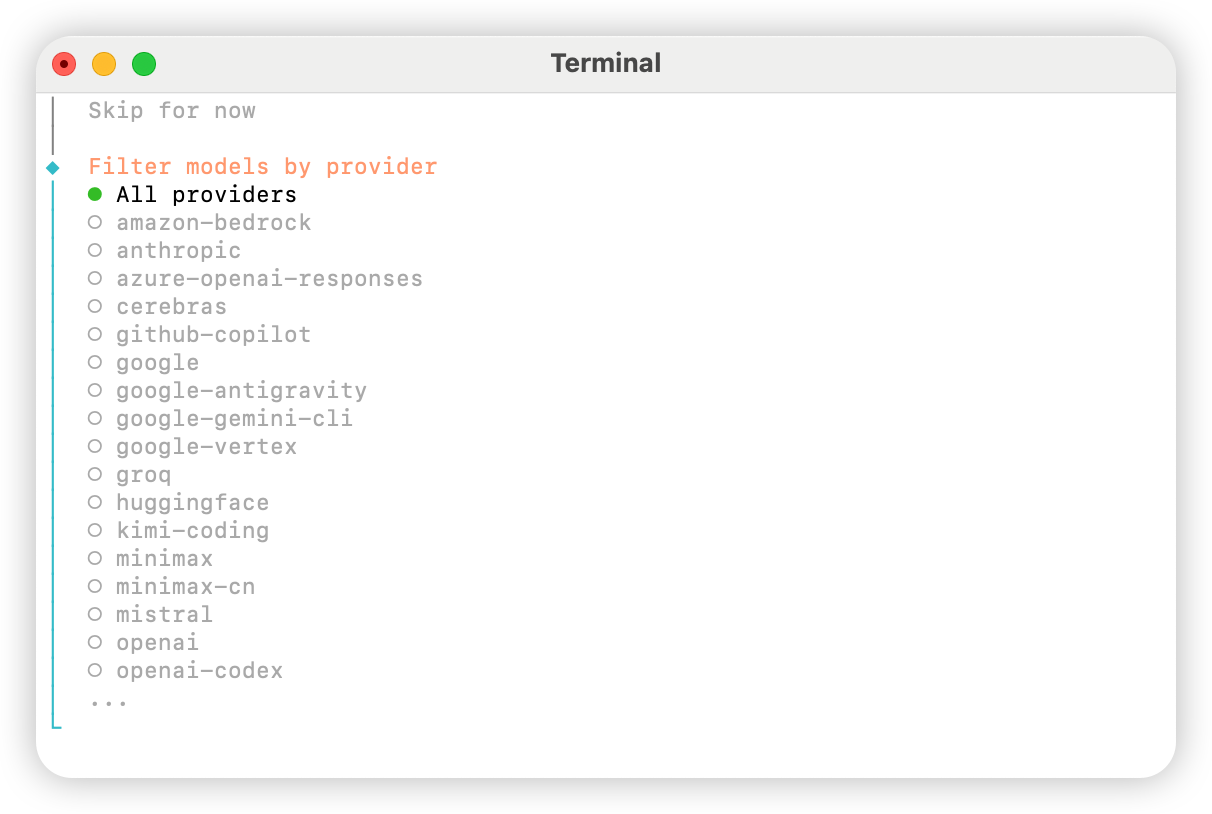
All providers
Keep current(如使用「方法 2:手動設定」,後續步驟可在設定檔中修改)。
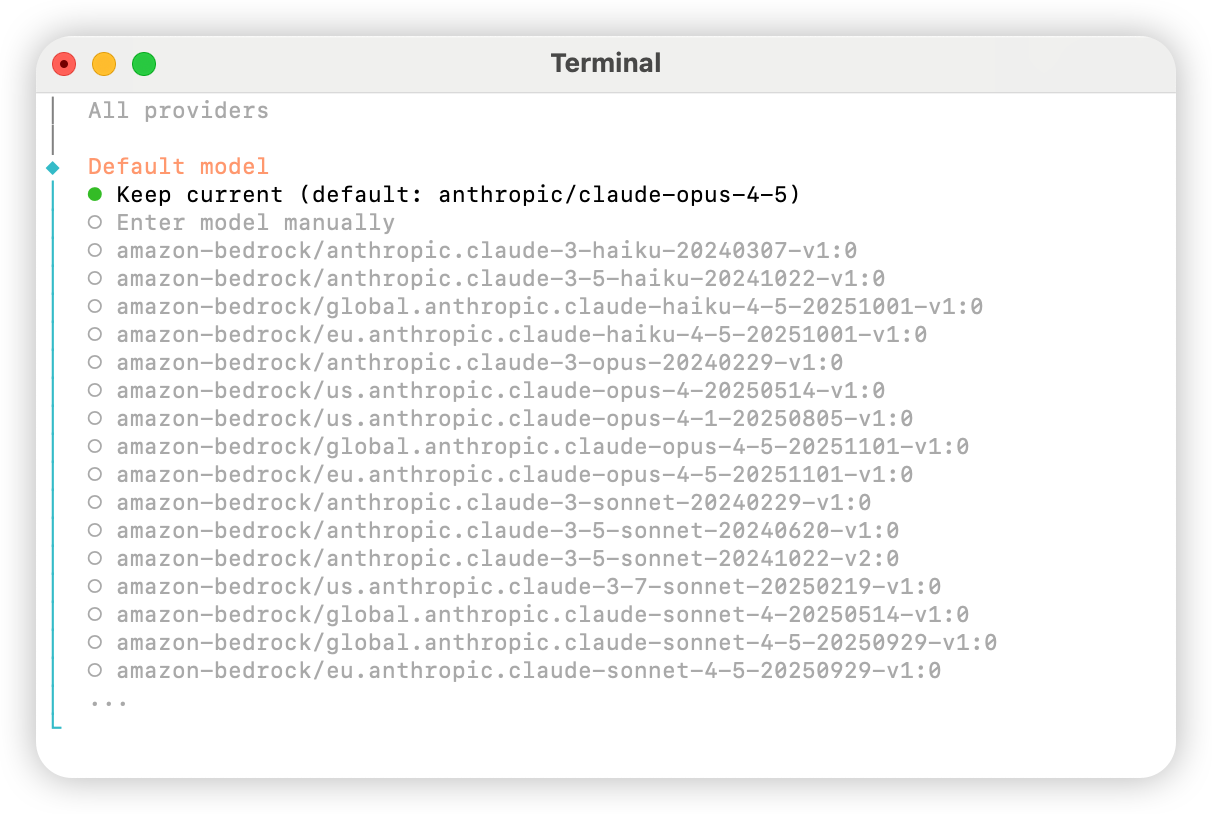
Skip for now。
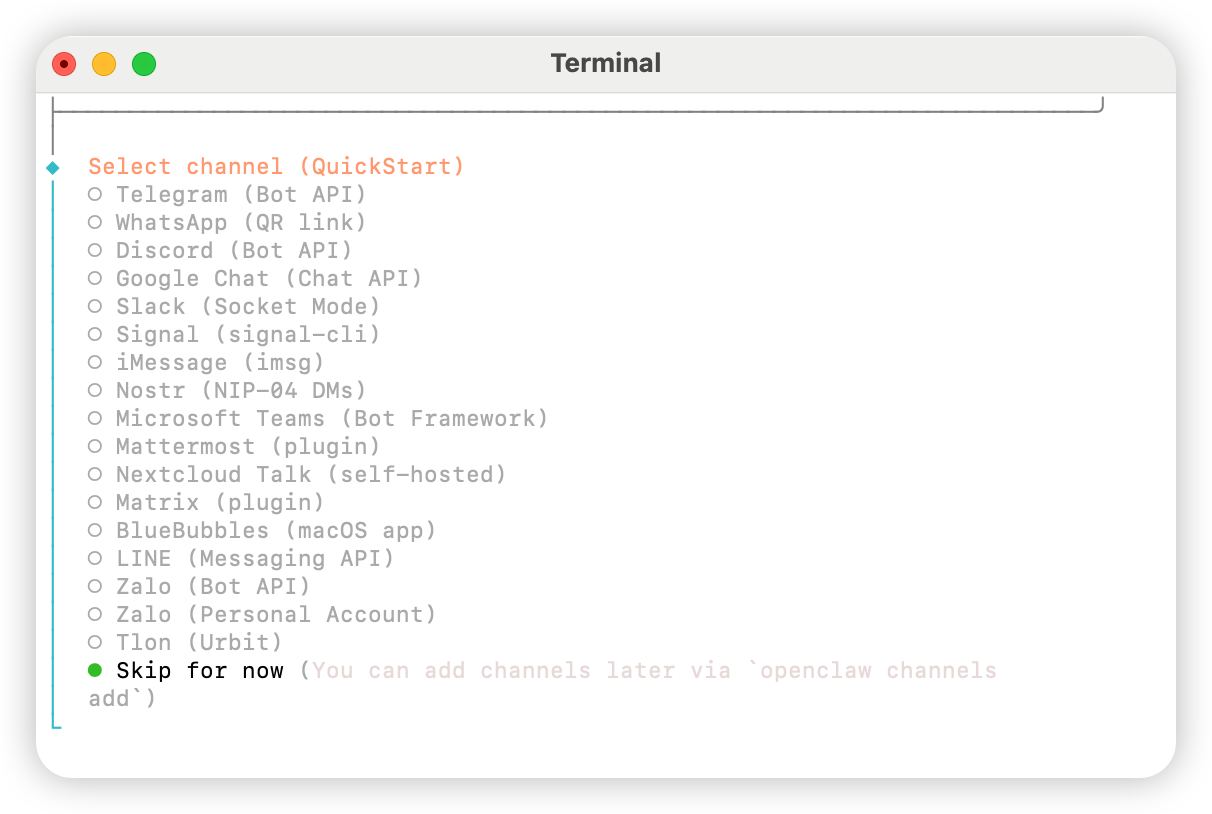
Yes。
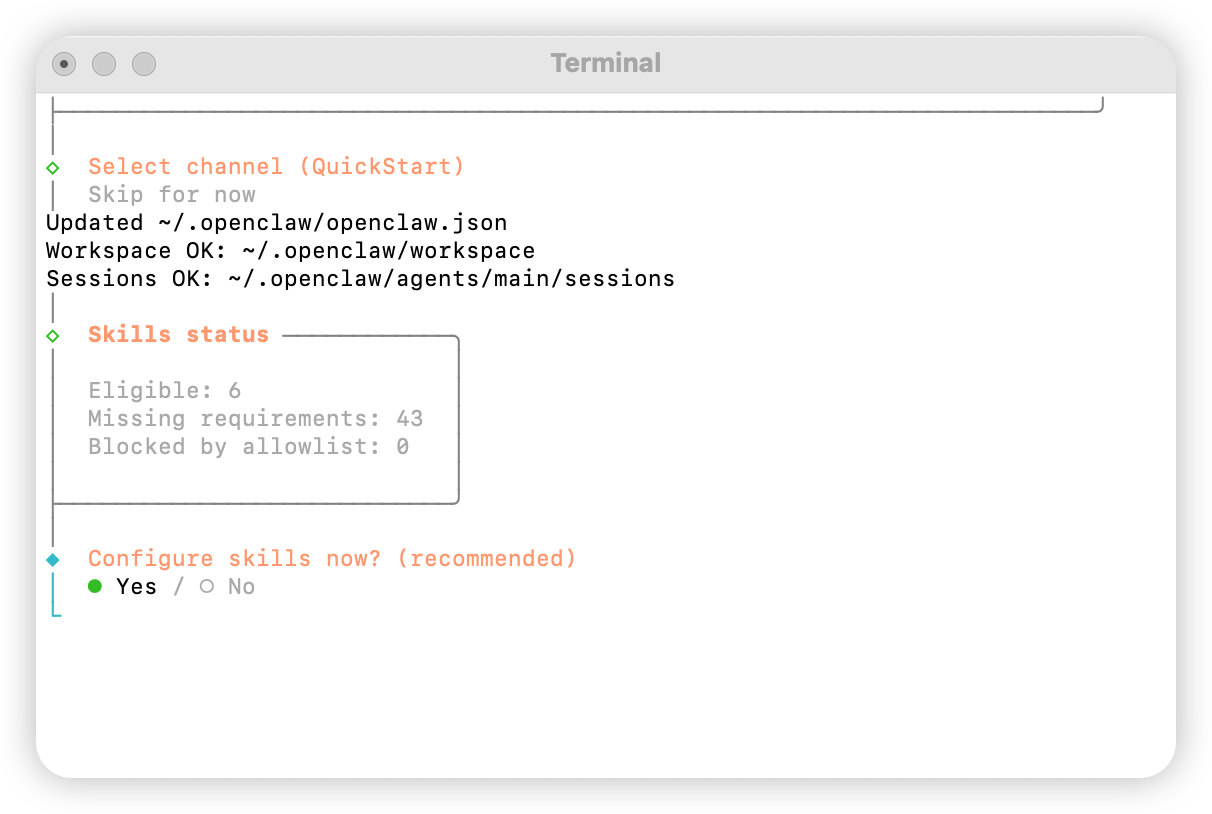
npm
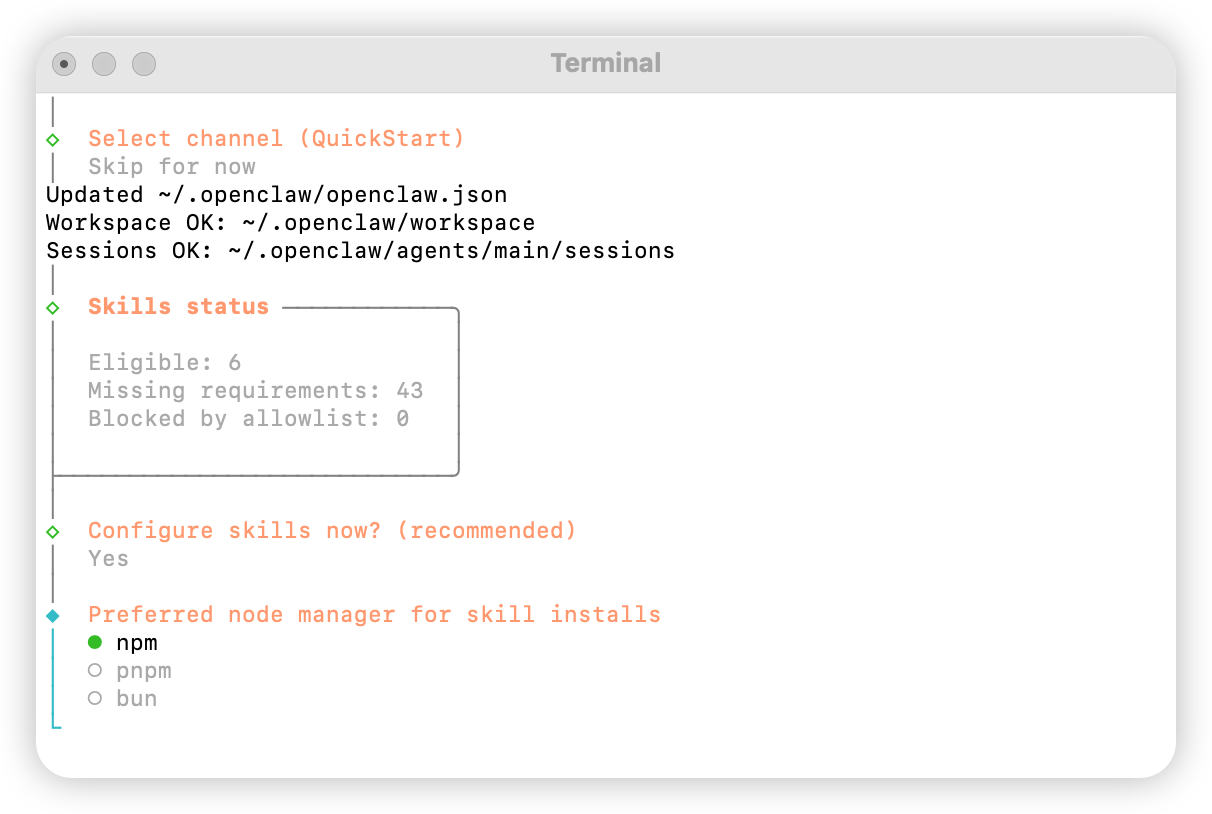
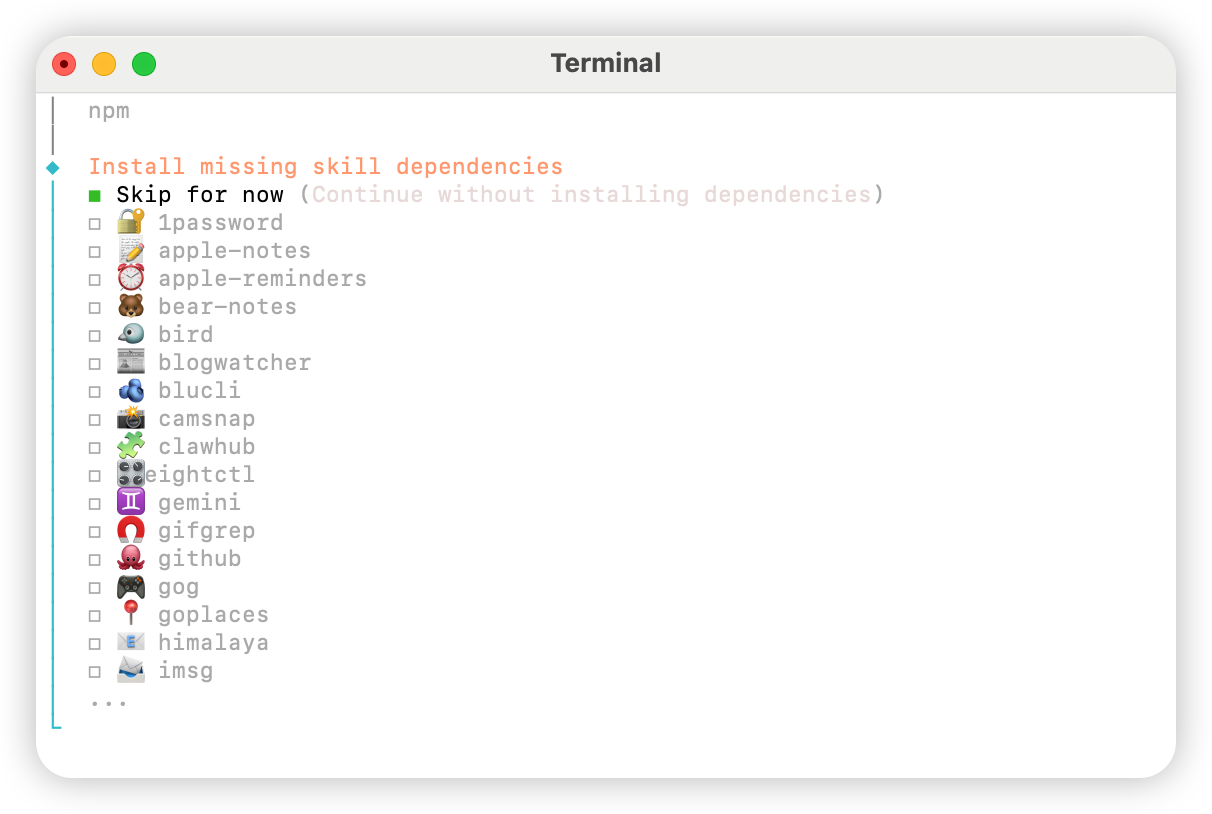
No。
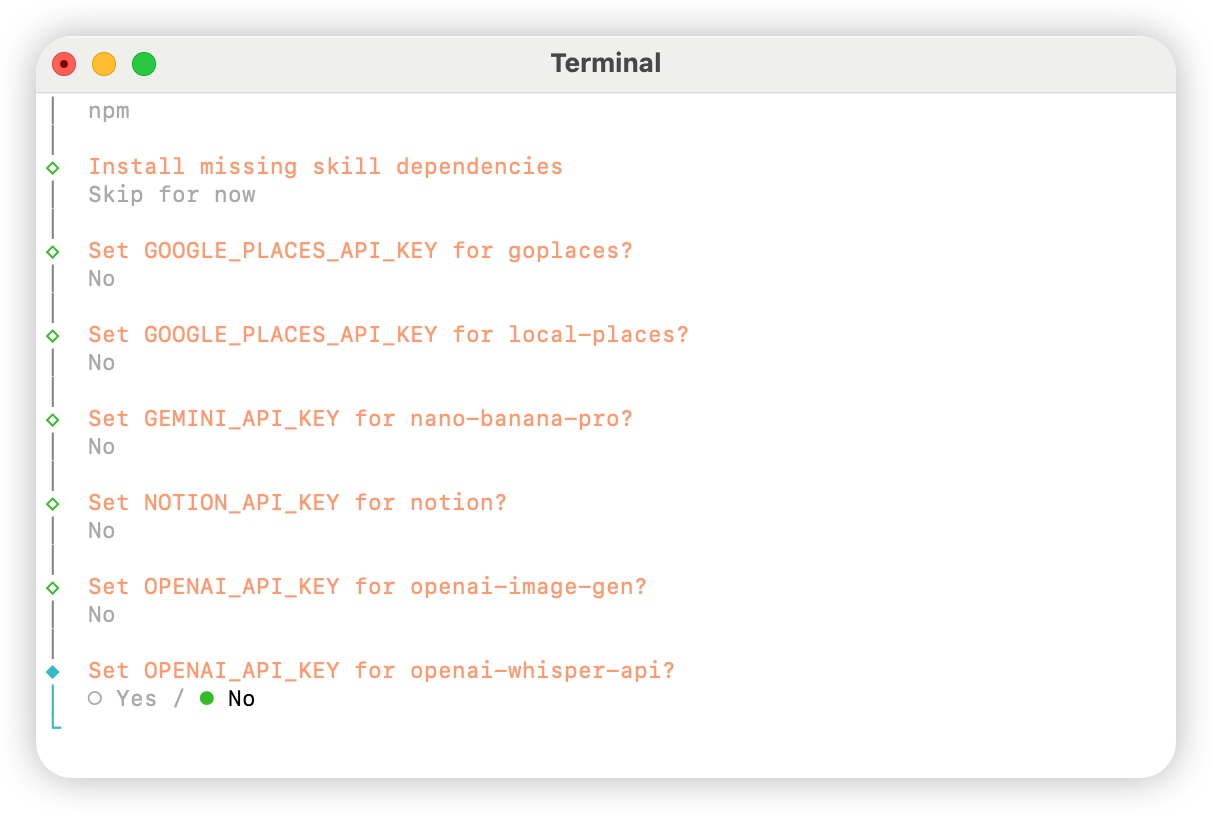
Skip for now。
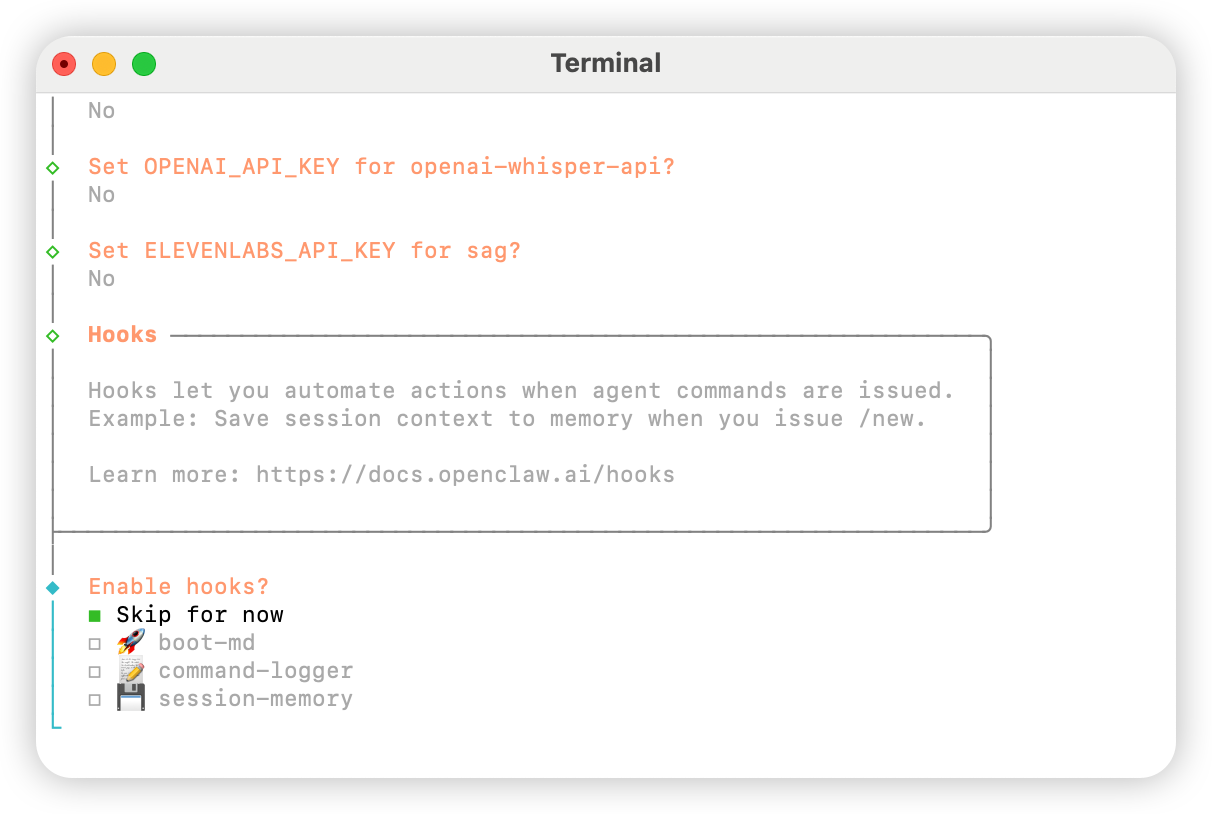
Hatch in UI。
設定 AIHubMix
方法 1:透過外掛快速設定(推薦)
外掛原始碼:aihubmix-auth
providerAuthAliases 讓同一把 key 同時生效到全部 transport:
- aihubmix-openai —
gpt-*/o1-*/o3-*/o4-*,https://aihubmix.com/v1(openai-completions) - aihubmix-anthropic —
claude-*,https://aihubmix.com(anthropic-messages) - aihubmix-google —
gemini-*,https://aihubmix.com/gemini/v1beta(google-generative-ai) - aihubmix-other — 其他模型,
https://aihubmix.com/v1(openai-completions)
claude-sonnet-4-5)會由外掛的 resolveDynamicModel hook 自動路由到對應 transport,不需要寫完整 provider/model。
不想走互動式登入:先設定完成後,跳轉至啟動區段即可開始使用。export AIHUBMIX_API_KEY=sk-...再 install,外掛會把 key 作為 inlineapiKey寫入 provider 設定(互動式登入則由 SDK 存入 auth-profile)。
方法 2:手動設定
開啟~/.openclaw/openclaw.json 檔案並加入下列設定:
方法 3:使用動態模型命令切換預設模型
AIHubMix OpenClaw 外掛支援動態模型路由。只要模型在你的 AIHubMix 帳號中可用,就可以按provider/model-id 的格式直接呼叫;模型可用性以 AIHubMix 控制台和 API 實際返回為準。
常用 provider 選擇規則如下:
aihubmix-openai:OpenAI 相容模型,例如gpt-*、o1-*、o3-*、o4-*aihubmix-anthropic:Claude 模型,例如claude-*aihubmix-google:Gemini 模型,例如gemini-*aihubmix-other:其他透過 OpenAI 相容介面呼叫的模型,例如glm-5.2
gpt-5.4 設定為 OpenClaw 預設模型為例:
openclaw,使用本機路徑寫法:
aihubmix-other,例如:
啟動
測試
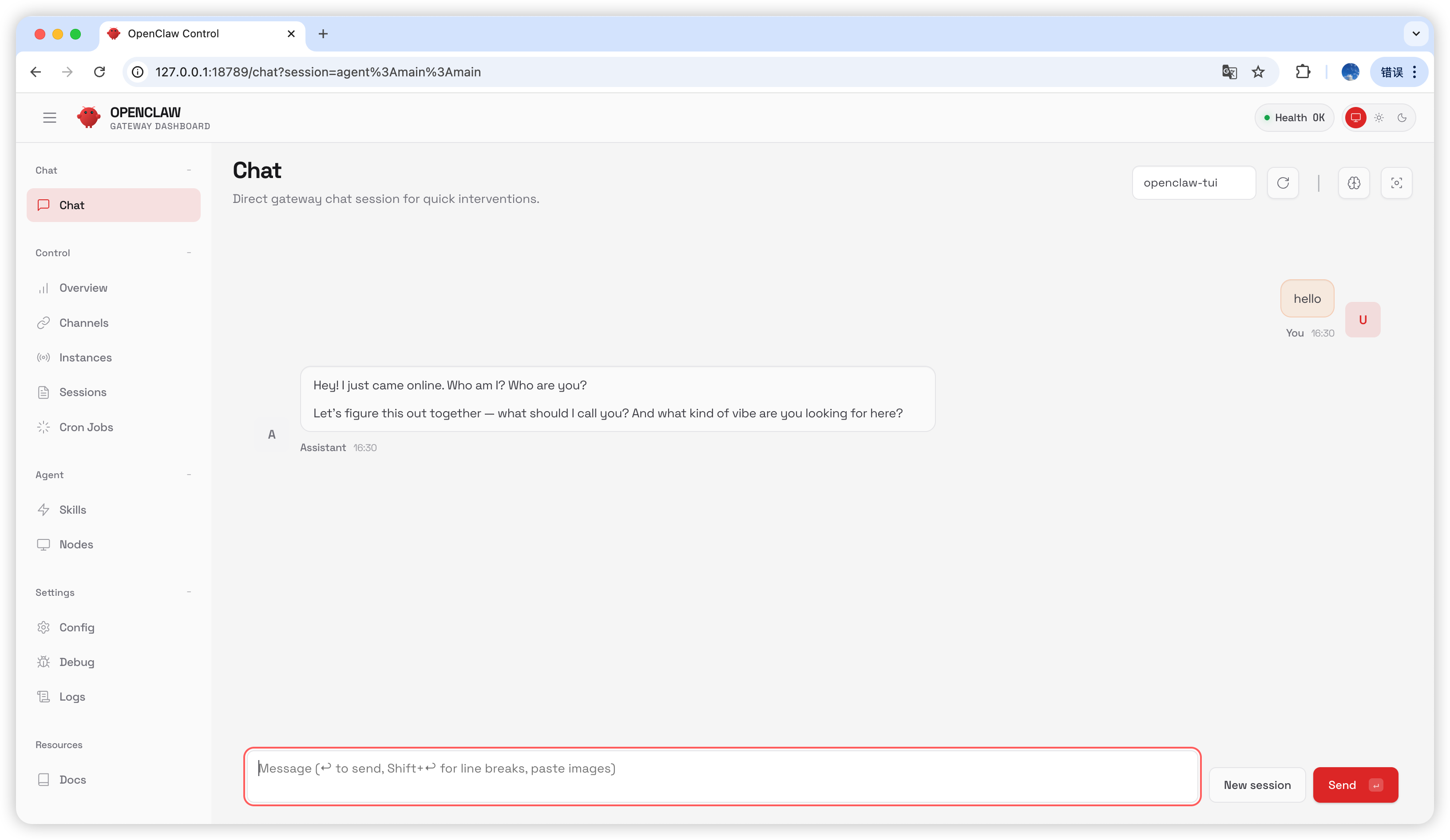
在聊天頁面輸入hello;若收到回覆,即代表設定成功。
常見問題
版本升級
Gateway 處理程序被佔用
最後更新:2026-07-03