> ## Documentation Index
> Fetch the complete documentation index at: https://docs.aihubmix.com/llms.txt
> Use this file to discover all available pages before exploring further.

# 在 Pot 翻譯中使用

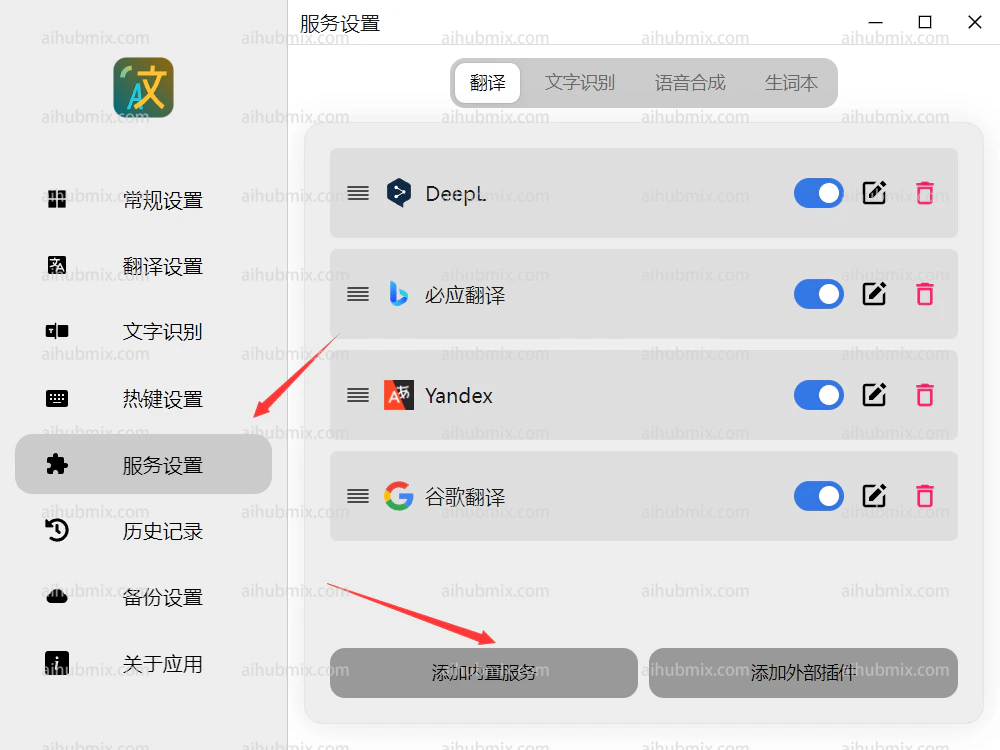
1. 打開 [Pot 翻譯](https://pot-app.com/)後，在服務設定中選擇添加內置服務\\
   <img src="https://mintcdn.com/aihubmix/njYPCqTk0m3HBNaY/public/cn/pot1.png?fit=max&auto=format&n=njYPCqTk0m3HBNaY&q=85&s=24d9f4d7259296f34802d8d61002beb1" alt="圖片" width="1000" height="750" data-path="public/cn/pot1.png" />
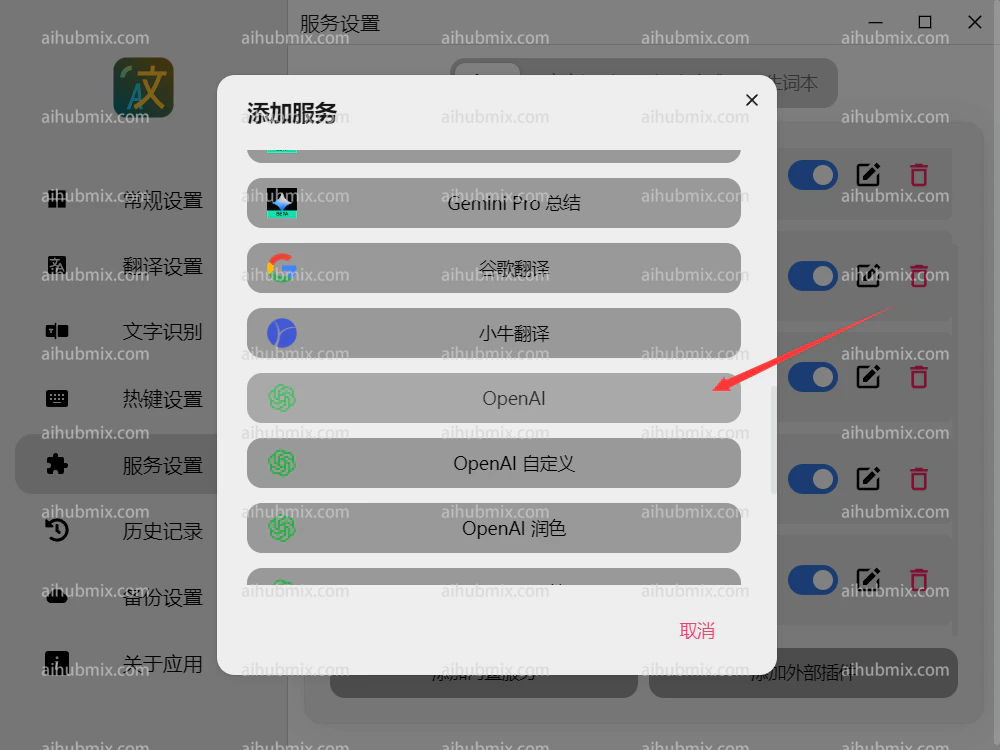
2. 點擊 OpenAI\\
   <img src="https://mintcdn.com/aihubmix/njYPCqTk0m3HBNaY/public/cn/pot2.png?fit=max&auto=format&n=njYPCqTk0m3HBNaY&q=85&s=af72ea8127845f5010c27ea62771a017" alt="圖片" width="1000" height="750" data-path="public/cn/pot2.png" />
3. 將請求地址設定為

```
https://aihubmix.com
```

4. API key 從[本站的 Key](https://aihubmix.com/token) 中創建生成。\\
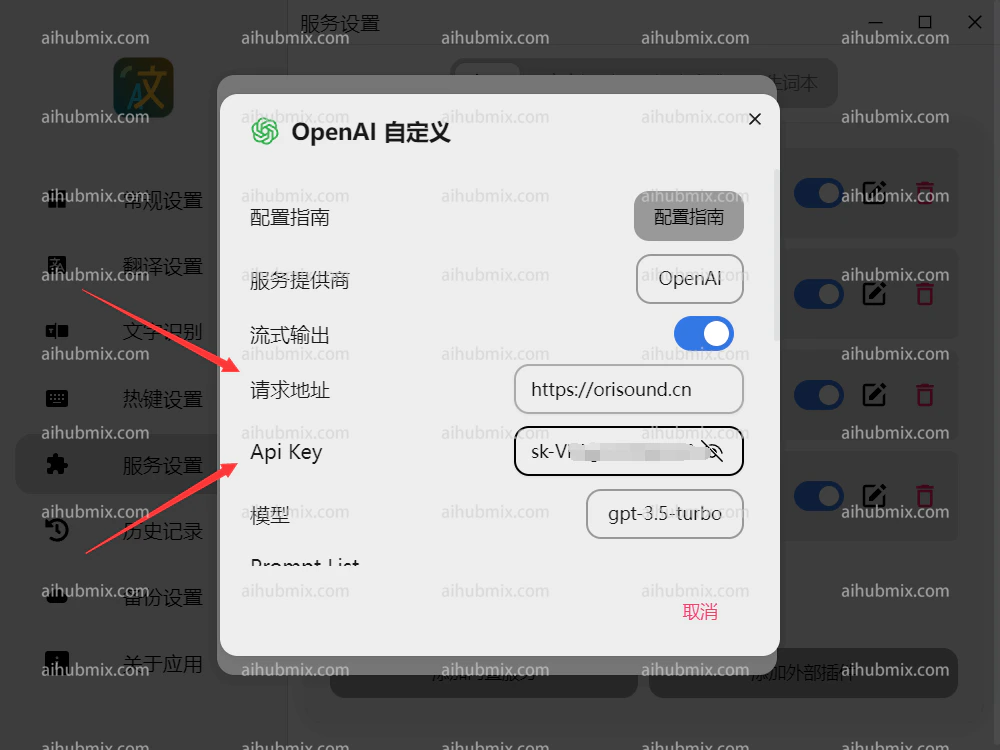
   <img src="https://mintcdn.com/aihubmix/njYPCqTk0m3HBNaY/public/cn/pot3.png?fit=max&auto=format&n=njYPCqTk0m3HBNaY&q=85&s=f0bc25965f4ff297efdff34eb518cf8b" alt="圖片" width="1000" height="750" data-path="public/cn/pot3.png" />
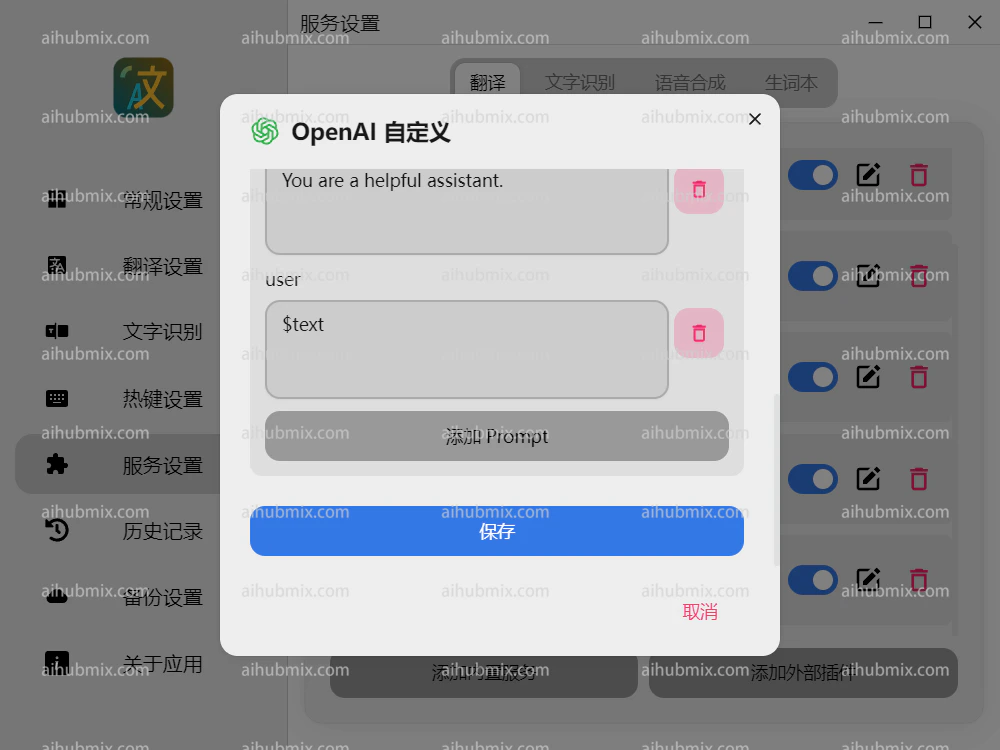
5. 劃到下方保存\\
   <img src="https://mintcdn.com/aihubmix/njYPCqTk0m3HBNaY/public/cn/pot4.png?fit=max&auto=format&n=njYPCqTk0m3HBNaY&q=85&s=778f23018ac7540349f821b3215b48eb" alt="圖片" width="1000" height="750" data-path="public/cn/pot4.png" />

***

最後更新：2026-06-01