> ## Documentation Index
> Fetch the complete documentation index at: https://docs.aihubmix.com/llms.txt
> Use this file to discover all available pages before exploring further.

# 在歐路翻譯中使用

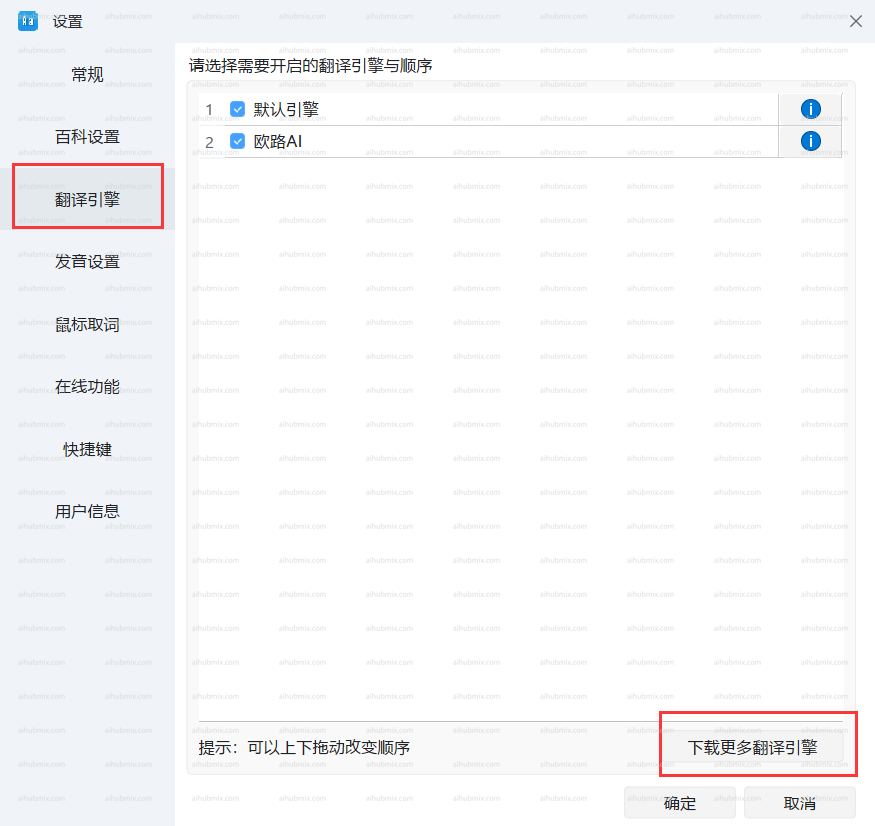
* 左下角點擊齒輪進入設定頁面，選擇「翻譯引擎」，「下載更多翻譯引擎」。\\
  <img src="https://mintcdn.com/aihubmix/njYPCqTk0m3HBNaY/public/cn/oulu1.png?fit=max&auto=format&n=njYPCqTk0m3HBNaY&q=85&s=40f811baadb42a81fe3df78374351057" alt="圖片" width="875" height="826" data-path="public/cn/oulu1.png" />
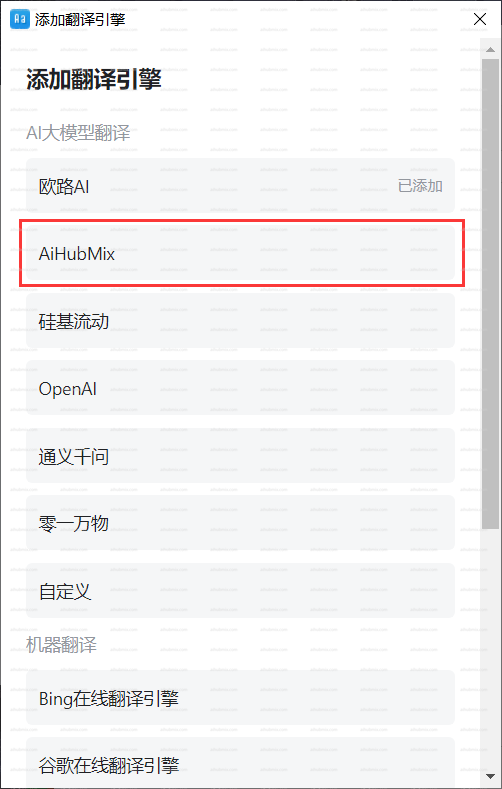
* 添加翻譯引擎選擇我們 AiHubMix。\\
  <img src="https://mintcdn.com/aihubmix/njYPCqTk0m3HBNaY/public/cn/oulu2.png?fit=max&auto=format&n=njYPCqTk0m3HBNaY&q=85&s=ba38ea90c351af14ae16455a03dadd8f" alt="圖片" width="502" height="789" data-path="public/cn/oulu2.png" />
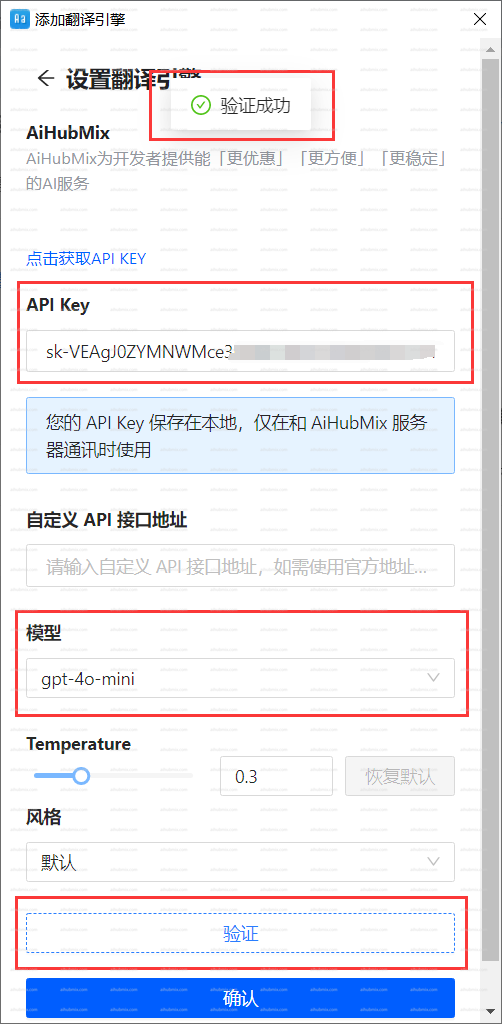
* 在「API Key」中輸入[本站的 Key](https://aihubmix.com/token)。
* 選擇模型後點擊認證，通過後確定即可。\\
  <img src="https://mintcdn.com/aihubmix/njYPCqTk0m3HBNaY/public/cn/oulu3.png?fit=max&auto=format&n=njYPCqTk0m3HBNaY&q=85&s=d3efc2f04b1a0a92863279a52f6be62c" alt="圖片" width="502" height="1024" data-path="public/cn/oulu3.png" />

***

最後更新：2026-06-01