> ## Documentation Index
> Fetch the complete documentation index at: https://docs.aihubmix.com/llms.txt
> Use this file to discover all available pages before exploring further.
# 在 Lobe-Chat 中使用
## 通常使用方法
lobe-chat官方網址:[chat-preview.lobehub.com](https://chat-preview.lobehub.com/?utm_source=aihubmix\&utm_medium=website\&utm_campaign=references)
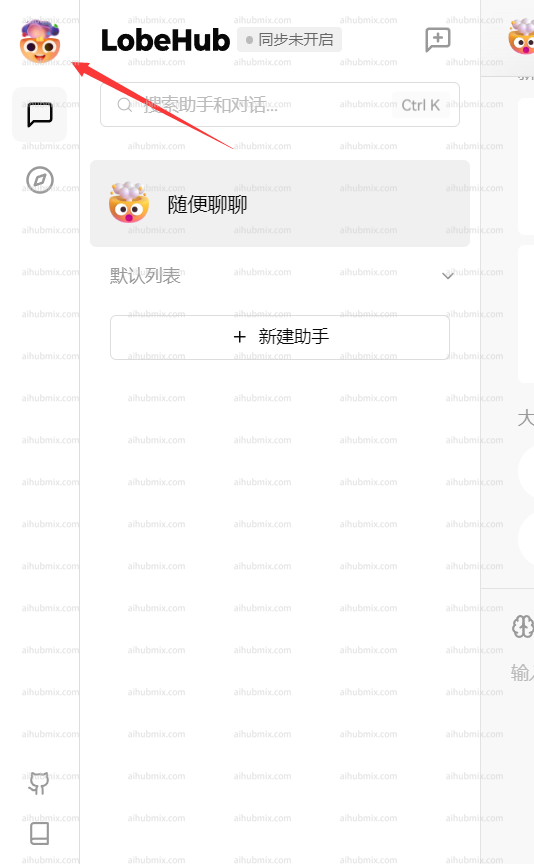
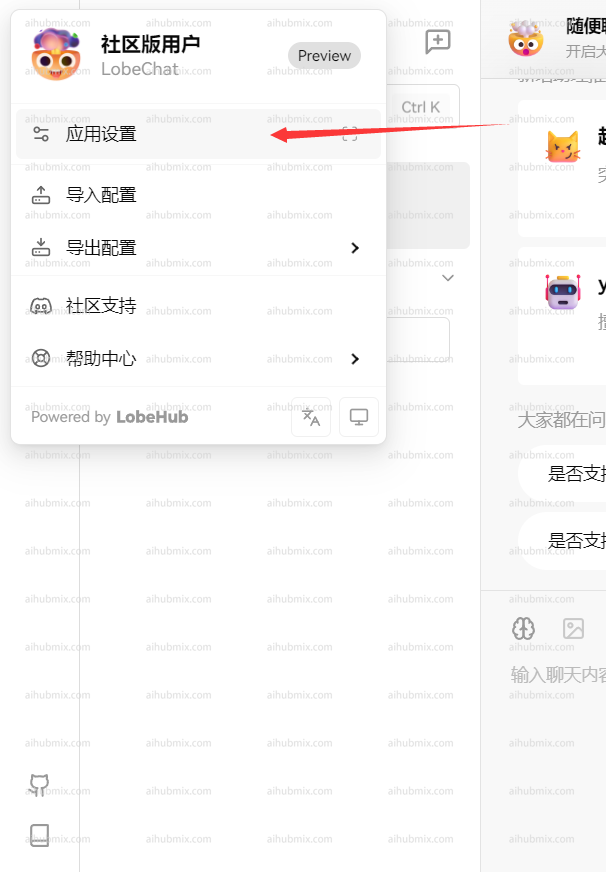
如下圖所示點擊進入設定\\
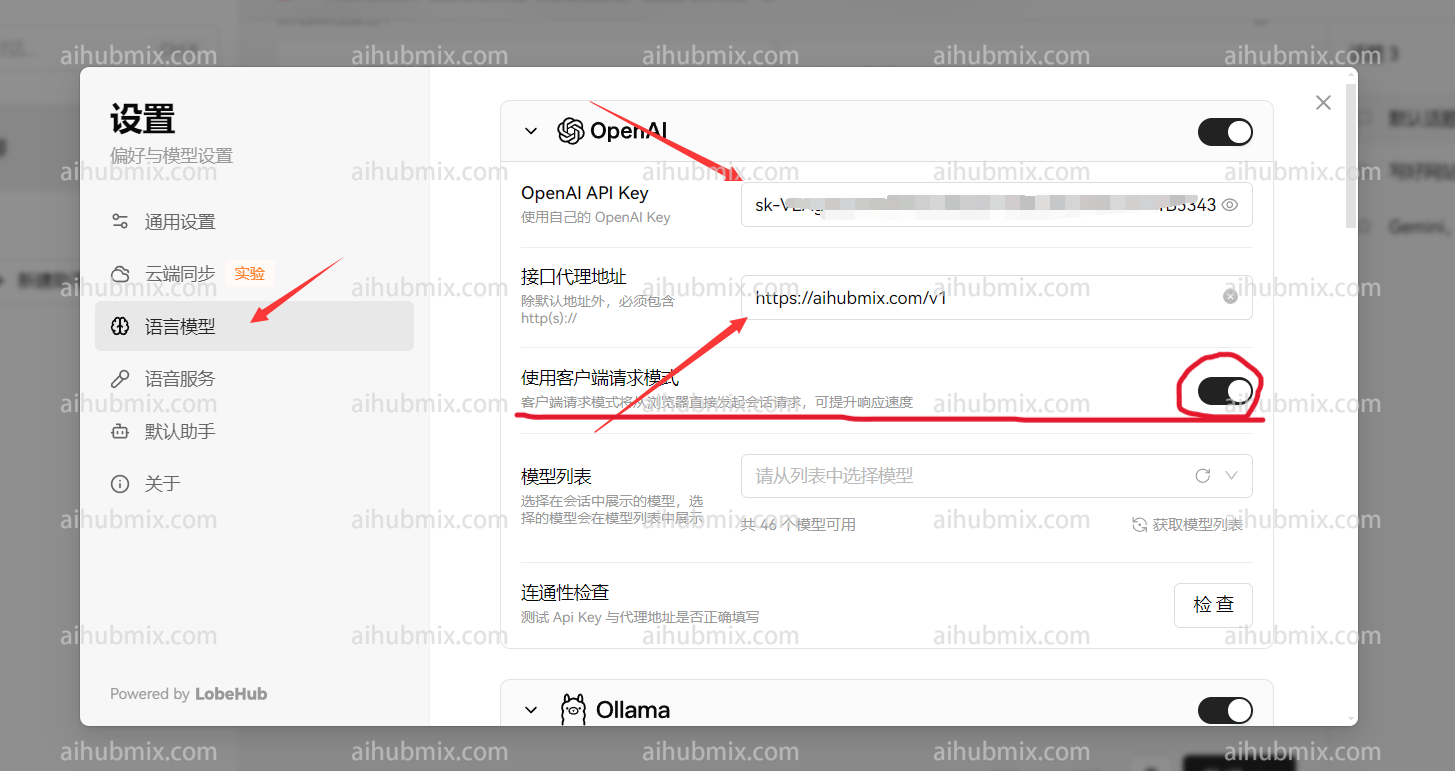
 * API key 輸入[本站的Key](https://aihubmix.com/token)
* 接口代理地址,直接輸入下方的網址:
```
https://aihubmix.com/v1
```
(建議打開"使用客戶端請求模式")\
* API key 輸入[本站的Key](https://aihubmix.com/token)
* 接口代理地址,直接輸入下方的網址:
```
https://aihubmix.com/v1
```
(建議打開"使用客戶端請求模式")\
 \
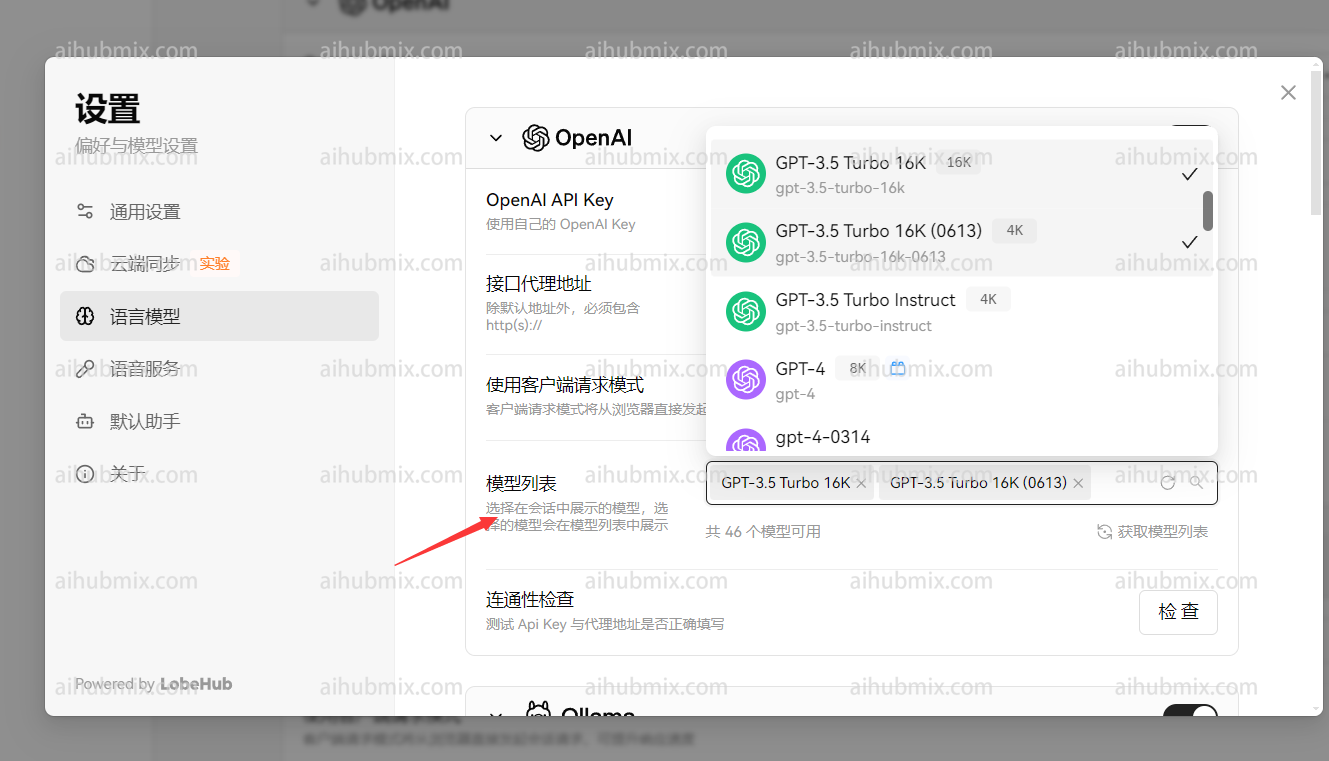
最後在模型列表新增自己要使用的模型\\
\
最後在模型列表新增自己要使用的模型\\
 ## 非openai模型使用方法
模型服務商選擇 openai 不變,在模型列表手動新增所需模型名稱即可。\
打開網站模型廣場頁面即可複製你想要使用的模型名稱。
-------------------------
最後更新:2026-06-01
## 非openai模型使用方法
模型服務商選擇 openai 不變,在模型列表手動新增所需模型名稱即可。\
打開網站模型廣場頁面即可複製你想要使用的模型名稱。
-------------------------
最後更新:2026-06-01