> ## Documentation Index
> Fetch the complete documentation index at: https://docs.aihubmix.com/llms.txt
> Use this file to discover all available pages before exploring further.
# 在 GPT 學術優化中使用
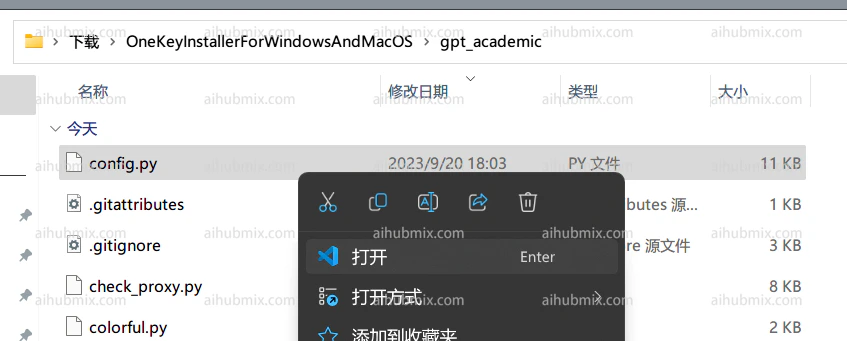
1. 開啟 gpt\_academic/config.py 檔案:\\
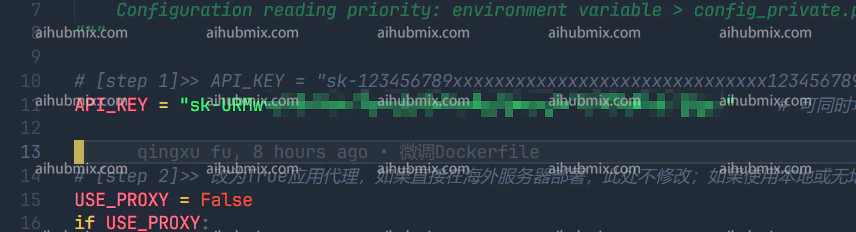
 2. 找到 config.py 中的 API\_KEY 變數,將[本站的Key](https://aihubmix.com/token)填入,即可:\\
 3. 往下滾動,找到 config.py 中的 API\_URL\_REDIRECT 變數,修改為(直接複製下面的程式碼區塊進去就行):
```
API_URL_REDIRECT = {"https://api.openai.com/v1/chat/completions": "https://aihubmix.com/v1/chat/completions"}
```
3. 往下滾動,找到 config.py 中的 API\_URL\_REDIRECT 變數,修改為(直接複製下面的程式碼區塊進去就行):
```
API_URL_REDIRECT = {"https://api.openai.com/v1/chat/completions": "https://aihubmix.com/v1/chat/completions"}
```
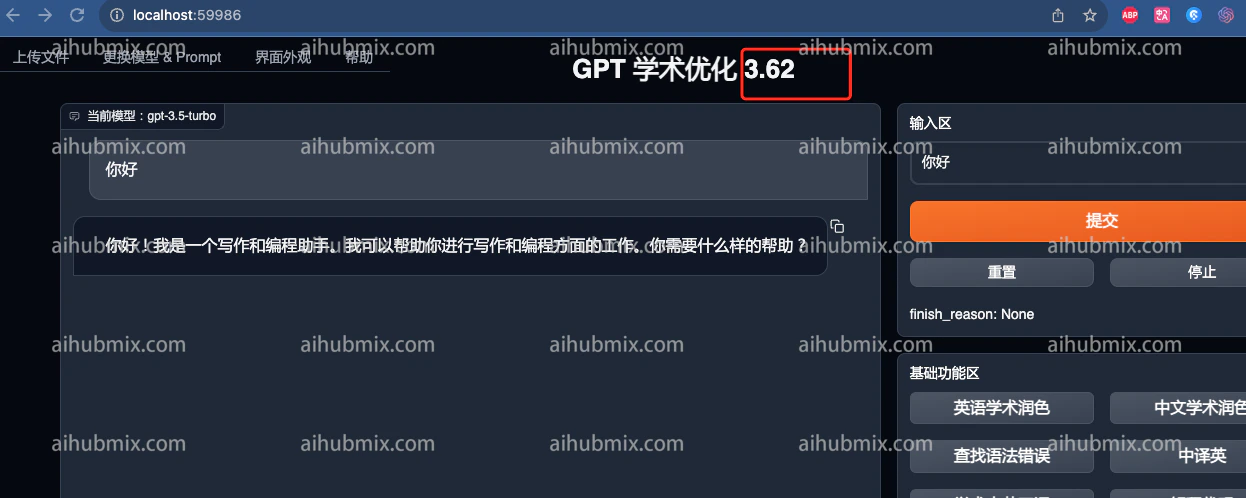
 3\. 然後就能用了\\
 ***
最後更新:2026-06-01
***
最後更新:2026-06-01