> ## Documentation Index
> Fetch the complete documentation index at: https://docs.aihubmix.com/llms.txt
> Use this file to discover all available pages before exploring further.
# 在 Cursor 中使用
## 通常使用方法
* 右上角點擊齒輪進入設定頁面,選擇Models。
* 在Open API key下方輸入[本站的Key](https://aihubmix.com/token)。\\
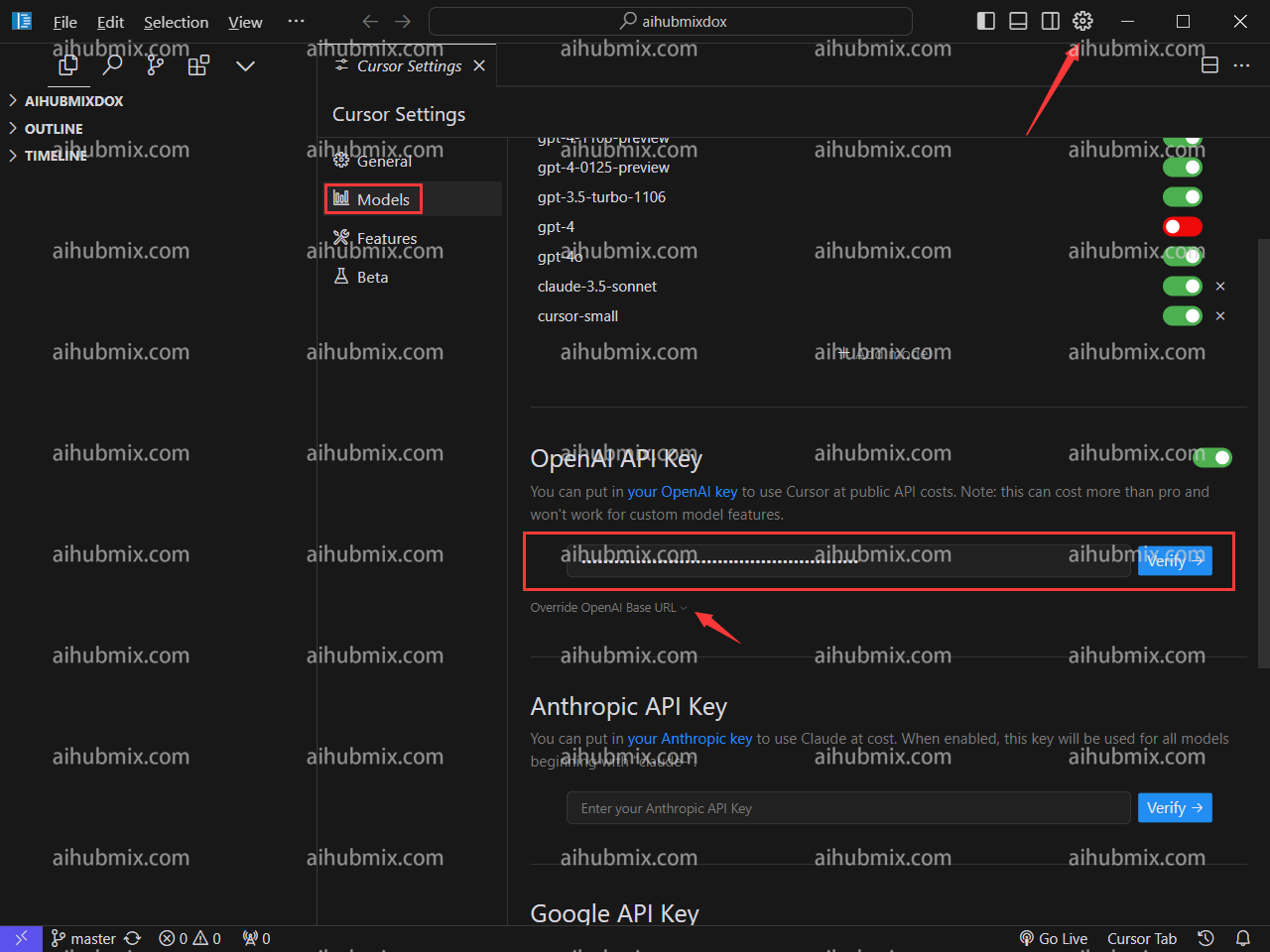 * 點擊Override OpenAl Base URL,輸入:
```
https://aihubmix.com/v1
```
* 點擊Override OpenAl Base URL,輸入:
```
https://aihubmix.com/v1
```
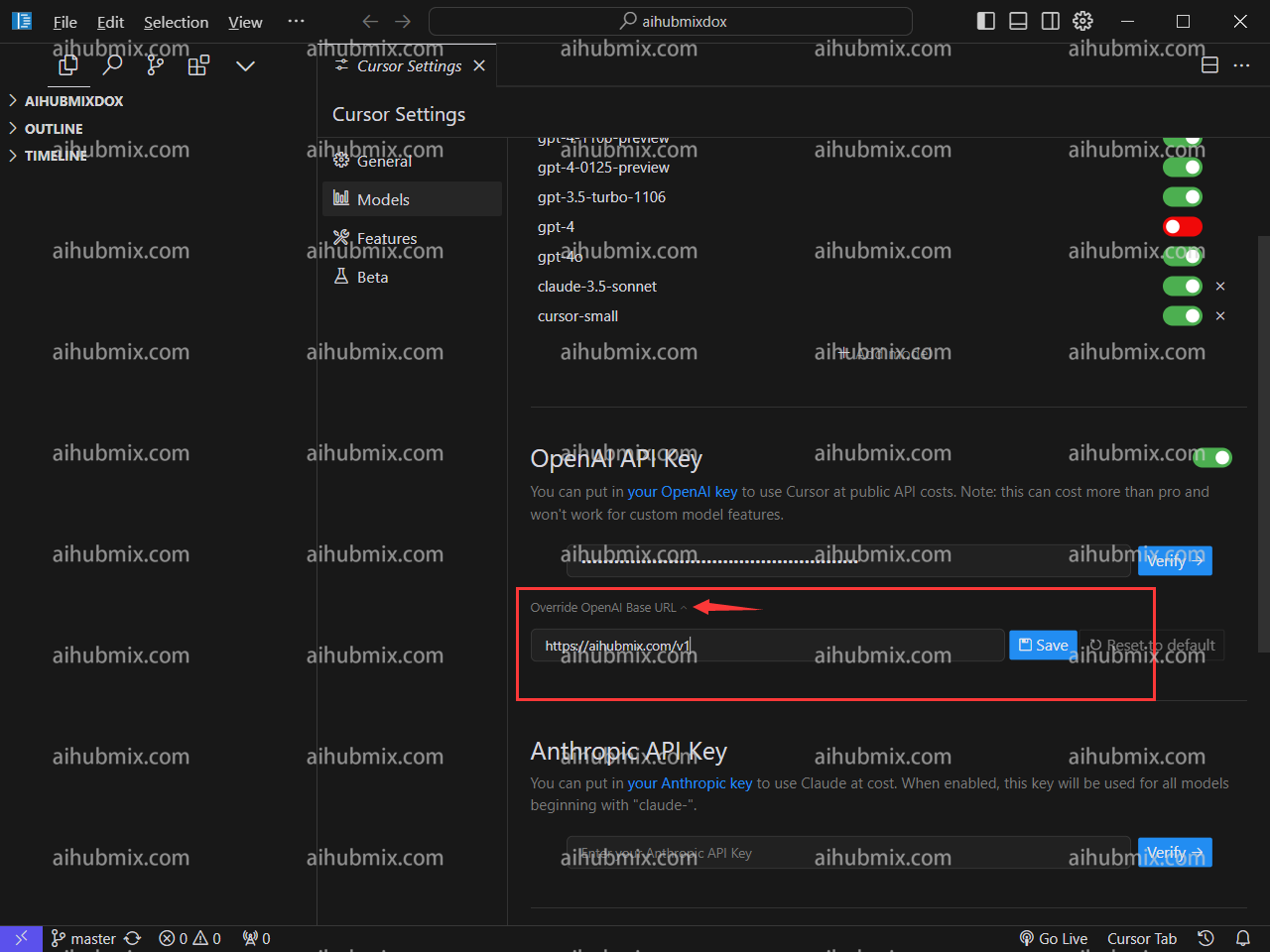 * 最後點擊Verify驗證通過即可。
## 特殊說明(在Cursor中使用claude-3.5的方法)
由於cursor自動根據請求名請求claude的api接口,所以為了可以通過我們的服務正常使用claude-3.5模型,\
我們新增了一個**anthropic-3-5-sonnet-20240620**的名字來映射到claude-3-5-sonnet-20240620,\
以此來繞過cursor的自動請求,從而通過我們走claude接口。
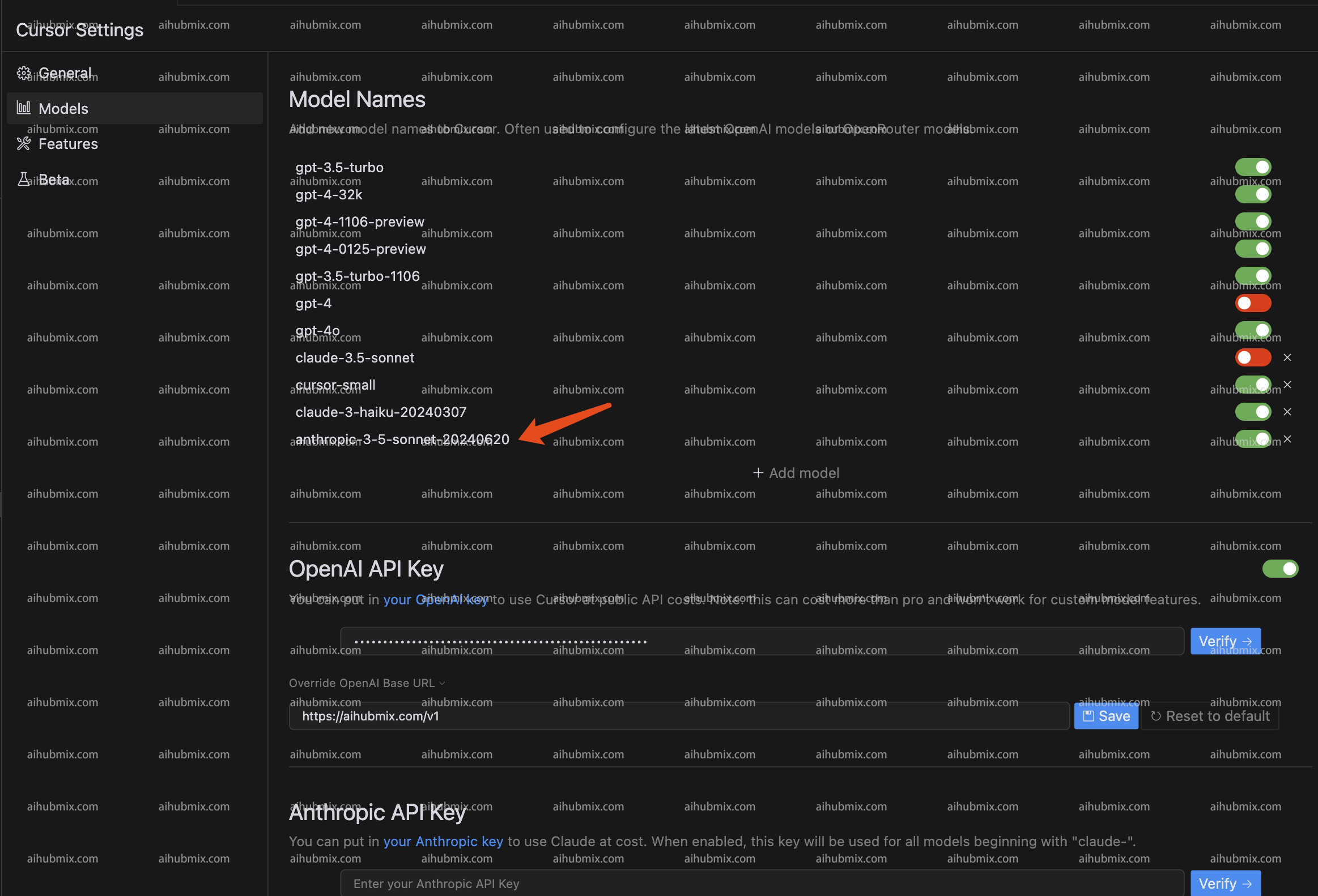
* 具體使用方法為:在模型列表中新增名為:**anthropic-3-5-sonnet-20240620**的模型。選擇啟用該模型即可。\\
* 最後點擊Verify驗證通過即可。
## 特殊說明(在Cursor中使用claude-3.5的方法)
由於cursor自動根據請求名請求claude的api接口,所以為了可以通過我們的服務正常使用claude-3.5模型,\
我們新增了一個**anthropic-3-5-sonnet-20240620**的名字來映射到claude-3-5-sonnet-20240620,\
以此來繞過cursor的自動請求,從而通過我們走claude接口。
* 具體使用方法為:在模型列表中新增名為:**anthropic-3-5-sonnet-20240620**的模型。選擇啟用該模型即可。\\
 ***
最後更新:2026-06-01
***
最後更新:2026-06-01