> ## Documentation Index
> Fetch the complete documentation index at: https://docs.aihubmix.com/llms.txt
> Use this file to discover all available pages before exploring further.

# 在 Chatx 中使用

Chatx 下載地址：[https://apps.apple.com/app/id6446304087](https://apps.apple.com/app/id6446304087)

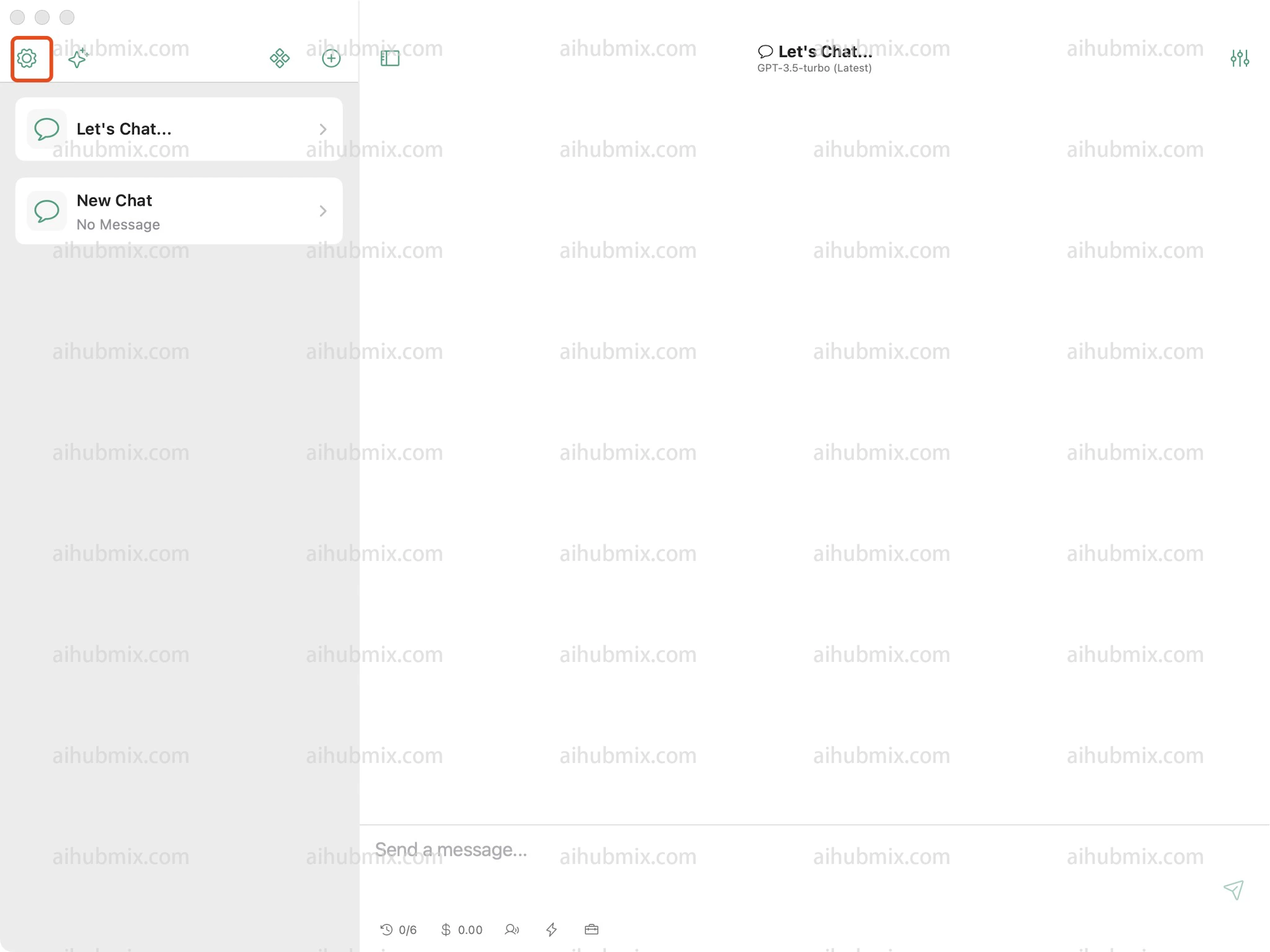
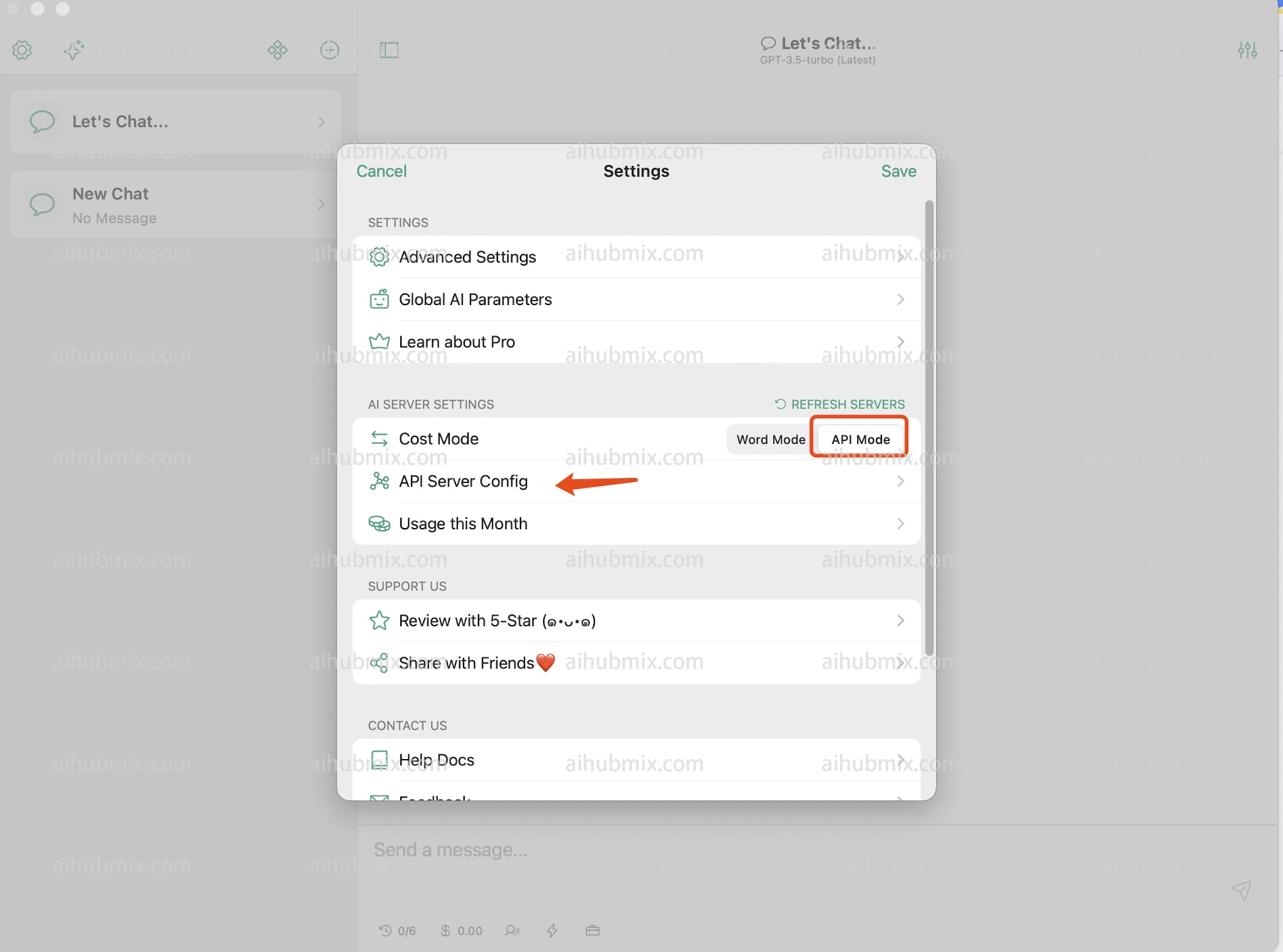
1. 打開設定，在設定中找到 API Server Config。\\
   <img src="https://mintcdn.com/aihubmix/_Cbum_77AgsRh-CI/public/cn/chatx1.png?fit=max&auto=format&n=_Cbum_77AgsRh-CI&q=85&s=fde29e57baf314e4c3982ee6649782d4" alt="圖片" width="2048" height="1536" data-path="public/cn/chatx1.png" />
   <img src="https://mintcdn.com/aihubmix/_Cbum_77AgsRh-CI/public/cn/chatx2.png?fit=max&auto=format&n=_Cbum_77AgsRh-CI&q=85&s=0d9d648cc877578f481190f3c66574cd" alt="圖片" width="2048" height="1520" data-path="public/cn/chatx2.png" />
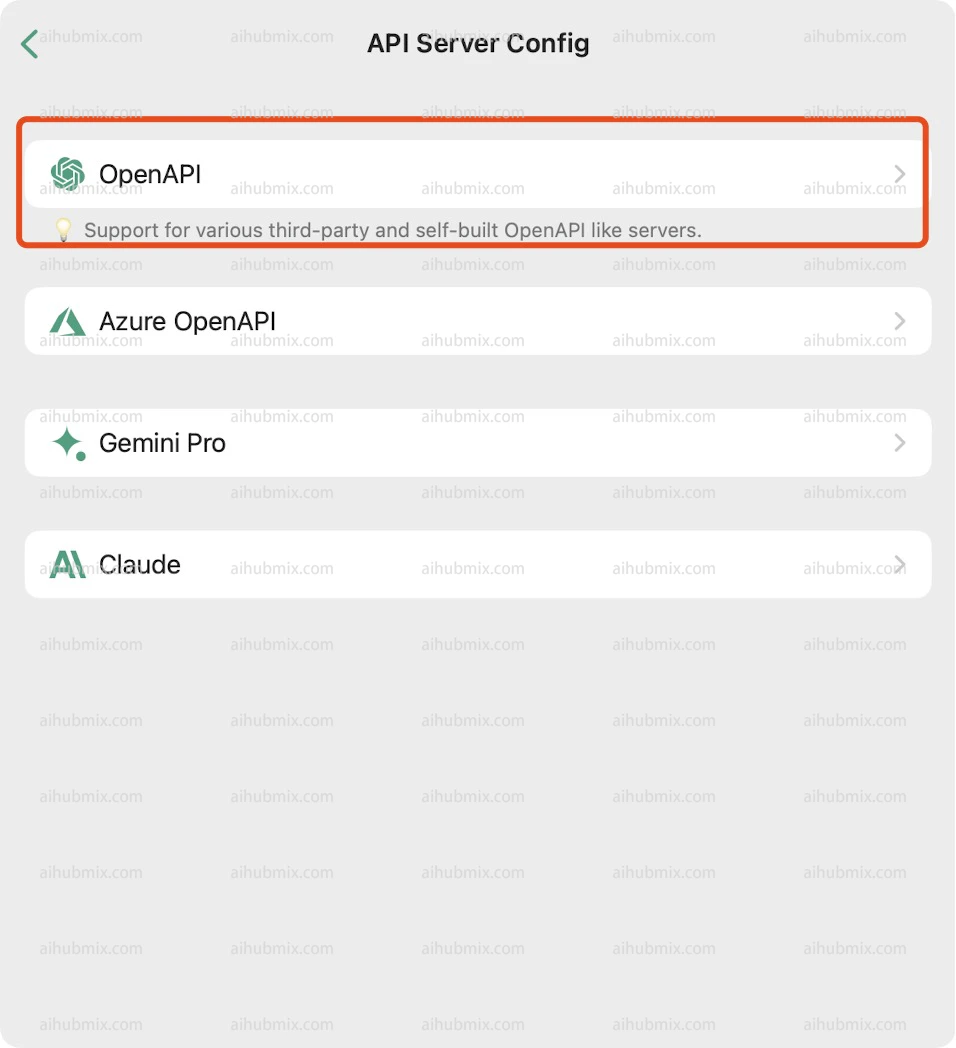
2. 選擇 OpenAPI。\\
   <img src="https://mintcdn.com/aihubmix/_Cbum_77AgsRh-CI/public/cn/chatx3.png?fit=max&auto=format&n=_Cbum_77AgsRh-CI&q=85&s=1218dbbb91077b3fd8923b839b6eca5e" alt="圖片" width="956" height="1048" data-path="public/cn/chatx3.png" />
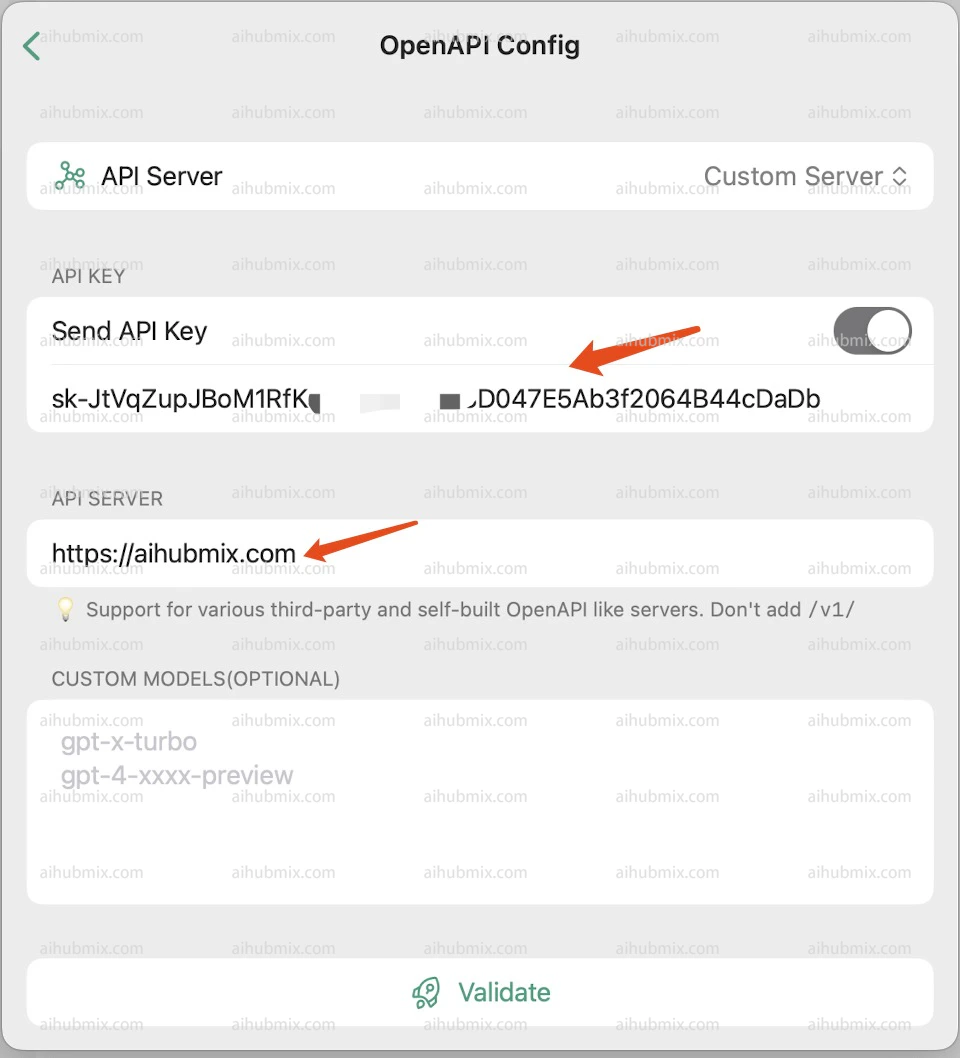
3. 上方 API KEY 一欄從[本站的 Key](https://aihubmix.com/token) 中產生。
4. 下方 API SERVER 填寫：

```
https://aihubmix.com
```

## <img src="https://mintcdn.com/aihubmix/_Cbum_77AgsRh-CI/public/cn/chatx4.png?fit=max&auto=format&n=_Cbum_77AgsRh-CI&q=85&s=d524e44c3cbcac84c9dc92d717b02b7f" alt="圖片" width="960" height="1058" data-path="public/cn/chatx4.png" />

最後更新：2026-06-01