> ## Documentation Index
> Fetch the complete documentation index at: https://docs.aihubmix.com/llms.txt
> Use this file to discover all available pages before exploring further.
# Broadcast
> Broadcast 將 AIHubMix API 請求的 Trace 傳送到外部可觀測性平台,支援設定 LangWatch 目的地、隱私模式、取樣率和 API Key 範圍。
Broadcast 可將 AIHubMix API 請求的 Trace 自動傳送到已設定的外部可觀測性平台。無需在應用程式碼中加入額外埋點,即可在 LangWatch 中監控、除錯和分析 LLM 使用情況。
AIHubMix 目前支援將 LangWatch 設定為 Broadcast 目的地。設定完成後,可以在 LangWatch 中查看模型、token 用量、實際計費成本、耗時、工作階段和 Trace 資訊。
準備工作
* 一個可用的 [AIHubMix API Key](https://console.aihubmix.com/token)
* 一個 LangWatch 帳號和目標 Project
* AIHubMix 控制台的存取權限
此整合需要目標 Project 現有的 `Project API Key`,其格式為 `sk-lw-*`。組織或團隊範圍的金鑰,以及 Personal OTLP Endpoint 使用的 `pkey_*`,不適用於此設定。AIHubMix 目前使用 LangWatch 官方雲端位址,不支援自架執行個體。
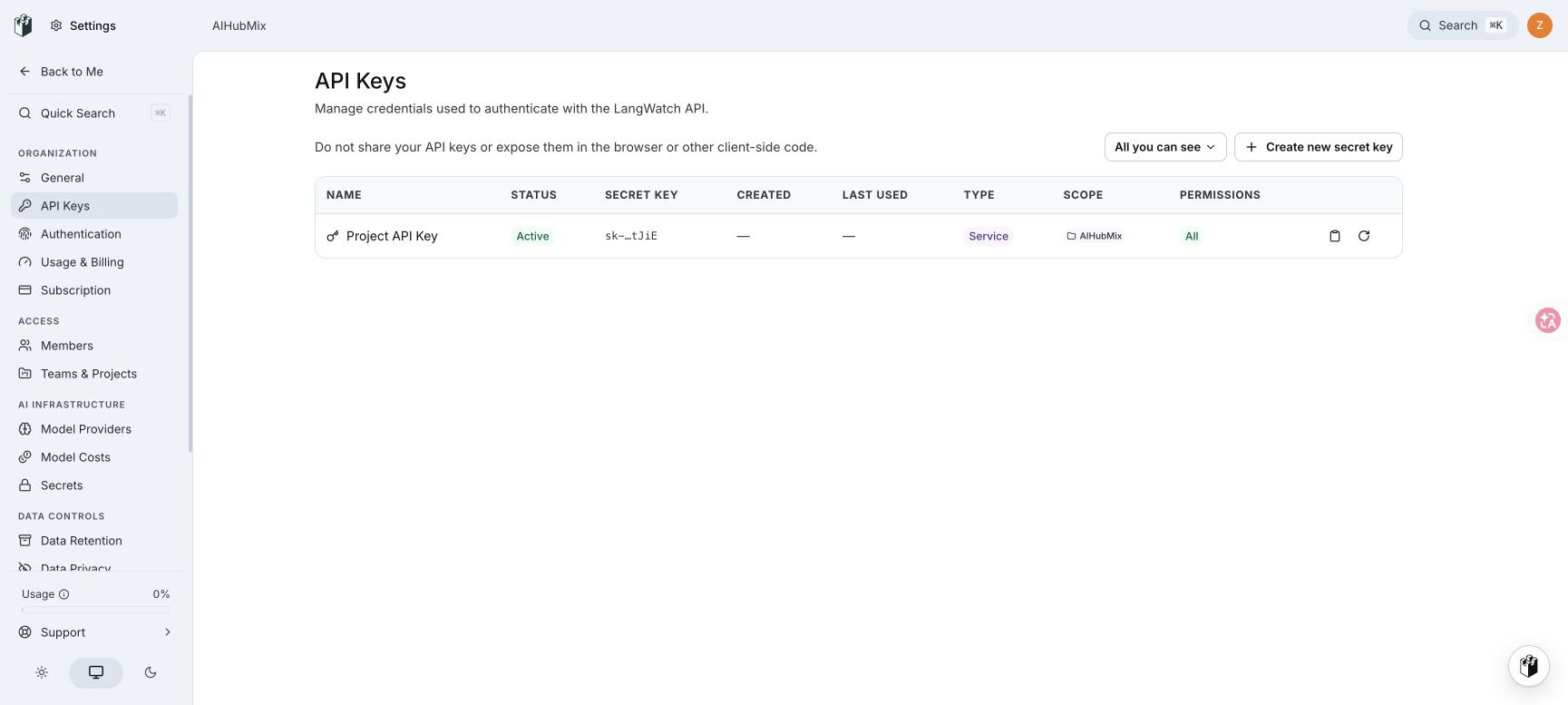
1. 取得 LangWatch Project API Key
1. 登入 [LangWatch](https://app.langwatch.ai/),選擇用於接收 AIHubMix Trace 的 Project。
2. 開啟 **Settings → API Keys**。
3. 找到 **Project API Key**。確認其 Scope 是目標 Project,然後選擇複製按鈕。
不需要建立新的 Secret Key。AIHubMix 使用該 Project 內建的 Project API Key。
2. 新增 LangWatch 目的地
1. 開啟 [AIHubMix 廣播](https://console.aihubmix.com/observability)。
2. 在 **Add destination** 下選擇 **LangWatch**。
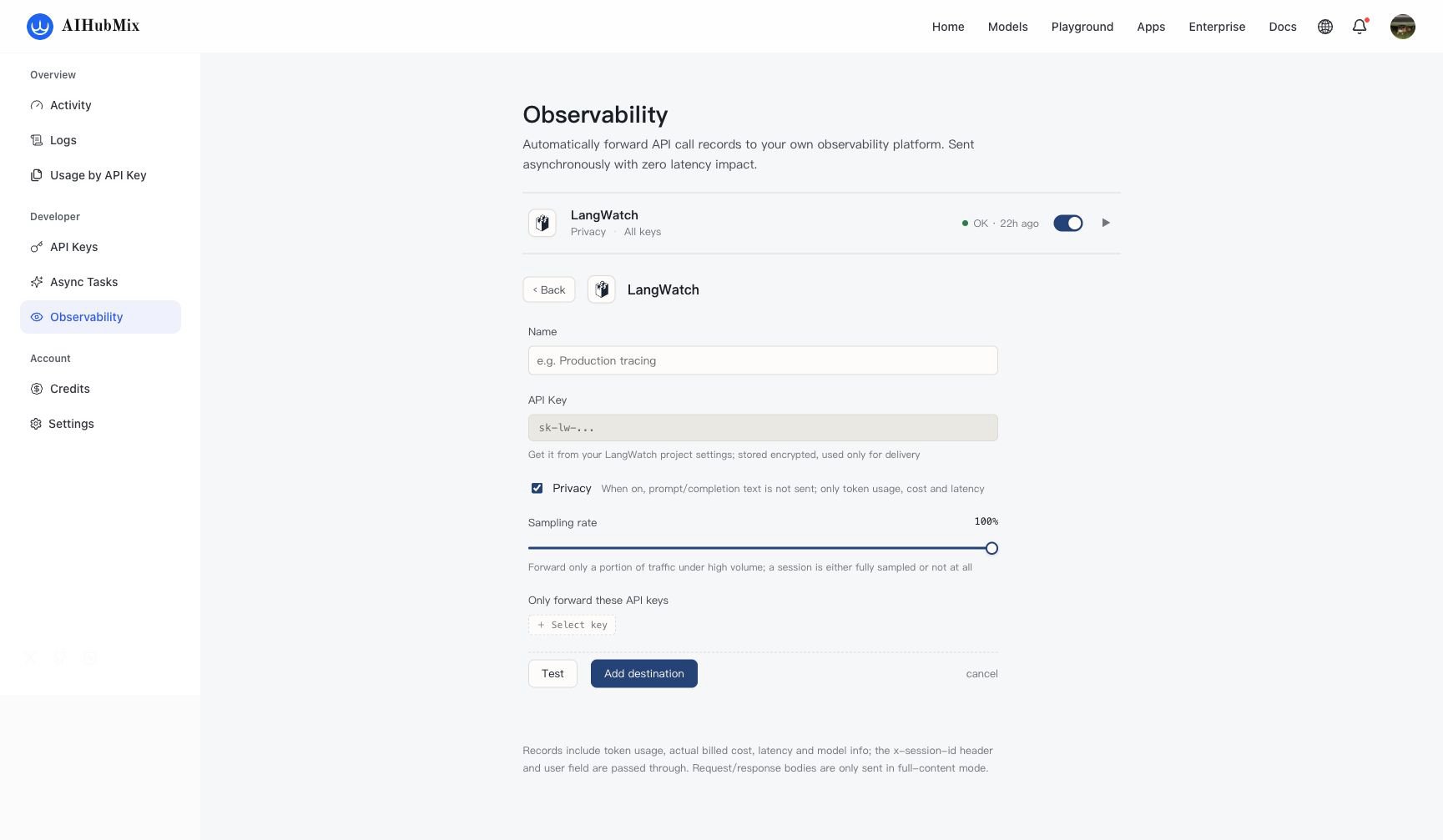
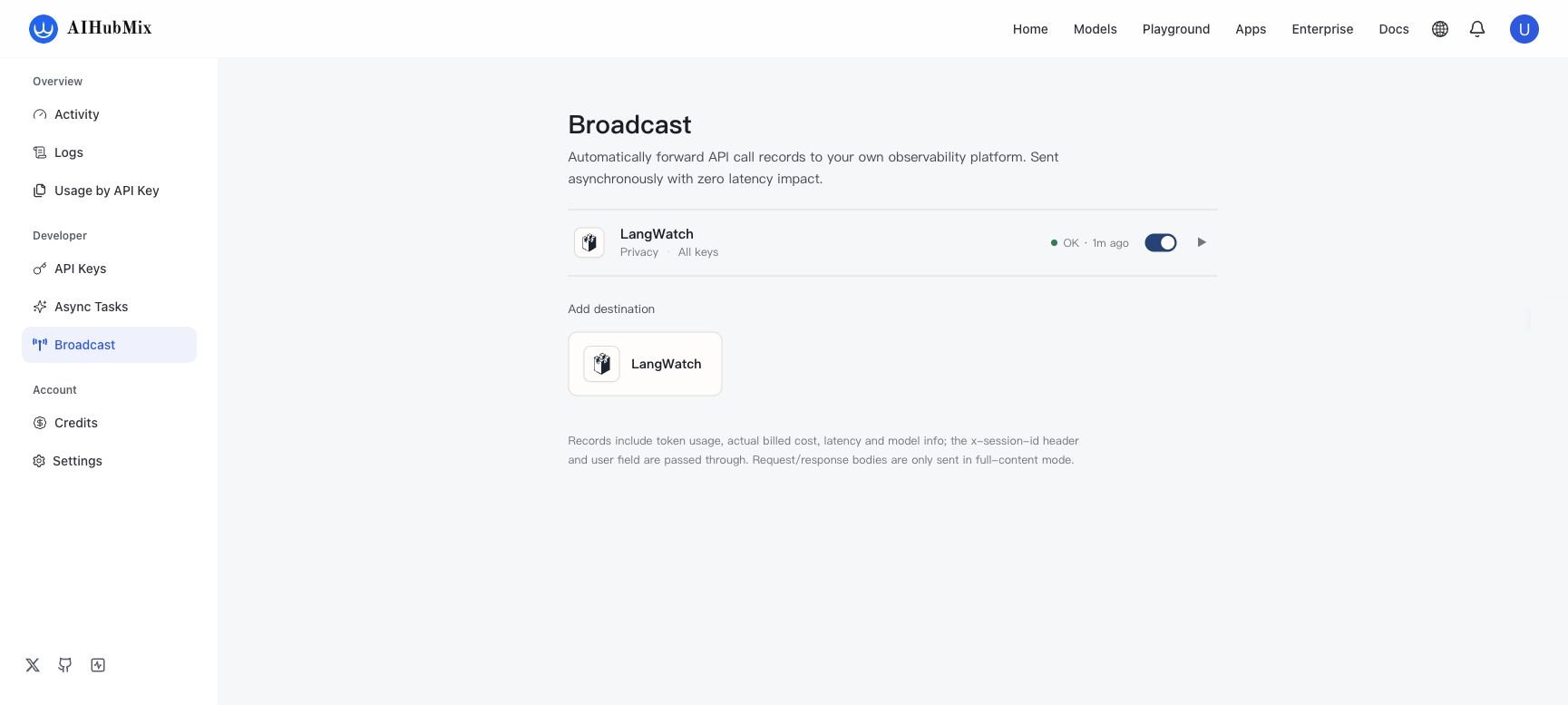 3. 填寫設定:
| 設定 | 說明 |
| ------------------------------- | ---------------------------------------------------------- |
| **Name** | 輸入便於識別的名稱,例如 `Production tracing`。 |
| **API Key** | 貼上前一步複製的 LangWatch Project API Key。金鑰會加密儲存,僅用於投遞。 |
| **Privacy** | 開啟後不傳送 prompt 和 completion 內容,只傳送 token 用量、實際計費成本、耗時和模型資訊。 |
| **Sampling rate** | 設定轉送流量的比例。首次驗證建議設為 `100%`。 |
| **Only forward these API keys** | 選用。指定需要轉送的 AIHubMix API Key;不選擇時轉送全部 Key 的呼叫記錄。 |
`x-session-id` 請求標頭和請求中的 `user` 欄位會隨記錄傳遞,可用於在 LangWatch 中關聯工作階段或使用者。
3. 填寫設定:
| 設定 | 說明 |
| ------------------------------- | ---------------------------------------------------------- |
| **Name** | 輸入便於識別的名稱,例如 `Production tracing`。 |
| **API Key** | 貼上前一步複製的 LangWatch Project API Key。金鑰會加密儲存,僅用於投遞。 |
| **Privacy** | 開啟後不傳送 prompt 和 completion 內容,只傳送 token 用量、實際計費成本、耗時和模型資訊。 |
| **Sampling rate** | 設定轉送流量的比例。首次驗證建議設為 `100%`。 |
| **Only forward these API keys** | 選用。指定需要轉送的 AIHubMix API Key;不選擇時轉送全部 Key 的呼叫記錄。 |
`x-session-id` 請求標頭和請求中的 `user` 欄位會隨記錄傳遞,可用於在 LangWatch 中關聯工作階段或使用者。
測試並儲存
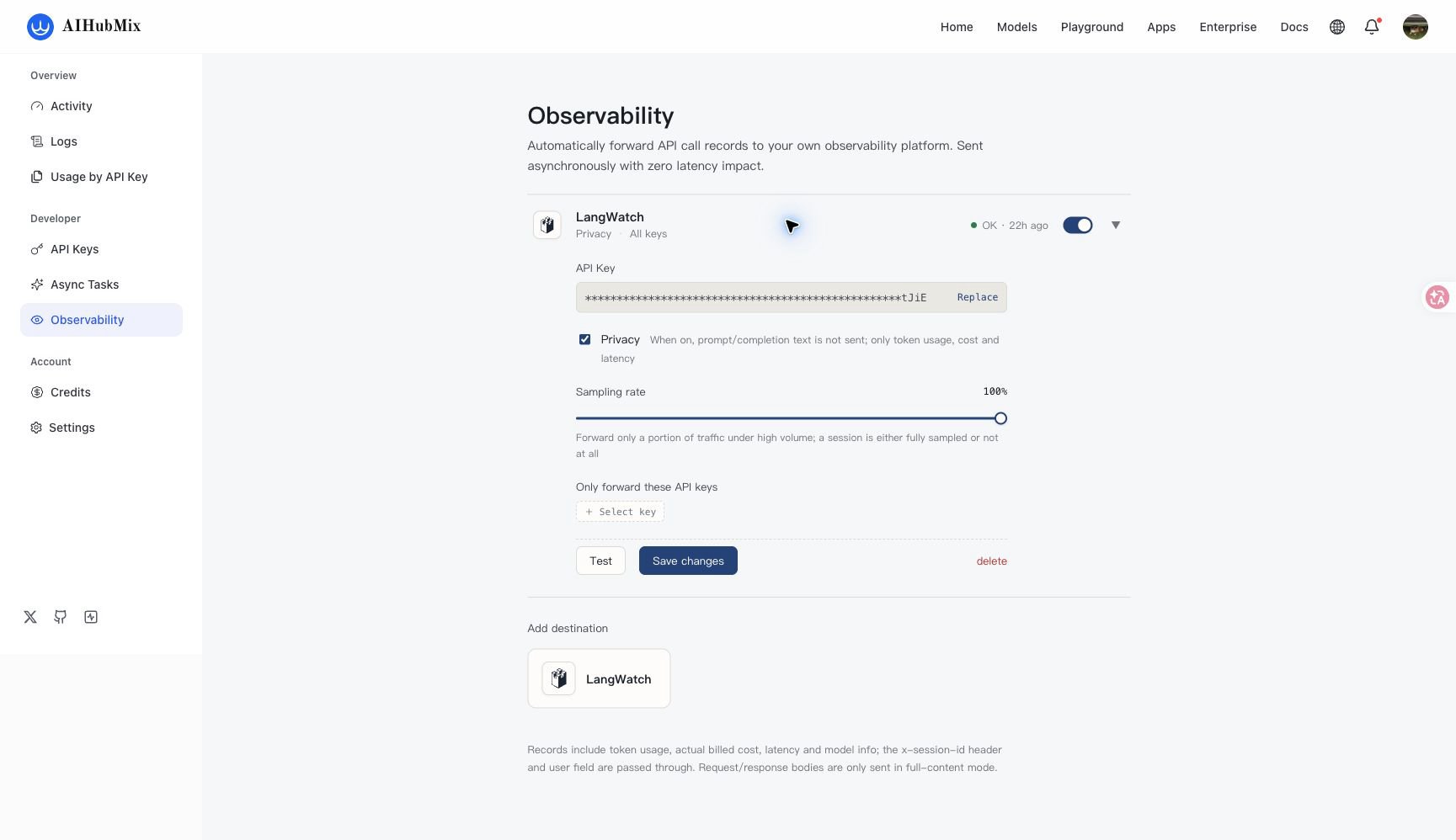
1. 選擇 **Test**。連線成功後,按鈕會顯示 **Connected**。
2. 選擇 **Add destination** 儲存新目的地。
3. 確認目的地開關已開啟,狀態顯示為 **OK**。
後續修改設定時,選擇 **Save changes** 儲存。
3. 傳送驗證請求
確認目前 shell 已設定 `AIHUBMIX_API_KEY` 環境變數,然後傳送一次一般模型請求。
```bash cURL theme={null}
curl https://aihubmix.com/v1/chat/completions \
-H "Authorization: Bearer $AIHUBMIX_API_KEY" \
-H "Content-Type: application/json" \
-H "x-session-id: langwatch-tutorial" \
-d '{
"model": "gpt-4o-mini",
"messages": [{"role": "user", "content": "What is the meaning of life?"}],
"user": "langwatch-tutorial"
}'
```
記錄採用非同步投遞。請求完成後,Trace 可能需要數秒才會出現在 LangWatch。
4. 在 LangWatch 中驗證
1. 開啟目標 Project 的 **Traces** 頁面。
2. 透過請求使用的模型、`x-session-id` 或 `user` 值尋找記錄。
3. 確認記錄包含耗時、成本、token 和模型資訊。
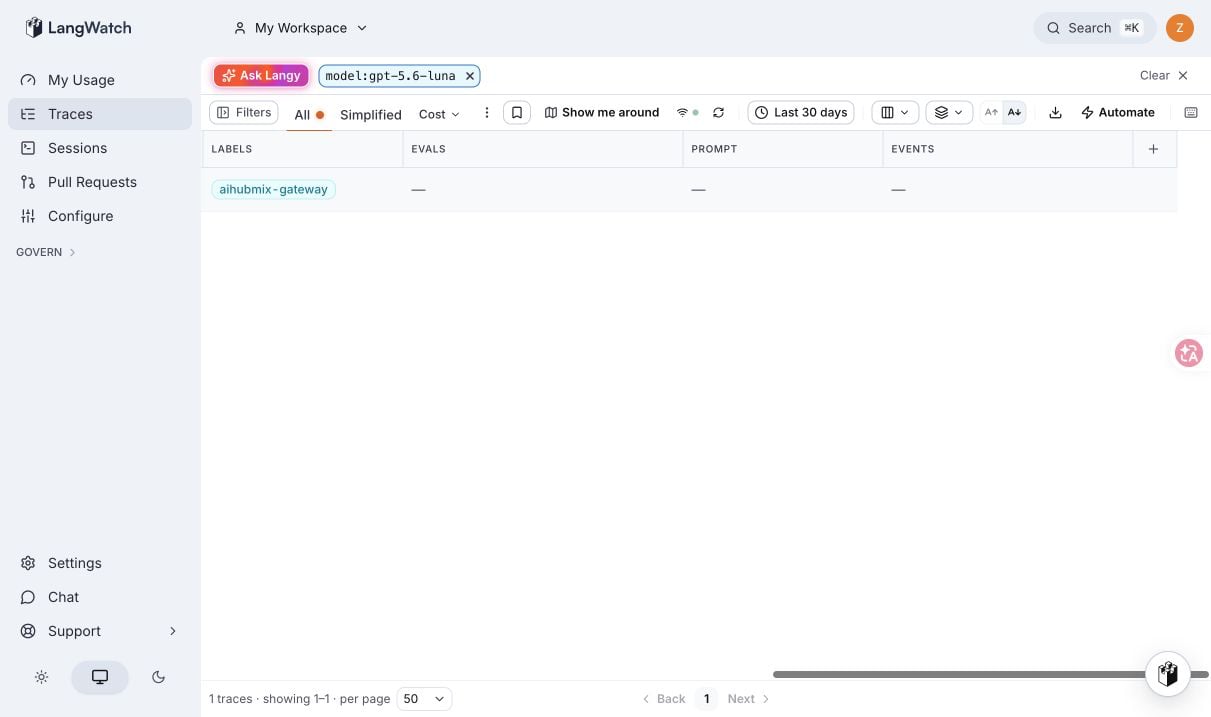
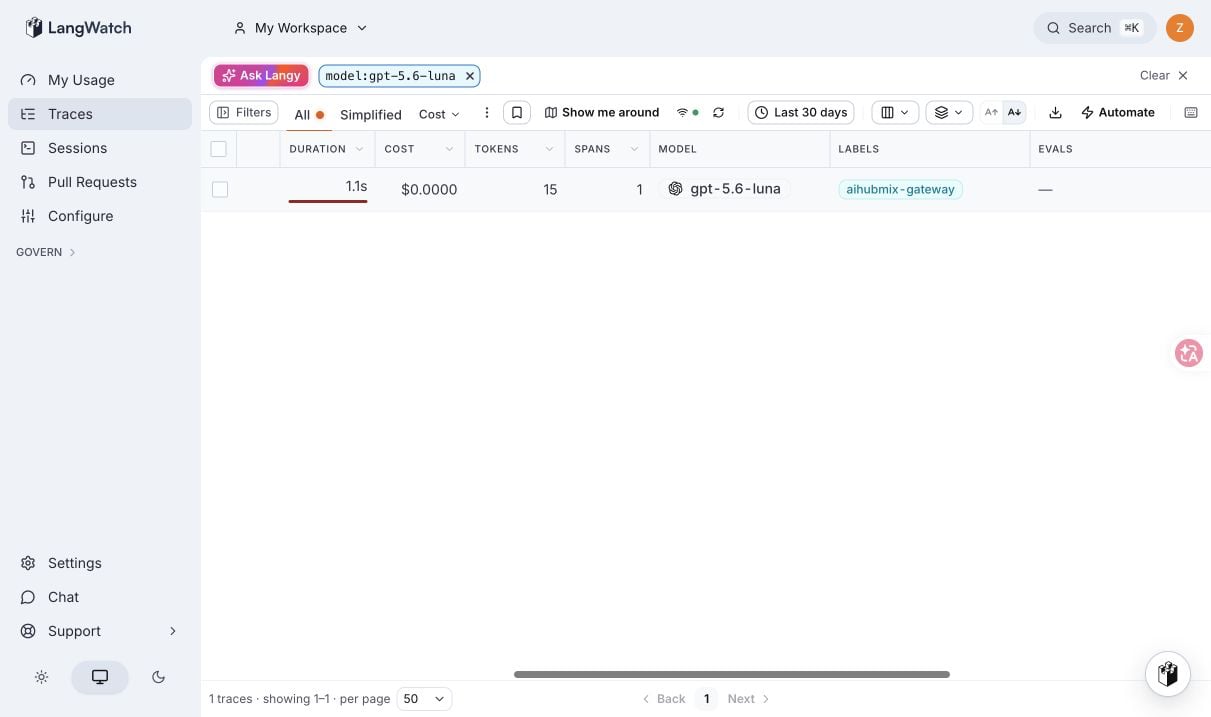 啟用 Privacy 後,Prompt 等內容欄位會保持空白,但耗時、成本、token 和模型資訊仍會保留。
常見問題
Test 回傳 401
確認使用的是目標 Project 下的 **Project API Key**。不要使用 Personal OTLP Endpoint 的 `pkey_*`,也不要使用組織或團隊範圍的金鑰。
儲存成功但沒有 Trace
確認目的地已啟用且狀態為 **OK**、Sampling rate 大於 `0%`,以及 API Key 篩選包含請求使用的 Key。等待數秒後重新整理 Traces。
Privacy 是否影響統計資料
Privacy 只停止傳送 prompt 和 completion 內容。token 用量、實際計費成本、耗時和模型資訊仍會傳送。
***
更新時間:2026-08-25