> ## Documentation Index
> Fetch the complete documentation index at: https://docs.aihubmix.com/llms.txt
> Use this file to discover all available pages before exploring further.
# Eudic Translator
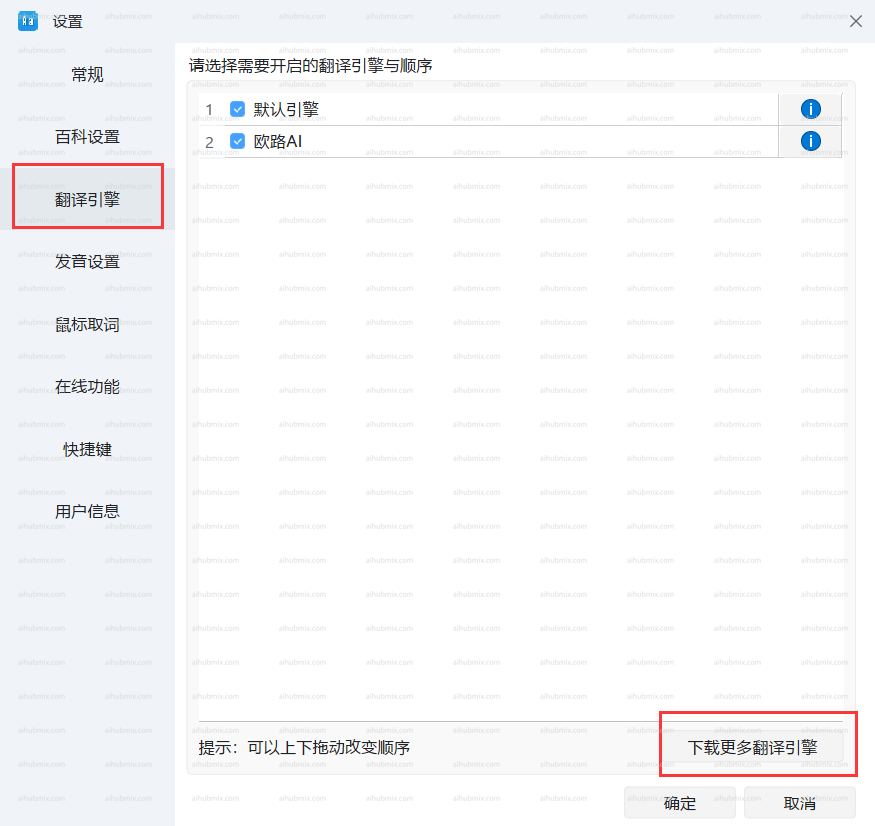
* Clique no gear icon no bottom left corner to enter the settings page, then selecione "Translation Engine" and "Download More Translation Engines."\\
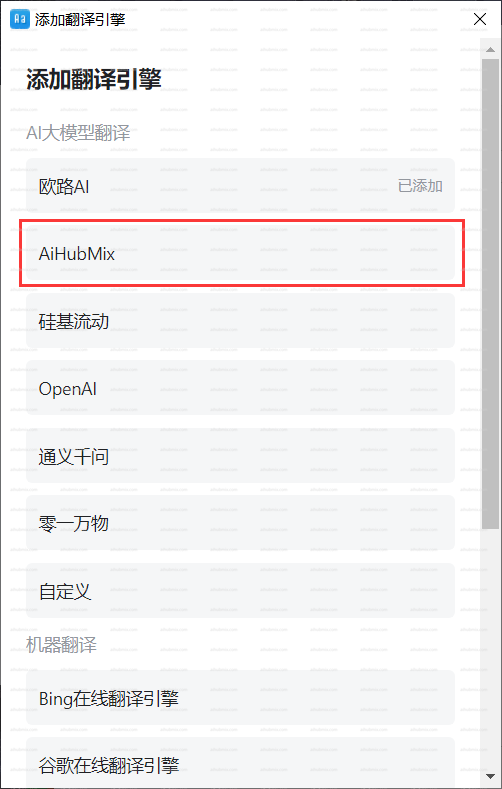
 * Add a translation engine and selecione our AiHubMix.\\
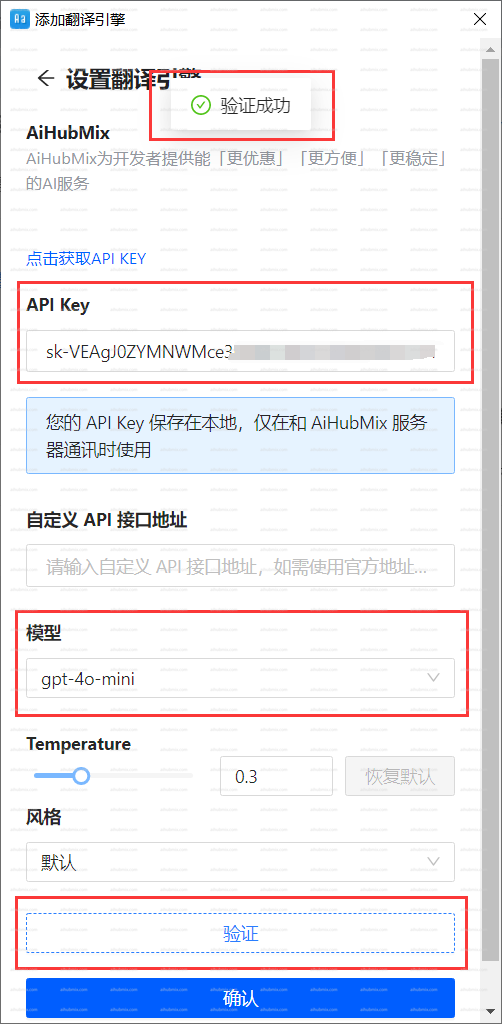
 * Insira o [Key from our site](https://aihubmix.com/token) no "chave de API" field.
* Selecione the model and clique to authenticate. Once verified, clique OK.\\
* Insira o [Key from our site](https://aihubmix.com/token) no "chave de API" field.
* Selecione the model and clique to authenticate. Once verified, clique OK.\\
 ***
Última atualização: 2026-06-01
***
Última atualização: 2026-06-01