> ## Documentation Index
> Fetch the complete documentation index at: https://docs.aihubmix.com/llms.txt
> Use this file to discover all available pages before exploring further.
# Cherry Studio
> Integre o AIHubMix no cliente desktop Cherry Studio para usar Claude, GPT e Gemini, e habilite o cache de prompt do Claude para reduzir custos e ganhar tempo.
[**Download Cherry Studio AI**](https://easys.run/cherry-studio/)
## General Usage
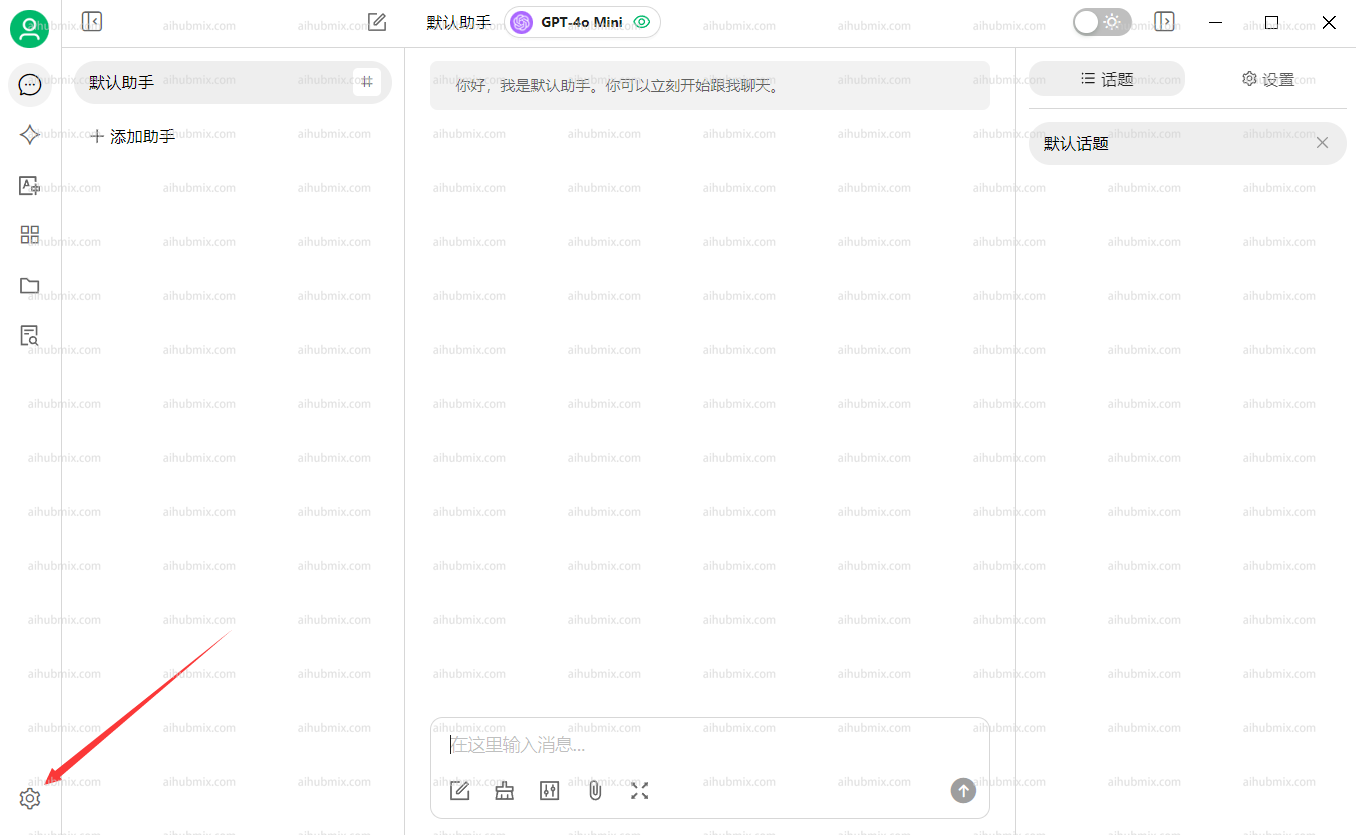
1. Abra **Settings** a partir do bottom-left corner of the app.
 2. Na seção **Model Providers**, selecione **AiHubMix** and clique no button no top-right corner to enable it.
3. No campo **chave de API**, enter [the Key from this site](https://aihubmix.com/token).\
Leave the **API Base URL** unchanged.\
**Note: If the connection check fails, try disabling your VPN.**
2. Na seção **Model Providers**, selecione **AiHubMix** and clique no button no top-right corner to enable it.
3. No campo **chave de API**, enter [the Key from this site](https://aihubmix.com/token).\
Leave the **API Base URL** unchanged.\
**Note: If the connection check fails, try disabling your VPN.**
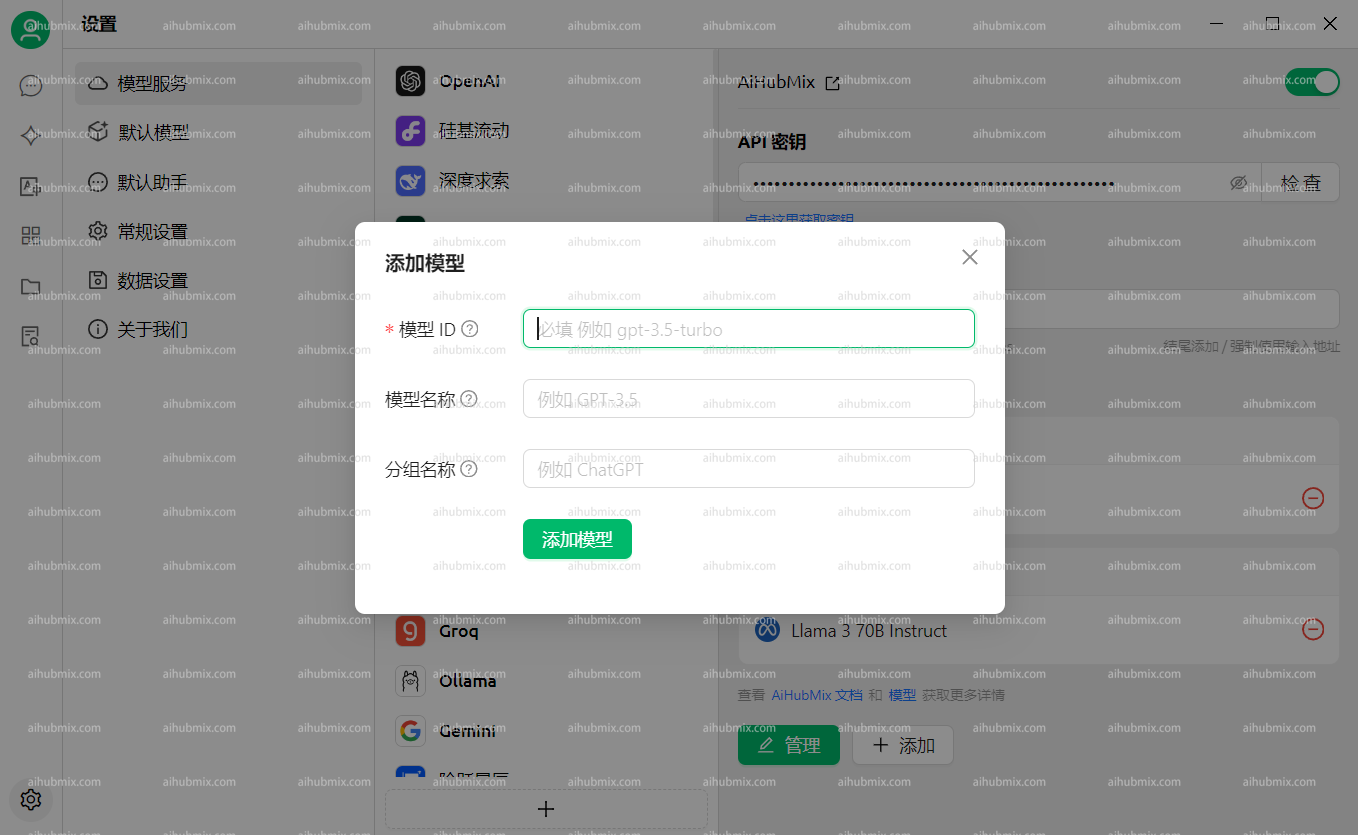
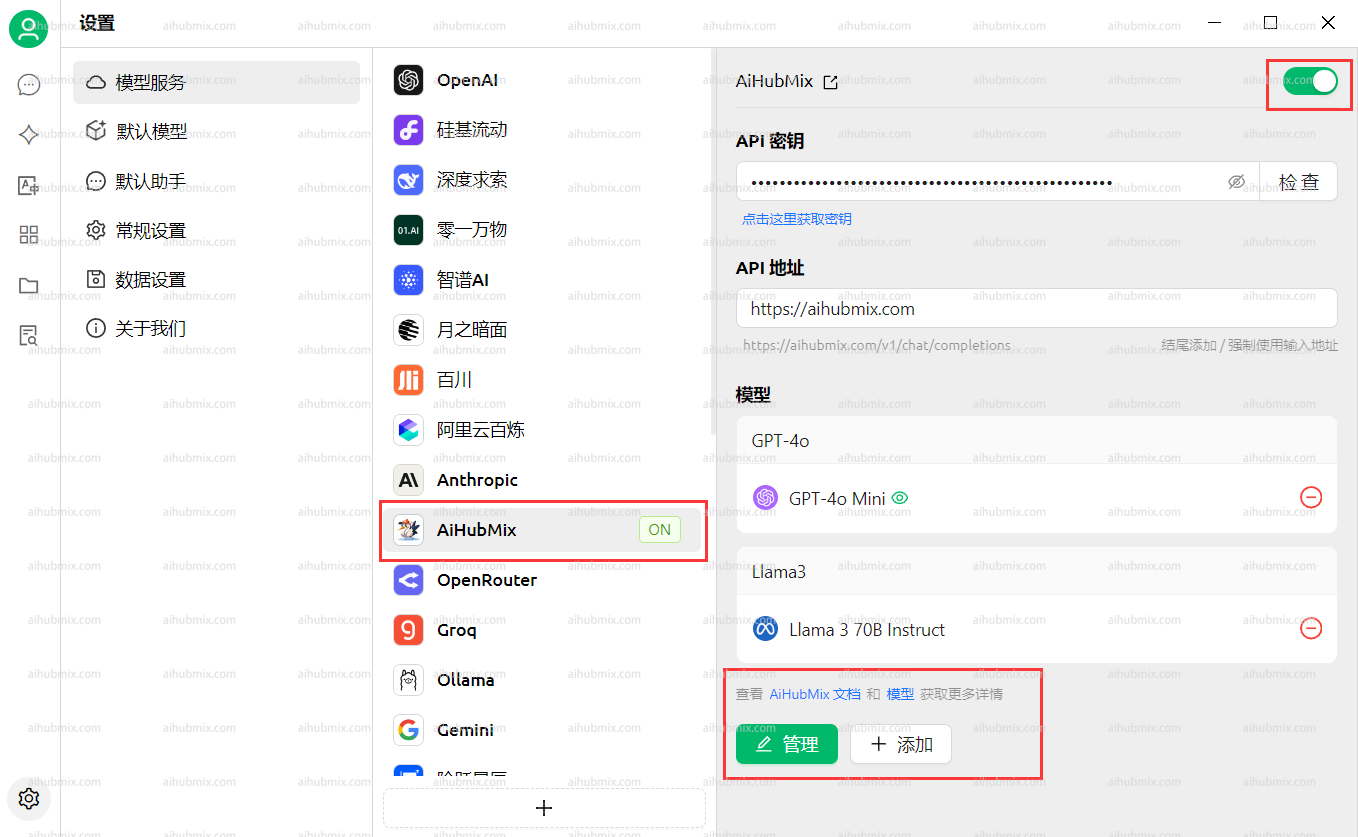 4. Clique **Add Model** at the bottom.\
For the **Model ID**, go to the settings page on this website, selecione the model you want to use, and copy-paste its name.
4. Clique **Add Model** at the bottom.\
For the **Model ID**, go to the settings page on this website, selecione the model you want to use, and copy-paste its name.
 ## Perguntas Frequentes
### The model indicates it cannot see images
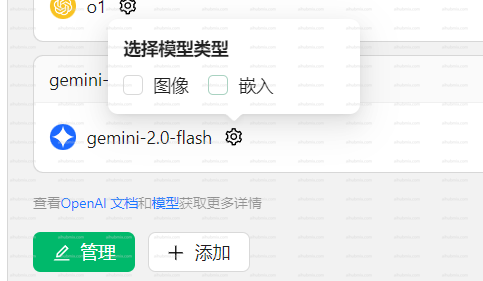
Some newer models may not recognize images after they are uploaded.\
In this case, você precisa manually enable the **Image** option on the settings page.
## Perguntas Frequentes
### The model indicates it cannot see images
Some newer models may not recognize images after they are uploaded.\
In this case, você precisa manually enable the **Image** option on the settings page.
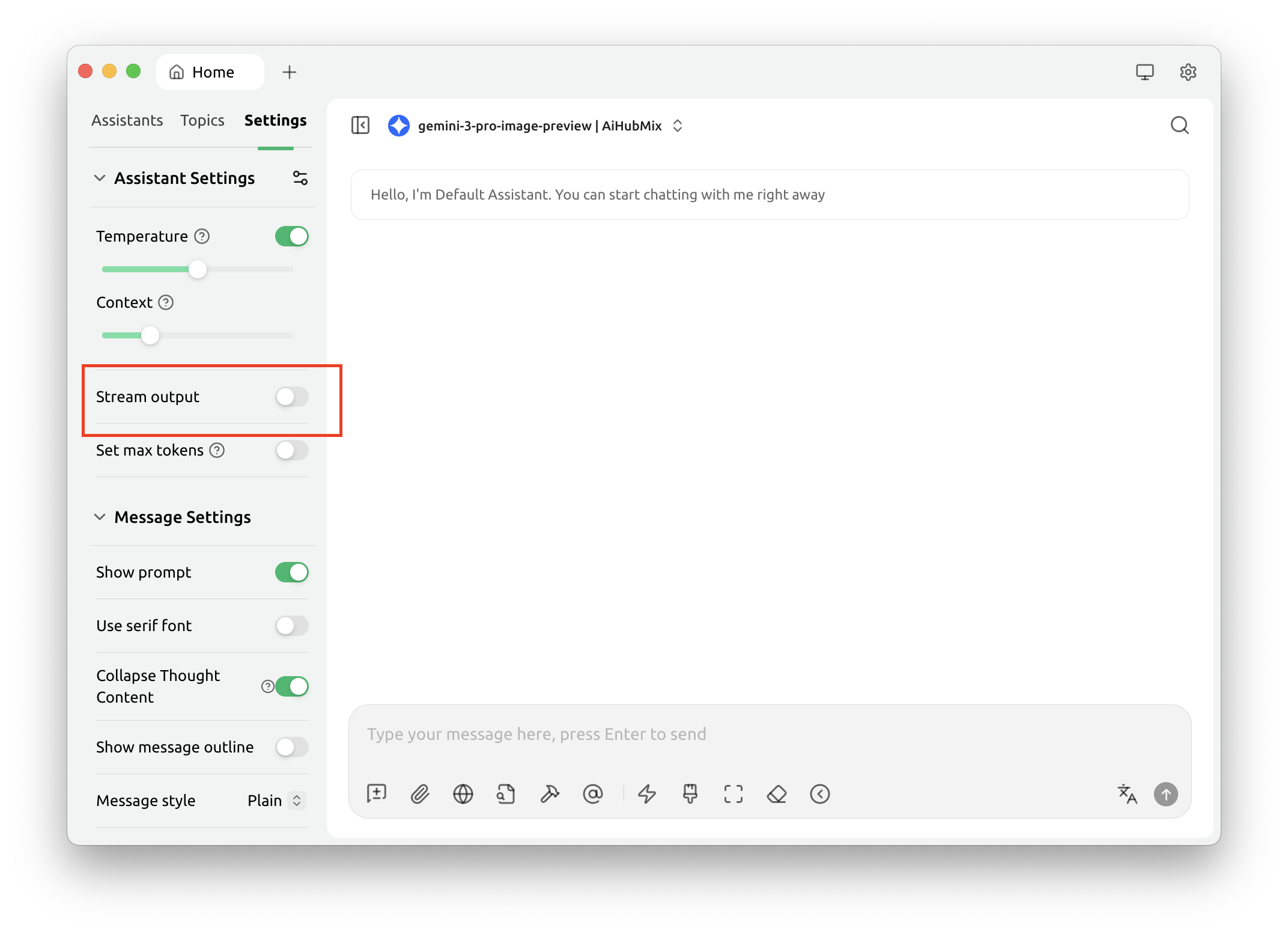
 The `gemini-3-pro-image-preview` model cannot return images when **streaming output** is enabled.\
Please disable streaming output when using this model.
The `gemini-3-pro-image-preview` model cannot return images when **streaming output** is enabled.\
Please disable streaming output when using this model.
 ### Calling Claude models returns `AI_APICallError`
Check whether the request URL shown no error message is\
`https://aihubmix.com/anthropic/v1/messages`.
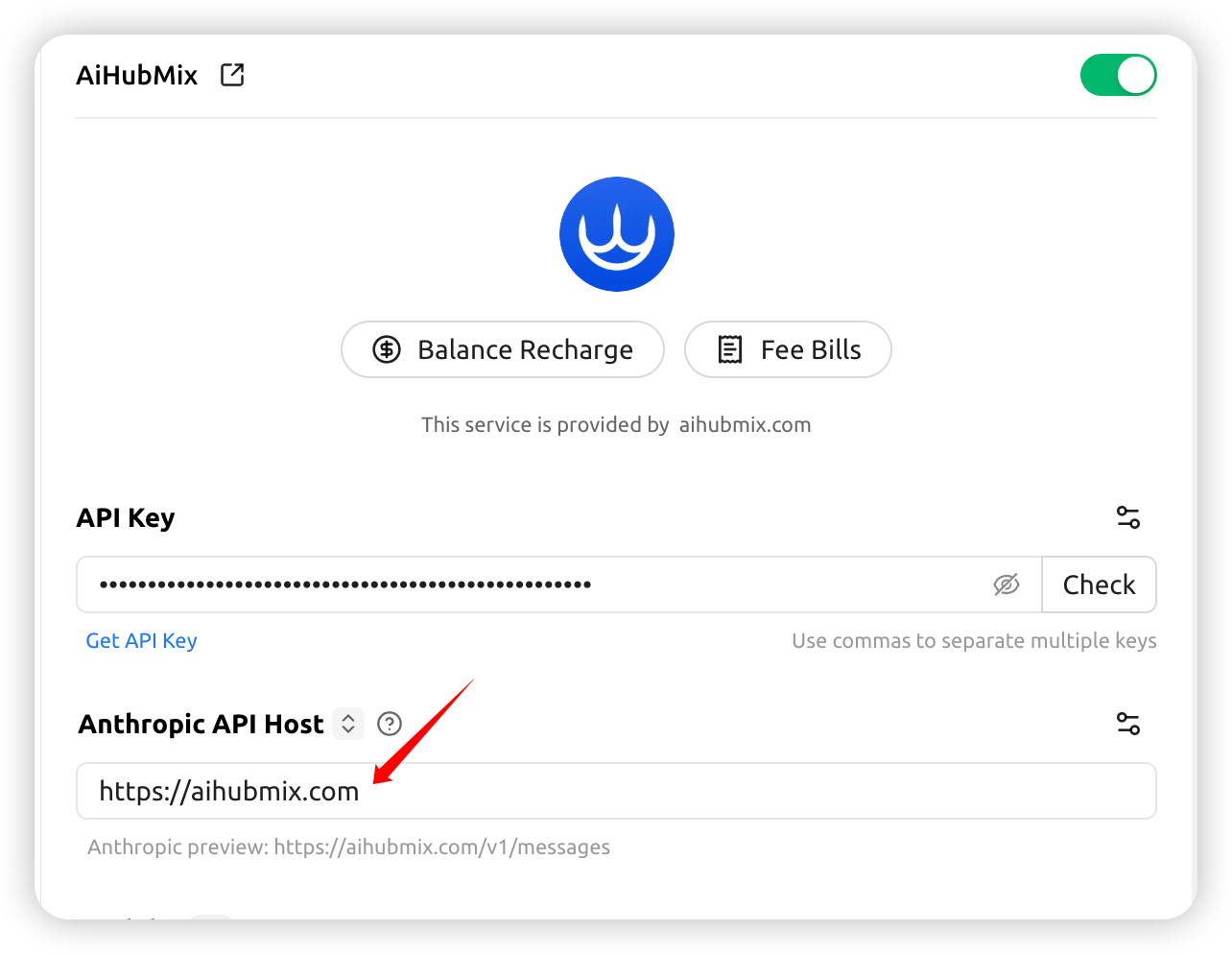
If so, go to **Settings** and change the **Anthropic API Host** to: `https://aihubmix.com`
### Calling Claude models returns `AI_APICallError`
Check whether the request URL shown no error message is\
`https://aihubmix.com/anthropic/v1/messages`.
If so, go to **Settings** and change the **Anthropic API Host** to: `https://aihubmix.com`
 ## Habilitar o cache de prompt do Claude
Nas "API Settings" do provedor Aihubmix (engrenagem à direita do nome do provedor), configure "Cache Token Threshold", "Cache System Message" e "Cache Last N Messages" para injetar automaticamente o `cache_control` nos modelos Claude. O significado de cada item e os pontos-chave para acertar o cache estão em [Cache de Prompt do Claude](../api/Claude-Cache).
***
Última atualização: 2026-06-01
## Habilitar o cache de prompt do Claude
Nas "API Settings" do provedor Aihubmix (engrenagem à direita do nome do provedor), configure "Cache Token Threshold", "Cache System Message" e "Cache Last N Messages" para injetar automaticamente o `cache_control` nos modelos Claude. O significado de cada item e os pontos-chave para acertar o cache estão em [Cache de Prompt do Claude](../api/Claude-Cache).
***
Última atualização: 2026-06-01