> ## Documentation Index
> Fetch the complete documentation index at: https://docs.aihubmix.com/llms.txt
> Use this file to discover all available pages before exploring further.
# Eudic 번역 사용법
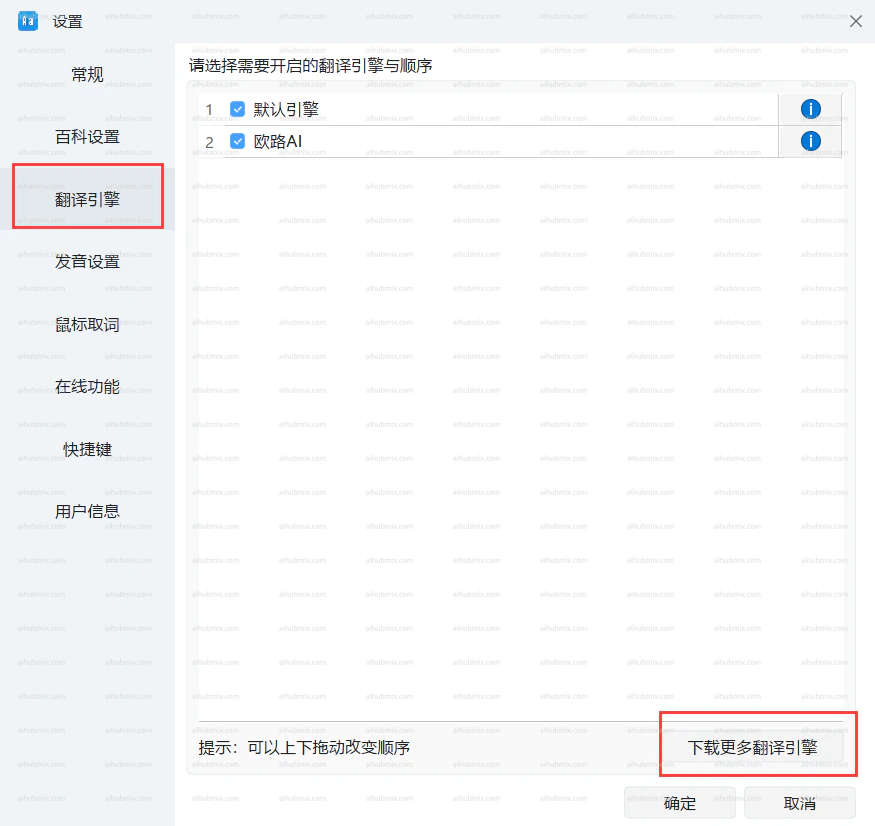
* 왼쪽 하단의 톱니바퀴 아이콘을 클릭하여 설정 페이지로 들어간 다음, "번역 엔진"과 "더 많은 번역 엔진 다운로드"를 선택합니다.\\
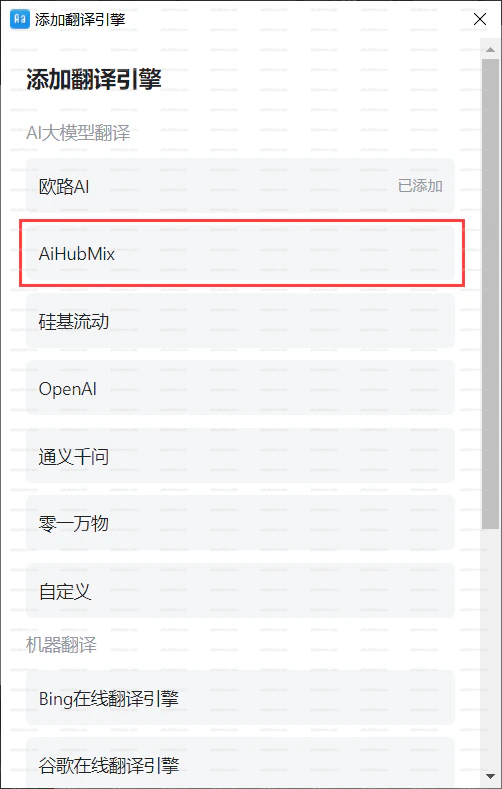
 * 번역 엔진을 추가하고 저희 AiHubMix를 선택합니다.\\
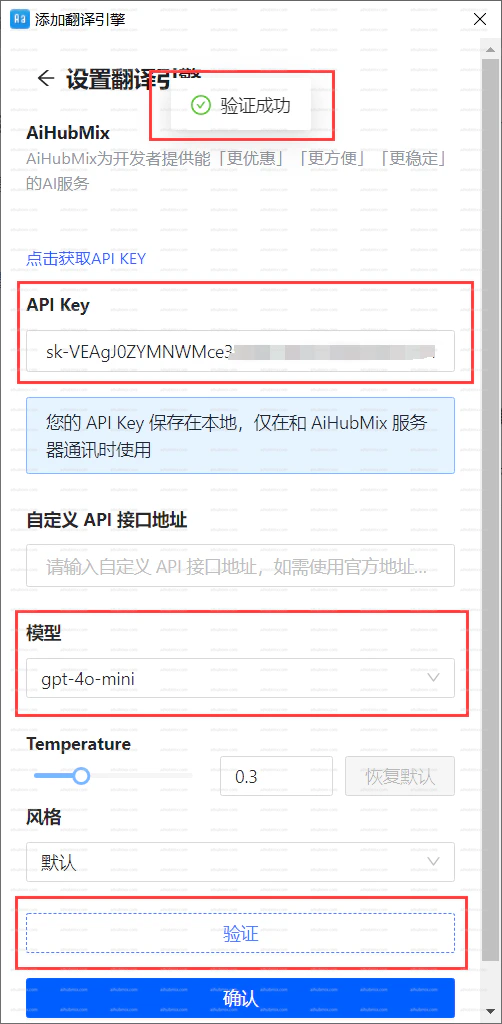
 * "API 키" 필드에 [저희 사이트의 키](https://aihubmix.com/token)를 입력합니다.
* 모델을 선택하고 인증을 클릭합니다. 확인되면 확인을 클릭합니다.\\
* "API 키" 필드에 [저희 사이트의 키](https://aihubmix.com/token)를 입력합니다.
* 모델을 선택하고 인증을 클릭합니다. 확인되면 확인을 클릭합니다.\\
 ***
마지막 업데이트: 2026-06-01
***
마지막 업데이트: 2026-06-01