> ## Documentation Index
> Fetch the complete documentation index at: https://docs.aihubmix.com/llms.txt
> Use this file to discover all available pages before exploring further.
# Lobe-Chat 사용법
## 일반적인 사용 방법
Lobe-Chat 공식 웹사이트: [chat-preview.lobehub.com](https://chat-preview.lobehub.com/?utm_source=aihubmix\&utm_medium=website\&utm_campaign=references)
아래와 같이 설정을 입력하려면 클릭하세요.\\
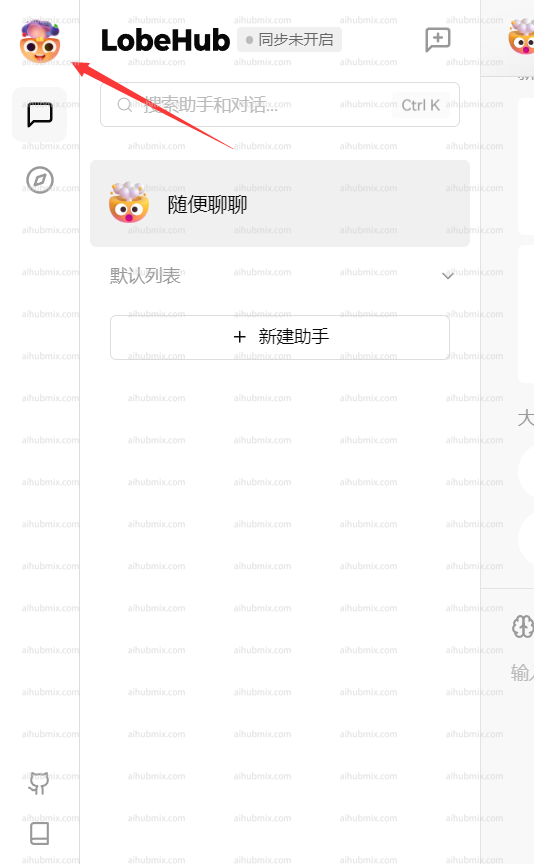
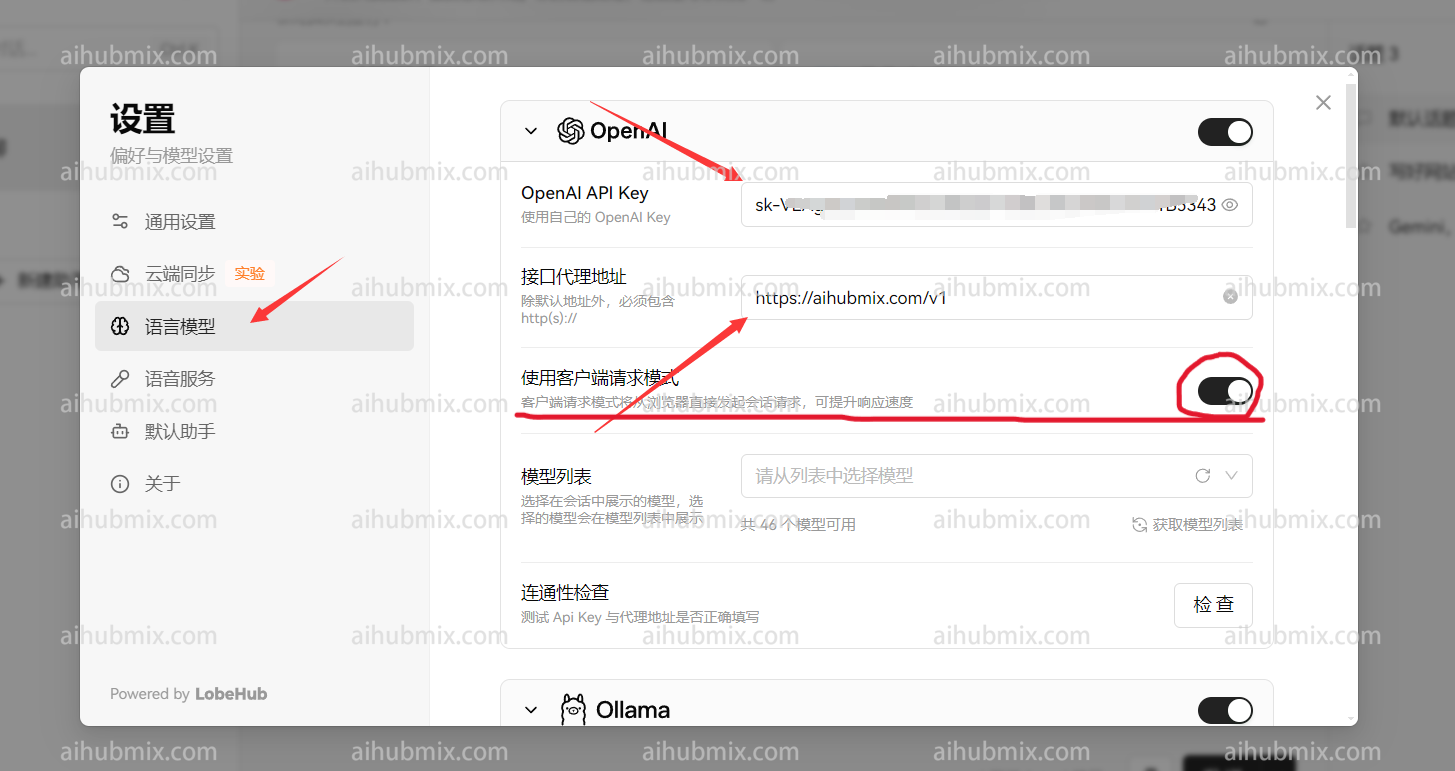
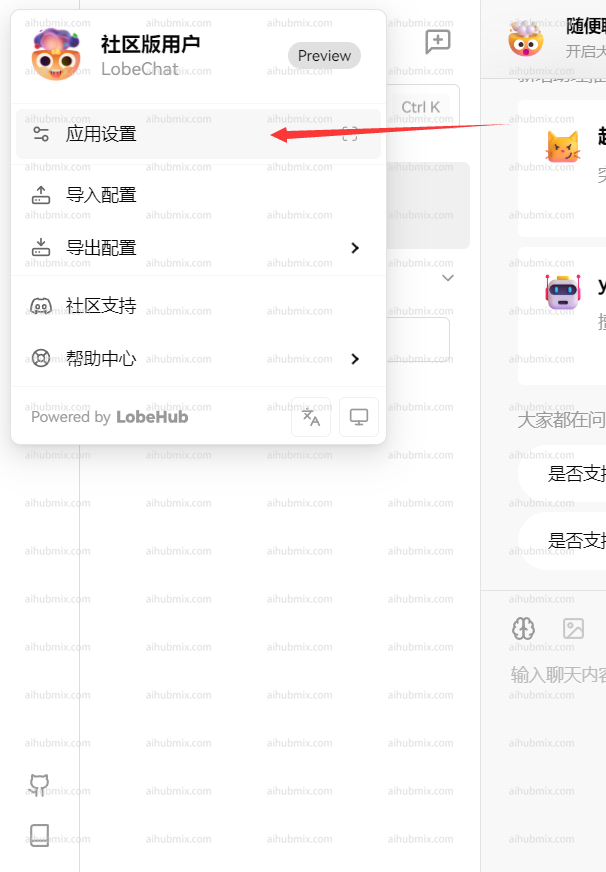 * API 키: [이 사이트의 키](https://aihubmix.com/token)를 입력합니다.
* 프록시 주소: 다음 URL을 직접 입력합니다:
```
https://aihubmix.com/v1
```
("클라이언트 요청 모드 사용"을 활성화하는 것이 좋습니다)\
* API 키: [이 사이트의 키](https://aihubmix.com/token)를 입력합니다.
* 프록시 주소: 다음 URL을 직접 입력합니다:
```
https://aihubmix.com/v1
```
("클라이언트 요청 모드 사용"을 활성화하는 것이 좋습니다)\
 \
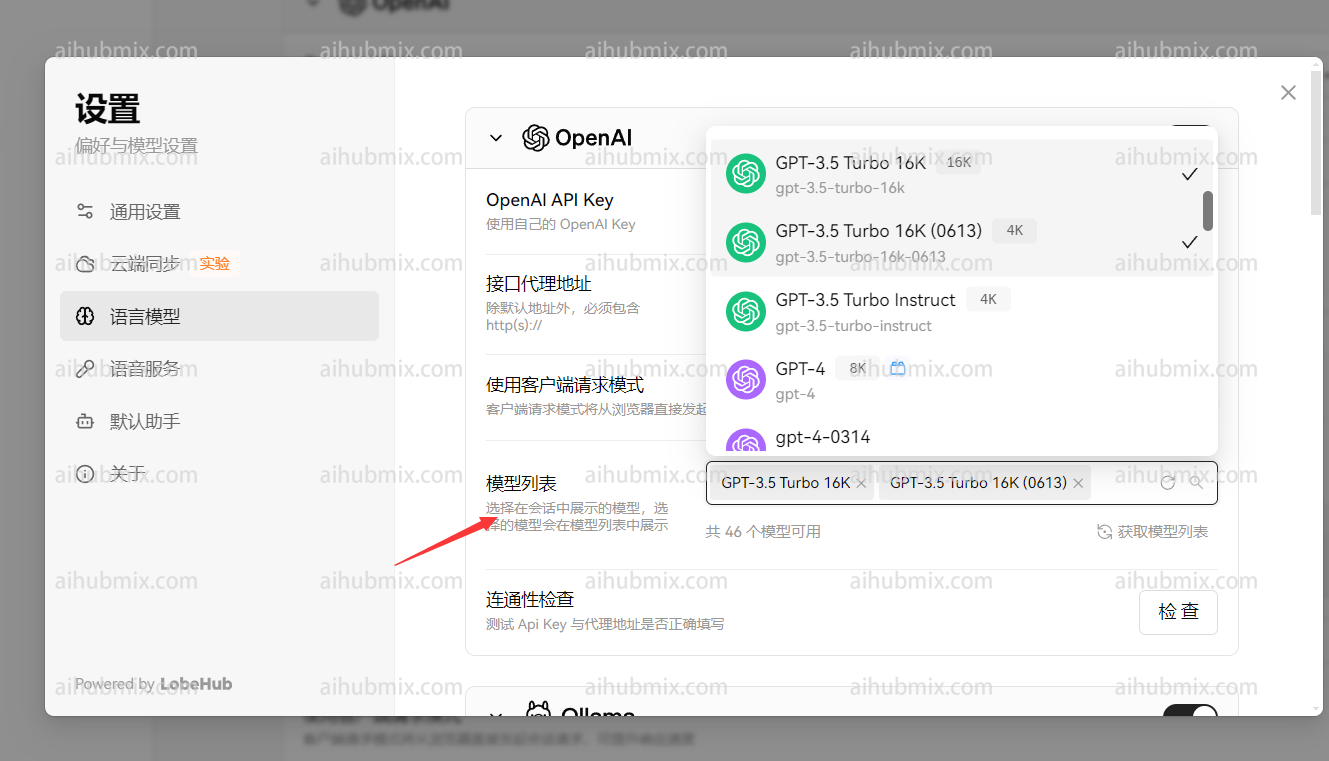
마지막으로, 모델 목록에 사용하려는 모델을 추가합니다.\\
\
마지막으로, 모델 목록에 사용하려는 모델을 추가합니다.\\
 ## 비 openai 모델 사용 방법
모델 서비스 제공업체는 openai로 유지되며, 모델 목록에 필요한 모델 이름을 수동으로 추가할 수 있습니다.\
웹사이트의 모델 스퀘어 페이지를 열어 사용하려는 모델 이름을 복사할 수 있습니다.
---------------------------------------------
마지막 업데이트: 2026-06-01
## 비 openai 모델 사용 방법
모델 서비스 제공업체는 openai로 유지되며, 모델 목록에 필요한 모델 이름을 수동으로 추가할 수 있습니다.\
웹사이트의 모델 스퀘어 페이지를 열어 사용하려는 모델 이름을 복사할 수 있습니다.
---------------------------------------------
마지막 업데이트: 2026-06-01