> ## Documentation Index
> Fetch the complete documentation index at: https://docs.aihubmix.com/llms.txt
> Use this file to discover all available pages before exploring further.
# GPT Academic 사용법
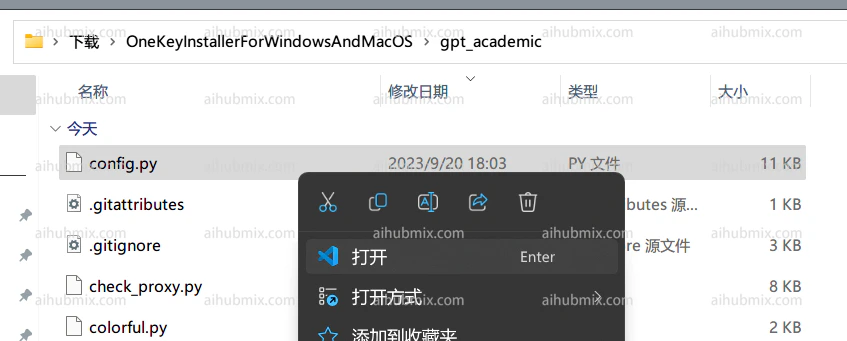
1. gpt\_academic/config.py 파일을 엽니다:\\
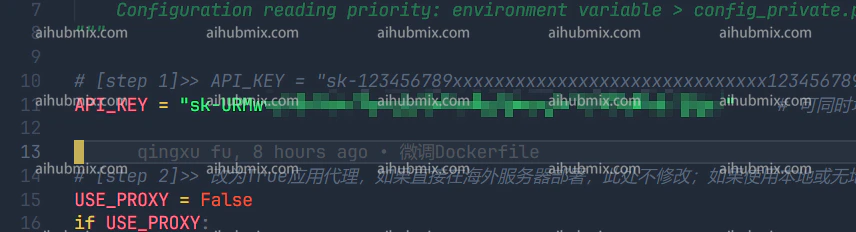
 2. config.py에서 API\_KEY 변수를 찾아 [이 사이트의 키](https://aihubmix.com/token)를 입력합니다:\\
 3. config.py에서 API\_URL\_REDIRECT 변수를 찾아 아래 코드 블록을 직접 복사하여 수정합니다:
```
API_URL_REDIRECT = {"https://api.openai.com/v1/chat/completions": "https://aihubmix.com/v1/chat/completions"}
```
3. config.py에서 API\_URL\_REDIRECT 변수를 찾아 아래 코드 블록을 직접 복사하여 수정합니다:
```
API_URL_REDIRECT = {"https://api.openai.com/v1/chat/completions": "https://aihubmix.com/v1/chat/completions"}
```
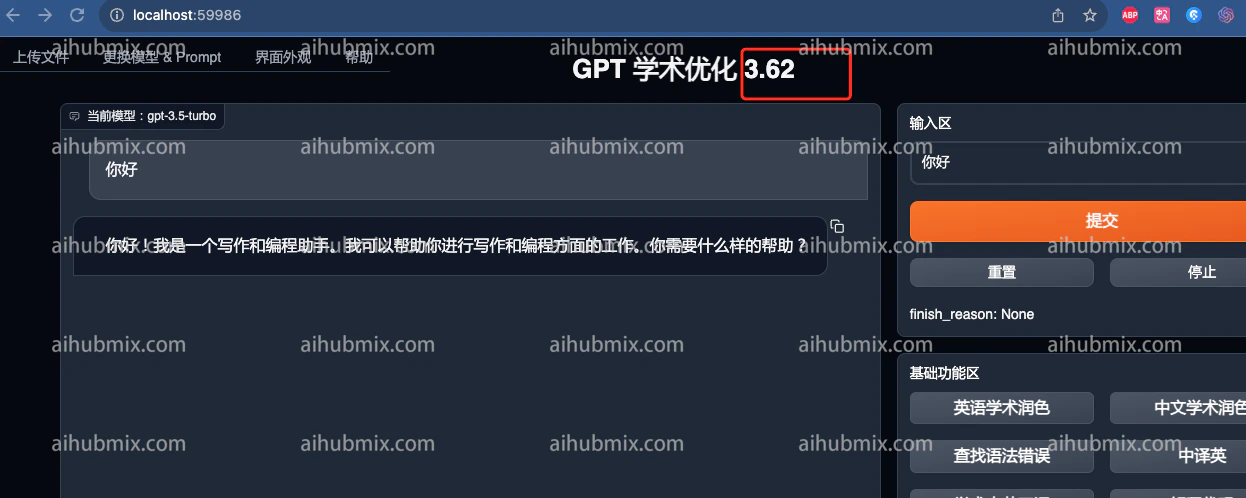
 4\. 이제 사용할 수 있습니다.\\
 ***
마지막 업데이트: 2026-06-01
***
마지막 업데이트: 2026-06-01