> ## Documentation Index
> Fetch the complete documentation index at: https://docs.aihubmix.com/llms.txt
> Use this file to discover all available pages before exploring further.

# Chatx 사용법

Chatx 다운로드 링크: [https://apps.apple.com/app/id6446304087](https://apps.apple.com/app/id6446304087)

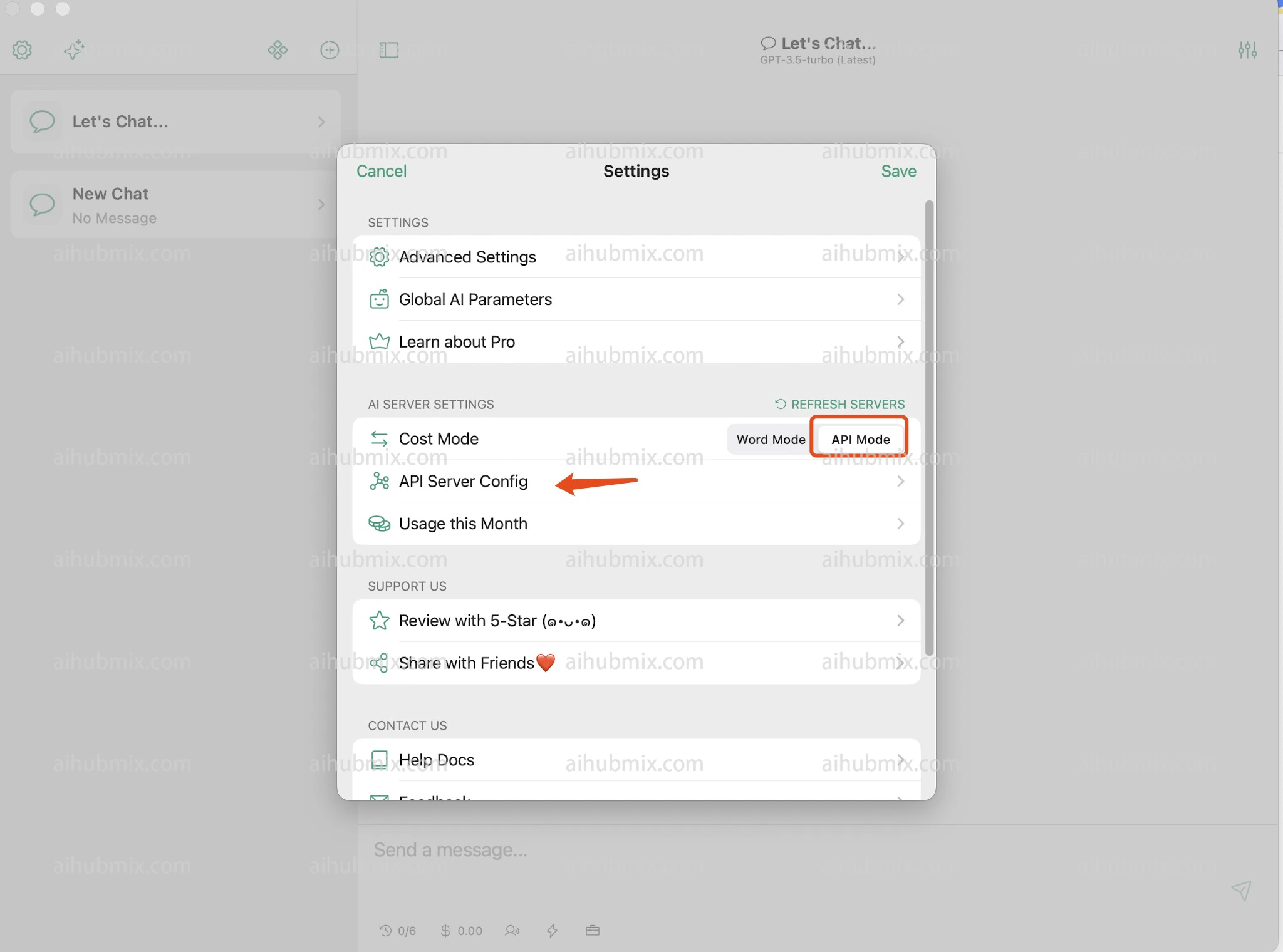
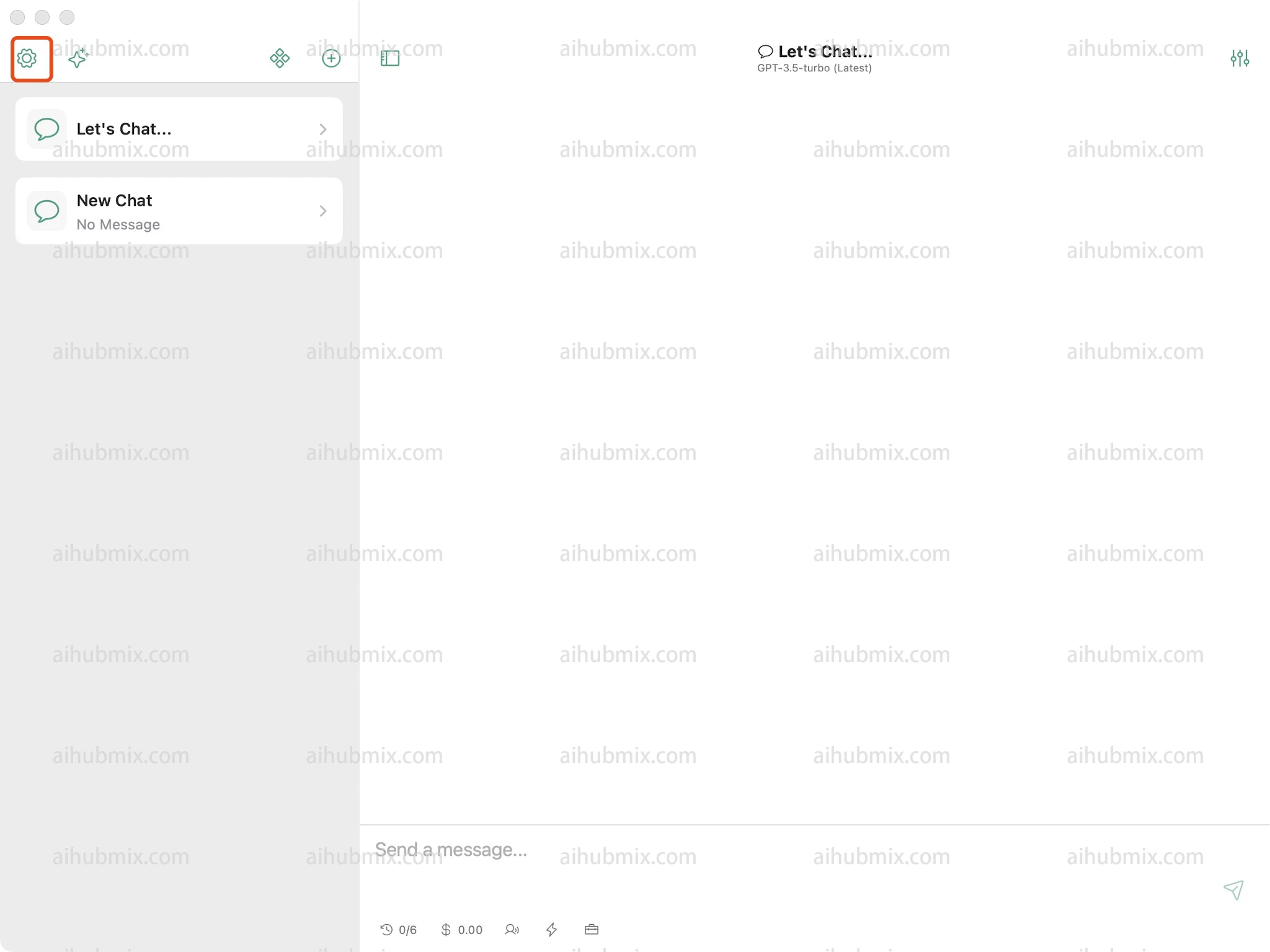
1. 설정을 열고 API 서버 구성을 찾습니다.\\
   <img src="https://mintcdn.com/aihubmix/axGkcFk0FkcdXl5v/public/en/chatx1.png?fit=max&auto=format&n=axGkcFk0FkcdXl5v&q=85&s=a5372ed53578746998687b282d1f7b85" alt="Image" width="2048" height="1536" data-path="public/en/chatx1.png" />
   <img src="https://mintcdn.com/aihubmix/axGkcFk0FkcdXl5v/public/en/chatx2.png?fit=max&auto=format&n=axGkcFk0FkcdXl5v&q=85&s=8e0f18a686d3e8805027ab04e4ac0bec" alt="Image" width="2048" height="1520" data-path="public/en/chatx2.png" />
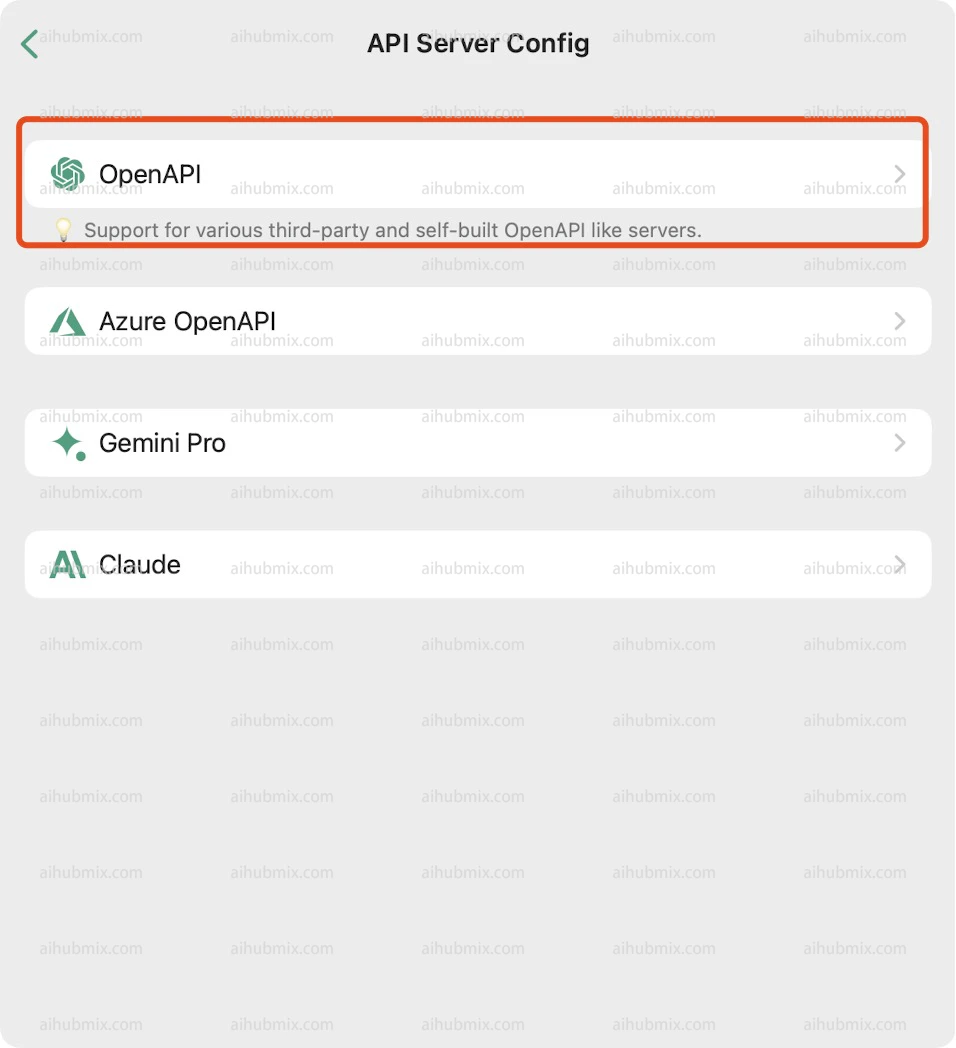
2. OpenAPI를 선택합니다.\\
   <img src="https://mintcdn.com/aihubmix/axGkcFk0FkcdXl5v/public/en/chatx3.png?fit=max&auto=format&n=axGkcFk0FkcdXl5v&q=85&s=108865580b7fcfb88c78076833ec5e32" alt="Image" width="956" height="1048" data-path="public/en/chatx3.png" />
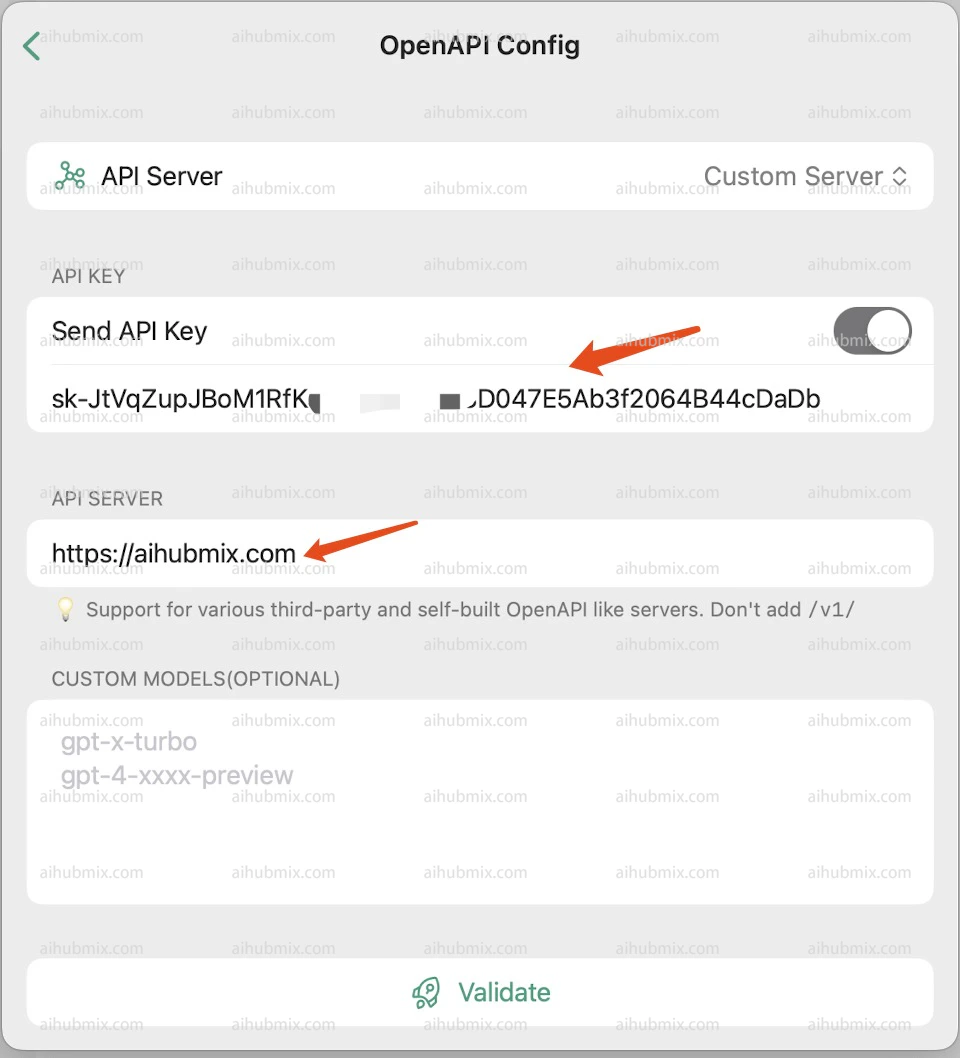
3. [저희 사이트의 키](https://aihubmix.com/token)에서 API KEY를 생성합니다.
4. API 서버 필드에 다음을 입력합니다:

```
https://aihubmix.com
```

## <img src="https://mintcdn.com/aihubmix/axGkcFk0FkcdXl5v/public/en/chatx4.png?fit=max&auto=format&n=axGkcFk0FkcdXl5v&q=85&s=805ffa673a9c993d17c0ef749518c4a5" alt="Image" width="960" height="1058" data-path="public/en/chatx4.png" />
마지막 업데이트: 2026-06-01