> ## Documentation Index
> Fetch the complete documentation index at: https://docs.aihubmix.com/llms.txt
> Use this file to discover all available pages before exploring further.
# ChatHub 사용법
> ChatHub의 OpenAI 호환 API key 설정으로 AIHubMix를 연결합니다.
ChatHub는 여러 모델의 답변을 나란히 비교할 수 있는 멀티 모델 AI 클라이언트입니다. AIHubMix는 OpenAI 호환 사용자 API key 설정으로 연결할 수 있습니다.
## AIHubMix 설치 및 설정
1. Chrome Web Store에서 ChatHub 확장 프로그램을 설치합니다: [ChatHub - ChatGPT, Gemini, Claude sidebar](https://chromewebstore.google.com/detail/chathub-chatgpt-gemini-cl/iaakpnchhognanibcahlpcplchdfmgma?utm_source=chathub.gg).
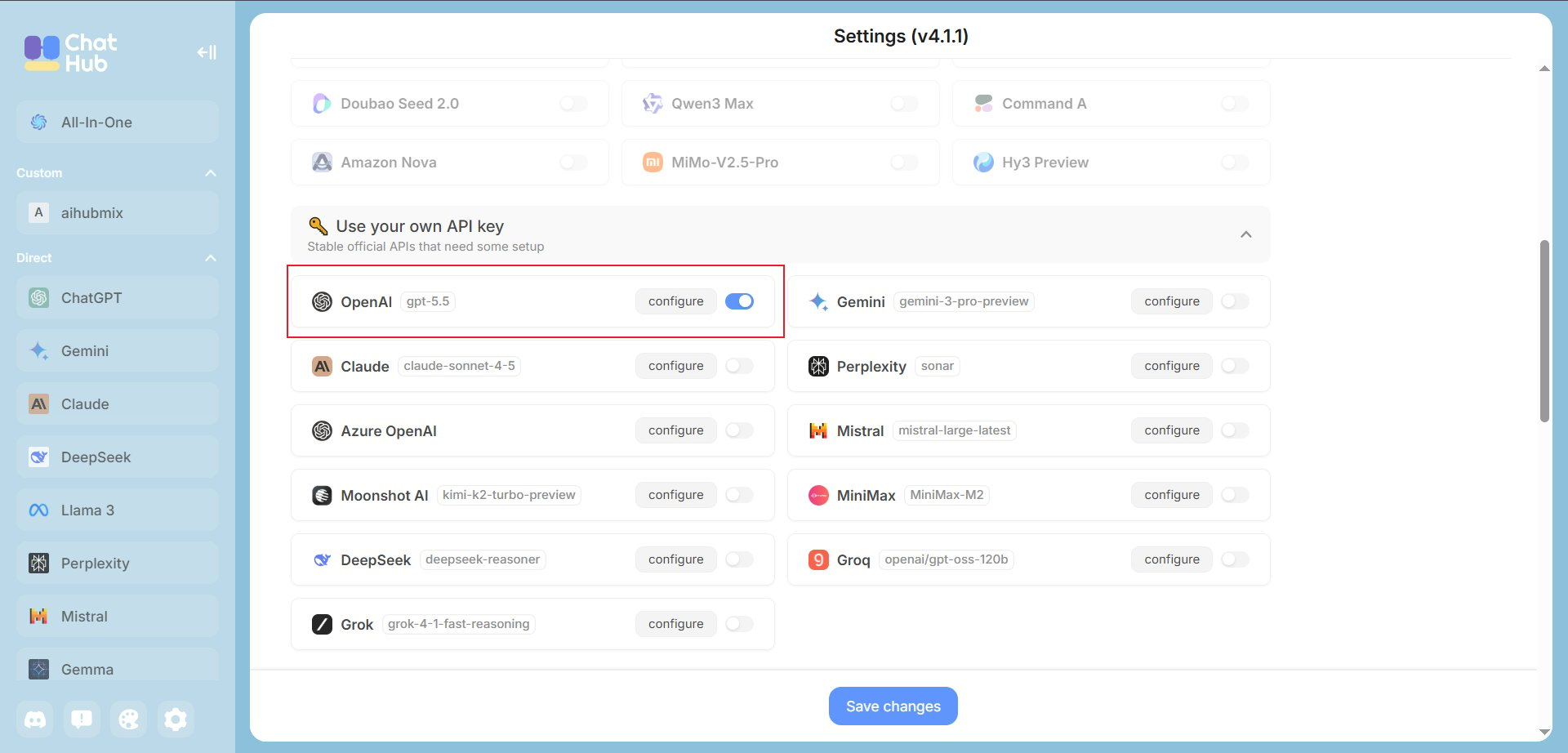
2. ChatHub를 열고 왼쪽 아래 톱니바퀴를 클릭한 뒤 **Use your own API key** 영역에서 **OpenAI**를 켜고 **configure**를 클릭합니다.
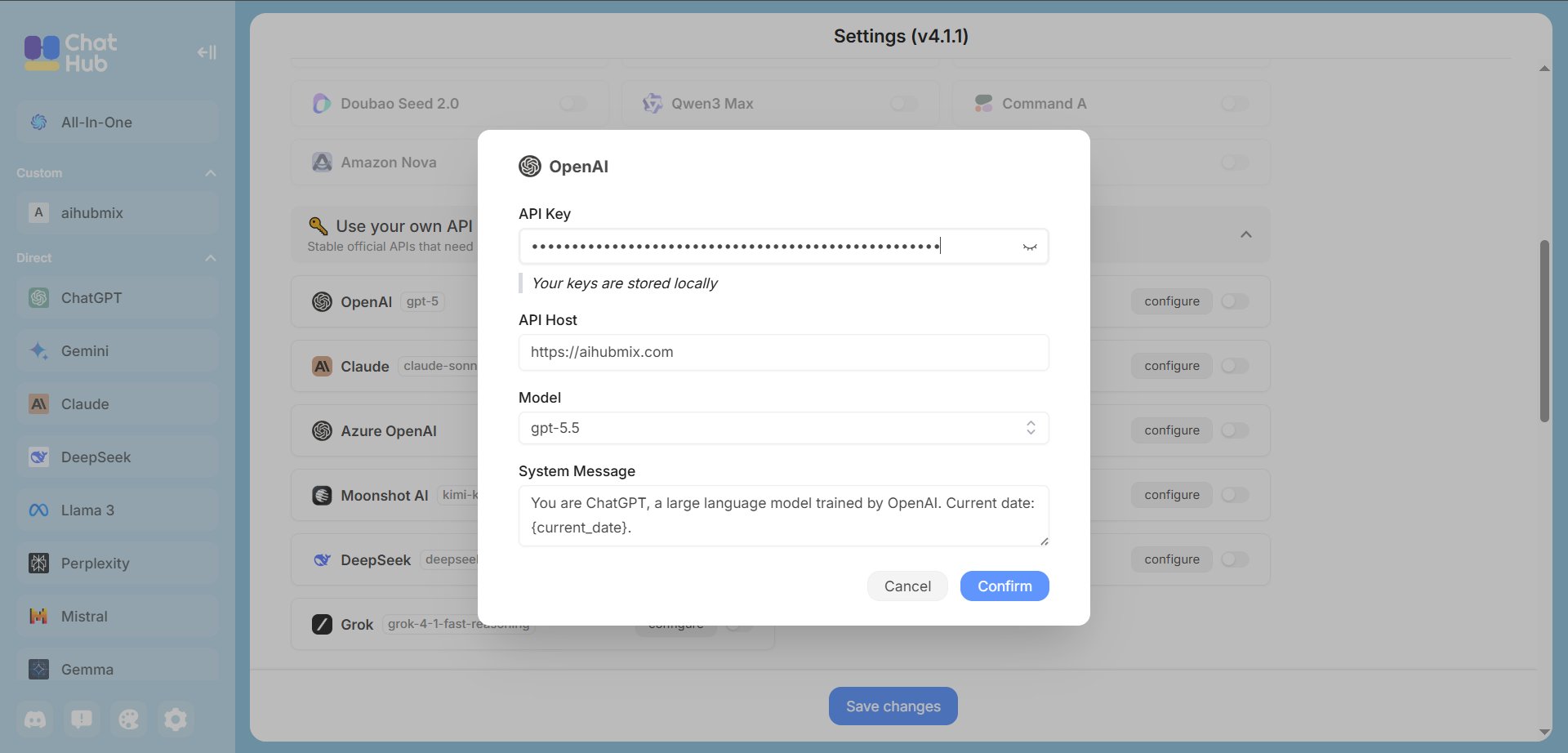
 3. AIHubMix 연결 정보를 입력합니다.
* **API Key**: [AIHubMix 콘솔](https://aihubmix.com/token)에서 만든 Key. 보통 `sk-***` 형식입니다.
* **API Host**: AIHubMix 주소를 입력합니다. 기본 도메인을 사용할 수 없으면 `https://api.inferera.com`으로 바꿉니다.
```text theme={null}
https://aihubmix.com
```
* **Model**: 사용할 모델 ID를 선택하거나 입력합니다. 예: `gpt-5.5`. **Confirm**을 클릭한 뒤 설정으로 돌아가 **Save changes**를 누릅니다.
3. AIHubMix 연결 정보를 입력합니다.
* **API Key**: [AIHubMix 콘솔](https://aihubmix.com/token)에서 만든 Key. 보통 `sk-***` 형식입니다.
* **API Host**: AIHubMix 주소를 입력합니다. 기본 도메인을 사용할 수 없으면 `https://api.inferera.com`으로 바꿉니다.
```text theme={null}
https://aihubmix.com
```
* **Model**: 사용할 모델 ID를 선택하거나 입력합니다. 예: `gpt-5.5`. **Confirm**을 클릭한 뒤 설정으로 돌아가 **Save changes**를 누릅니다.
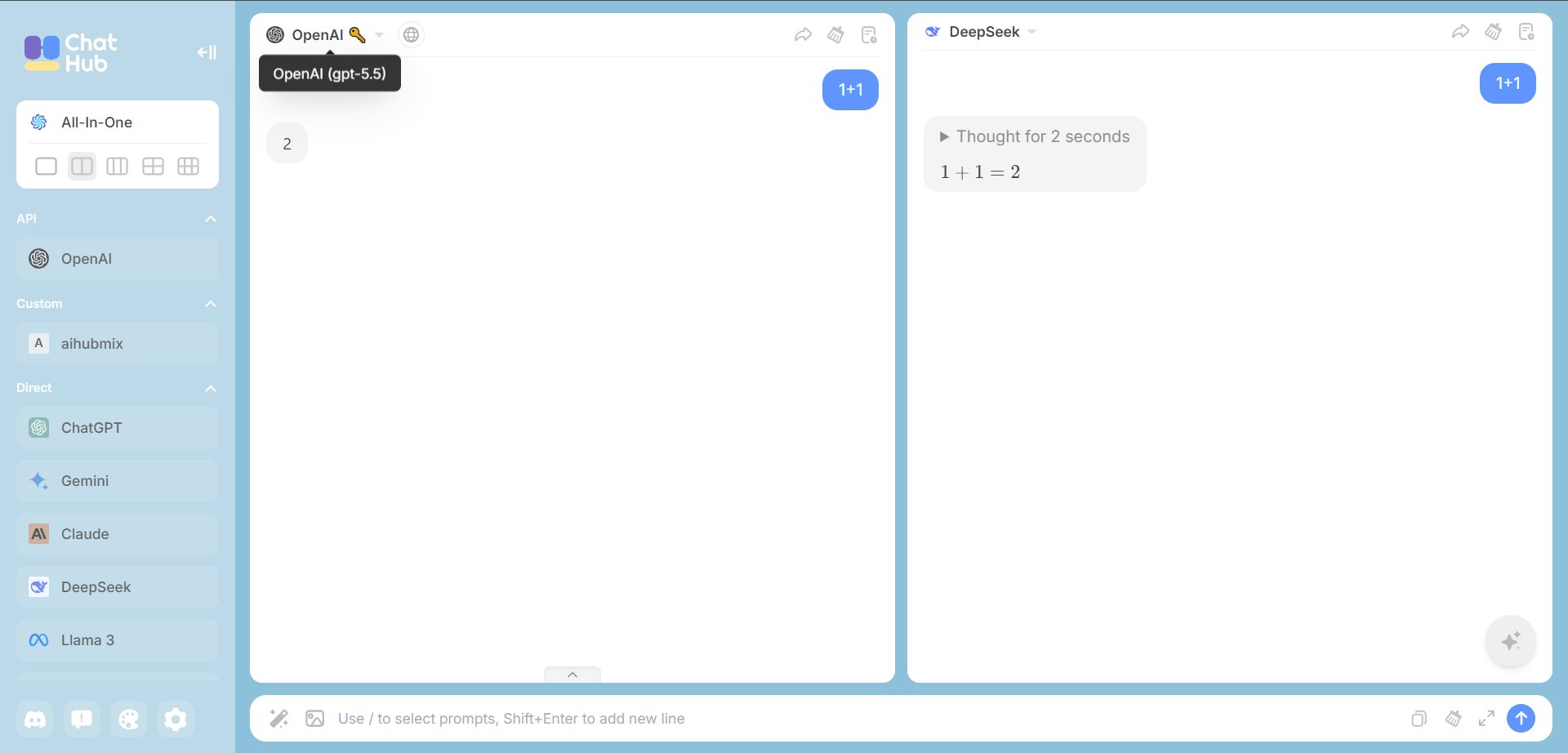
 4. ChatHub 메인 페이지로 돌아가면 왼쪽에 활성화된 AIHubMix 구성이 보입니다. 짧은 메시지를 보내 응답을 확인합니다.
 ## 문제 해결
**저장 후 응답이 없음**: API Key가 `sk-`로 시작하는지, API Host가 끝 슬래시 없는 `https://aihubmix.com`인지, AIHubMix 계정 잔액이 충분한지 확인합니다.
**Model not found**: AIHubMix 모델 목록에서 모델 ID를 다시 복사해 ChatHub에 붙여 넣습니다.
***
마지막 업데이트: 2026-07-03
## 문제 해결
**저장 후 응답이 없음**: API Key가 `sk-`로 시작하는지, API Host가 끝 슬래시 없는 `https://aihubmix.com`인지, AIHubMix 계정 잔액이 충분한지 확인합니다.
**Model not found**: AIHubMix 모델 목록에서 모델 ID를 다시 복사해 ChatHub에 붙여 넣습니다.
***
마지막 업데이트: 2026-07-03