> ## Documentation Index
> Fetch the complete documentation index at: https://docs.aihubmix.com/llms.txt
> Use this file to discover all available pages before exploring further.
# AnythingLLM 사용법
> AnythingLLM에서 AIHubMix를 설정해 OpenAI 호환 엔드포인트로 채팅 및 임베딩 모델을 사용합니다.
AnythingLLM은 문서를 검색 가능한 채팅 지식베이스로 바꿔 주는 오픈소스 AI 워크스페이스입니다. OpenAI 호환 엔드포인트를 지원하므로 AIHubMix는 **Generic OpenAI**로 설정할 수 있습니다.
## AIHubMix 설정
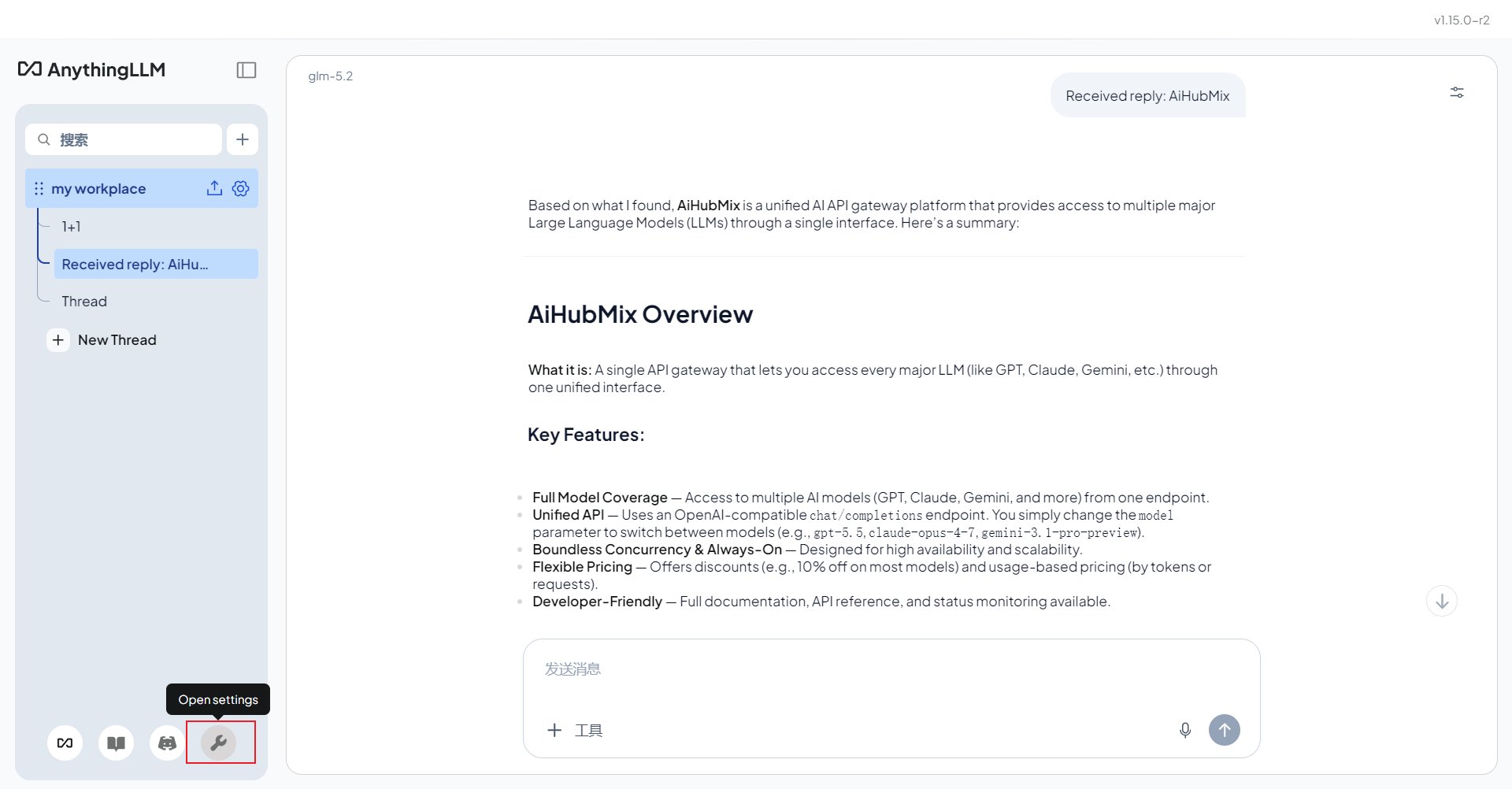
[AnythingLLM 웹사이트](https://anythingllm.com/)에서 데스크톱 앱을 다운로드해 설치합니다. 앱을 연 뒤 왼쪽 아래 아바타 메뉴에서 설정 페이지로 이동합니다.
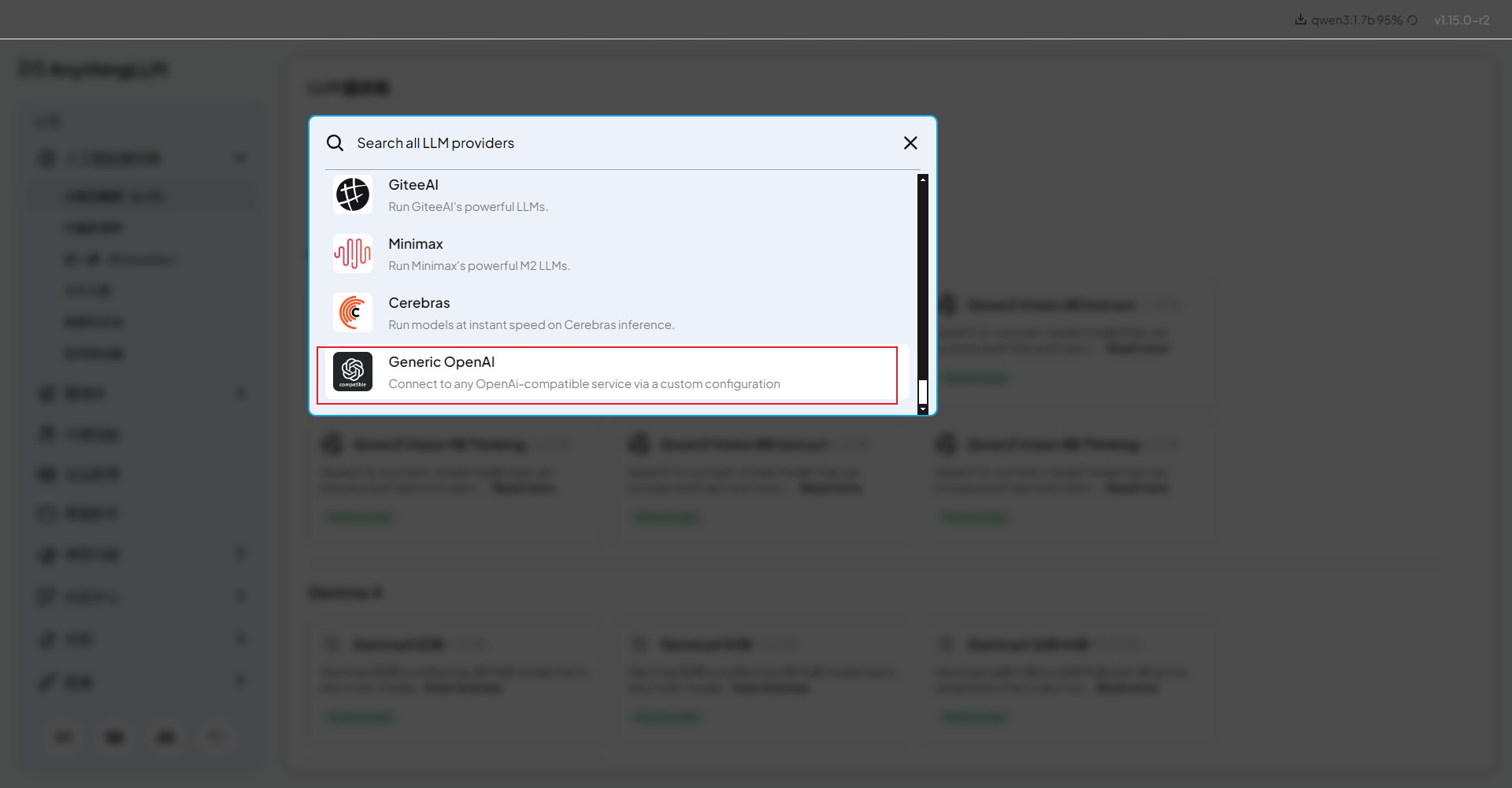
 설정에서 **LLM Provider** 드롭다운을 열고 **Generic OpenAI**를 선택합니다. 이 옵션은 AIHubMix 같은 OpenAI 호환 게이트웨이를 연결할 때 사용합니다.
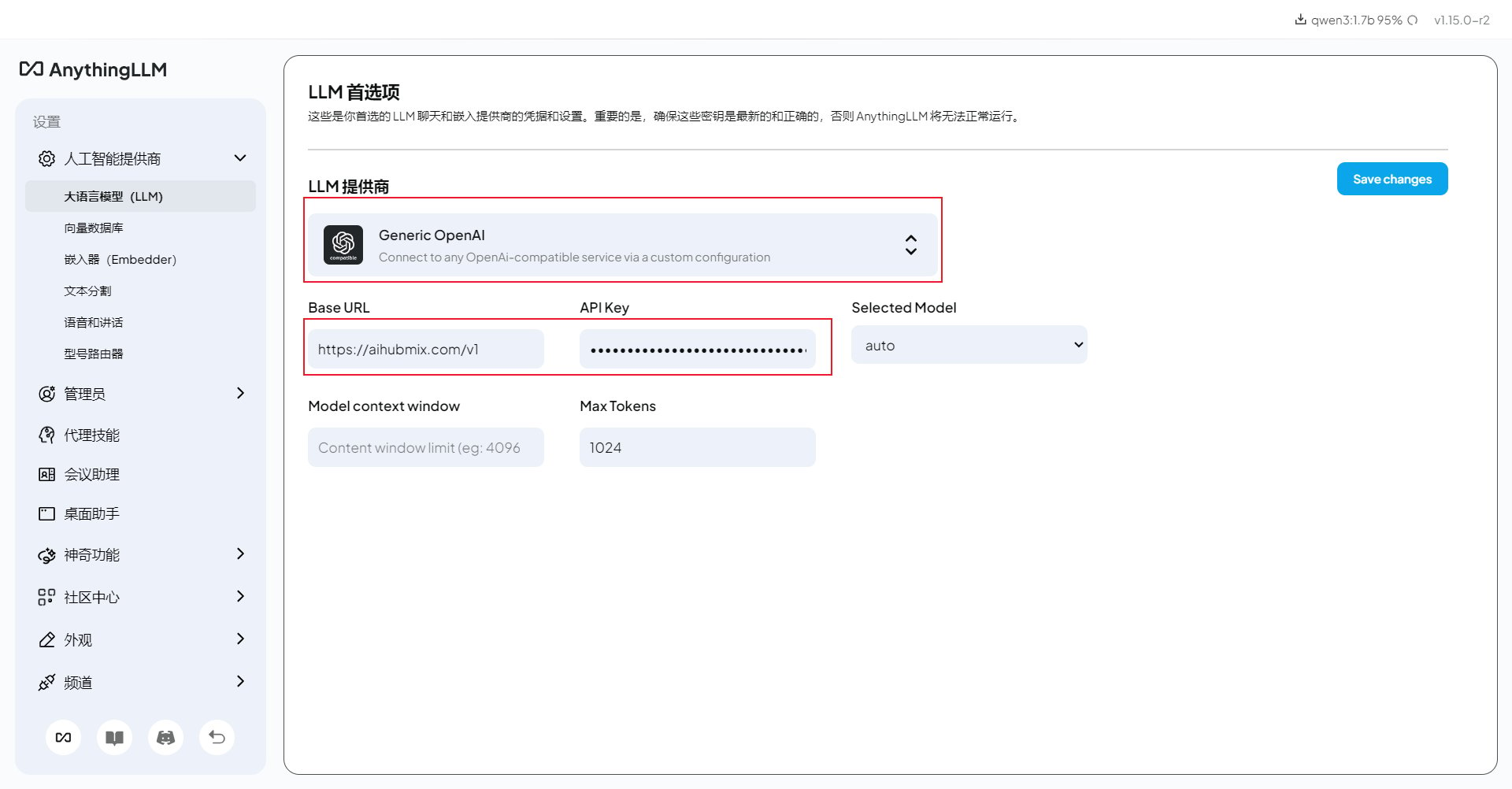
 다음과 같이 입력합니다.
* **Base URL**:
```text theme={null}
https://aihubmix.com/v1
```
기본 API 도메인을 사용할 수 없다면 도메인만 `https://api.inferera.com`으로 바꾸고 `/v1` 경로는 그대로 둡니다.
* **API Key**: [AIHubMix 콘솔](https://aihubmix.com/token)에서 만든 Key.
* **Chat Model Name**: 사용할 모델 ID. 예: `gpt-4o-mini`, `claude-haiku-4-5`. AIHubMix 모델 목록에서 복사하는 것을 권장합니다.
* **Token context window** 및 **Max Tokens**: 먼저 기본값으로 테스트한 뒤 필요할 때 조정합니다.
다음과 같이 입력합니다.
* **Base URL**:
```text theme={null}
https://aihubmix.com/v1
```
기본 API 도메인을 사용할 수 없다면 도메인만 `https://api.inferera.com`으로 바꾸고 `/v1` 경로는 그대로 둡니다.
* **API Key**: [AIHubMix 콘솔](https://aihubmix.com/token)에서 만든 Key.
* **Chat Model Name**: 사용할 모델 ID. 예: `gpt-4o-mini`, `claude-haiku-4-5`. AIHubMix 모델 목록에서 복사하는 것을 권장합니다.
* **Token context window** 및 **Max Tokens**: 먼저 기본값으로 테스트한 뒤 필요할 때 조정합니다.
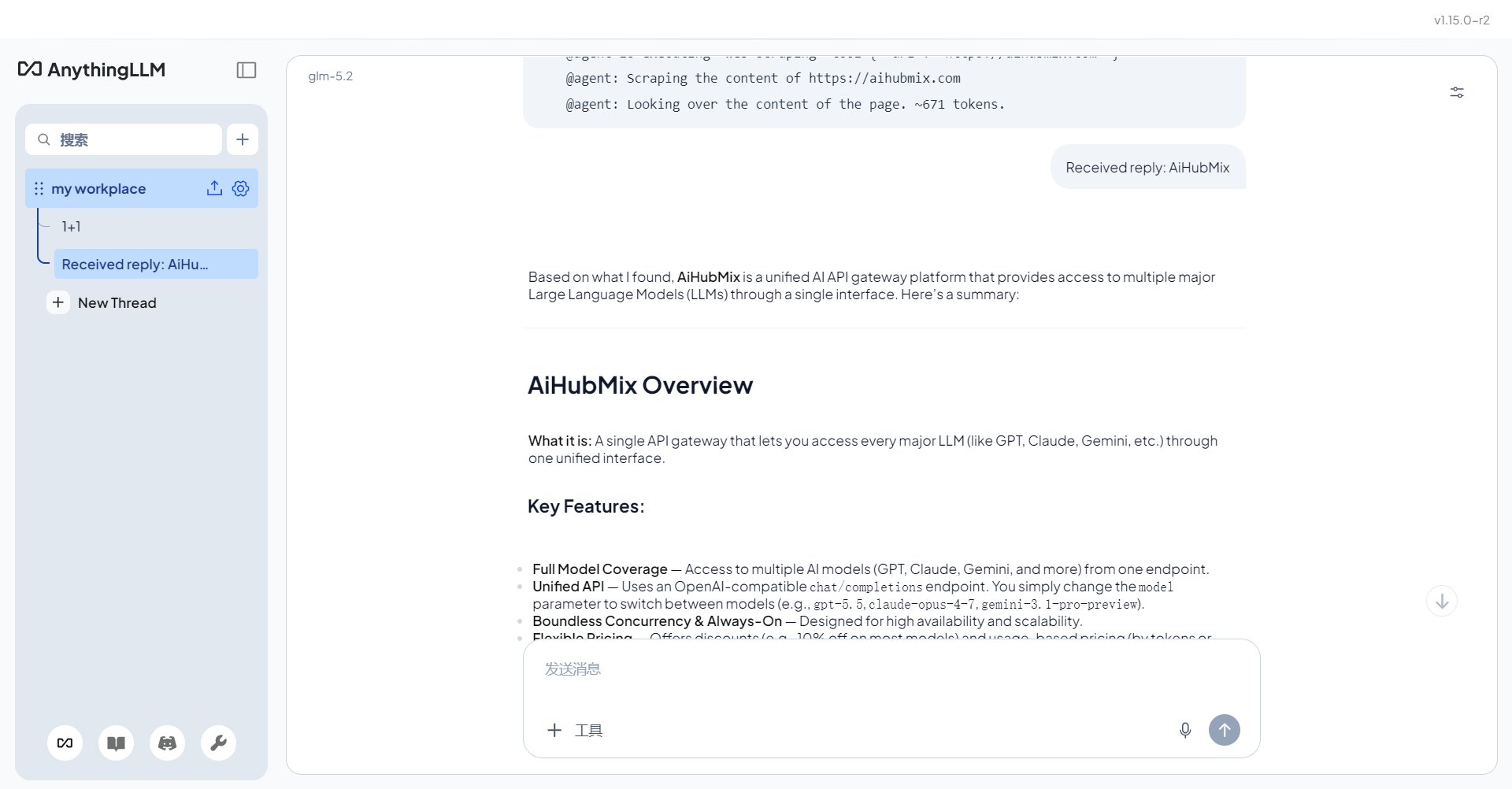
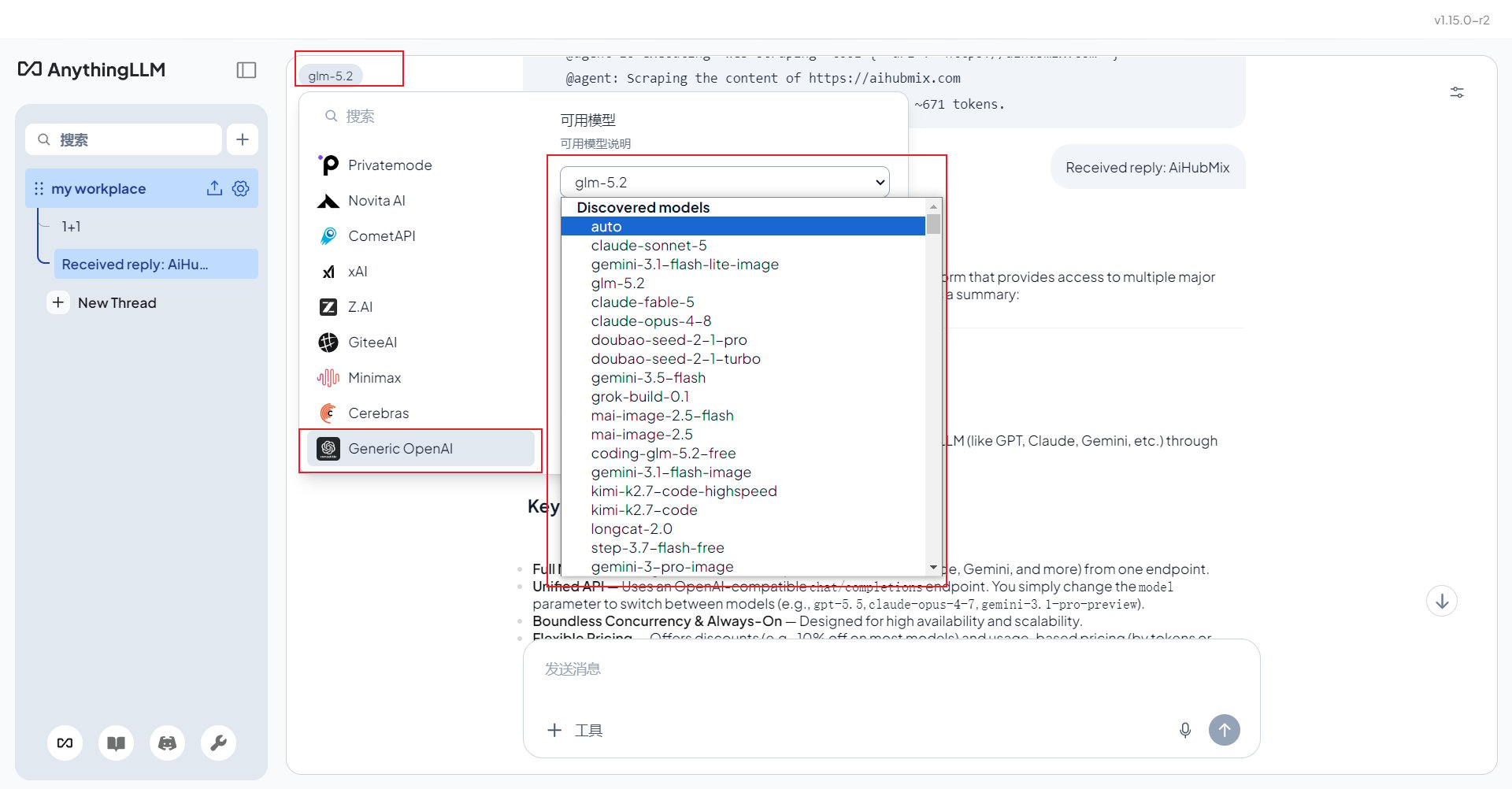
 저장한 뒤 채팅 페이지로 돌아가 구성한 모델을 선택하고 짧은 메시지로 응답을 확인합니다.
 같은 모델 선택 메뉴에서 AIHubMix가 지원하는 다른 모델로도 전환할 수 있습니다.
 ## OpenAI가 아닌 모델 사용
**Generic OpenAI**를 계속 선택한 상태에서 Claude, Gemini, DeepSeek, GLM 또는 다른 AIHubMix 모델을 사용하려면 **Chat Model Name**을 해당 모델 ID로 바꿉니다. 오타를 피하려면 AIHubMix 모델 목록에서 복사하세요.
## 문제 해결
**401 또는 model not found**: **Generic OpenAI** 선택 여부, Base URL의 `/v1`, `sk-`로 시작하는 Key, 정확한 모델 ID를 확인합니다.
**업로드한 문서를 기반으로 답하지 않음**: Embedder 설정, 문서 인덱싱 상태, 현재 Workspace를 확인합니다.
**응답이 느림**: 추론 모델은 느릴 수 있습니다. 간단한 문서 Q\&A에는 `gpt-4o-mini` 또는 `claude-haiku-4-5`를 사용해 보세요.
***
마지막 업데이트: 2026-07-03
## OpenAI가 아닌 모델 사용
**Generic OpenAI**를 계속 선택한 상태에서 Claude, Gemini, DeepSeek, GLM 또는 다른 AIHubMix 모델을 사용하려면 **Chat Model Name**을 해당 모델 ID로 바꿉니다. 오타를 피하려면 AIHubMix 모델 목록에서 복사하세요.
## 문제 해결
**401 또는 model not found**: **Generic OpenAI** 선택 여부, Base URL의 `/v1`, `sk-`로 시작하는 Key, 정확한 모델 ID를 확인합니다.
**업로드한 문서를 기반으로 답하지 않음**: Embedder 설정, 문서 인덱싱 상태, 현재 Workspace를 확인합니다.
**응답이 느림**: 추론 모델은 느릴 수 있습니다. 간단한 문서 Q\&A에는 `gpt-4o-mini` 또는 `claude-haiku-4-5`를 사용해 보세요.
***
마지막 업데이트: 2026-07-03