> ## Documentation Index
> Fetch the complete documentation index at: https://docs.aihubmix.com/llms.txt
> Use this file to discover all available pages before exploring further.
# 欧路翻訳での使用
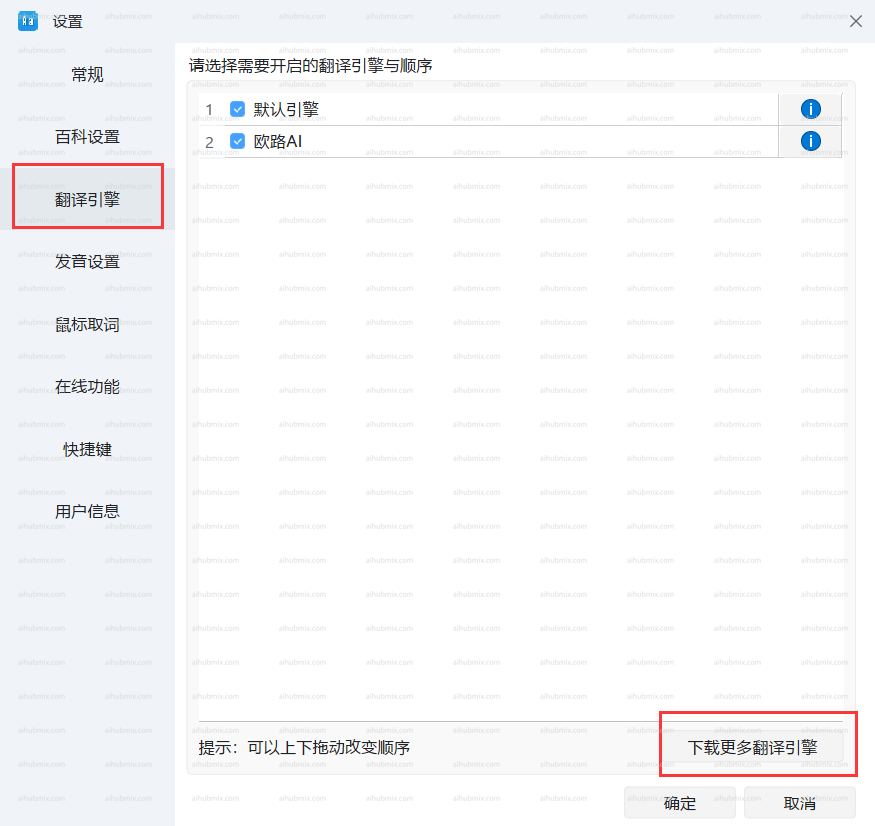
* 左下隅の歯車アイコンをクリックして設定ページに入り、「翻訳エンジン」、「その他の翻訳エンジンをダウンロード」を選択します。\\
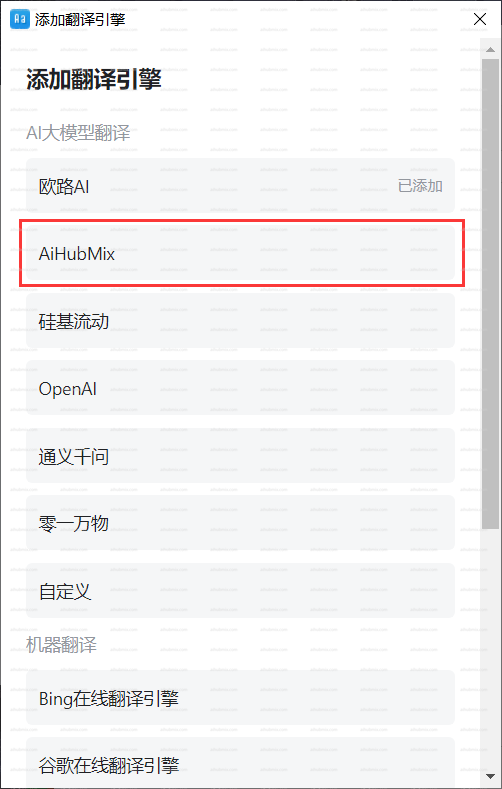
 * 翻訳エンジンの追加でAiHubMixを選択します。\\
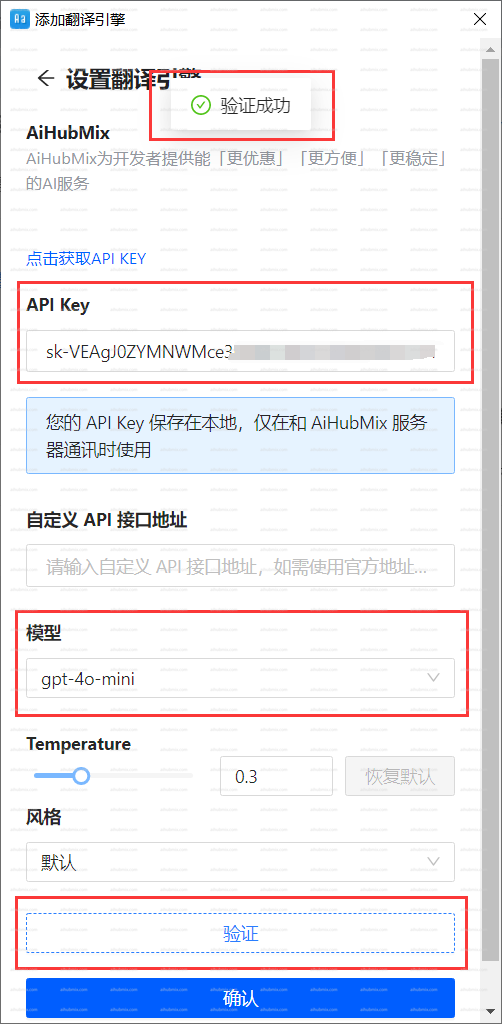
 * 「API Key」に[当サイトのキー](https://aihubmix.com/token)を入力します。
* モデルを選択した後、認証をクリックし、成功したら確定します。\\
* 「API Key」に[当サイトのキー](https://aihubmix.com/token)を入力します。
* モデルを選択した後、認証をクリックし、成功したら確定します。\\
 ***
最終更新日:2026-06-01
***
最終更新日:2026-06-01