> ## Documentation Index
> Fetch the complete documentation index at: https://docs.aihubmix.com/llms.txt
> Use this file to discover all available pages before exploring further.
# Lobe-Chatでの使用
## 通常の使用方法
lobe-chat公式サイト:[chat-preview.lobehub.com](https://chat-preview.lobehub.com/?utm_source=aihubmix\&utm_medium=website\&utm_campaign=references)
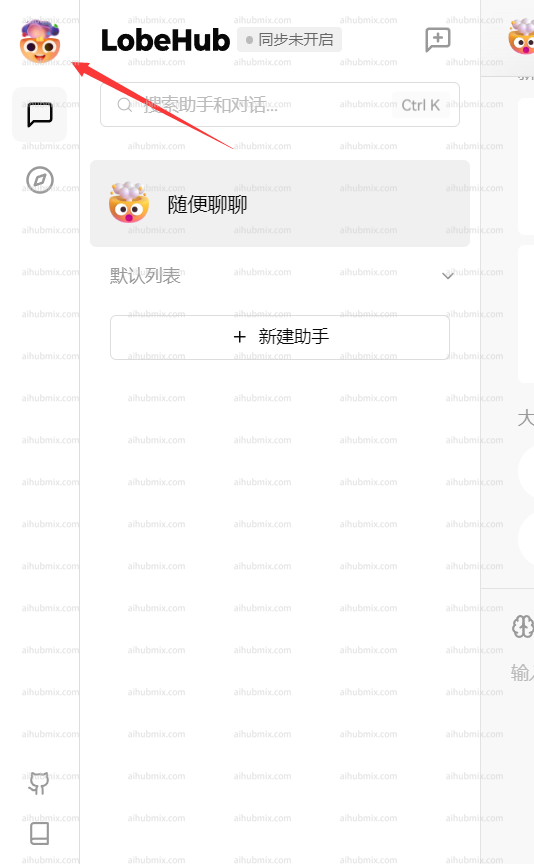
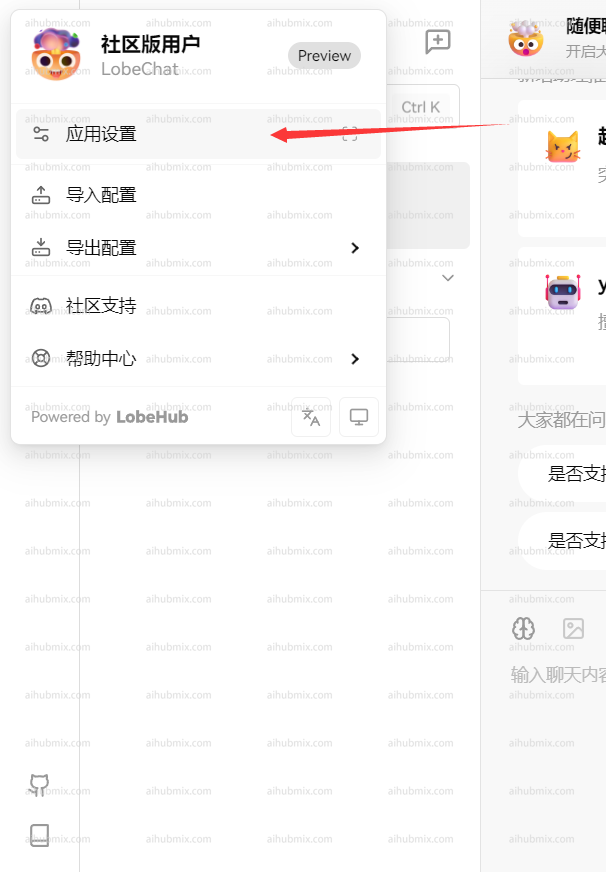
下図のようにクリックして設定に入ります\\
 * APIキーには[当サイトのキー](https://aihubmix.com/token)を入力します
* インターフェースプロキシアドレスには、以下のURLを直接入力します:
```
https://aihubmix.com/v1
```
(「クライアントリクエストモードを使用」をオンにすることをお勧めします)\
* APIキーには[当サイトのキー](https://aihubmix.com/token)を入力します
* インターフェースプロキシアドレスには、以下のURLを直接入力します:
```
https://aihubmix.com/v1
```
(「クライアントリクエストモードを使用」をオンにすることをお勧めします)\
 \
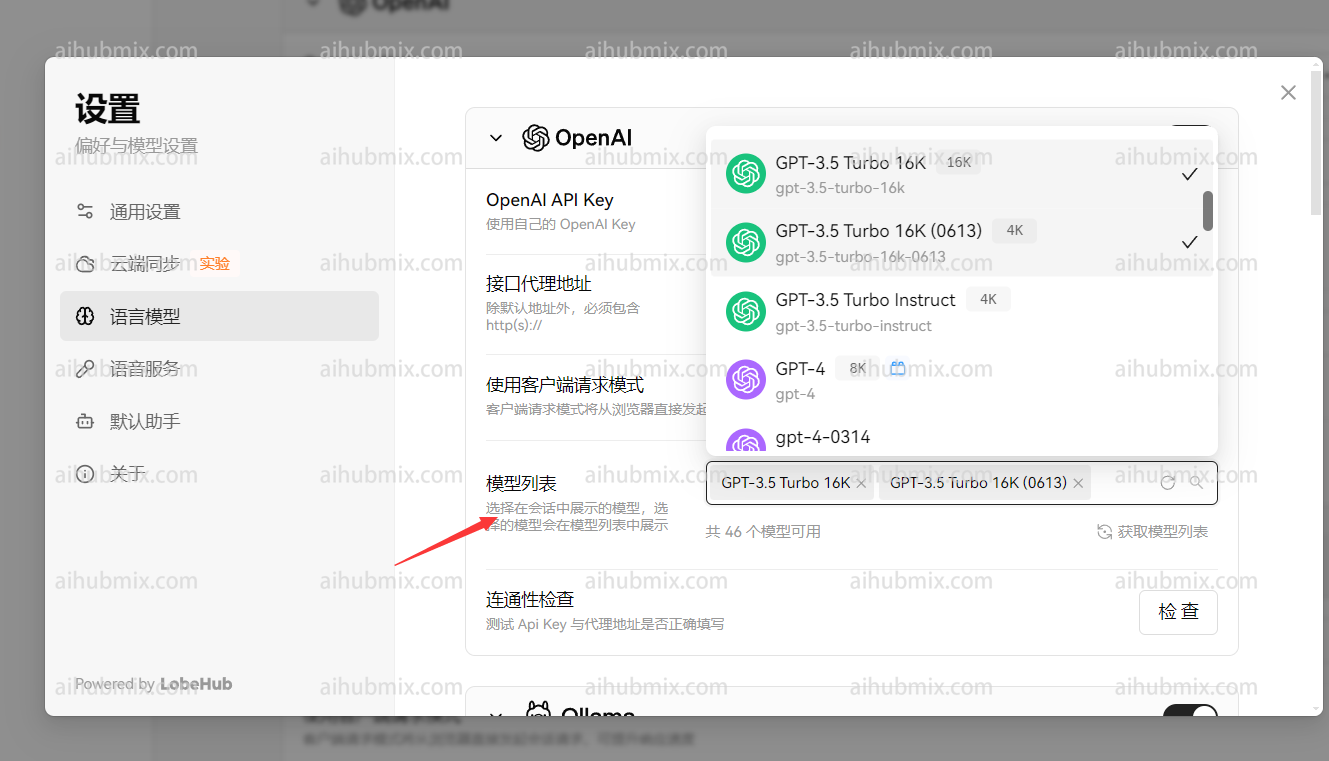
最後に、モデルリストに自分で使用したいモデルを追加します\\
\
最後に、モデルリストに自分で使用したいモデルを追加します\\
 ## 非OpenAIモデルの使用方法
モデルサービスプロバイダーはOpenAIのままで、モデルリストに必要なモデル名を直接追加するだけです。\
ウェブサイトのモデル広場ページを開くと、使用したいモデル名をコピーできます。
--------------------------------------
最終更新日:2026-06-01
## 非OpenAIモデルの使用方法
モデルサービスプロバイダーはOpenAIのままで、モデルリストに必要なモデル名を直接追加するだけです。\
ウェブサイトのモデル広場ページを開くと、使用したいモデル名をコピーできます。
--------------------------------------
最終更新日:2026-06-01