> ## Documentation Index
> Fetch the complete documentation index at: https://docs.aihubmix.com/llms.txt
> Use this file to discover all available pages before exploring further.
# Cursorでの使用
## 通常の使用方法
* 右上隅の歯車アイコンをクリックして設定ページに入り、Modelsを選択します。
* Open APIキーの下に[当サイトのキー](https://aihubmix.com/token)を入力します。\\
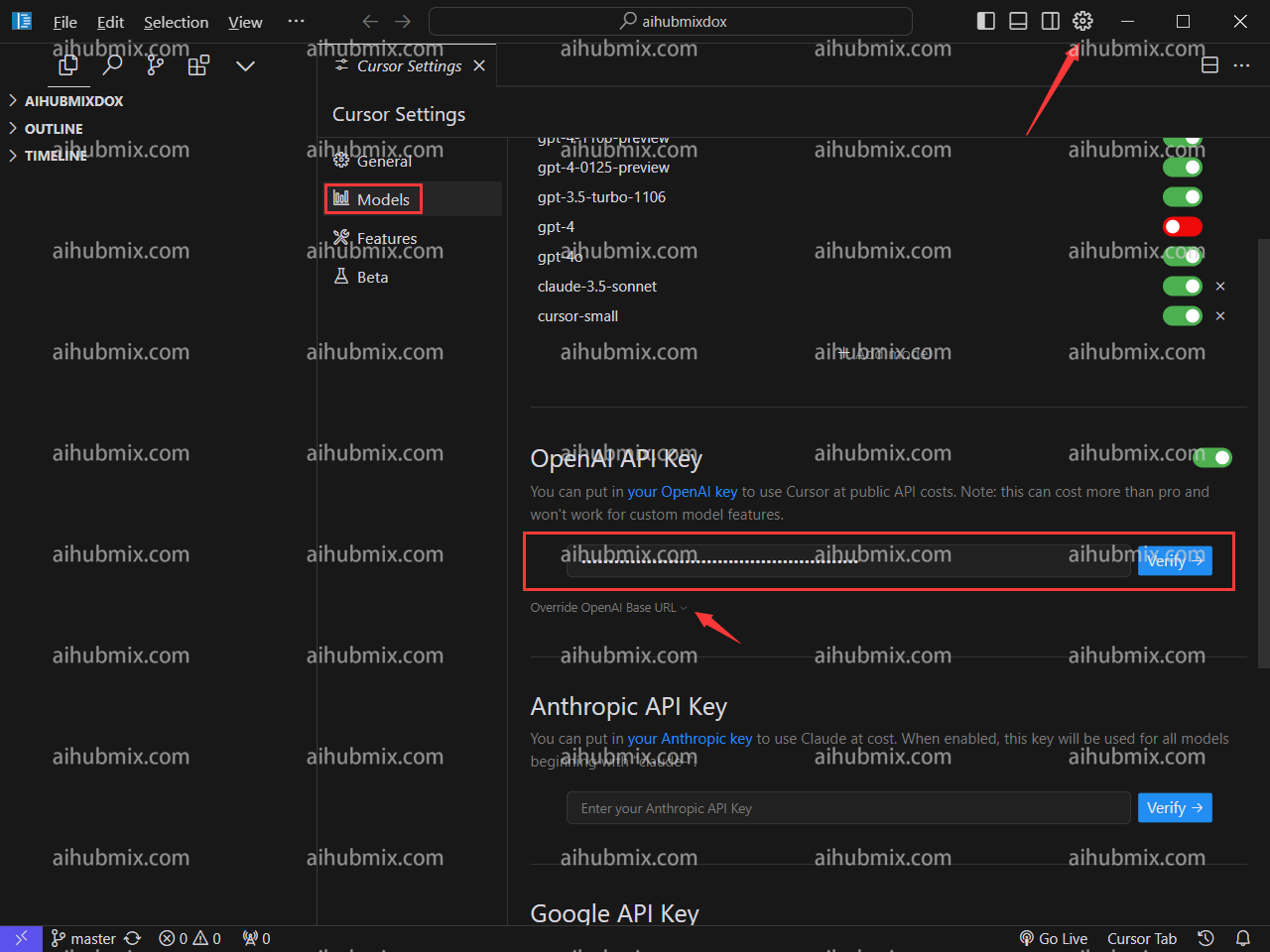 * Override OpenAl Base URLをクリックし、次のように入力します:
```
https://aihubmix.com/v1
```
* Override OpenAl Base URLをクリックし、次のように入力します:
```
https://aihubmix.com/v1
```
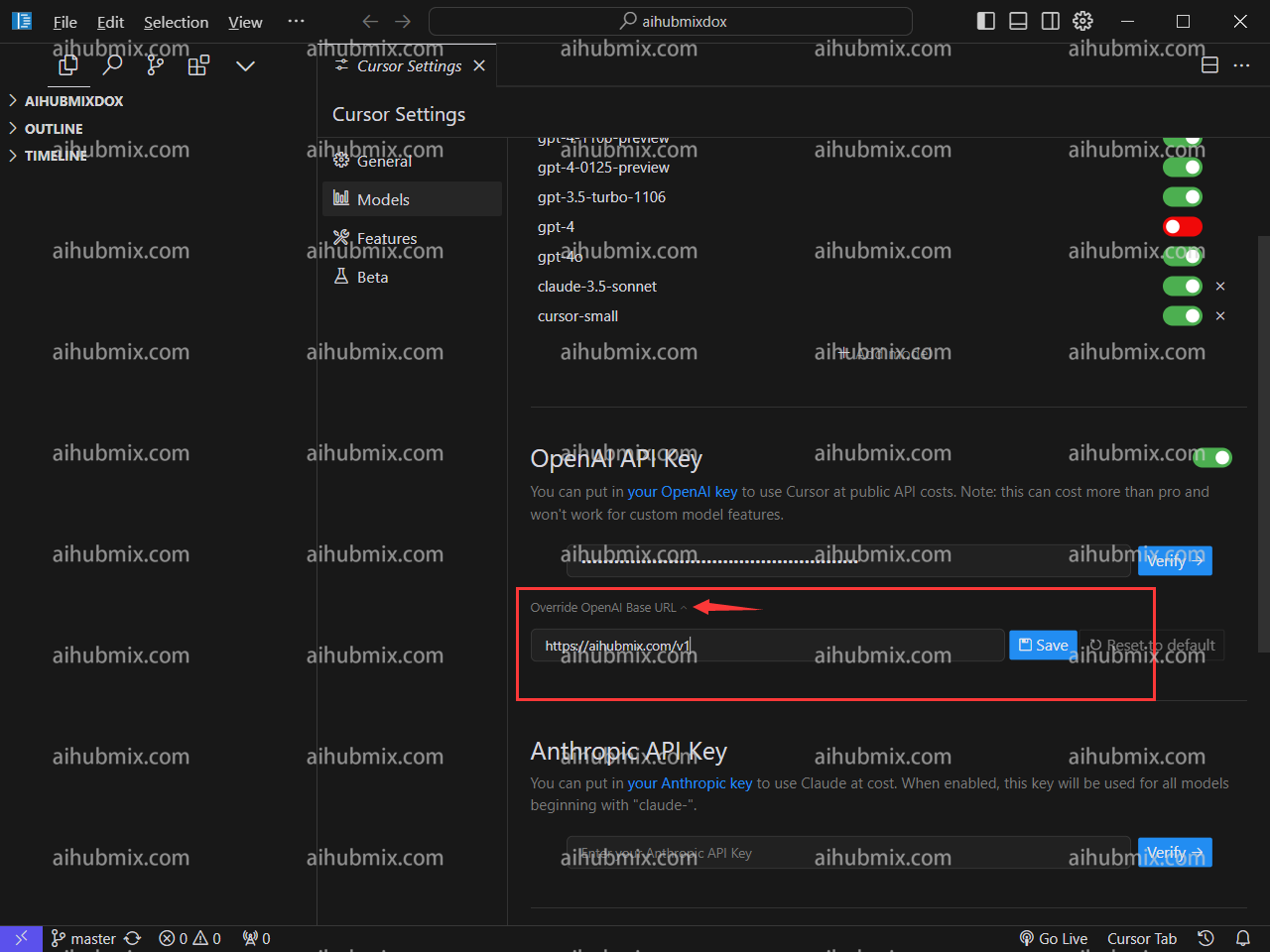 * 最後にVerifyをクリックして認証が成功すれば完了です。
## 特記事項(CursorでClaude-3.5を使用する方法)
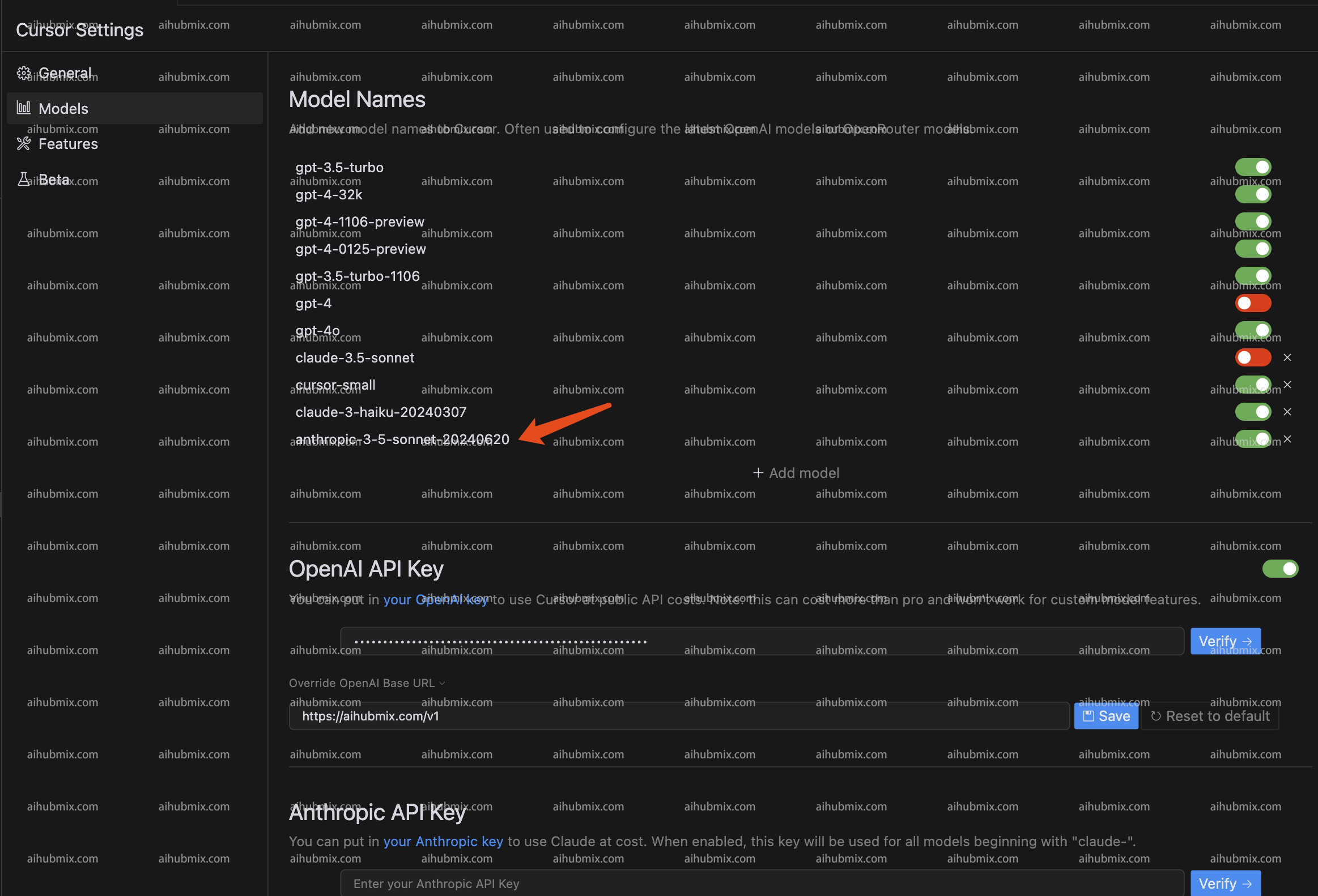
Cursorはリクエスト名に基づいてClaudeのAPIインターフェースを自動的にリクエストするため、当社のサービスを通じてClaude-3.5モデルを正常に使用できるように、\
Claude-3.5-sonnet-20240620にマッピングする**anthropic-3-5-sonnet-20240620**という名前を新たに追加しました。\
これにより、Cursorの自動リクエストを回避し、当社を介してClaudeインターフェースを使用できるようになります。
* 具体的な使用方法は、モデルリストに**anthropic-3-5-sonnet-20240620**という名前のモデルを追加し、そのモデルを有効にするだけです。\\
* 最後にVerifyをクリックして認証が成功すれば完了です。
## 特記事項(CursorでClaude-3.5を使用する方法)
Cursorはリクエスト名に基づいてClaudeのAPIインターフェースを自動的にリクエストするため、当社のサービスを通じてClaude-3.5モデルを正常に使用できるように、\
Claude-3.5-sonnet-20240620にマッピングする**anthropic-3-5-sonnet-20240620**という名前を新たに追加しました。\
これにより、Cursorの自動リクエストを回避し、当社を介してClaudeインターフェースを使用できるようになります。
* 具体的な使用方法は、モデルリストに**anthropic-3-5-sonnet-20240620**という名前のモデルを追加し、そのモデルを有効にするだけです。\\
 ***
最終更新日:2026-06-01
***
最終更新日:2026-06-01