> ## Documentation Index
> Fetch the complete documentation index at: https://docs.aihubmix.com/llms.txt
> Use this file to discover all available pages before exploring further.
# Chatxでの使用
Chatxダウンロードアドレス:[https://apps.apple.com/app/id6446304087](https://apps.apple.com/app/id6446304087)
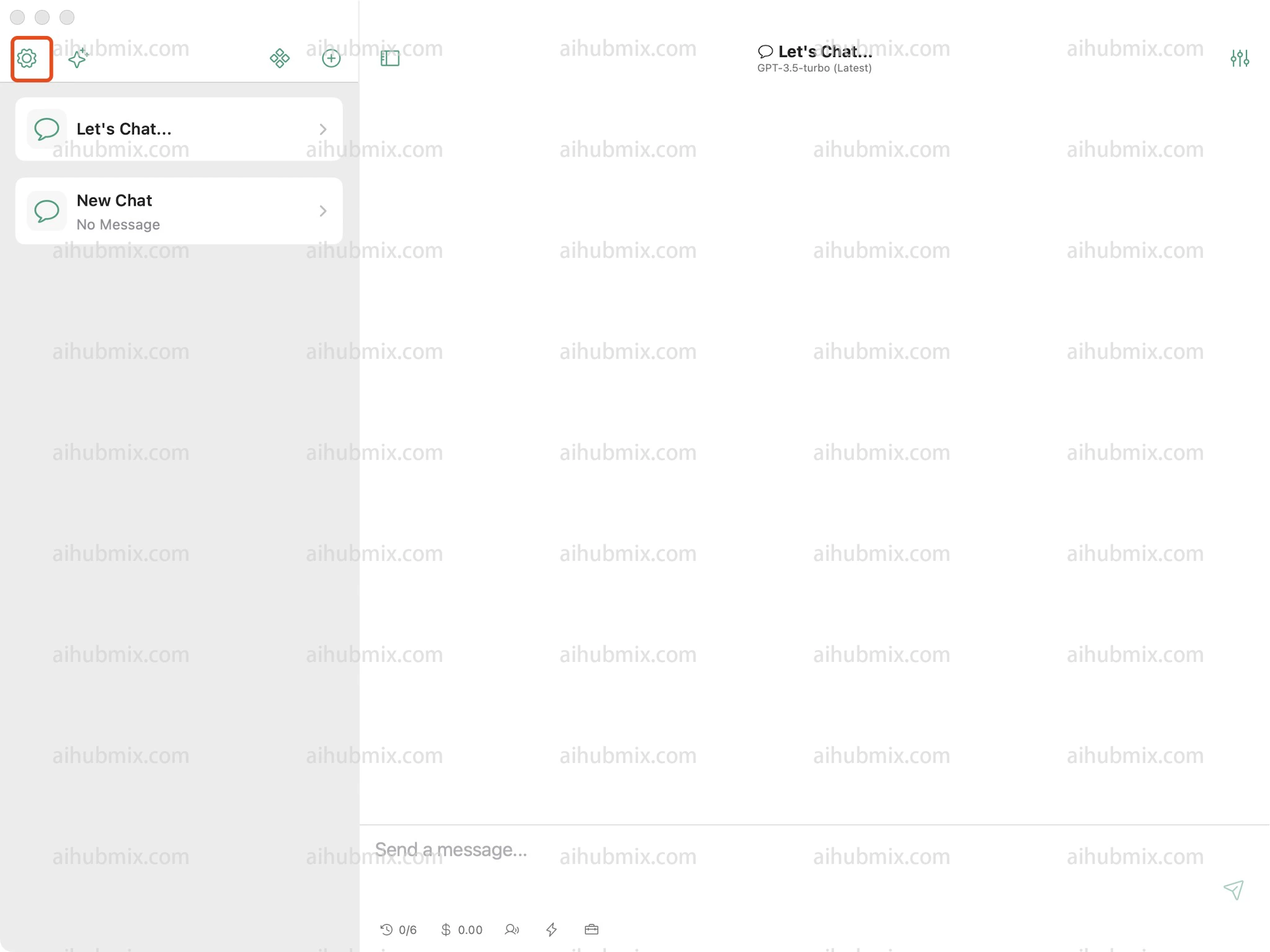
1. 設定を開き、設定の中からAPI Server Configを見つけます。\\
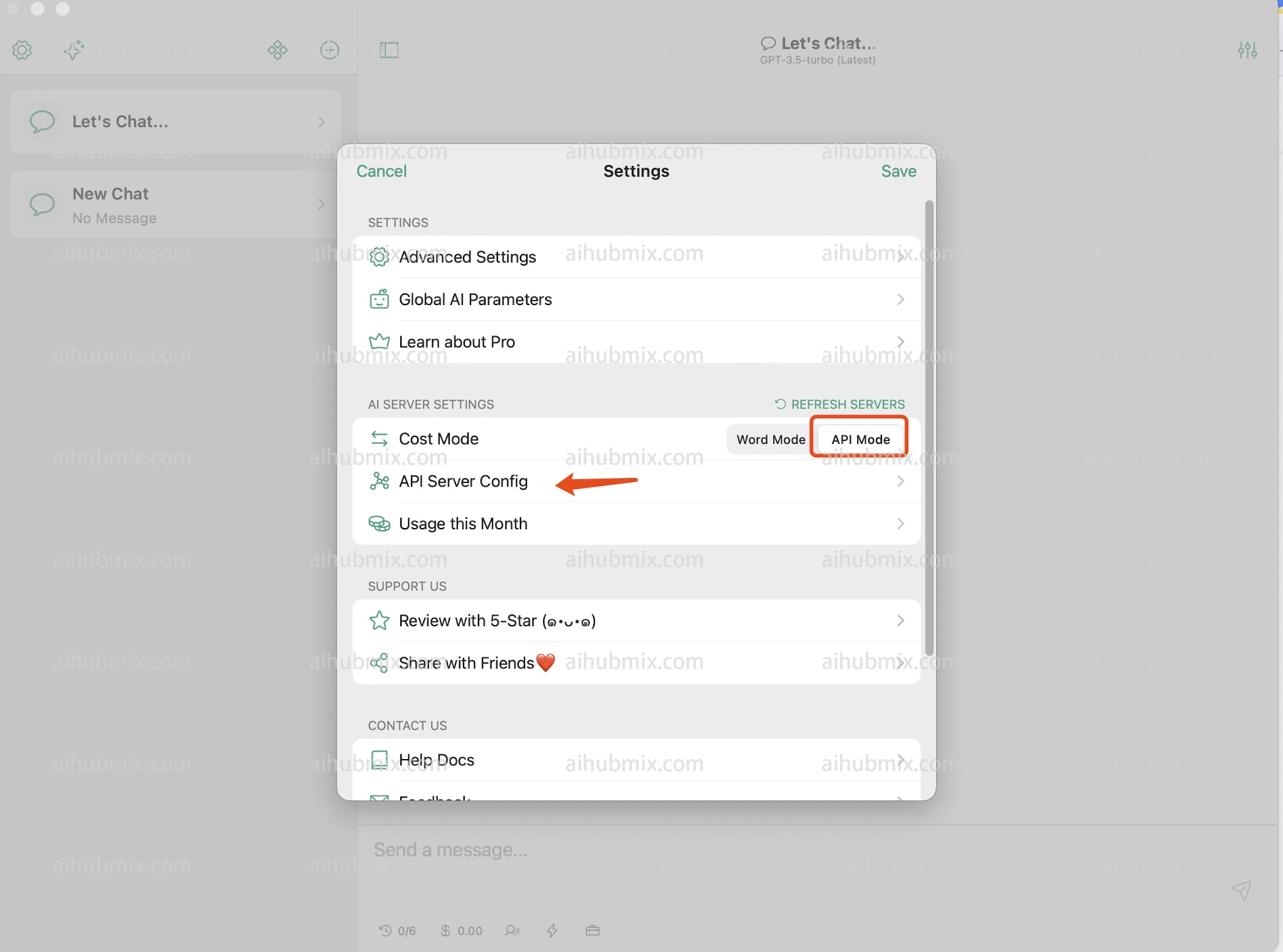 2. OpenAPIを選択します。\\
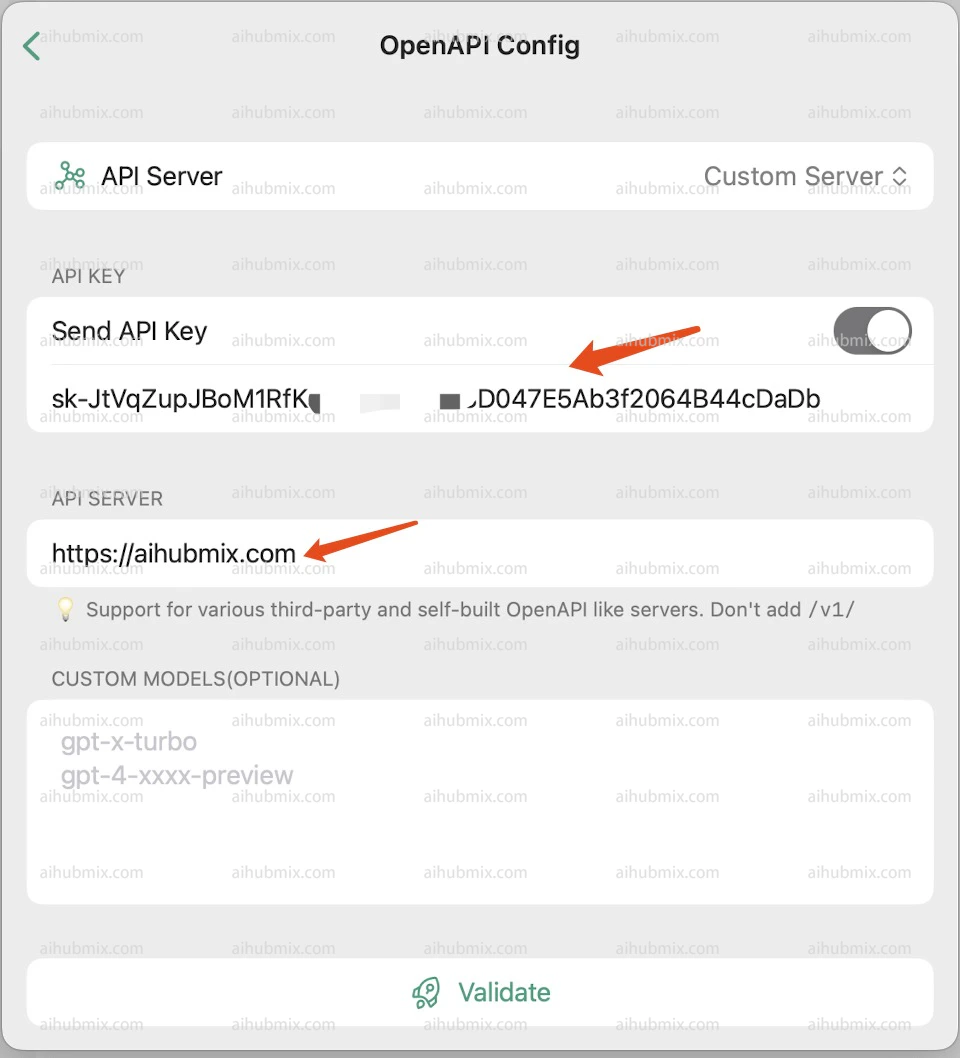
 3. 上部のAPI KEY欄には[当サイトのキー](https://aihubmix.com/token)から生成したものを入力します。
4. 下部のAPI SERVERには次のように入力します:
```
https://aihubmix.com
```
##
3. 上部のAPI KEY欄には[当サイトのキー](https://aihubmix.com/token)から生成したものを入力します。
4. 下部のAPI SERVERには次のように入力します:
```
https://aihubmix.com
```
##  最終更新日:2026-06-01