> ## Documentation Index
> Fetch the complete documentation index at: https://docs.aihubmix.com/llms.txt
> Use this file to discover all available pages before exploring further.
# Pot
Conseil : il est déconseillé d'utiliser les modèles de la série O et de la série GPT-5 d'OpenAI pour des logiciels de traduction.
Lien de téléchargement : [https://pot-app.com/](https://pot-app.com/)
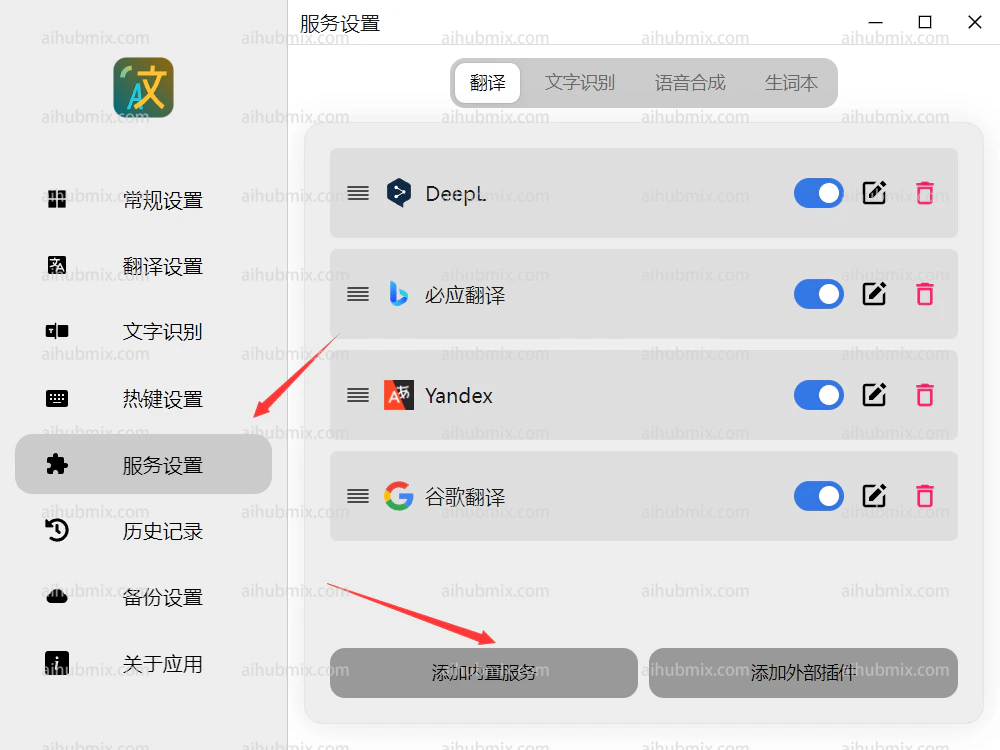
1. Ouvrez Pot Translator et sélectionnez Add Built-in Service dans les paramètres de service.
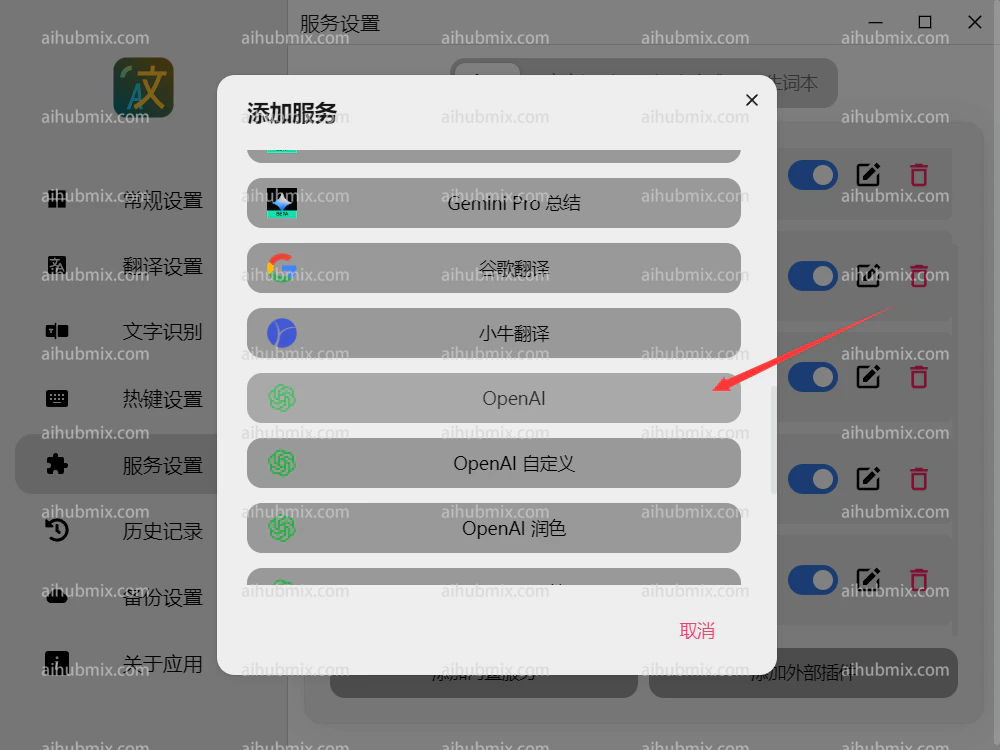
 2. Cliquez sur OpenAI.
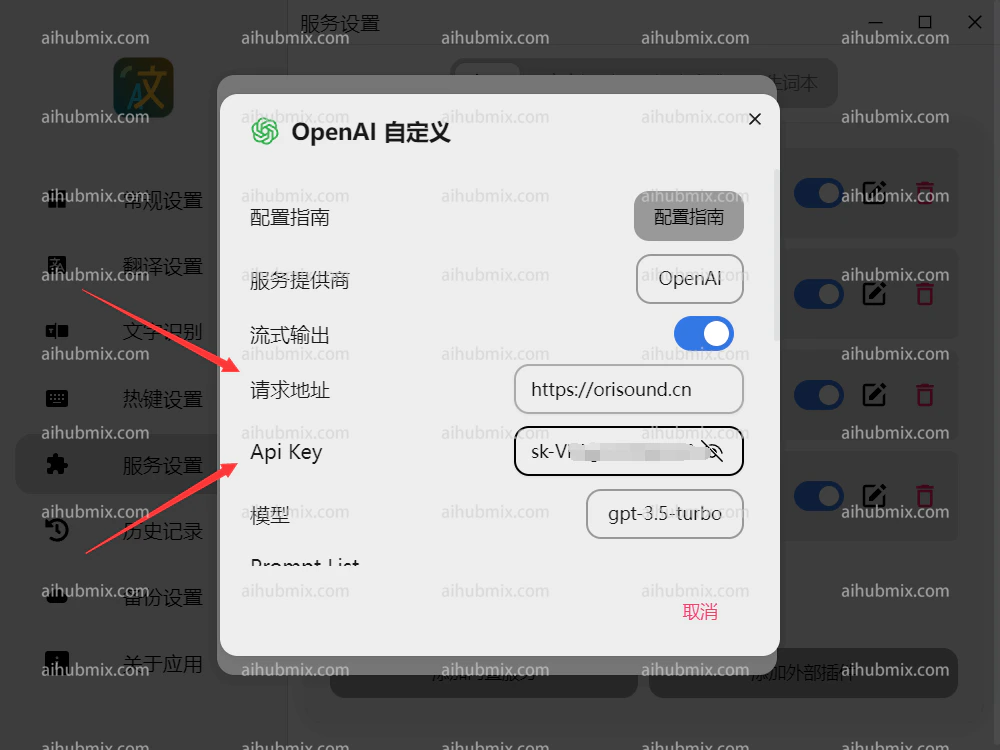
 3. Définissez l'URL de requête sur
```
https://aihubmix.com
```
4. Générez la clé API depuis [la clé de notre site](https://aihubmix.com/token).
3. Définissez l'URL de requête sur
```
https://aihubmix.com
```
4. Générez la clé API depuis [la clé de notre site](https://aihubmix.com/token).
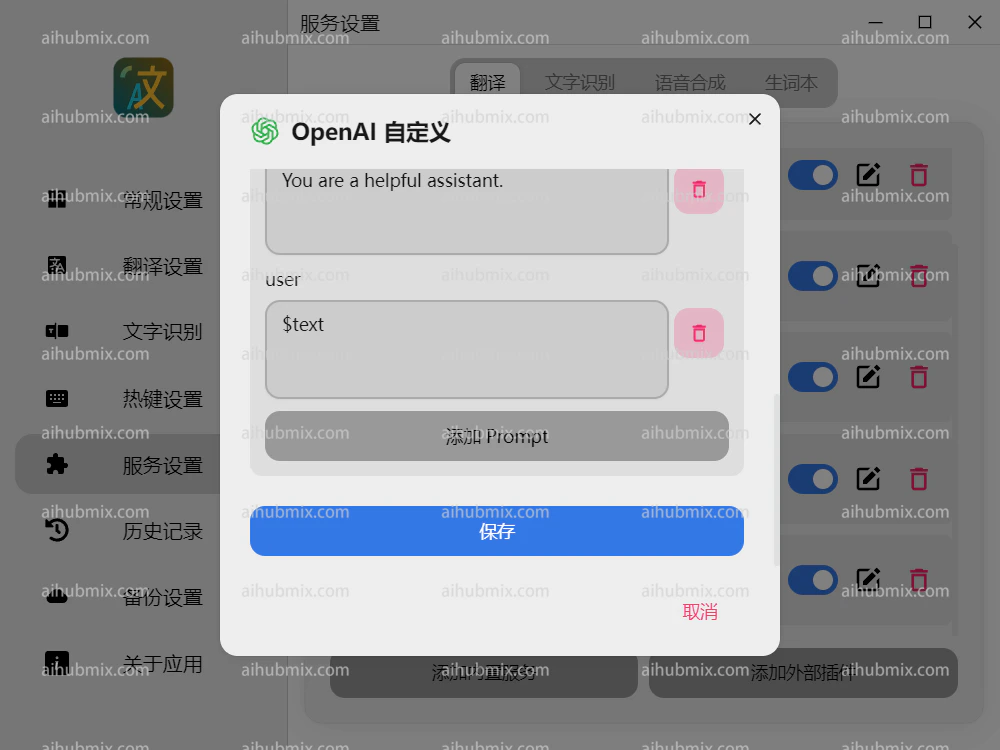
 5. Faites défiler vers le bas pour enregistrer.
 ***
Dernière mise à jour : 2026-06-01
***
Dernière mise à jour : 2026-06-01