> ## Documentation Index
> Fetch the complete documentation index at: https://docs.aihubmix.com/llms.txt
> Use this file to discover all available pages before exploring further.
# Pot
Consejo: para el software de traducción se recomienda no usar los modelos de la serie O ni de la serie GPT-5 de OpenAI.
Enlace de descarga: [https://pot-app.com/](https://pot-app.com/)
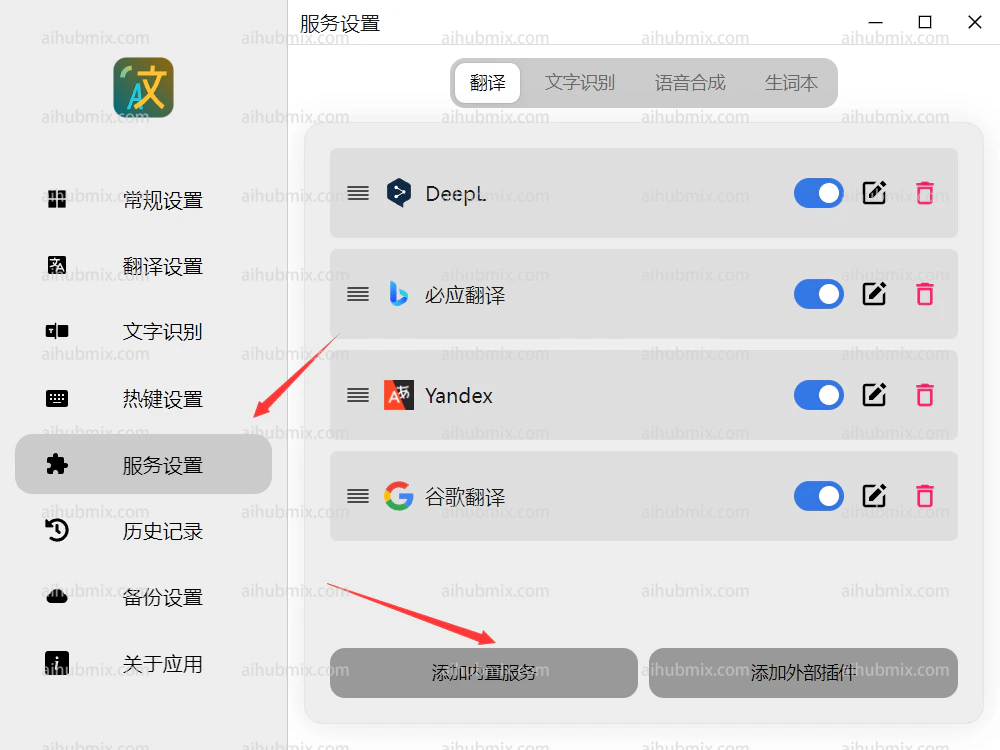
1. Abre Pot Translator y selecciona Add Built-in Service en la configuración del servicio.
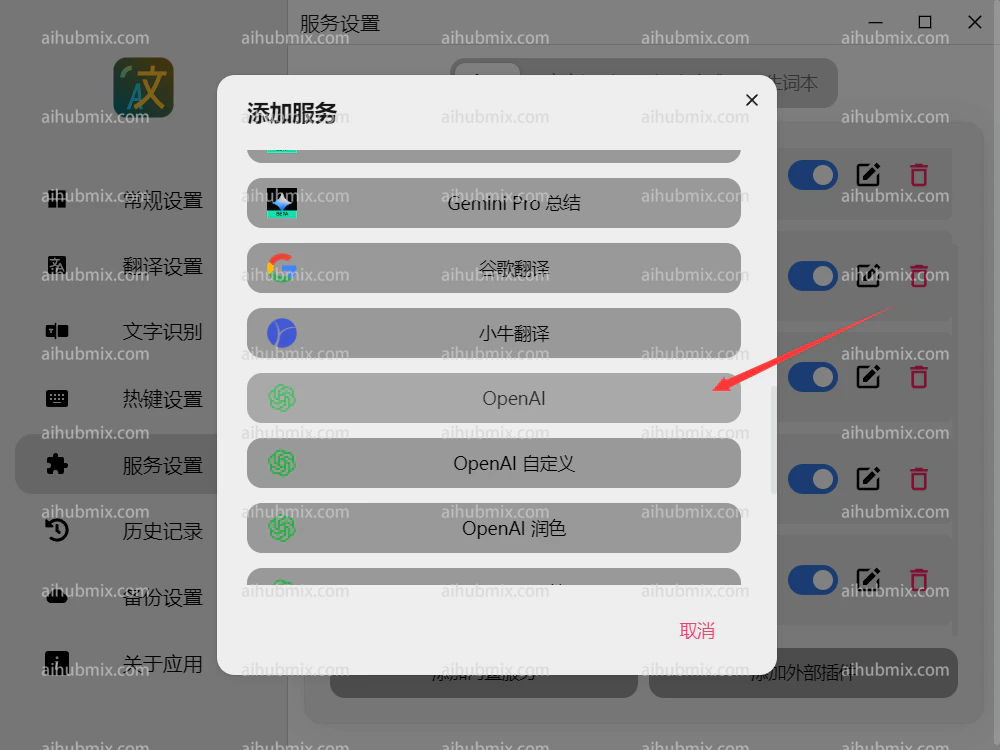
 2. Haz clic en OpenAI.
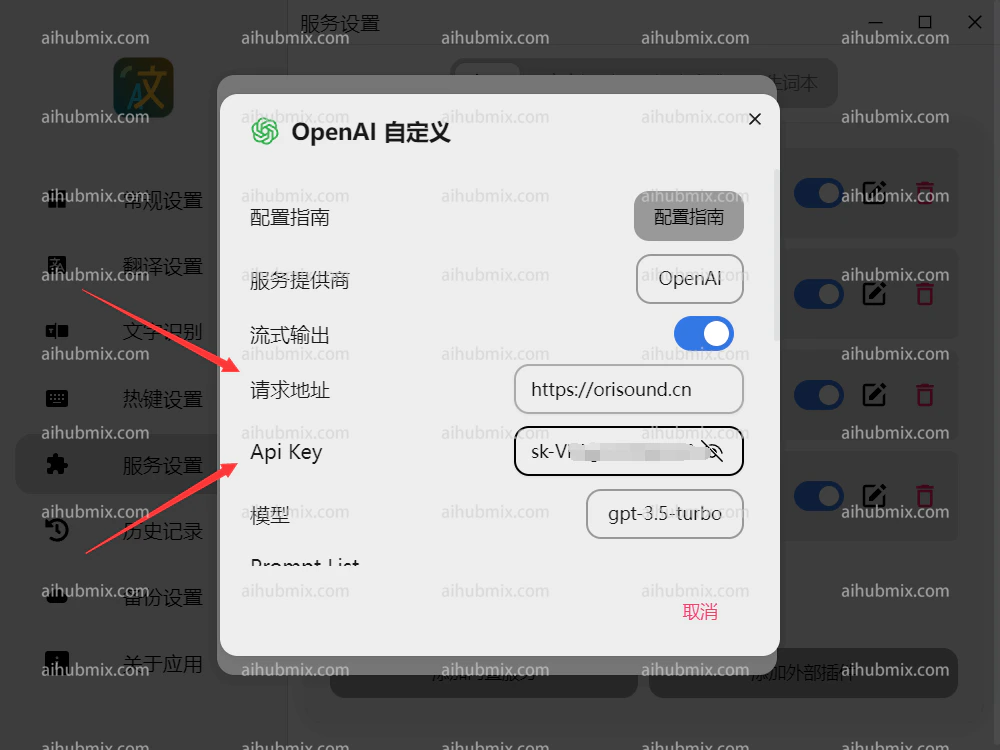
 3. Establece la URL de la solicitud como:
```
https://aihubmix.com
```
4. Genera la clave API desde [la clave de nuestro sitio](https://aihubmix.com/token).
3. Establece la URL de la solicitud como:
```
https://aihubmix.com
```
4. Genera la clave API desde [la clave de nuestro sitio](https://aihubmix.com/token).
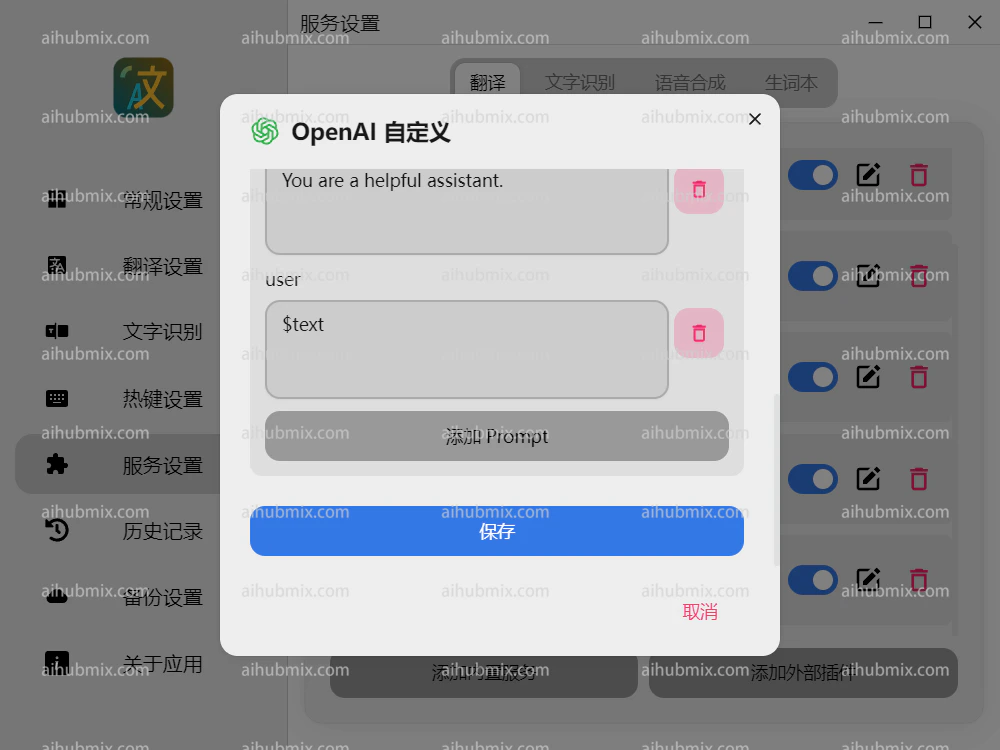
 5. Desplázate hacia abajo para guardar.
 ***
Última actualización: 2026-06-01
***
Última actualización: 2026-06-01