> ## Documentation Index
> Fetch the complete documentation index at: https://docs.aihubmix.com/llms.txt
> Use this file to discover all available pages before exploring further.
# GPT-Academic
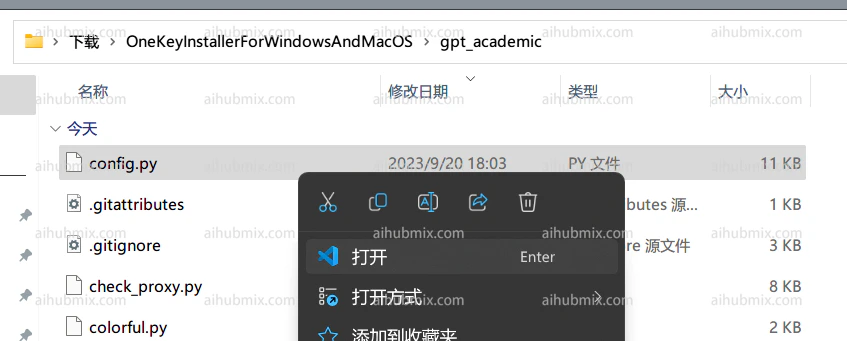
1. Abre el archivo gpt\_academic/config.py:
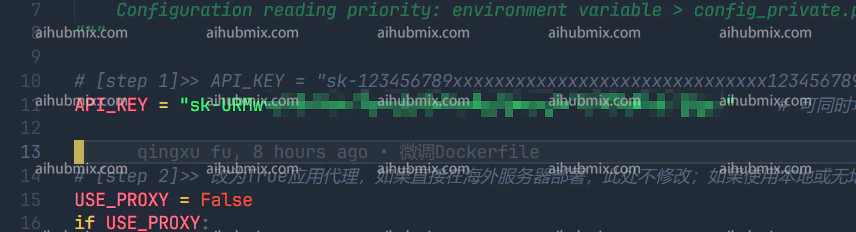
 2. Localiza la variable API\_KEY en config.py e introduce [la clave de este sitio](https://aihubmix.com/token):
 3. Desplázate hacia abajo para encontrar la variable API\_URL\_REDIRECT en config.py. Modifícala copiando directamente el siguiente bloque de código:
```
API_URL_REDIRECT = {"https://api.openai.com/v1/chat/completions": "https://aihubmix.com/v1/chat/completions"}
```
3. Desplázate hacia abajo para encontrar la variable API\_URL\_REDIRECT en config.py. Modifícala copiando directamente el siguiente bloque de código:
```
API_URL_REDIRECT = {"https://api.openai.com/v1/chat/completions": "https://aihubmix.com/v1/chat/completions"}
```
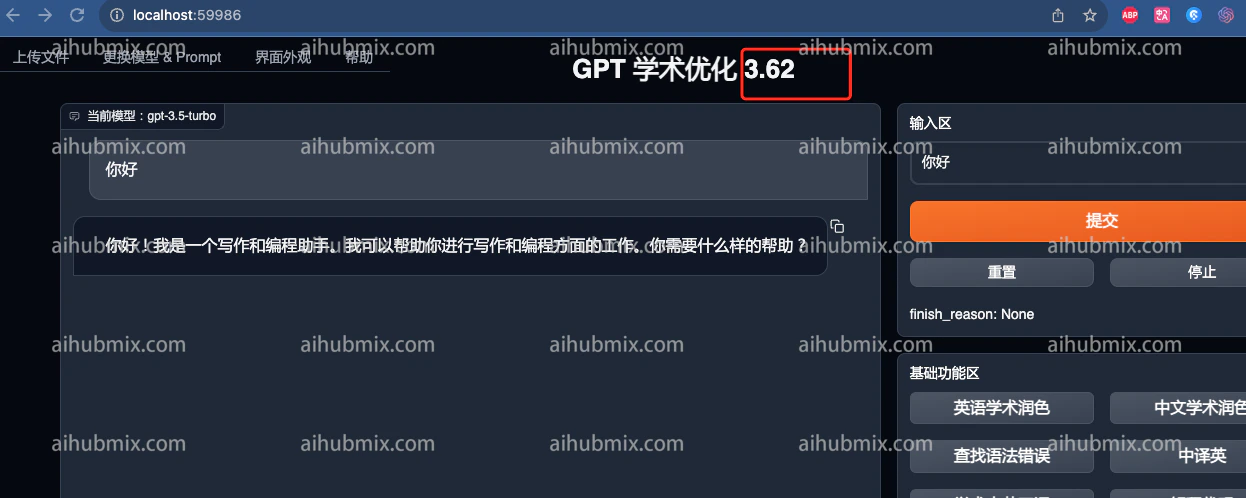
 4\. A continuación, puedes usarlo:
 ***
Última actualización: 2026-06-01
***
Última actualización: 2026-06-01