> ## Documentation Index
> Fetch the complete documentation index at: https://docs.aihubmix.com/llms.txt
> Use this file to discover all available pages before exploring further.
# Open WebUI
> Configure an AIHubMix OpenAI-compatible connection in Open WebUI, then select and use AIHubMix models.
Open WebUI is a self-hosted AI web client. After an administrator configures an AIHubMix OpenAI-compatible connection, users can select available models from the model picker.
## Before you start
* Deploy Open WebUI and sign in with an administrator account.
* Create an API key in the [AIHubMix Console](https://aihubmix.com/token). It usually starts with `sk-***`.
* To restrict the models shown to users, prepare their model IDs, such as `gpt-5.6-terra`. Otherwise, Open WebUI can load the model list automatically.
## Configure the AIHubMix connection
### 1. Open Connections
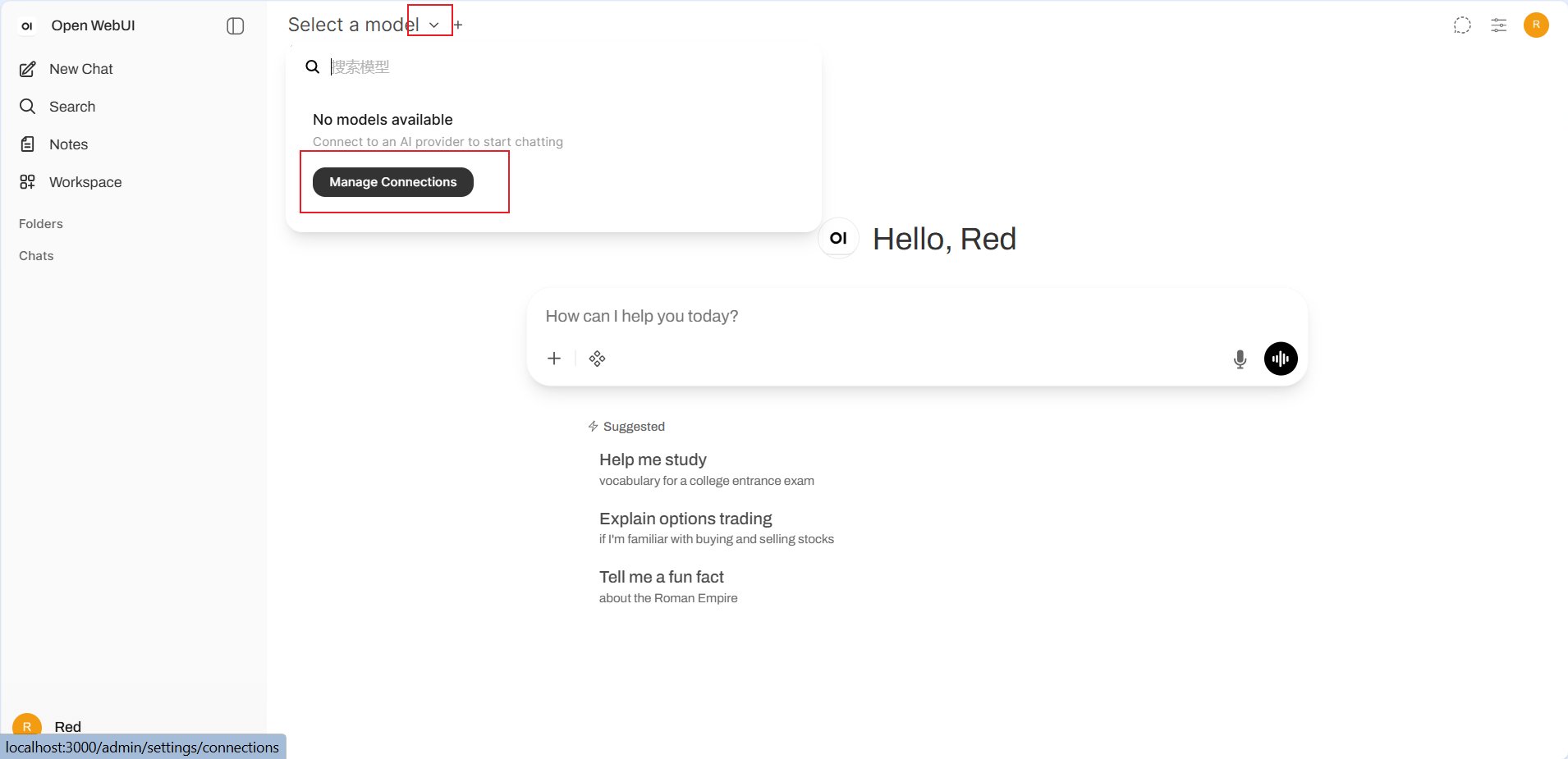
Click the model picker at the top of the chat page. If no model is available, click **Manage Connections**. You can also open **Connections** from the administrator settings.
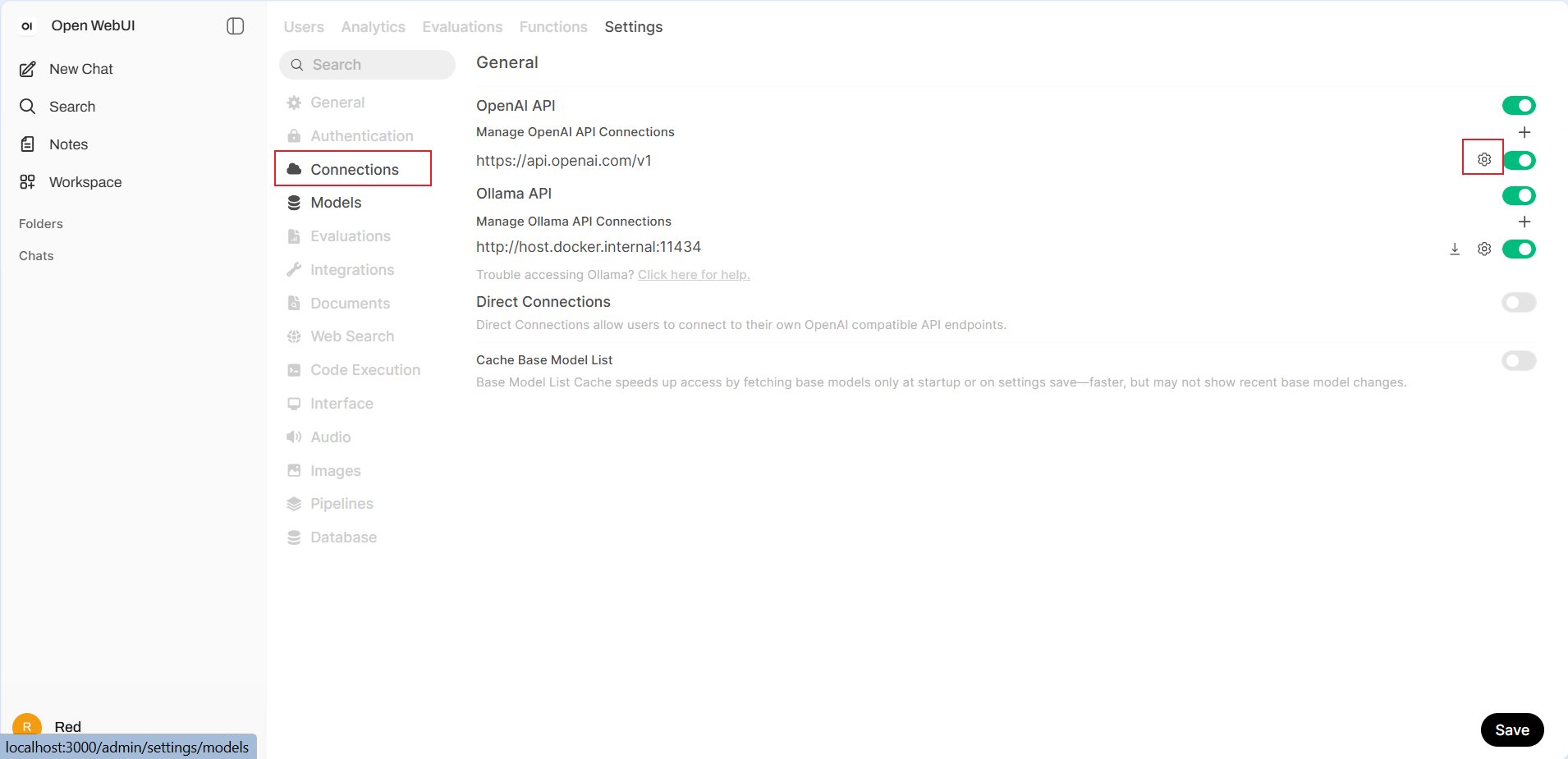
 On **Settings** > **Connections**, find **OpenAI API**. Click the add button to create a connection, or the gear icon to edit an existing connection.
 ### 2. Enter connection details
* **URL**: `https://aihubmix.com/v1`. If the primary address is temporarily unavailable, use `https://api.inferera.com/v1`.
* **Auth**: Select **Bearer** and enter the API key created in the AIHubMix Console.
* **Provider**: Keep **Default**.
* **API Type**: Select **Chat Completions**.
### 2. Enter connection details
* **URL**: `https://aihubmix.com/v1`. If the primary address is temporarily unavailable, use `https://api.inferera.com/v1`.
* **Auth**: Select **Bearer** and enter the API key created in the AIHubMix Console.
* **Provider**: Keep **Default**.
* **API Type**: Select **Chat Completions**.
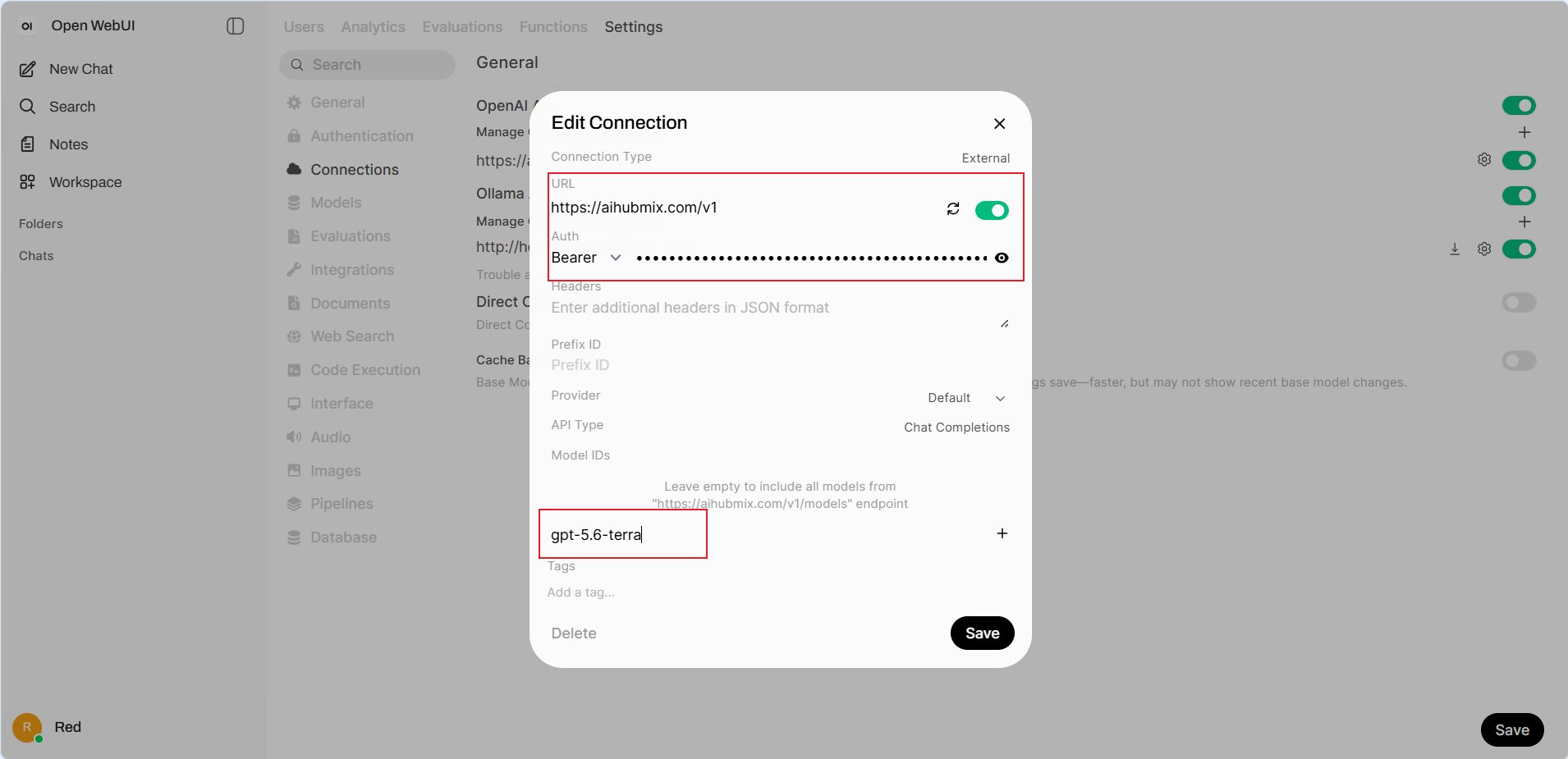 For **Model IDs**, either leave the field empty to load models from `https://aihubmix.com/v1/models`, or enter a model ID such as `gpt-5.6-terra` and click **+** to expose only selected models. Click **Save** in the dialog, then **Save** again on the Connections page.
### 3. Select a model and verify
Return to the chat page and open the model picker. Search for and select an AIHubMix model under **External**.
For **Model IDs**, either leave the field empty to load models from `https://aihubmix.com/v1/models`, or enter a model ID such as `gpt-5.6-terra` and click **+** to expose only selected models. Click **Save** in the dialog, then **Save** again on the Connections page.
### 3. Select a model and verify
Return to the chat page and open the model picker. Search for and select an AIHubMix model under **External**.
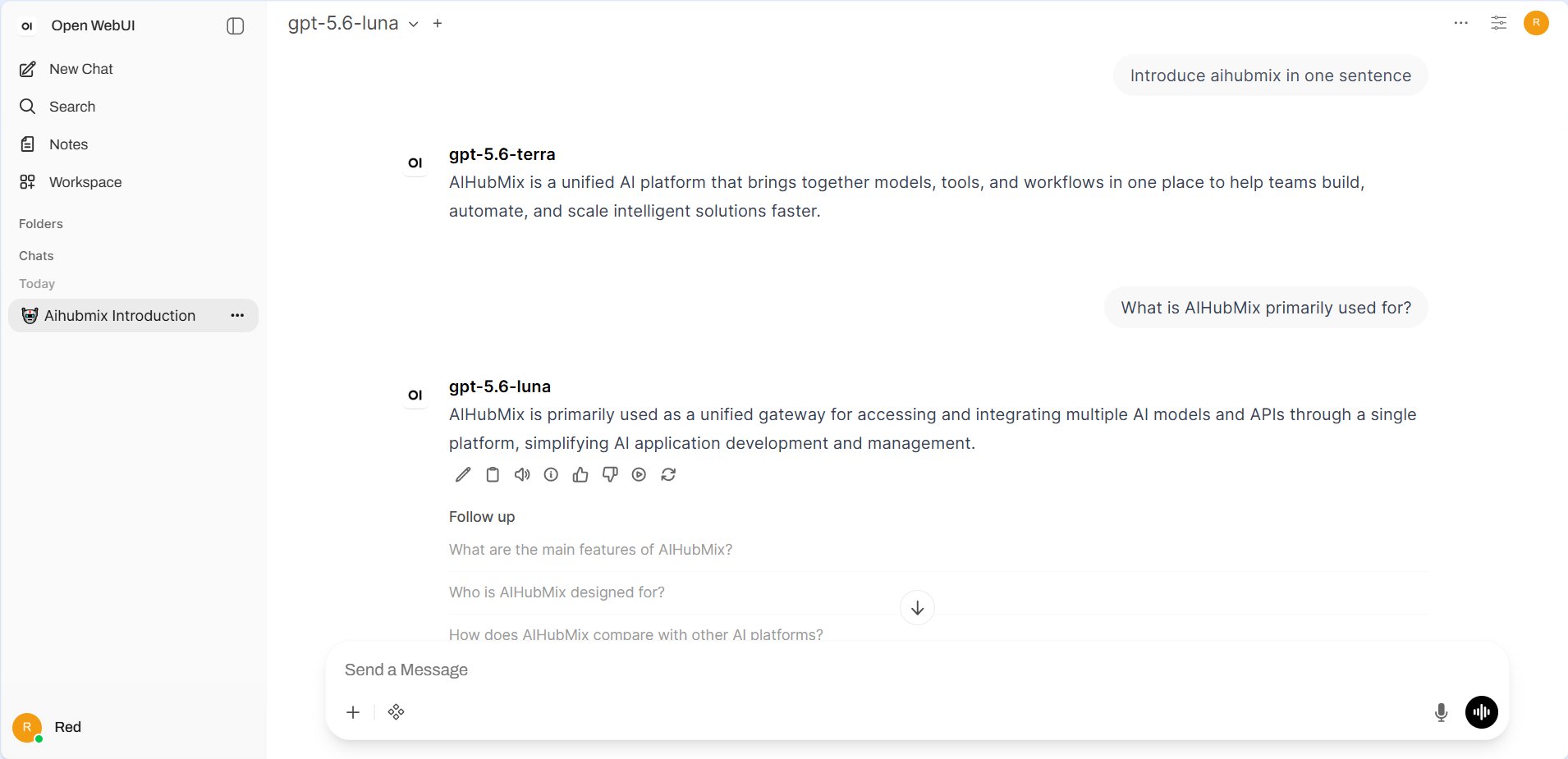
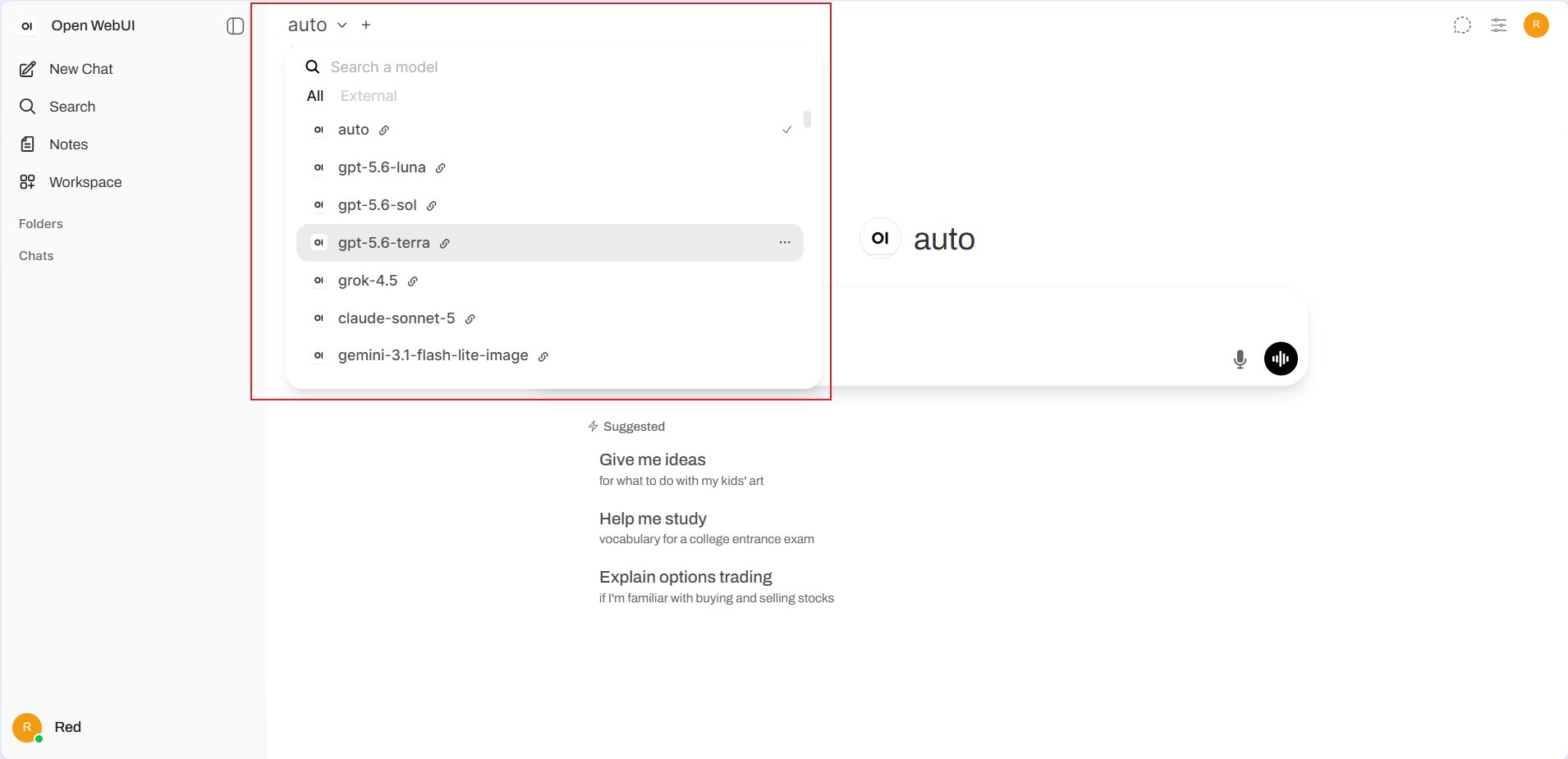 Send a short message. A successful response confirms that the connection and model configuration work.
 ## FAQ
**Why is no model shown in the picker?**
Confirm that you clicked **Save** in both the connection dialog and Connections page. If Model IDs is empty, confirm that the Open WebUI service can access `https://aihubmix.com/v1/models`. You can also add a model ID manually and reopen the picker.
**Should the URL include `/chat/completions`?**
No. Enter the API root `https://aihubmix.com/v1` and select **Chat Completions** as the API type.
**What should I check when a request fails?**
Confirm that the API key is complete, the URL includes `/v1`, and the model ID is correct. If needed, use `https://api.inferera.com/v1`.
Last updated: 2026-07-15
## FAQ
**Why is no model shown in the picker?**
Confirm that you clicked **Save** in both the connection dialog and Connections page. If Model IDs is empty, confirm that the Open WebUI service can access `https://aihubmix.com/v1/models`. You can also add a model ID manually and reopen the picker.
**Should the URL include `/chat/completions`?**
No. Enter the API root `https://aihubmix.com/v1` and select **Chat Completions** as the API type.
**What should I check when a request fails?**
Confirm that the API key is complete, the URL includes `/v1`, and the model ID is correct. If needed, use `https://api.inferera.com/v1`.
Last updated: 2026-07-15