> ## Documentation Index
> Fetch the complete documentation index at: https://docs.aihubmix.com/llms.txt
> Use this file to discover all available pages before exploring further.
# GCMP
GCMP (AI Chat Models) is a VS Code extension that brings Zhipu AI, MoonshotAI, DeepSeek, Alibaba Cloud DashScope, Volcengine, Tencent Cloud, MiniMax, Xiaomi MiMo, and other model providers into GitHub Copilot Chat. It also supports OpenAI / Anthropic compatible endpoints, so AIHubMix can be added as a custom OpenAI-compatible model.
## Install The GCMP Extension
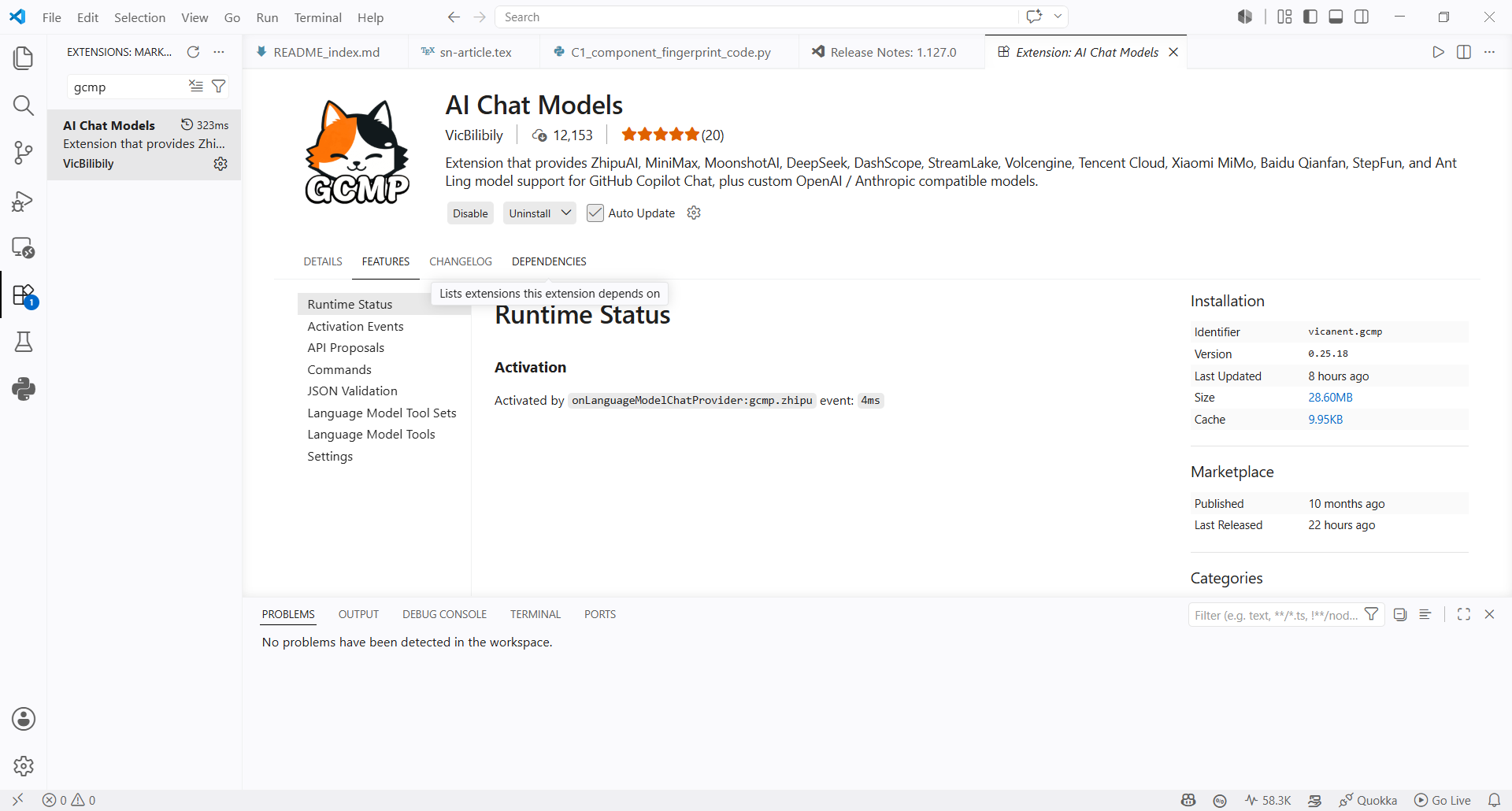
1. Search for `GCMP` in the VS Code Extensions Marketplace and install **AI Chat Models**.
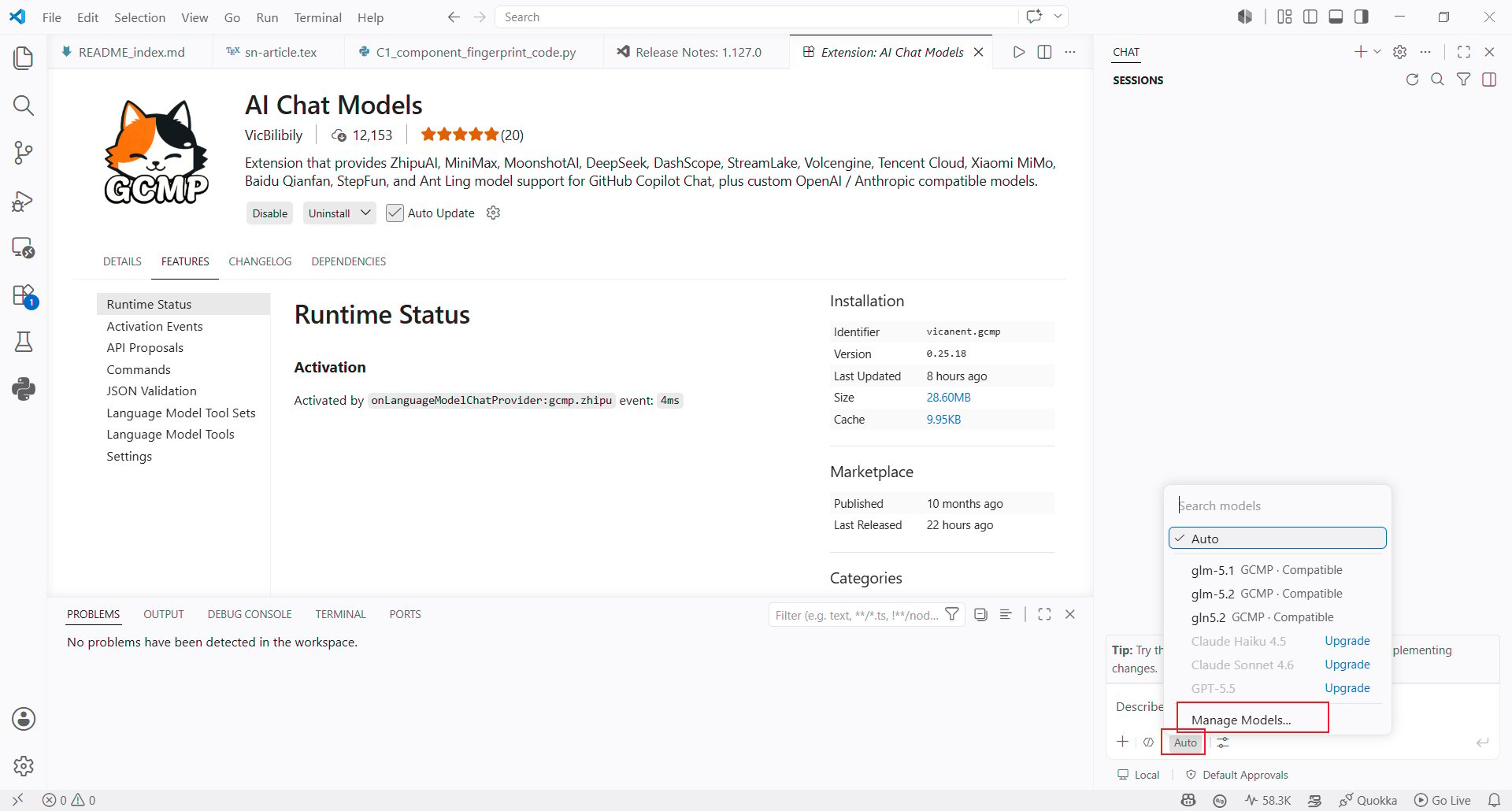
 2. After installation, open the model selector in Copilot Chat and click **Manage Models...** at the bottom.
 ## Configure The AIHubMix API Key
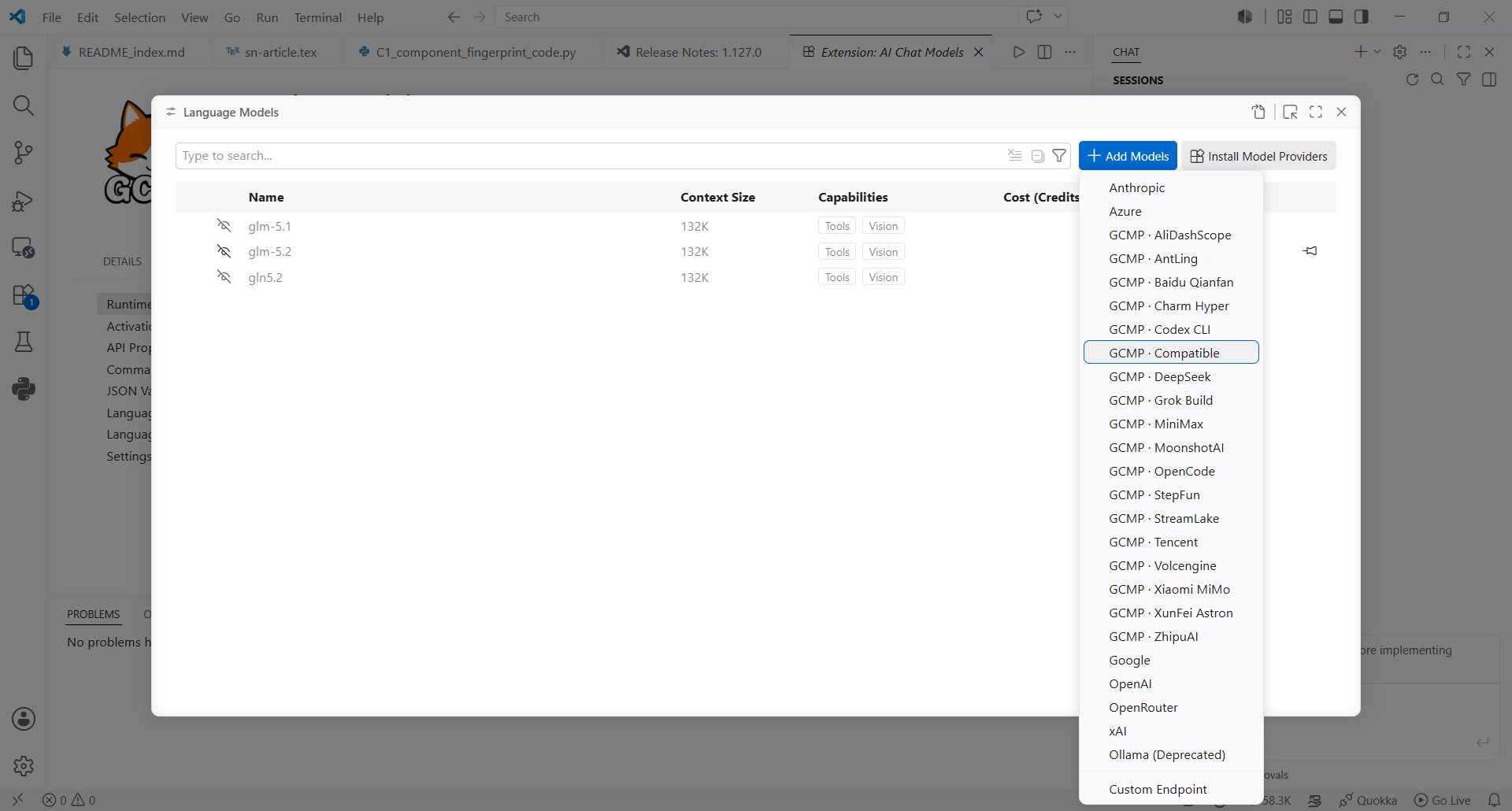
3. In the model provider list, select **Compatible**.
## Configure The AIHubMix API Key
3. In the model provider list, select **Compatible**.
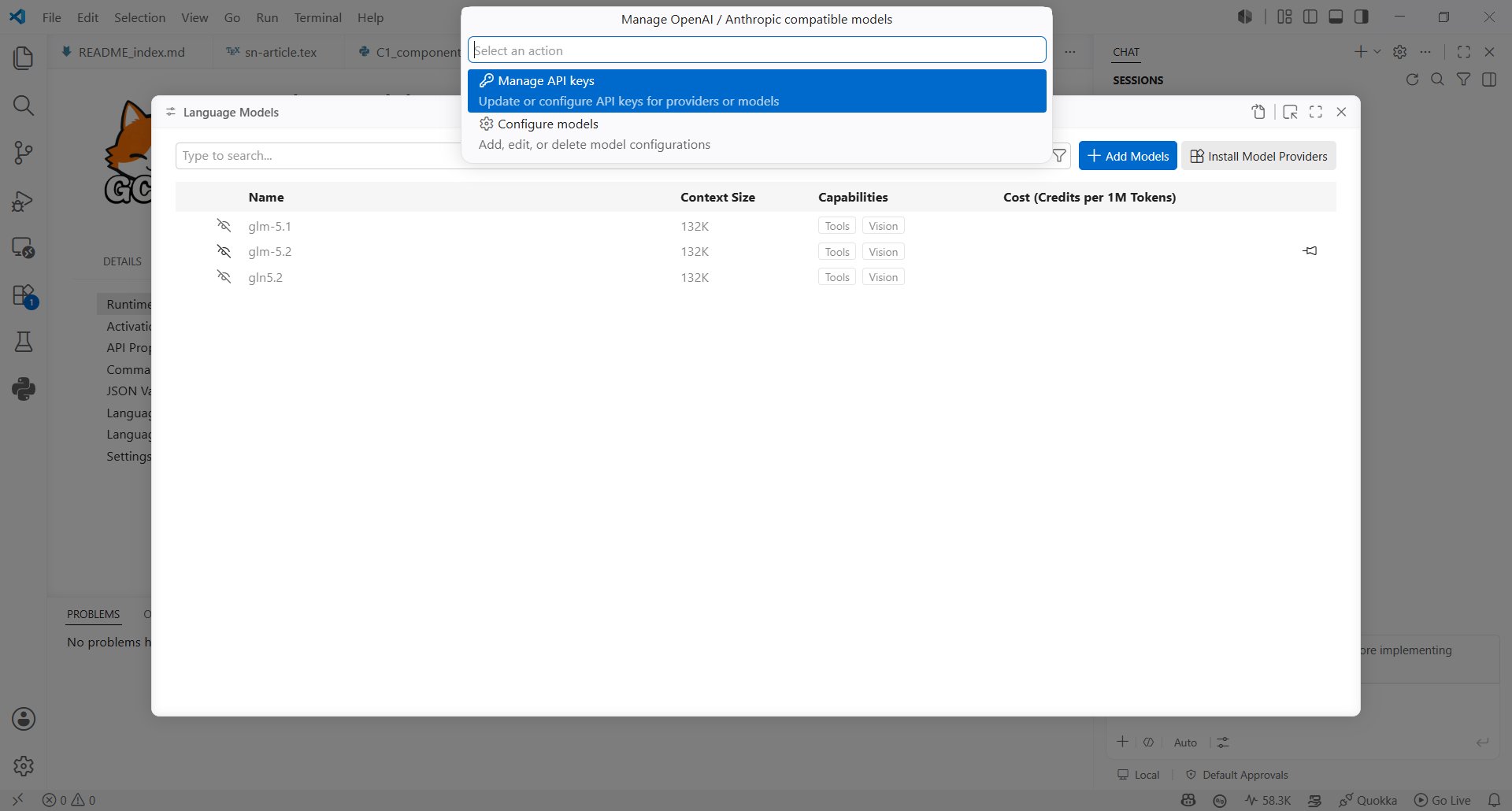
 4. In **Manage OpenAI / Anthropic compatible models**, choose **Manage API keys**.
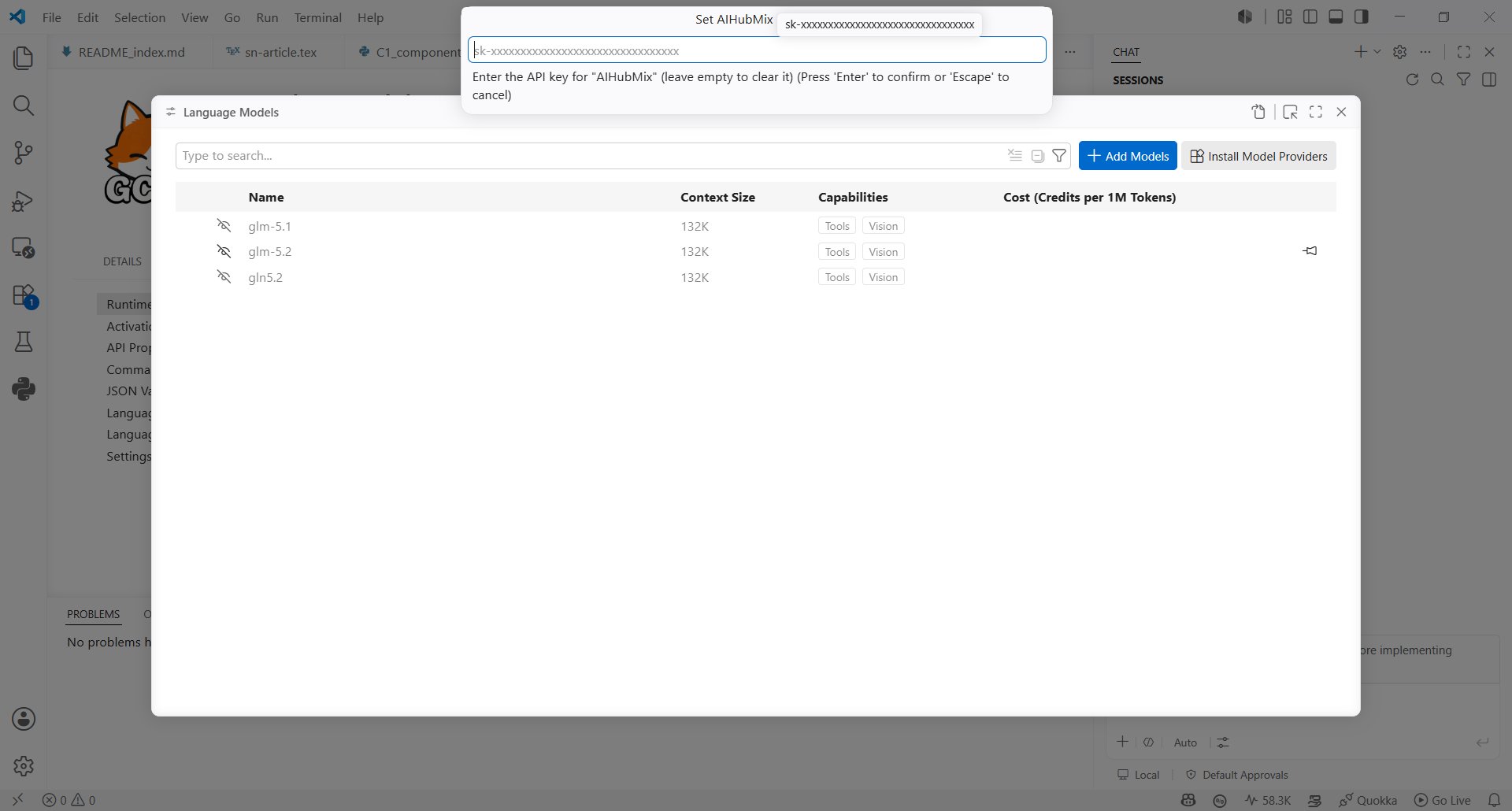
 5. Enter your [AIHubMix API Key](https://console.aihubmix.com/token) in the **Set AIHubMix** input.
 ## Create An AIHubMix Model
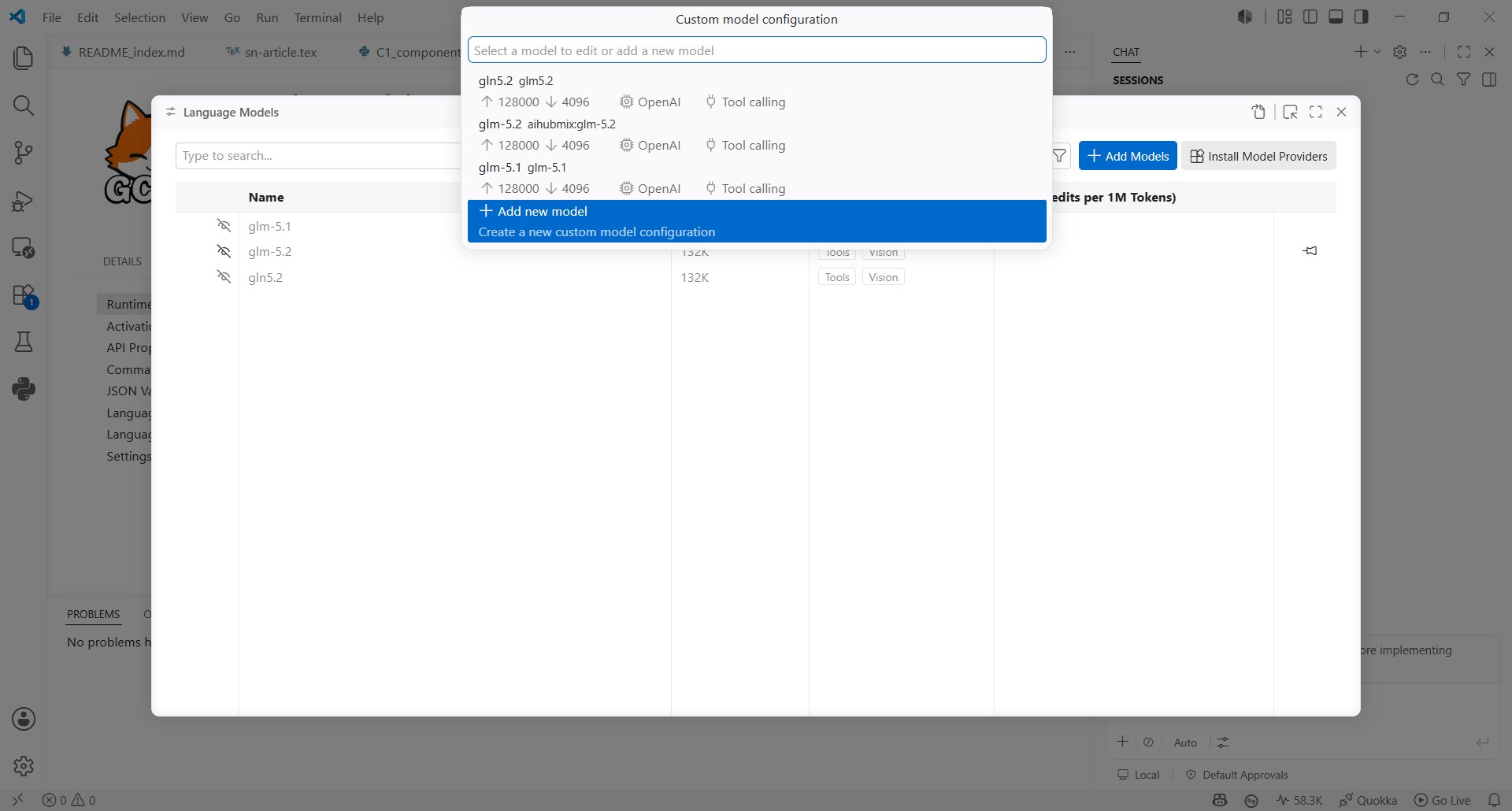
6. Return to the model configuration entry, choose **Configure models**, then click **Add new model**.
## Create An AIHubMix Model
6. Return to the model configuration entry, choose **Configure models**, then click **Add new model**.
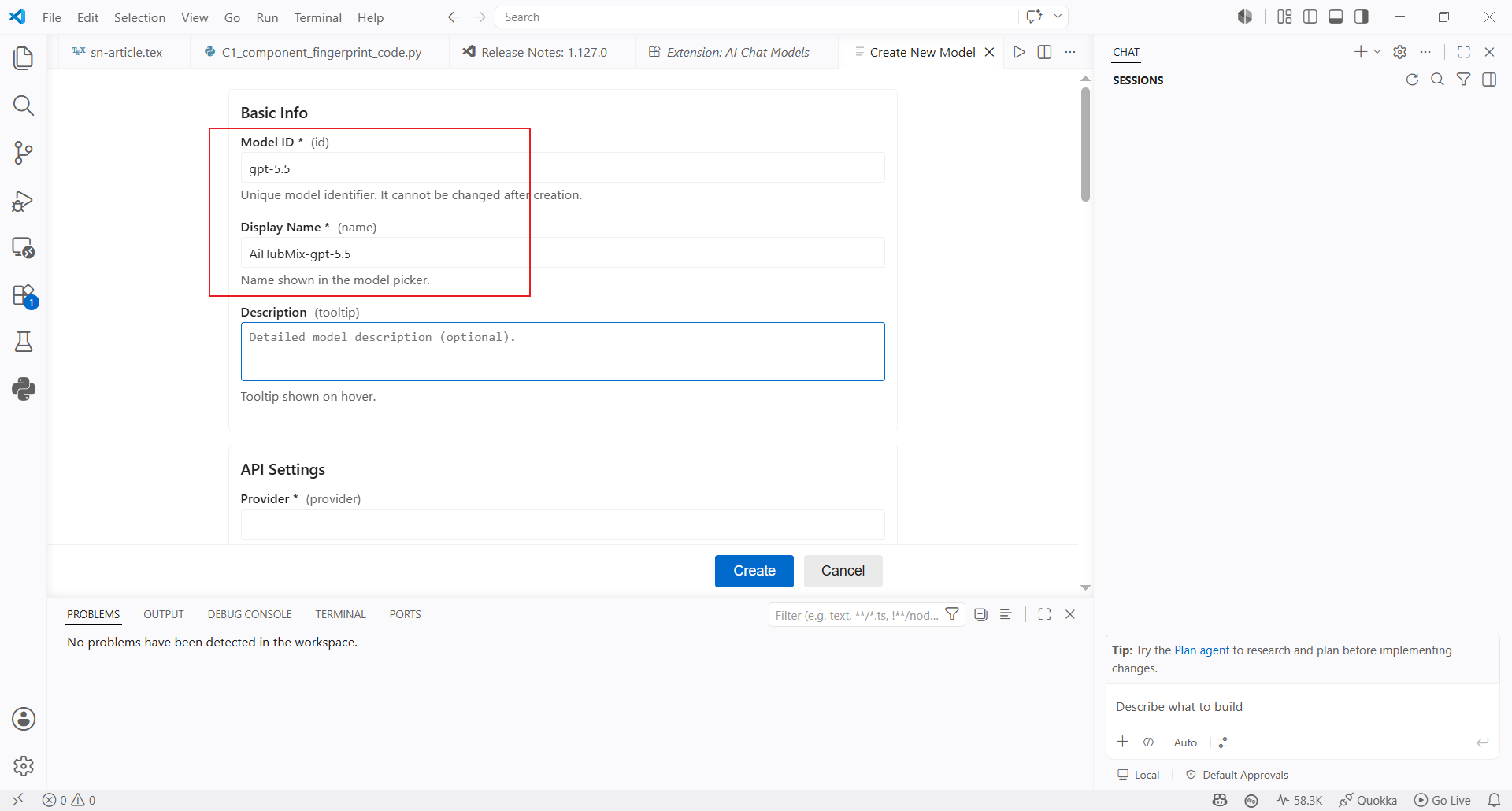
 7. Fill in the basic model information:
* **Model ID**: enter the model ID you want to use, such as `gpt-5.5`
* **Display Name**: enter the name shown in the model selector, such as `AiHubMix-gpt-5.5`
* **Description**: optional text shown when hovering over the model
7. Fill in the basic model information:
* **Model ID**: enter the model ID you want to use, such as `gpt-5.5`
* **Display Name**: enter the name shown in the model selector, such as `AiHubMix-gpt-5.5`
* **Description**: optional text shown when hovering over the model
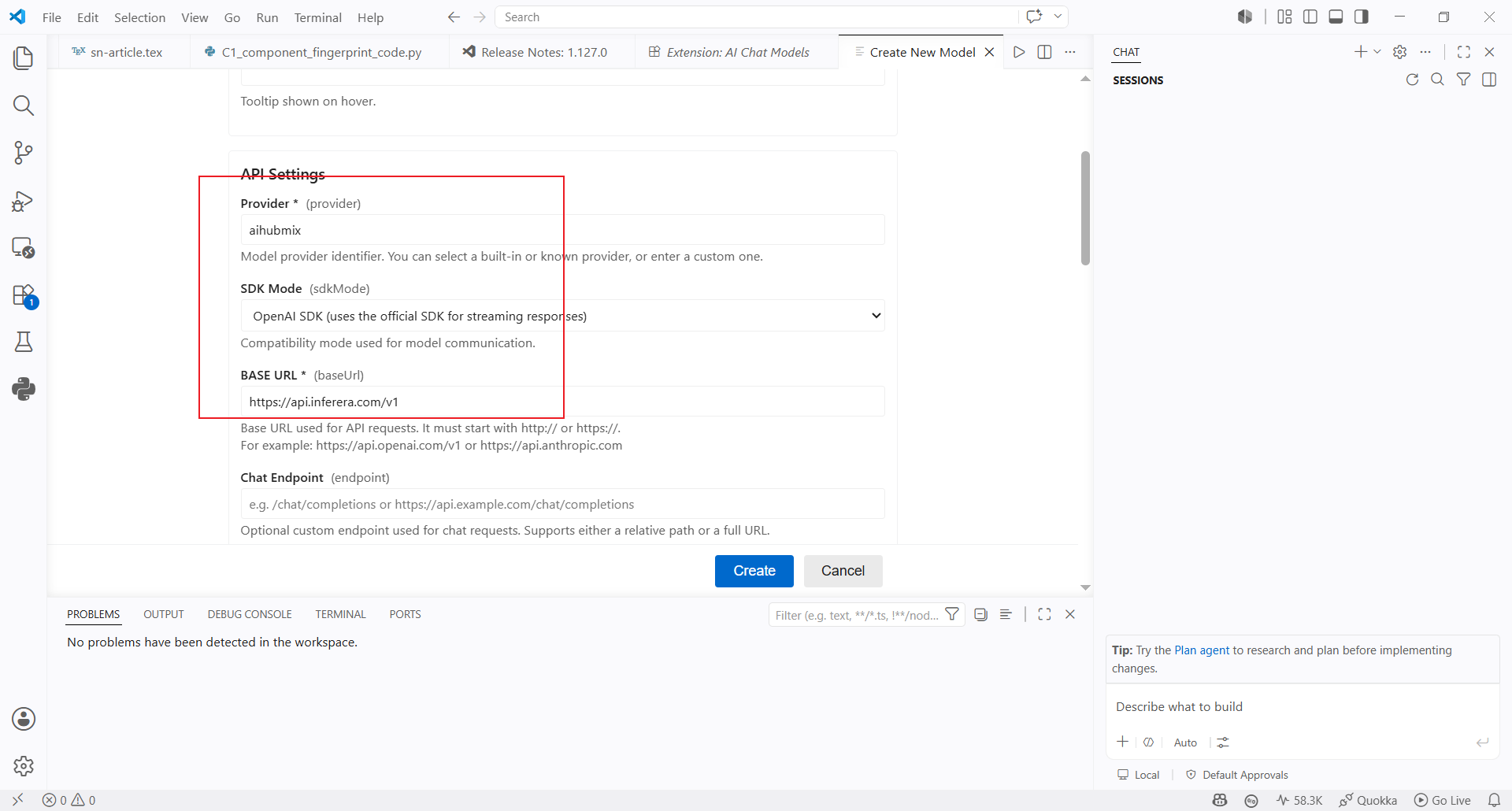
 8. Continue with the API settings:
* **Provider**: enter `aihubmix`
* **SDK Mode**: select OpenAI-compatible mode
* **Base URL**: use `https://aihubmix.com/v1` by default; if the primary address is unavailable, use the backup URL `https://api.inferera.com/v1`
* **Chat Endpoint**: leave it empty
Click **Create** when finished.
8. Continue with the API settings:
* **Provider**: enter `aihubmix`
* **SDK Mode**: select OpenAI-compatible mode
* **Base URL**: use `https://aihubmix.com/v1` by default; if the primary address is unavailable, use the backup URL `https://api.inferera.com/v1`
* **Chat Endpoint**: leave it empty
Click **Create** when finished.
 ## Use The Model
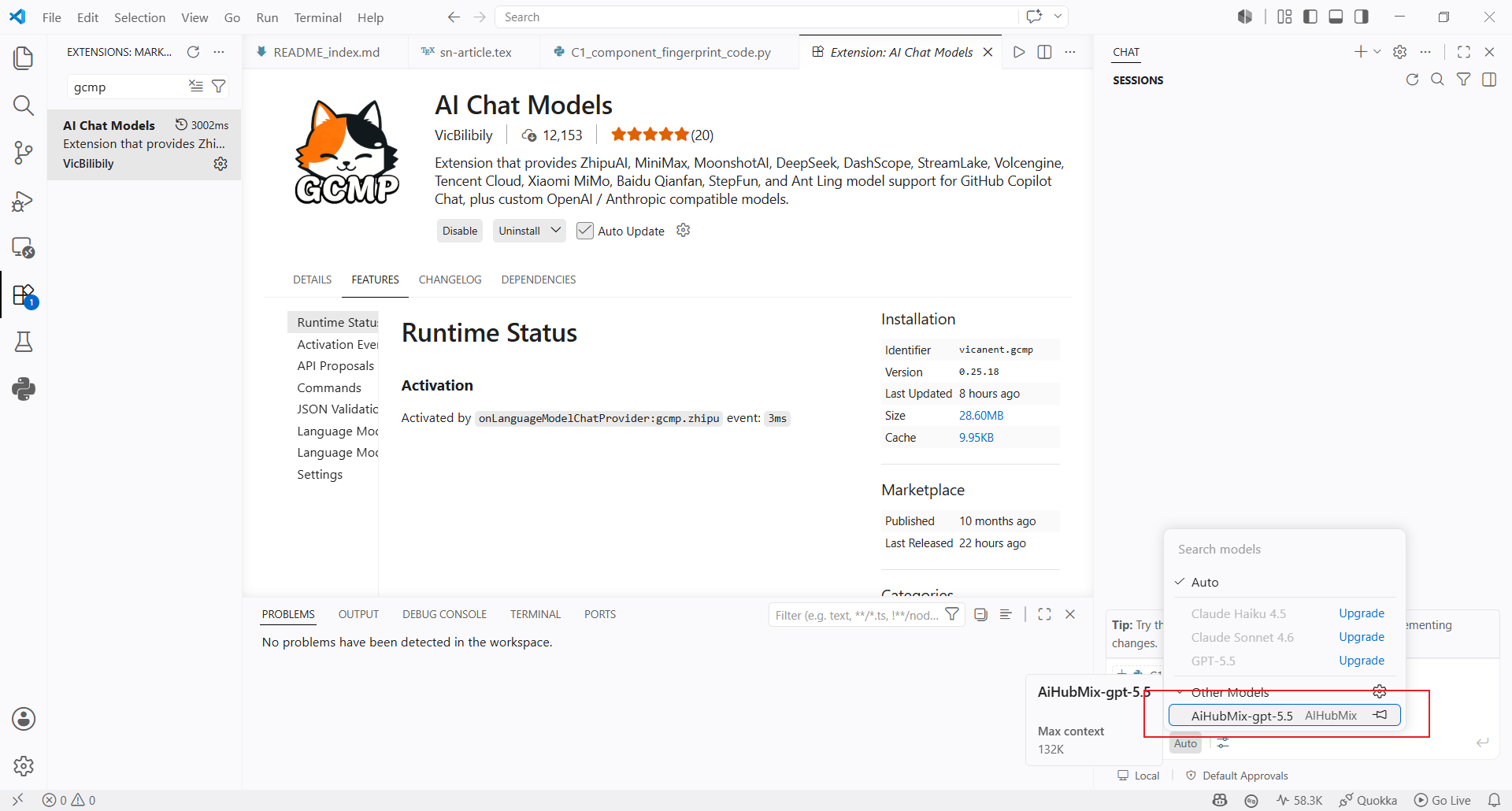
9. Return to the Copilot Chat model selector and choose the `AiHubMix-gpt-5.5` model you just created.
## Use The Model
9. Return to the Copilot Chat model selector and choose the `AiHubMix-gpt-5.5` model you just created.
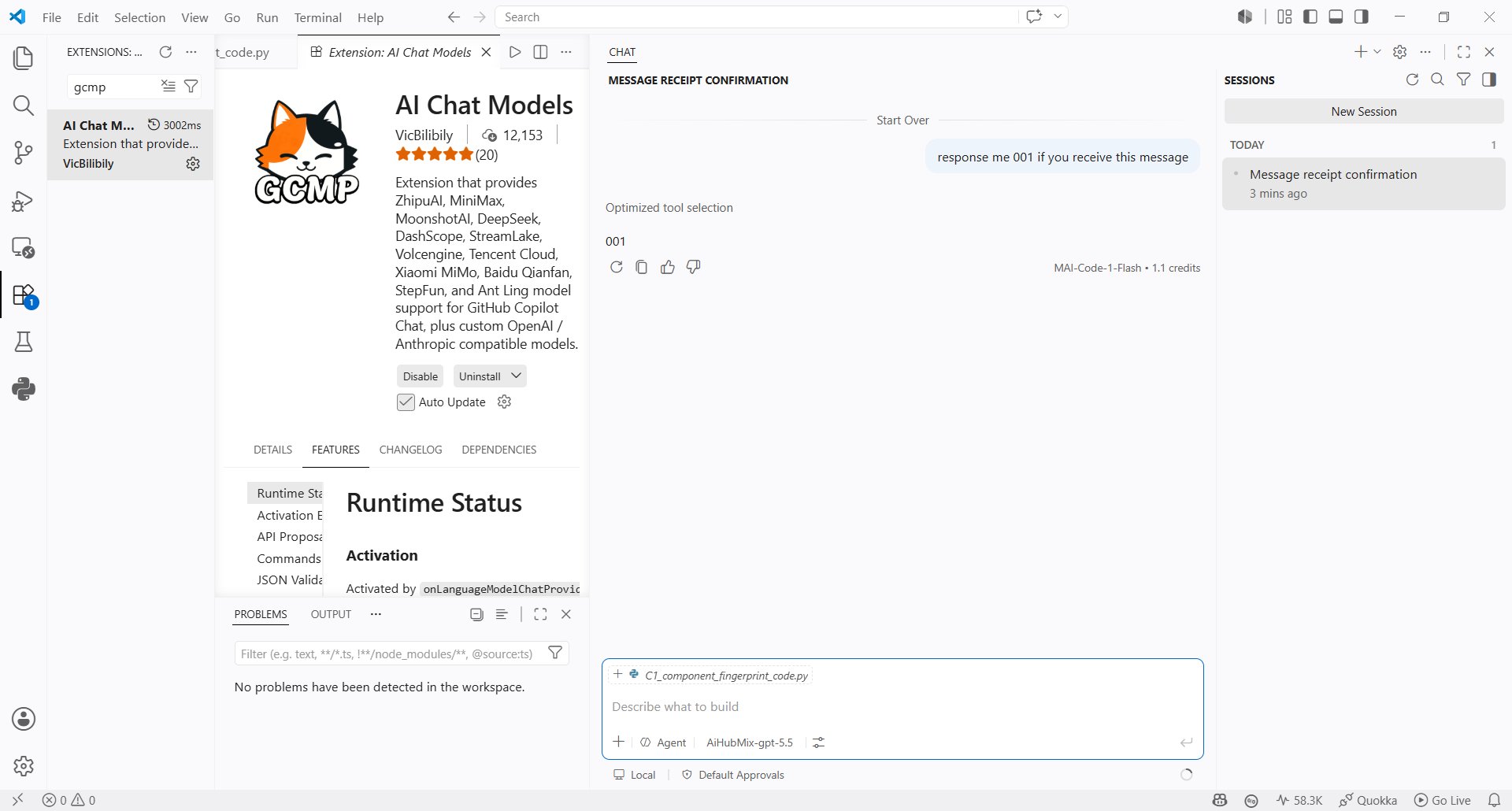
 10. Send a message in Copilot Chat to confirm that the model responds correctly.
 ***
Last updated: 2026-07-02
***
Last updated: 2026-07-02