> ## Documentation Index
> Fetch the complete documentation index at: https://docs.aihubmix.com/llms.txt
> Use this file to discover all available pages before exploring further.
# Cursor
## Standard Usage Method
* Click the gear icon in the upper right corner to enter the settings page, and select Models.
* Enter the [Key from our site](https://aihubmix.com/token) under Open API key.\\
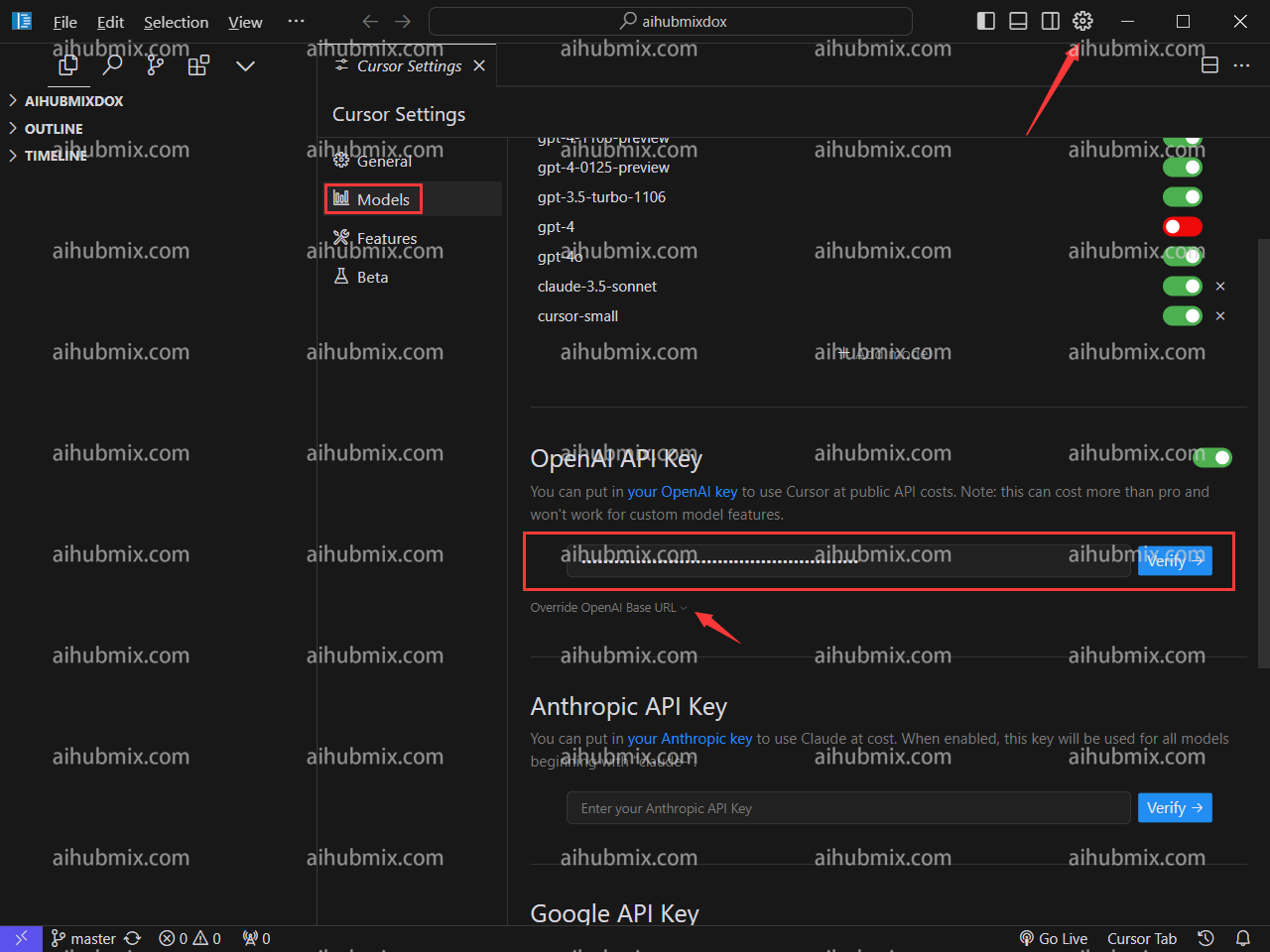 * Click Override OpenAI Base URL, and enter:
```
https://aihubmix.com/v1
```
* Click Override OpenAI Base URL, and enter:
```
https://aihubmix.com/v1
```
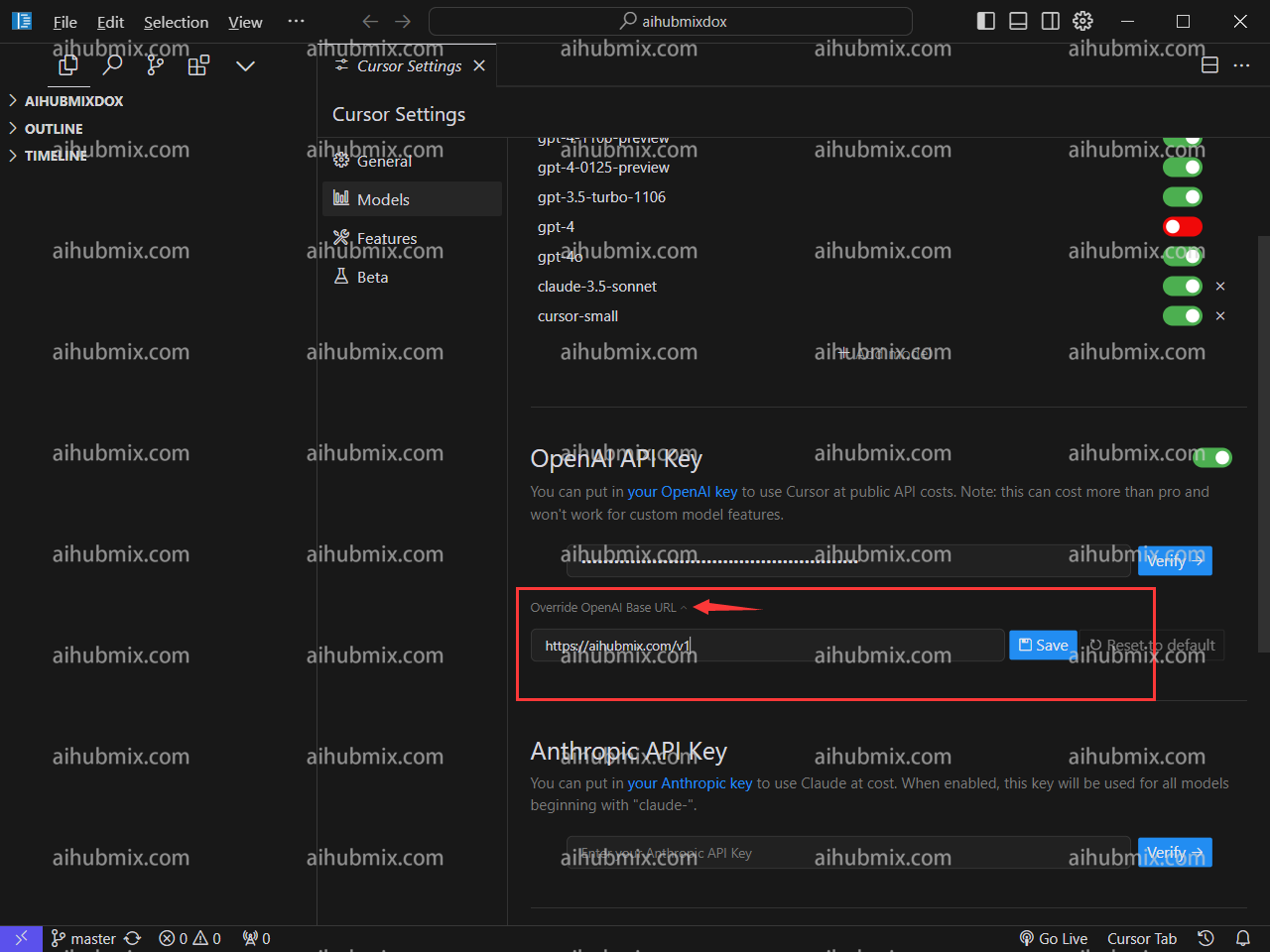 * Finally, click Verify to ensure it's correctly set up.
## Special Instructions (Using claude-3.5 in Cursor)
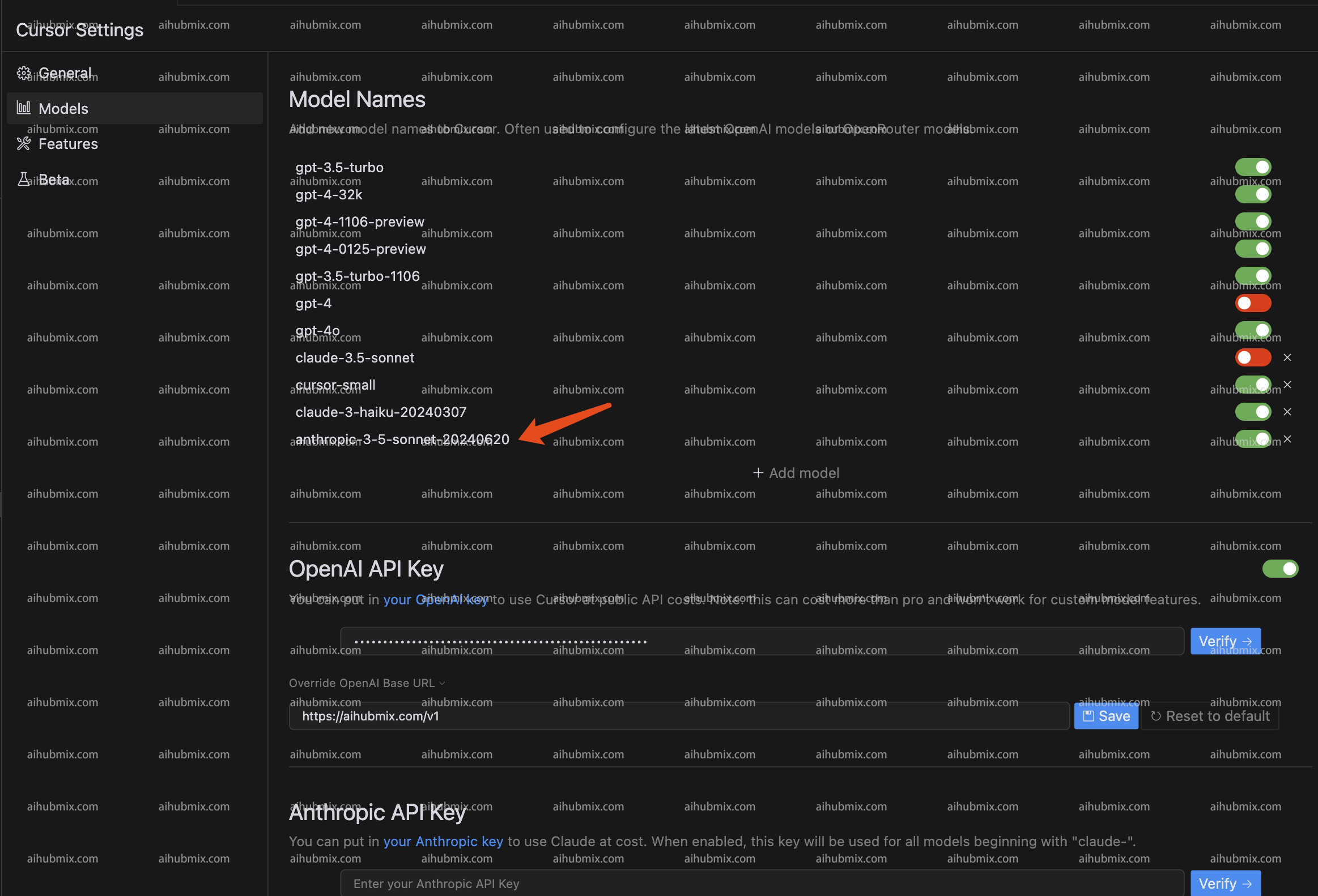
Since Cursor automatically requests Claude's API based on request names, we have added a new name **anthropic-3-5-sonnet-20240620** to map to claude-3-5-sonnet-20240620. This bypasses Cursor's automatic request, allowing us to use the Claude API through our service.
* The specific method is: Add a model named **anthropic-3-5-sonnet-20240620** to the model list. Select and enable this model.\\
* Finally, click Verify to ensure it's correctly set up.
## Special Instructions (Using claude-3.5 in Cursor)
Since Cursor automatically requests Claude's API based on request names, we have added a new name **anthropic-3-5-sonnet-20240620** to map to claude-3-5-sonnet-20240620. This bypasses Cursor's automatic request, allowing us to use the Claude API through our service.
* The specific method is: Add a model named **anthropic-3-5-sonnet-20240620** to the model list. Select and enable this model.\\
 ***
Last updated: 2026-06-01
***
Last updated: 2026-06-01