> ## Documentation Index
> Fetch the complete documentation index at: https://docs.aihubmix.com/llms.txt
> Use this file to discover all available pages before exploring further.
# ChatHub
> Configure AIHubMix in ChatHub with the OpenAI-compatible API key option.
ChatHub is a multi-model AI client that can compare answers from different models side by side. AIHubMix can be connected through ChatHub's OpenAI-compatible custom API key settings.
## Install and Configure AIHubMix
1. Install the ChatHub extension from the Chrome Web Store: [ChatHub - ChatGPT, Gemini, Claude sidebar](https://chromewebstore.google.com/detail/chathub-chatgpt-gemini-cl/iaakpnchhognanibcahlpcplchdfmgma?utm_source=chathub.gg).
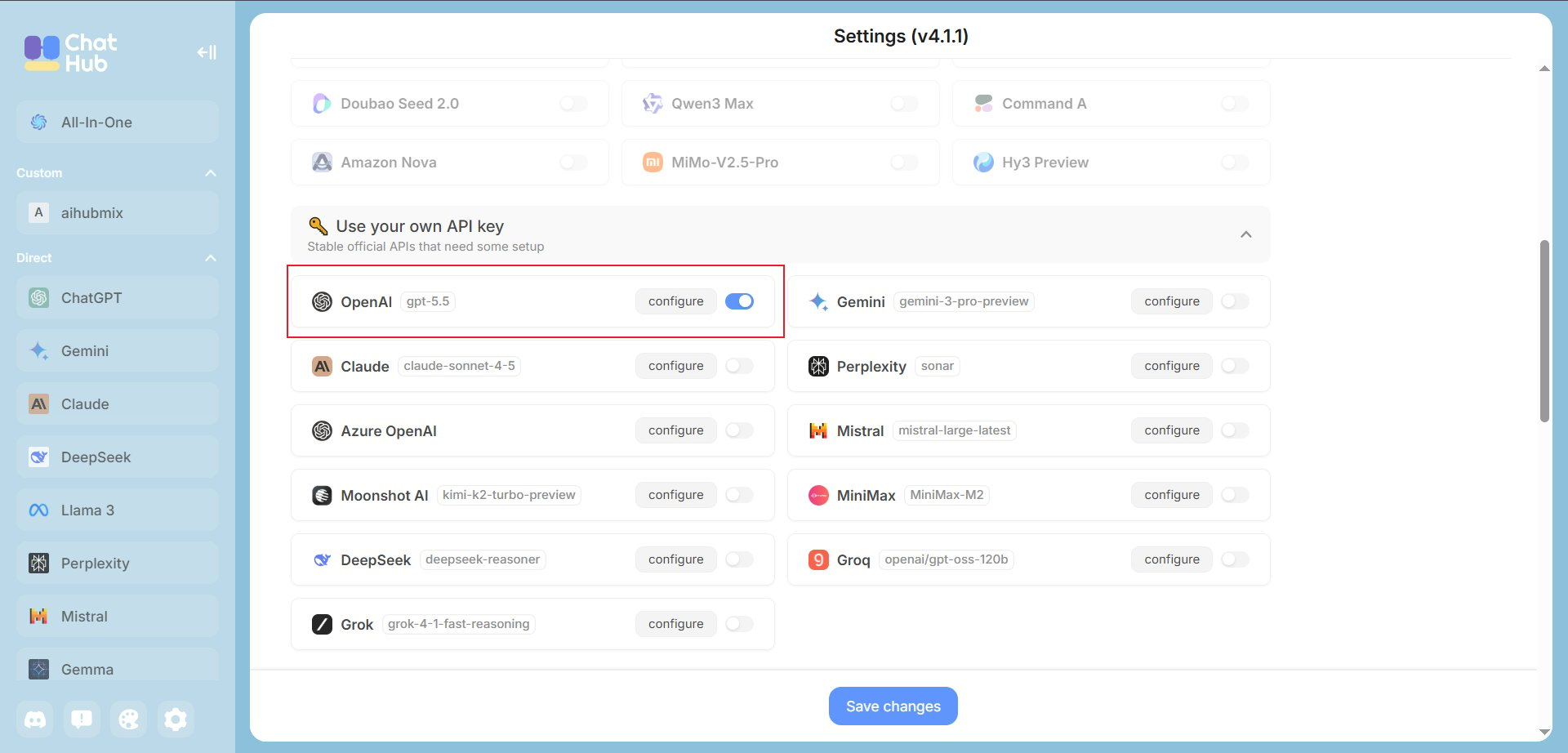
2. Open ChatHub, click the gear icon in the lower-left corner, find **Use your own API key**, enable **OpenAI**, and click **configure**.
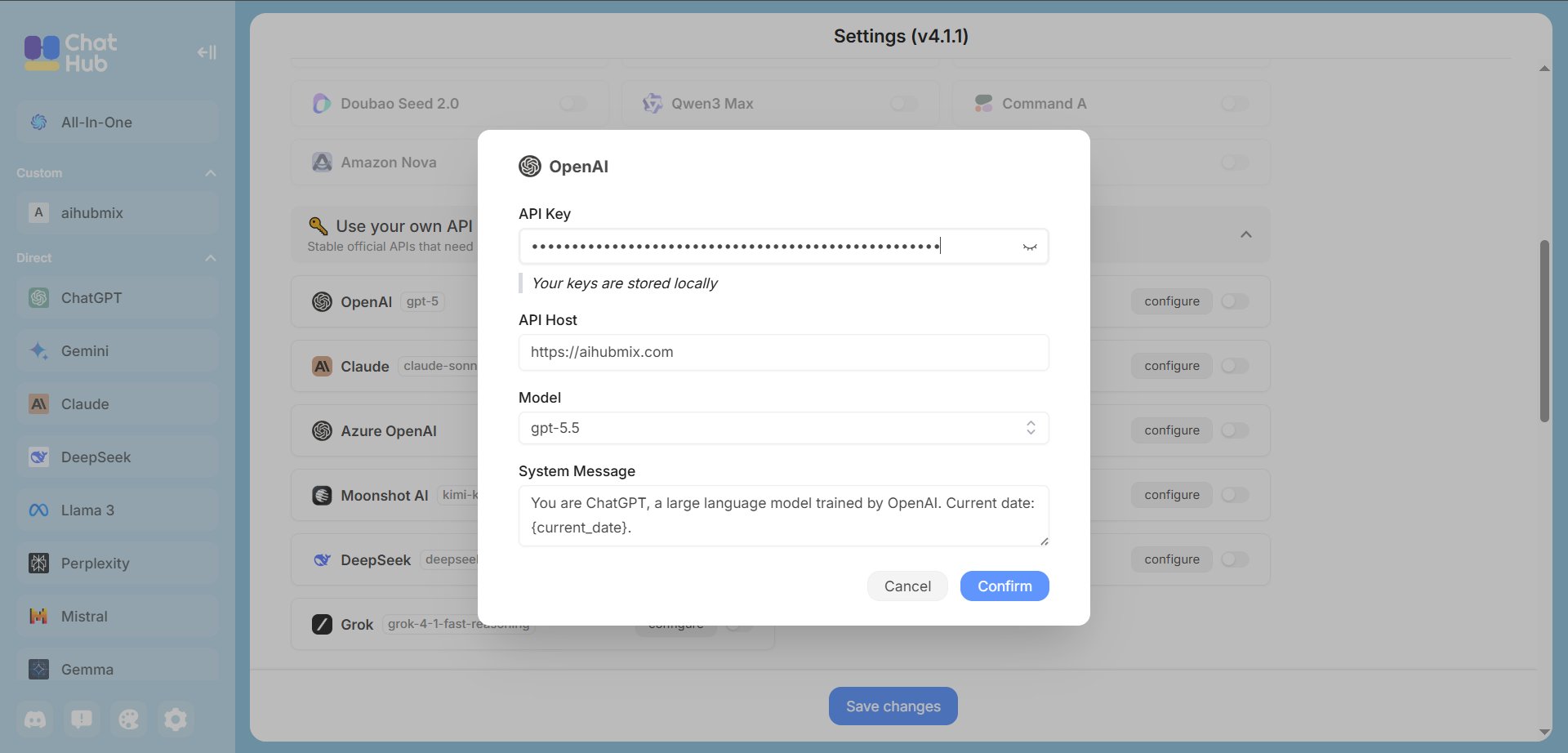
 3. Fill in the AIHubMix connection fields:
* **API Key**: the key created in the [AIHubMix console](https://aihubmix.com/token), usually in the `sk-***` format.
* **API Host**: use the AIHubMix gateway. If the primary domain is unavailable, replace it with `https://api.inferera.com` and keep the path behavior unchanged.
```text theme={null}
https://aihubmix.com
```
* **Model**: choose or enter the model ID you want to use, for example `gpt-5.5`. Click **Confirm**, then return to settings and click **Save changes**.
3. Fill in the AIHubMix connection fields:
* **API Key**: the key created in the [AIHubMix console](https://aihubmix.com/token), usually in the `sk-***` format.
* **API Host**: use the AIHubMix gateway. If the primary domain is unavailable, replace it with `https://api.inferera.com` and keep the path behavior unchanged.
```text theme={null}
https://aihubmix.com
```
* **Model**: choose or enter the model ID you want to use, for example `gpt-5.5`. Click **Confirm**, then return to settings and click **Save changes**.
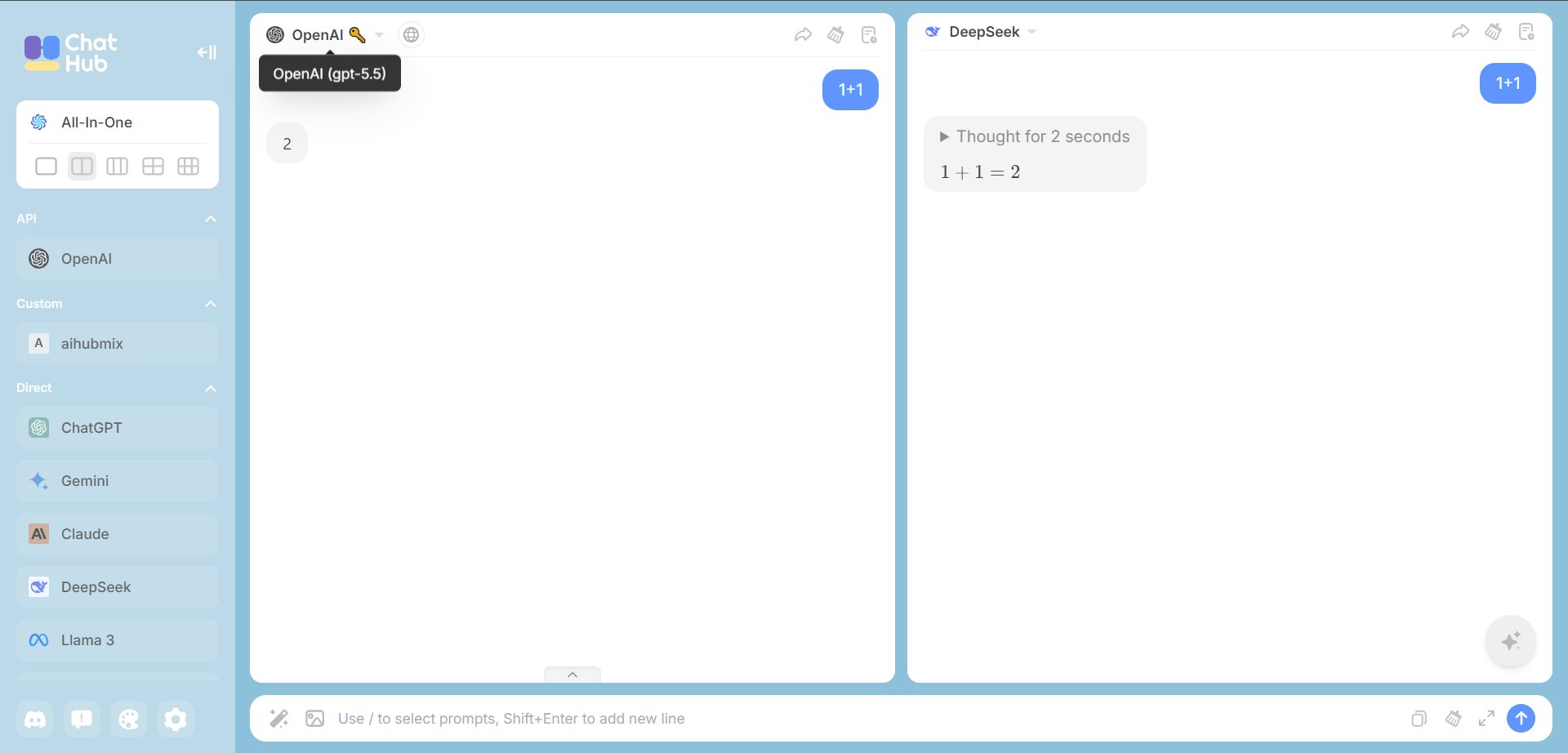
 4. Return to the ChatHub main page. You should see the enabled AIHubMix configuration on the left, then send a short message to verify that the model replies normally.
 ## Troubleshooting
**No response after saving**: check that the API key starts with `sk-`, the API Host is `https://aihubmix.com` without a trailing slash, and the AIHubMix account has enough balance.
**Model not found**: copy the model ID from the AIHubMix model list and paste it into ChatHub again.
***
Last updated: 2026-07-03
## Troubleshooting
**No response after saving**: check that the API key starts with `sk-`, the API Host is `https://aihubmix.com` without a trailing slash, and the AIHubMix account has enough balance.
**Model not found**: copy the model ID from the AIHubMix model list and paste it into ChatHub again.
***
Last updated: 2026-07-03