> ## Documentation Index
> Fetch the complete documentation index at: https://docs.aihubmix.com/llms.txt
> Use this file to discover all available pages before exploring further.
# AnythingLLM
> Connect AIHubMix in AnythingLLM with a single API key for chat and embedding models in local RAG workspaces.
AnythingLLM is an open-source AI workspace for turning documents into searchable chat knowledge bases. It supports OpenAI-compatible endpoints, so AIHubMix can be configured through **Generic OpenAI**.
## Configure AIHubMix
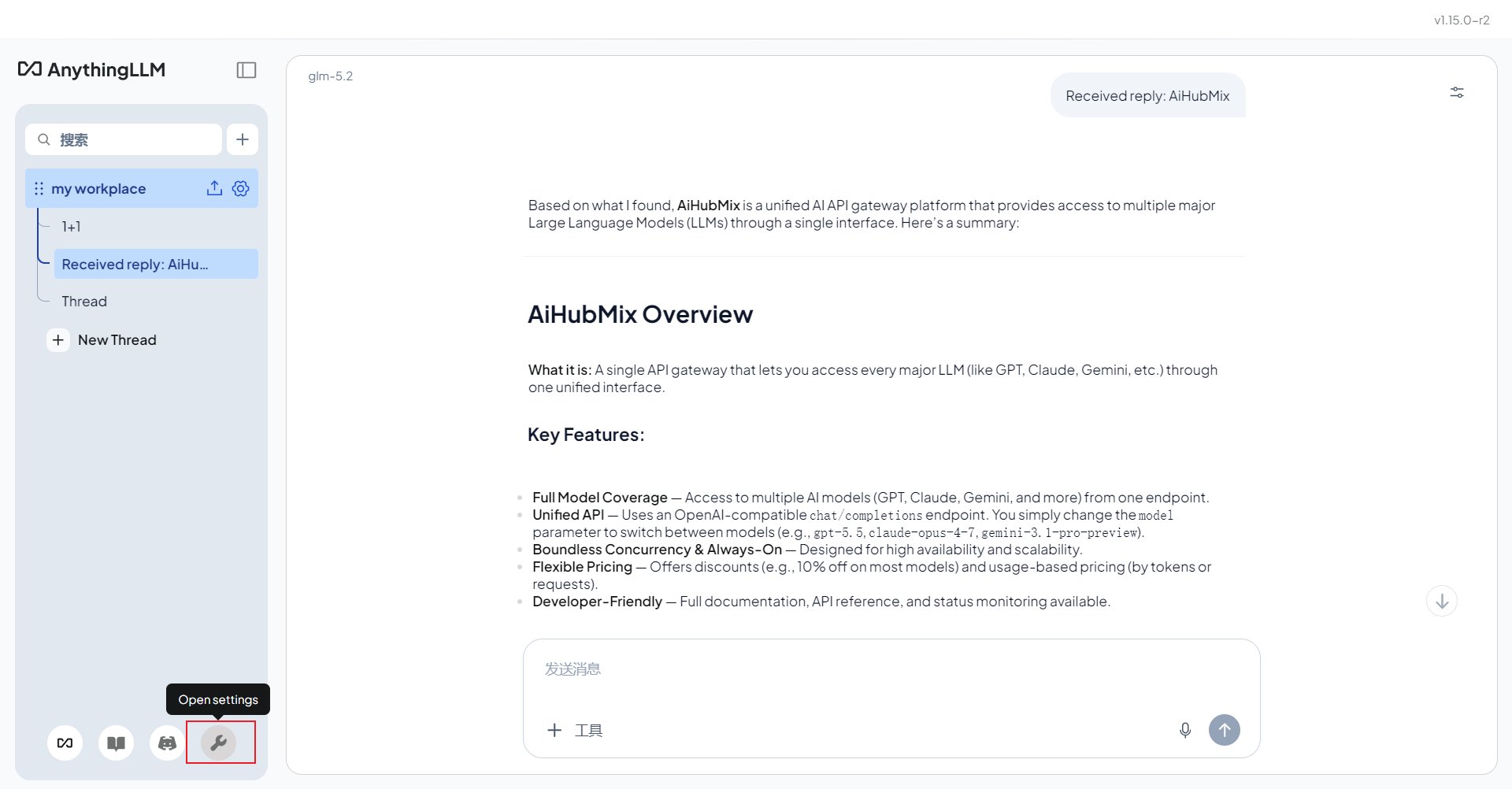
Download and install the desktop app from the [AnythingLLM website](https://anythingllm.com/). After opening the app, click the avatar menu in the lower-left corner and enter the settings page.
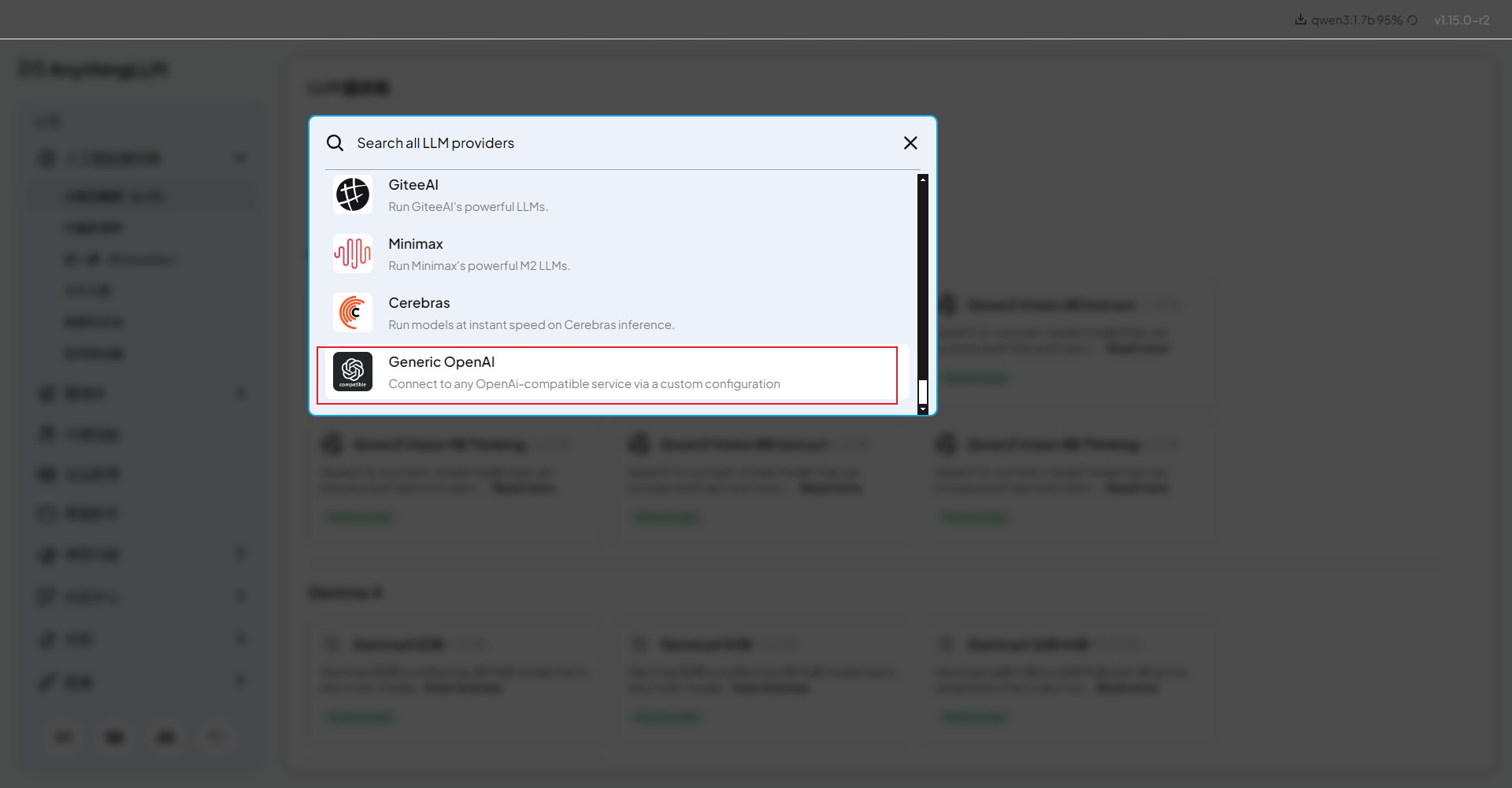
 In settings, open the **LLM Provider** dropdown and select **Generic OpenAI**. This provider is used for OpenAI-compatible gateways such as AIHubMix.
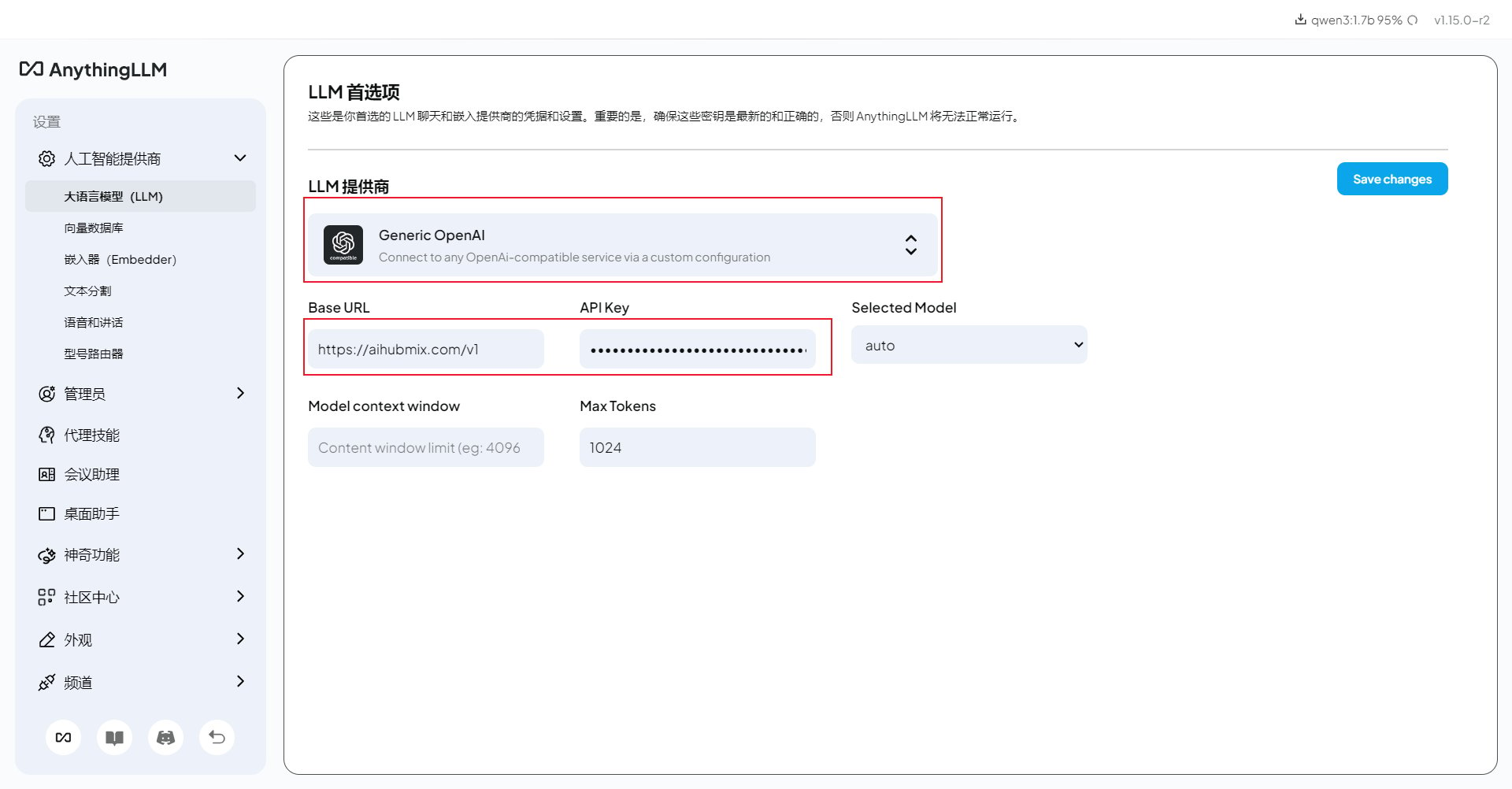
 Fill in the connection fields as follows:
* **Base URL**:
```text theme={null}
https://aihubmix.com/v1
```
If the primary API domain is unavailable, replace only the domain with `https://api.inferera.com` and keep the `/v1` path.
* **API Key**: the key created in the [AIHubMix console](https://aihubmix.com/token).
* **Chat Model Name**: the model ID you want to use, for example `gpt-4o-mini`, `claude-haiku-4-5`, or another model copied from the AIHubMix model list.
* **Token context window** and **Max Tokens**: keep the defaults first, then adjust them after a successful test if your model needs a larger context or output limit.
Fill in the connection fields as follows:
* **Base URL**:
```text theme={null}
https://aihubmix.com/v1
```
If the primary API domain is unavailable, replace only the domain with `https://api.inferera.com` and keep the `/v1` path.
* **API Key**: the key created in the [AIHubMix console](https://aihubmix.com/token).
* **Chat Model Name**: the model ID you want to use, for example `gpt-4o-mini`, `claude-haiku-4-5`, or another model copied from the AIHubMix model list.
* **Token context window** and **Max Tokens**: keep the defaults first, then adjust them after a successful test if your model needs a larger context or output limit.
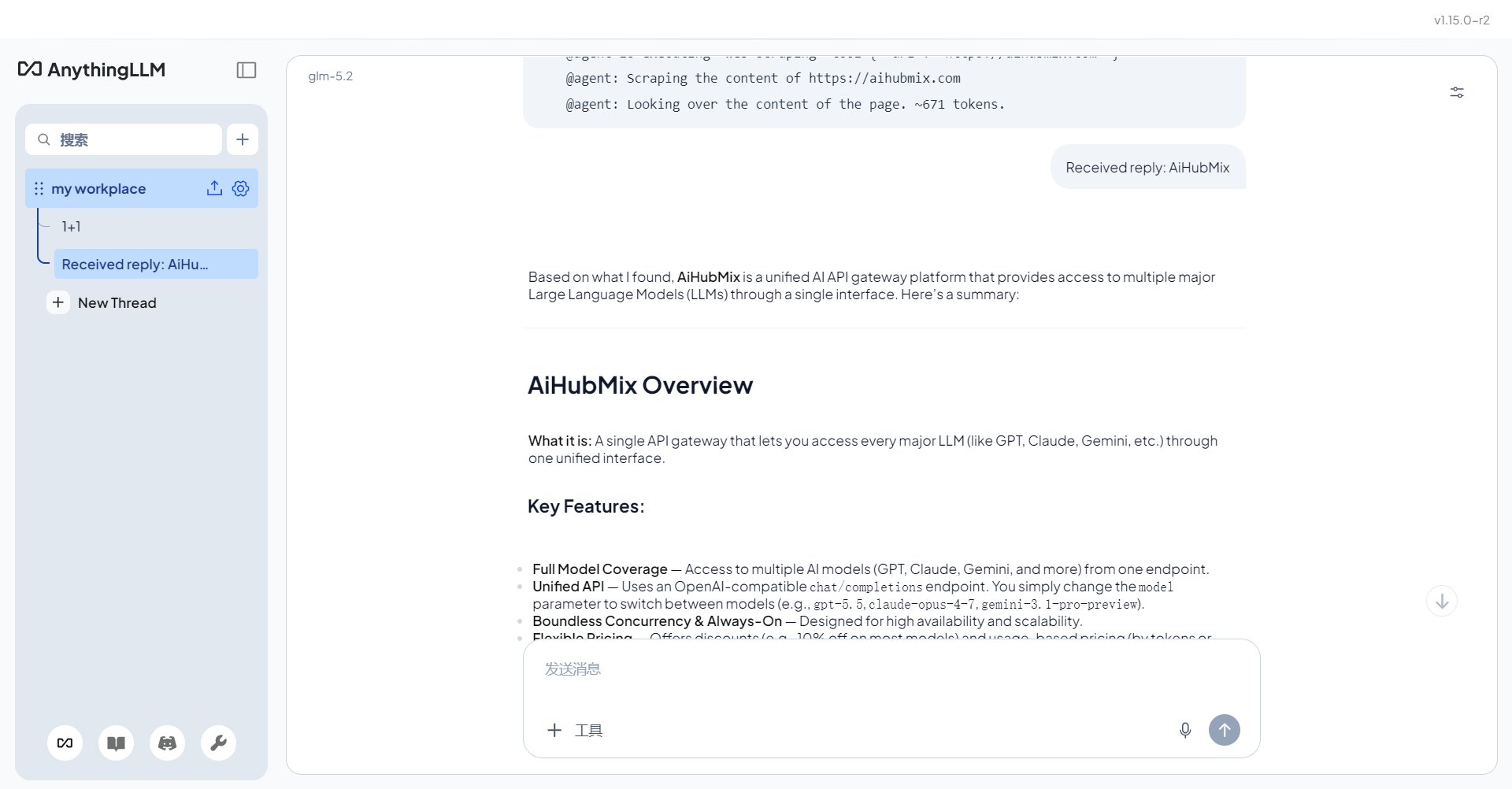
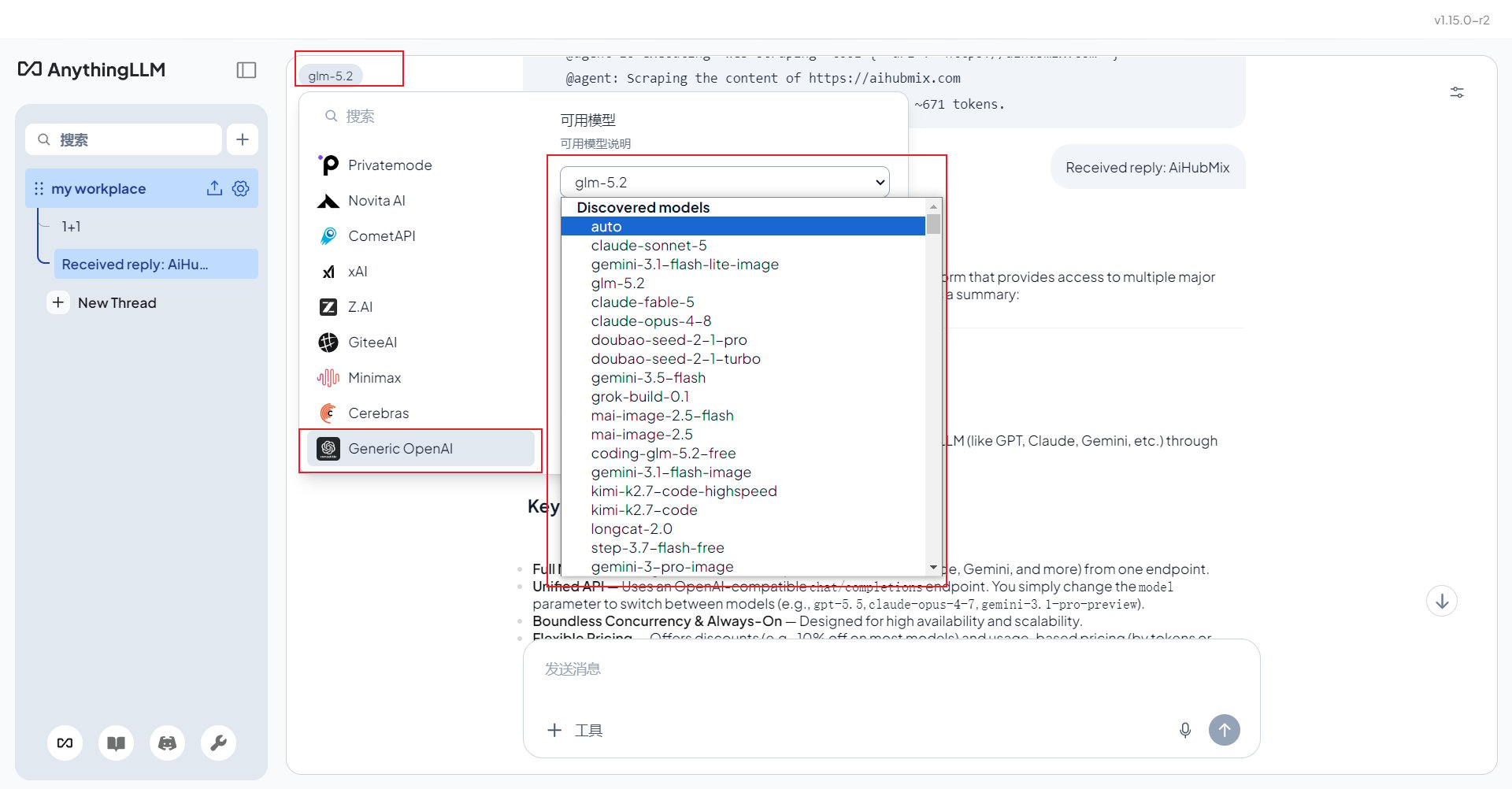
 Save the configuration, return to the chat page, select the configured model, and send a short message to verify that the model replies normally.
 You can also switch to other AIHubMix models from the same model selector after they are configured.
 ## Use Non-OpenAI Models
Keep **Generic OpenAI** selected. To use Claude, Gemini, DeepSeek, GLM, or other AIHubMix models, change **Chat Model Name** to the corresponding AIHubMix model ID. Copying the model ID from the AIHubMix model list helps avoid spelling mistakes.
## Troubleshooting
**401 or model not found**: confirm that **Generic OpenAI** is selected, the Base URL includes `/v1`, the API key starts with `sk-`, and the model ID matches AIHubMix exactly.
**Document answers are not grounded in uploaded files**: check that the embedder is configured, the documents were indexed in the current workspace, and you are chatting in the correct workspace.
**Slow replies**: reasoning models can be slower. For lightweight document Q\&A, try a faster model such as `gpt-4o-mini` or `claude-haiku-4-5`.
***
Last updated: 2026-07-03
## Use Non-OpenAI Models
Keep **Generic OpenAI** selected. To use Claude, Gemini, DeepSeek, GLM, or other AIHubMix models, change **Chat Model Name** to the corresponding AIHubMix model ID. Copying the model ID from the AIHubMix model list helps avoid spelling mistakes.
## Troubleshooting
**401 or model not found**: confirm that **Generic OpenAI** is selected, the Base URL includes `/v1`, the API key starts with `sk-`, and the model ID matches AIHubMix exactly.
**Document answers are not grounded in uploaded files**: check that the embedder is configured, the documents were indexed in the current workspace, and you are chatting in the correct workspace.
**Slow replies**: reasoning models can be slower. For lightweight document Q\&A, try a faster model such as `gpt-4o-mini` or `claude-haiku-4-5`.
***
Last updated: 2026-07-03