> ## Documentation Index
> Fetch the complete documentation index at: https://docs.aihubmix.com/llms.txt
> Use this file to discover all available pages before exploring further.
# DeepSeek Harness
> Connect DeepSeek Harness to AIHubMix: install the npm release, configure an OpenAI-compatible provider, add auto or specific models, and test an Agent request.
DeepSeek Harness (`dsh`) is DeepSeek's open-source coding agent harness. It provides workspaces, a terminal, file editing, Skills, planning, and a Web UI. Its OpenAI Chat Completions compatibility lets it connect to AIHubMix.
This guide was tested on August 14, 2026 with DeepSeek Harness `0.1.0-rc.6`. Harness is still a developer preview, so later releases may change fields or UI details.
Quick summary
The integration requires four values:
| Setting | Value |
| ---------------------------- | ------------------------- |
| Provider ID | `aihubmix` |
| Base URL | `https://aihubmix.com/v1` |
| API protocol | `openai-completions` |
| API key environment variable | `AIHUBMIX_API_KEY` |
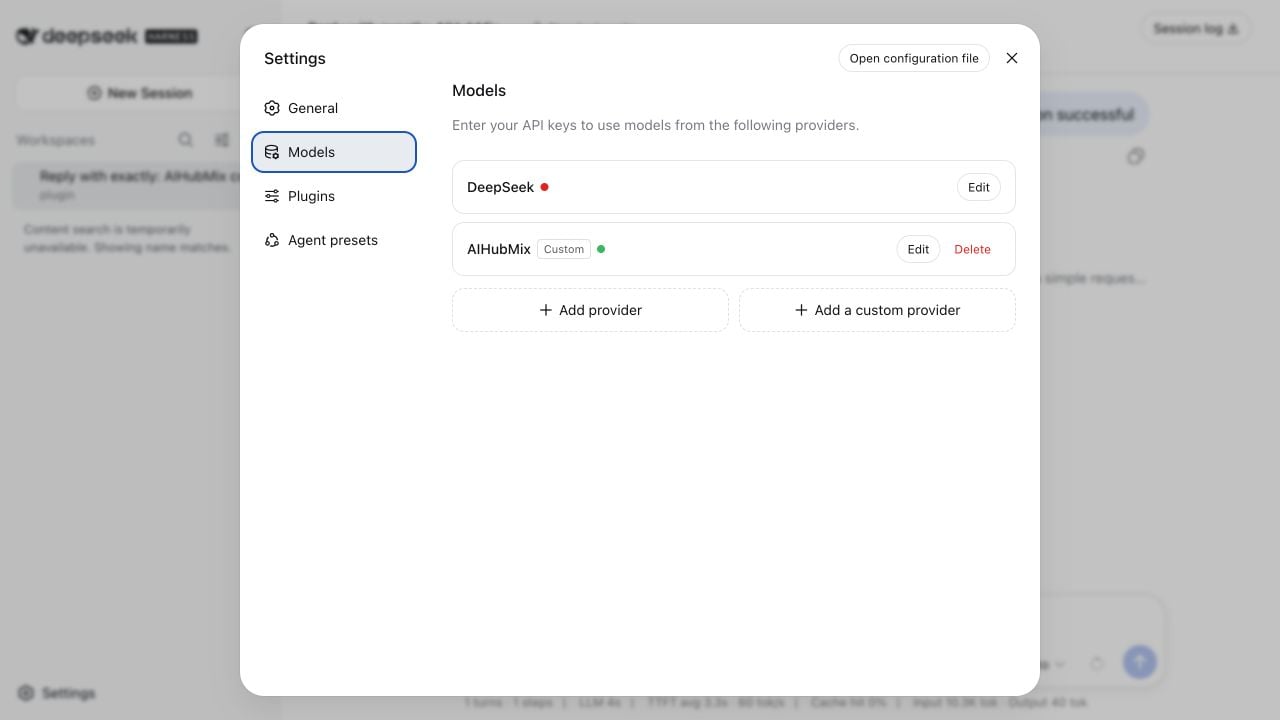
After configuration, the Models page shows AIHubMix as configured.
What do you need?
Before you begin, prepare:
* An active [AIHubMix API key](https://console.aihubmix.com/token)
* Node.js `22.19.0` or later, including Node.js 24+
* Network access to the npm registry and `https://aihubmix.com`
Check Node.js and npm:
```bash theme={null}
node --version
npm --version
```
How do you install DeepSeek Harness?
Install the published npm package without cloning the source repository:
```bash theme={null}
npm install -g @deepseek-ai/dsh
```
Verify the installation:
```bash theme={null}
dsh --version
```
If the shell reports `dsh: command not found`, run `npm config get prefix` and make sure its `bin` directory is included in `PATH`.
How do you start the Web UI?
Run the following command from the directory you want to use as the workspace:
```bash theme={null}
dsh web --port 3080
```
Open this URL:
```text theme={null}
http://127.0.0.1:3080
```
On first use, select or add a workspace before sending an Agent request.
Open **Settings > Models > Add a custom provider**, then enter the following values:
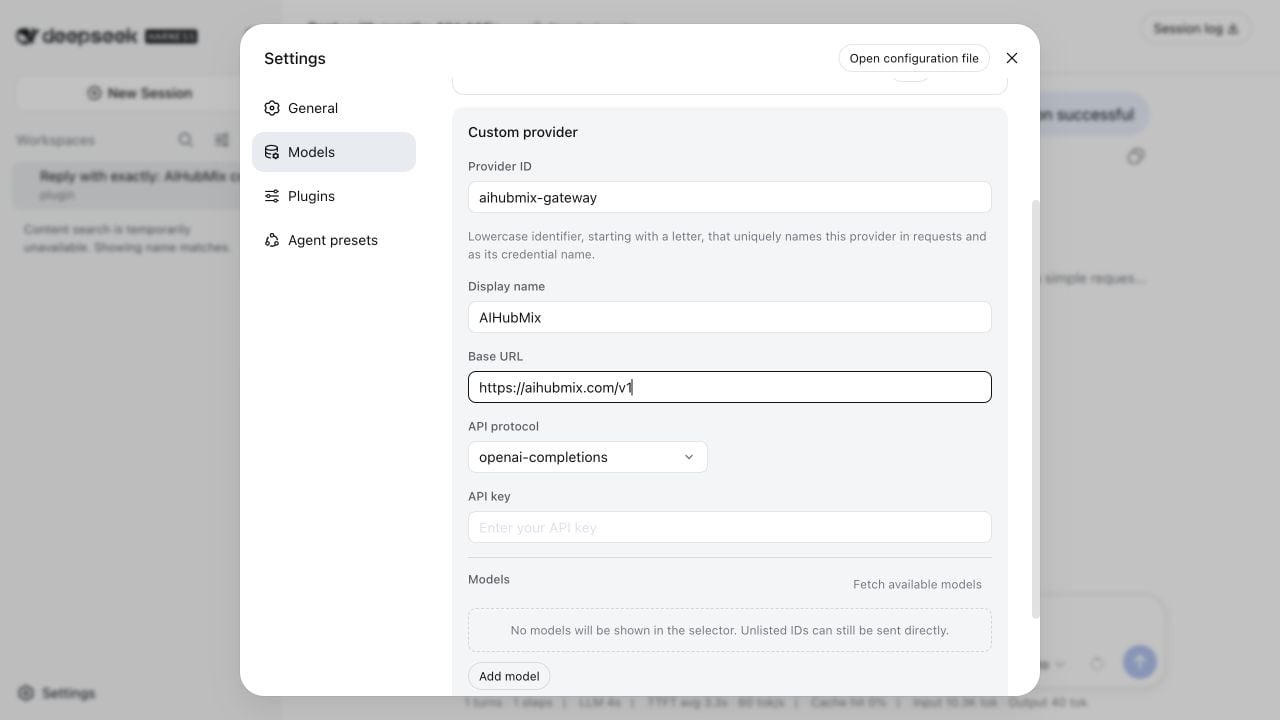 | Field | Recommended value | Notes |
| ------------ | ------------------------- | ----------------------------------------------------------------------------- |
| Provider ID | `aihubmix` | Lowercase identifier; use `aihubmix-gateway` if it is already taken |
| Display name | `AIHubMix` | Name shown in the model selector |
| Base URL | `https://aihubmix.com/v1` | Must include `/v1` |
| API protocol | `openai-completions` | OpenAI Chat Completions compatible protocol |
| API key | Your AIHubMix API key | Harness stores it as a credential and does not show the plaintext value again |
Harness appends `/chat/completions` to the Base URL. The resulting endpoint is:
```text theme={null}
https://aihubmix.com/v1/chat/completions
```
Do not put the full `/chat/completions` path in the Base URL field.
| Field | Recommended value | Notes |
| ------------ | ------------------------- | ----------------------------------------------------------------------------- |
| Provider ID | `aihubmix` | Lowercase identifier; use `aihubmix-gateway` if it is already taken |
| Display name | `AIHubMix` | Name shown in the model selector |
| Base URL | `https://aihubmix.com/v1` | Must include `/v1` |
| API protocol | `openai-completions` | OpenAI Chat Completions compatible protocol |
| API key | Your AIHubMix API key | Harness stores it as a credential and does not show the plaintext value again |
Harness appends `/chat/completions` to the Base URL. The resulting endpoint is:
```text theme={null}
https://aihubmix.com/v1/chat/completions
```
Do not put the full `/chat/completions` path in the Base URL field.
Add auto or another model
After entering the Base URL and API key, select **Fetch available models**. Harness requests `GET https://aihubmix.com/v1/models` and shows the currently available model IDs.
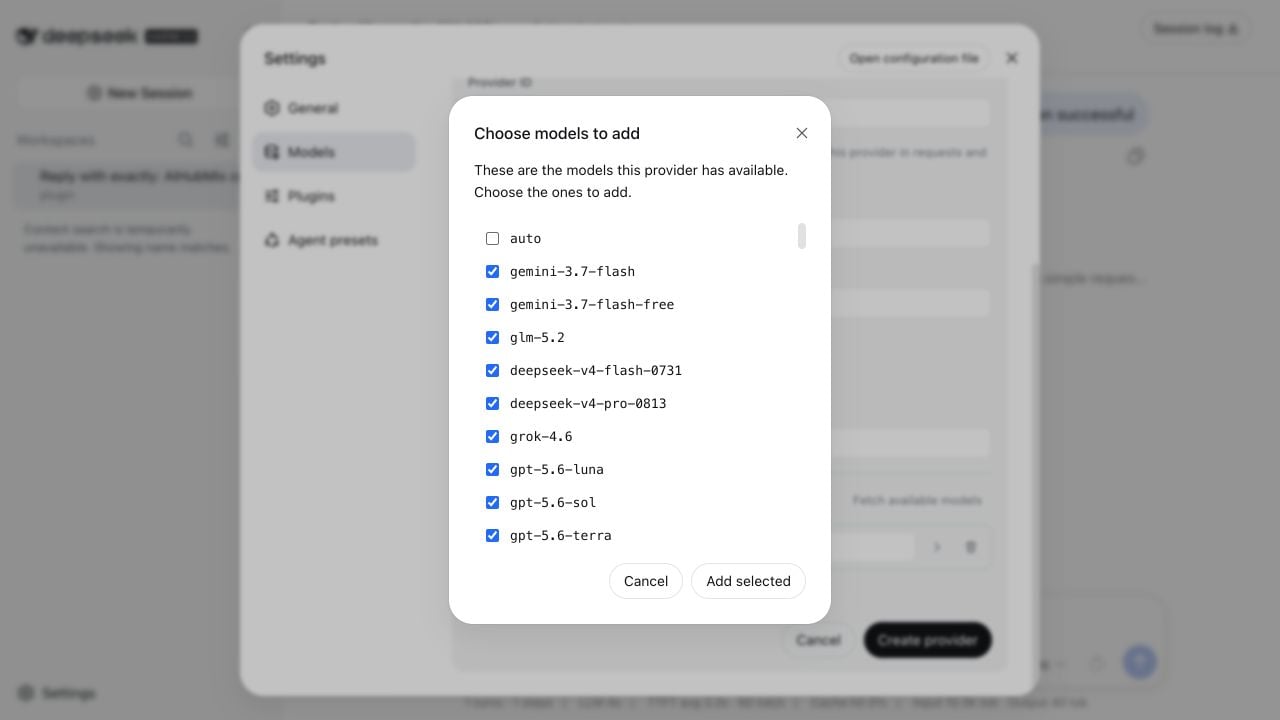 For an initial connection test, you can add only `auto` and set its display name to `Auto`. `auto` is AIHubMix's automatic model selection entry point.
To use a specific model, select it from the fetched list or choose **Add model** and enter the exact model ID. The graphical model selector only shows models registered in the current provider catalog.
For an initial connection test, you can add only `auto` and set its display name to `Auto`. `auto` is AIHubMix's automatic model selection entry point.
To use a specific model, select it from the fetched list or choose **Add model** and enter the exact model ID. The graphical model selector only shows models registered in the current provider catalog.
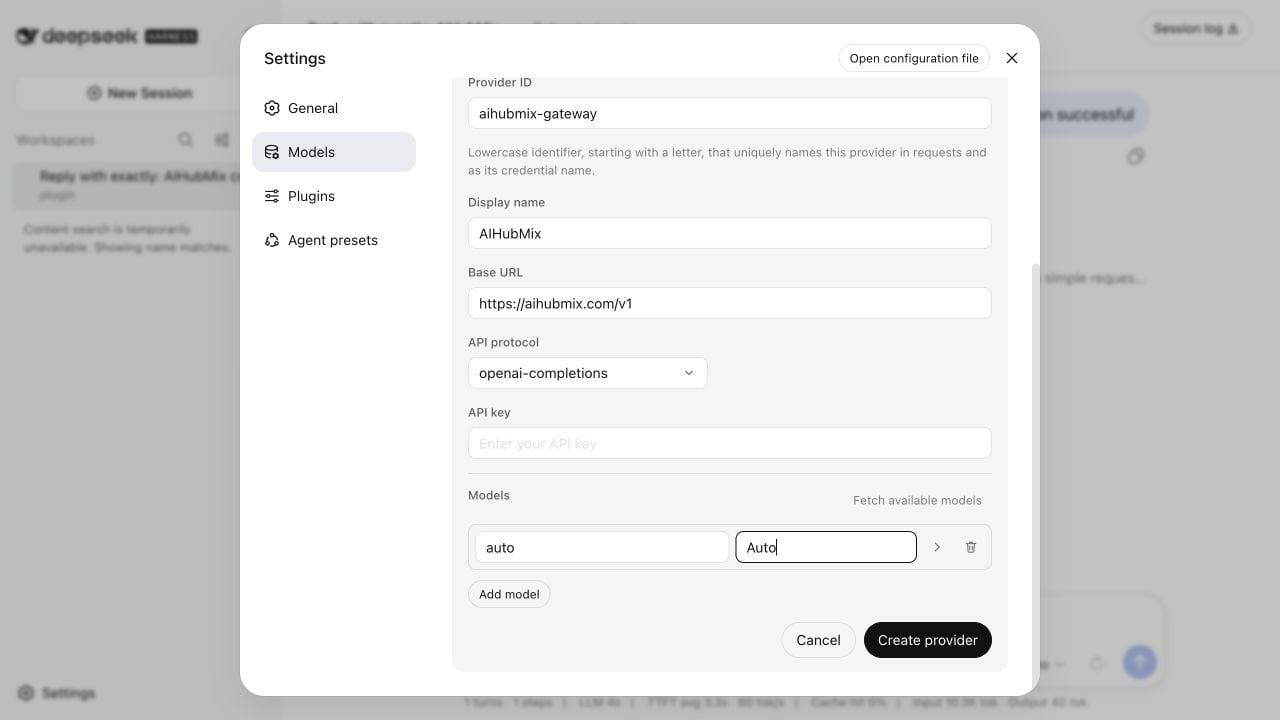 Select **Create provider** to save the configuration.
auto vs specific models
| Choice | When to use it |
| ----------------- | --------------------------------------------------------------------- |
| `auto` | Initial connection tests, or automatic model selection by AIHubMix |
| Specific model ID | A fixed model capability, version, or reproducible result is required |
Both choices use the same provider, Base URL, and API key. Switching models does not require creating the provider again.
Store the API key in an environment variable
For development machines and CI, Harness can reference an environment variable. Edit `$HOME/.dsh/settings.yaml`:
```yaml theme={null}
llm-pi-ai:
providers:
aihubmix:
displayName: AIHubMix
apiKeyEnv: AIHUBMIX_API_KEY
api: openai-completions
baseURL: https://aihubmix.com/v1
models:
- id: auto
name: Auto
contextWindow: 1000000
maxTokens: 32768
agent-default-model:
provider: aihubmix
model: auto
```
Set the key before starting Harness:
```bash theme={null}
export AIHUBMIX_API_KEY='sk-***'
dsh web --port 3080
```
When the key comes from the launch environment, the settings page displays a read-only message without revealing the value.
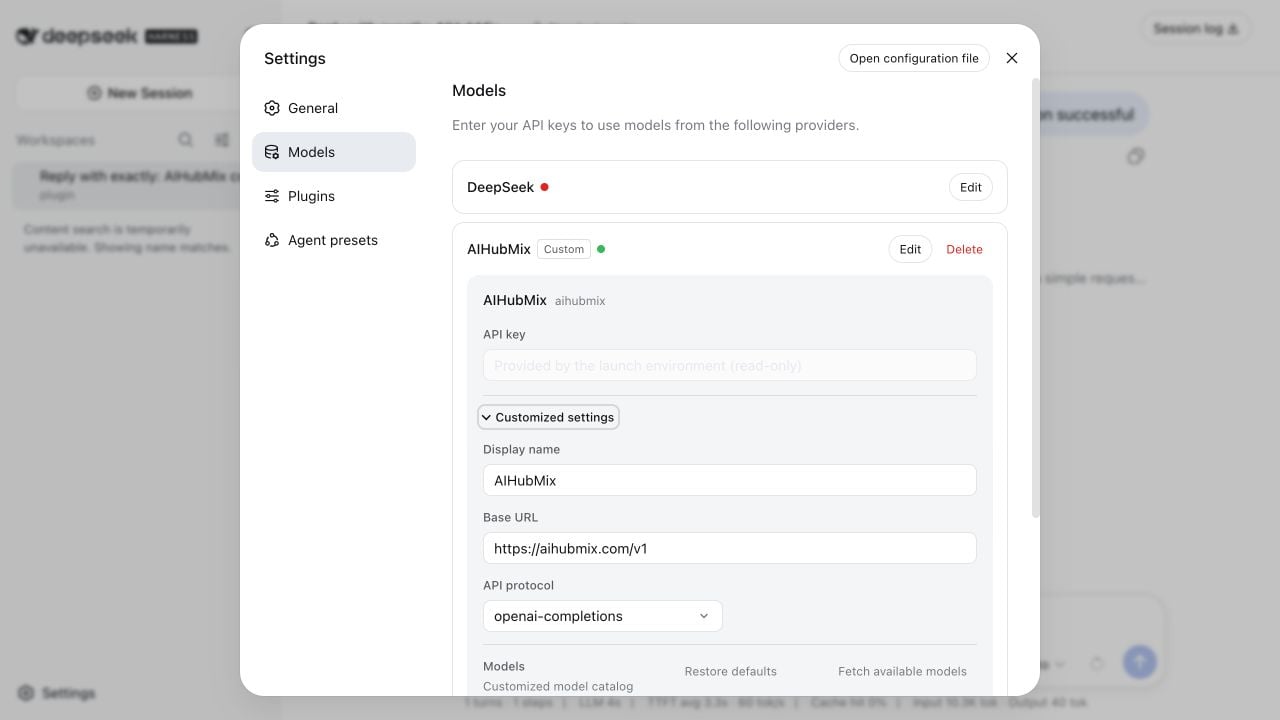 Restart Harness after changing the environment variable.
Select a model and test a conversation
Close Settings, open the model selector at the lower right of the prompt box, and choose **Auto** or another model you added.
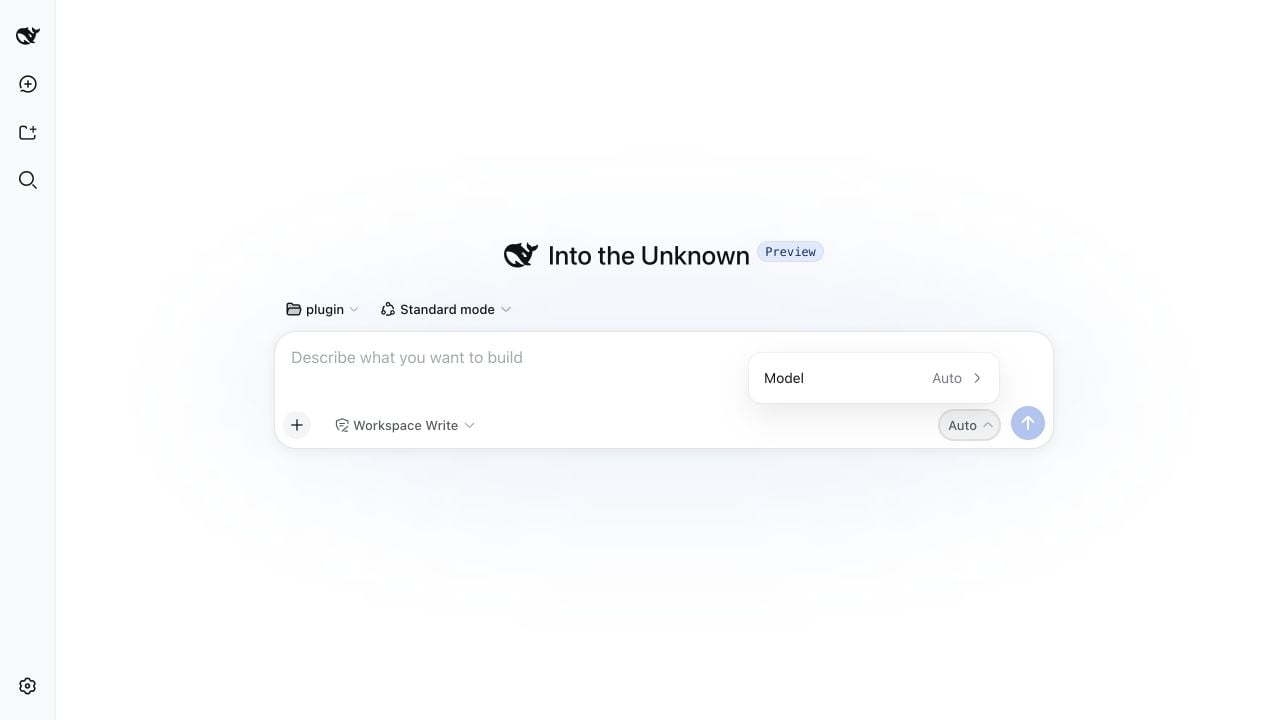 Send a minimal test message:
```text theme={null}
Reply with exactly: AIHubMix connection successful
```
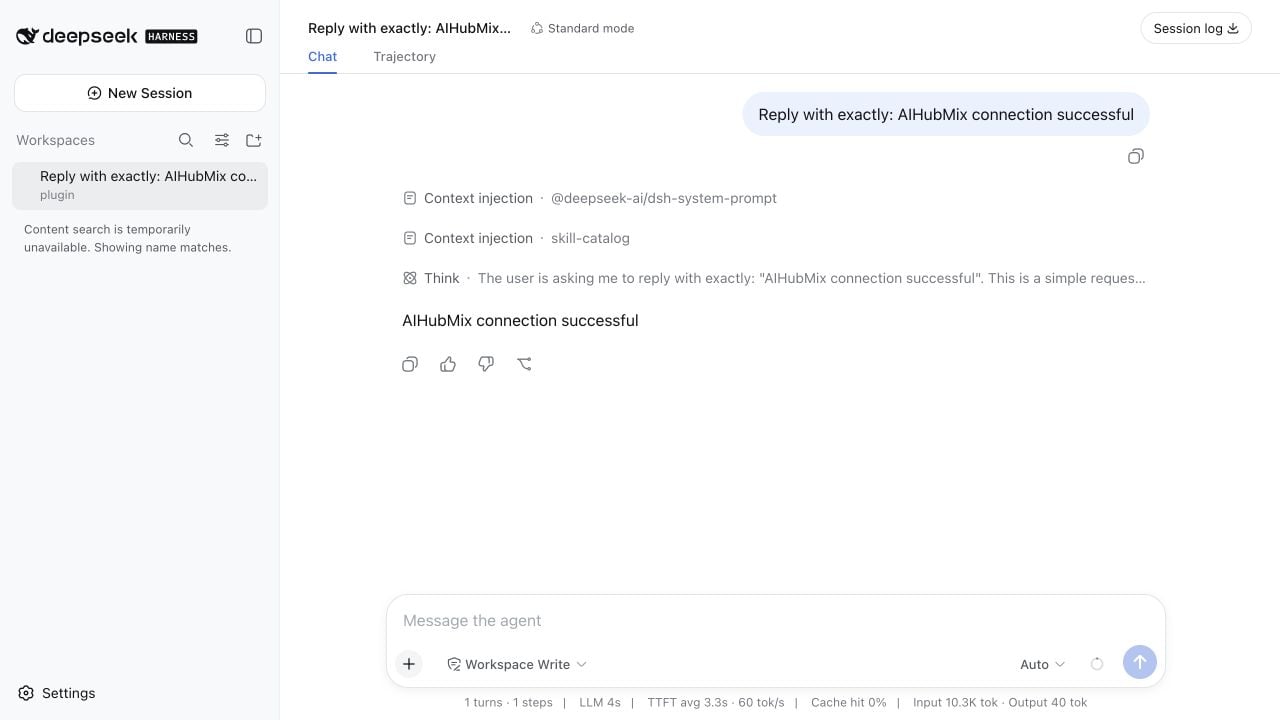
Receiving the expected response confirms the connection between Harness, the OpenAI Chat Completions compatible endpoint, and AIHubMix.
Send a minimal test message:
```text theme={null}
Reply with exactly: AIHubMix connection successful
```
Receiving the expected response confirms the connection between Harness, the OpenAI Chat Completions compatible endpoint, and AIHubMix.
Run a headless test
You can also test without the Web UI:
```bash theme={null}
export AIHUBMIX_API_KEY='sk-***'
dsh --profile headless \
'Reply with exactly DSH_AIHUBMIX_OK and do not use tools.'
```
A successful run prints `DSH_AIHUBMIX_OK`.
FAQ
Why does Harness show MISSING\_CREDENTIAL?
Harness did not receive `AIHUBMIX_API_KEY` from its launch environment. Set the variable and launch Harness from the same terminal:
```bash theme={null}
test -n "$AIHUBMIX_API_KEY" && echo configured
```
Why does model discovery return 401?
Check that the API key is valid and does not contain extra spaces or line breaks. The model discovery request uses Bearer authentication.
Why is Auto the only model in the selector?
The selector shows only models registered in the current provider catalog. Open **Settings > Models > AIHubMix > Edit**, then use **Fetch available models** or add an exact model ID manually.
Why does Harness report UNKNOWN\_MODEL?
The current provider catalog does not contain that model ID. Model IDs are case-sensitive, so use the exact value returned by model discovery.
Why does the connection time out?
Check DNS, your organization network, and local proxy settings. If the browser uses a system proxy but the terminal does not, configure `HTTP_PROXY`, `HTTPS_PROXY`, and `NODE_USE_ENV_PROXY=1` in the terminal that launches `dsh`.
Security guidance
* Do not commit API keys to Git or include them in screenshots and shared scripts
* Prefer Harness credential storage or the `AIHUBMIX_API_KEY` environment variable
* Do not print a complete API key while troubleshooting
* Use the CI platform's secret management feature to inject environment variables
***
Last updated: August 14, 2026