> ## Documentation Index
> Fetch the complete documentation index at: https://docs.aihubmix.com/llms.txt
> Use this file to discover all available pages before exploring further.
# Broadcast
> Send AIHubMix API traces to LangWatch with Broadcast, with controls for privacy mode, sampling rate, and API key filtering.
Broadcast automatically sends traces from AIHubMix API requests to a configured external observability platform. Monitor, debug, and analyze LLM usage in LangWatch without adding instrumentation to your application code.
AIHubMix currently supports LangWatch as a Broadcast destination. After setup, LangWatch shows the model, token usage, actual billed cost, latency, session, and trace information for forwarded calls.
Prerequisites
Before you begin, prepare:
* An active [AIHubMix API key](https://console.aihubmix.com/token)
* A LangWatch account and target Project
* Access to the AIHubMix console
This integration requires the existing `Project API Key` for the target Project. Its format is `sk-lw-*`. Organization-scoped or team-scoped keys and the `pkey_*` credential for a Personal OTLP Endpoint are not supported by this configuration. AIHubMix currently uses the official LangWatch Cloud endpoint and does not support self-hosted instances.
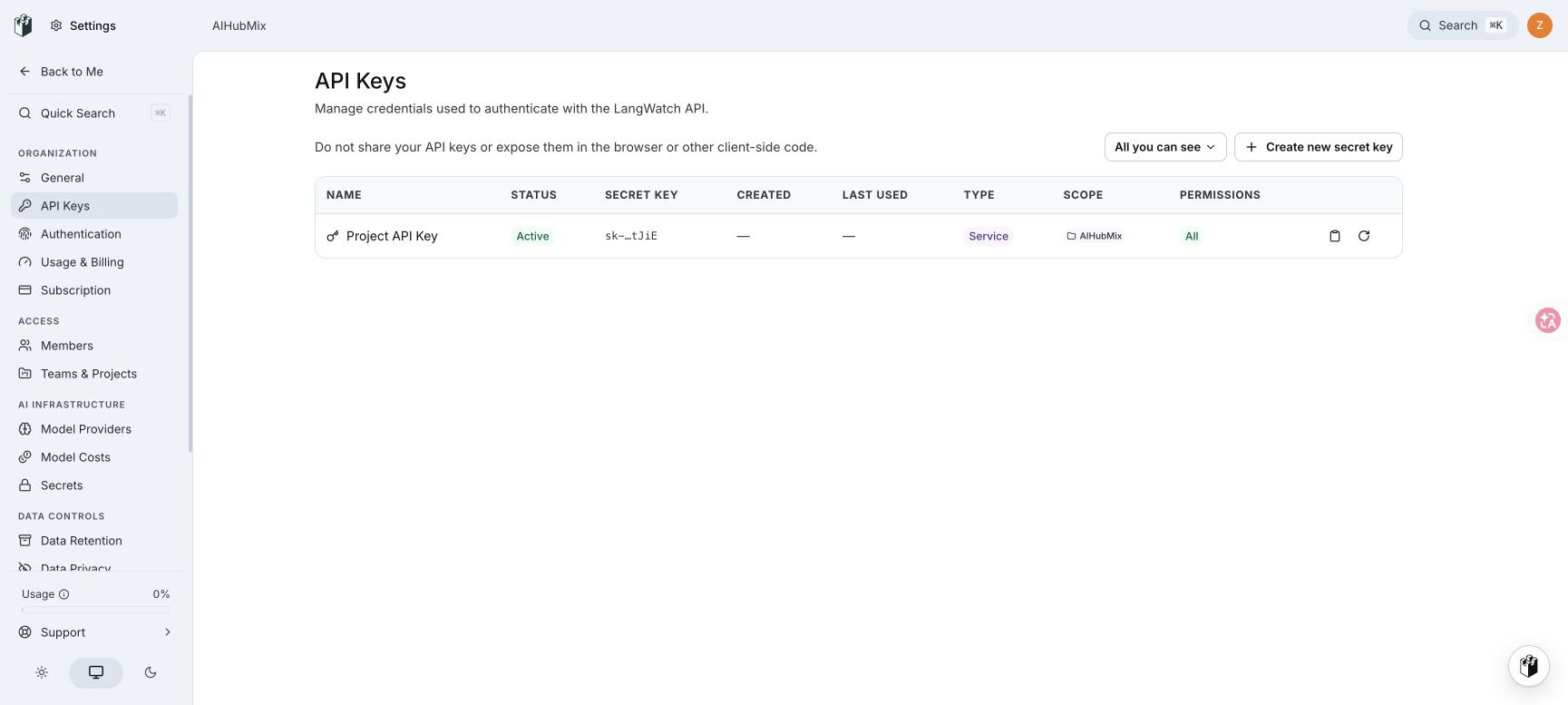
1. Get the LangWatch Project API Key
1. Sign in to [LangWatch](https://app.langwatch.ai/) and select the Project that will receive AIHubMix traces.
2. Open **Settings → API Keys**.
3. Find **Project API Key**. Confirm that its Scope is the target Project, then select the copy button.
You do not need to create a new secret key. AIHubMix uses the Project API Key provided with the Project.
2. Add a LangWatch destination
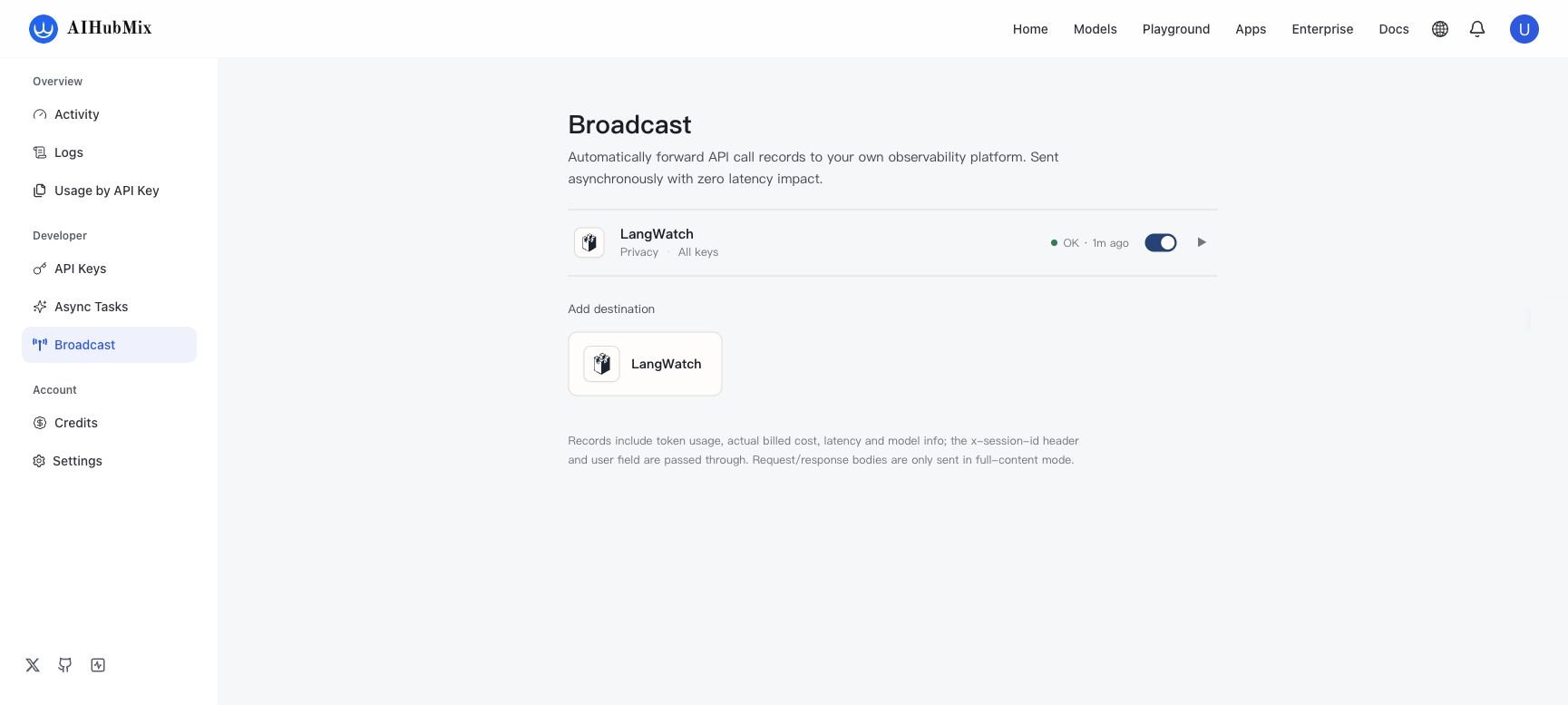
1. Open [AIHubMix Broadcast](https://console.aihubmix.com/observability).
2. Under **Add destination**, select **LangWatch**.
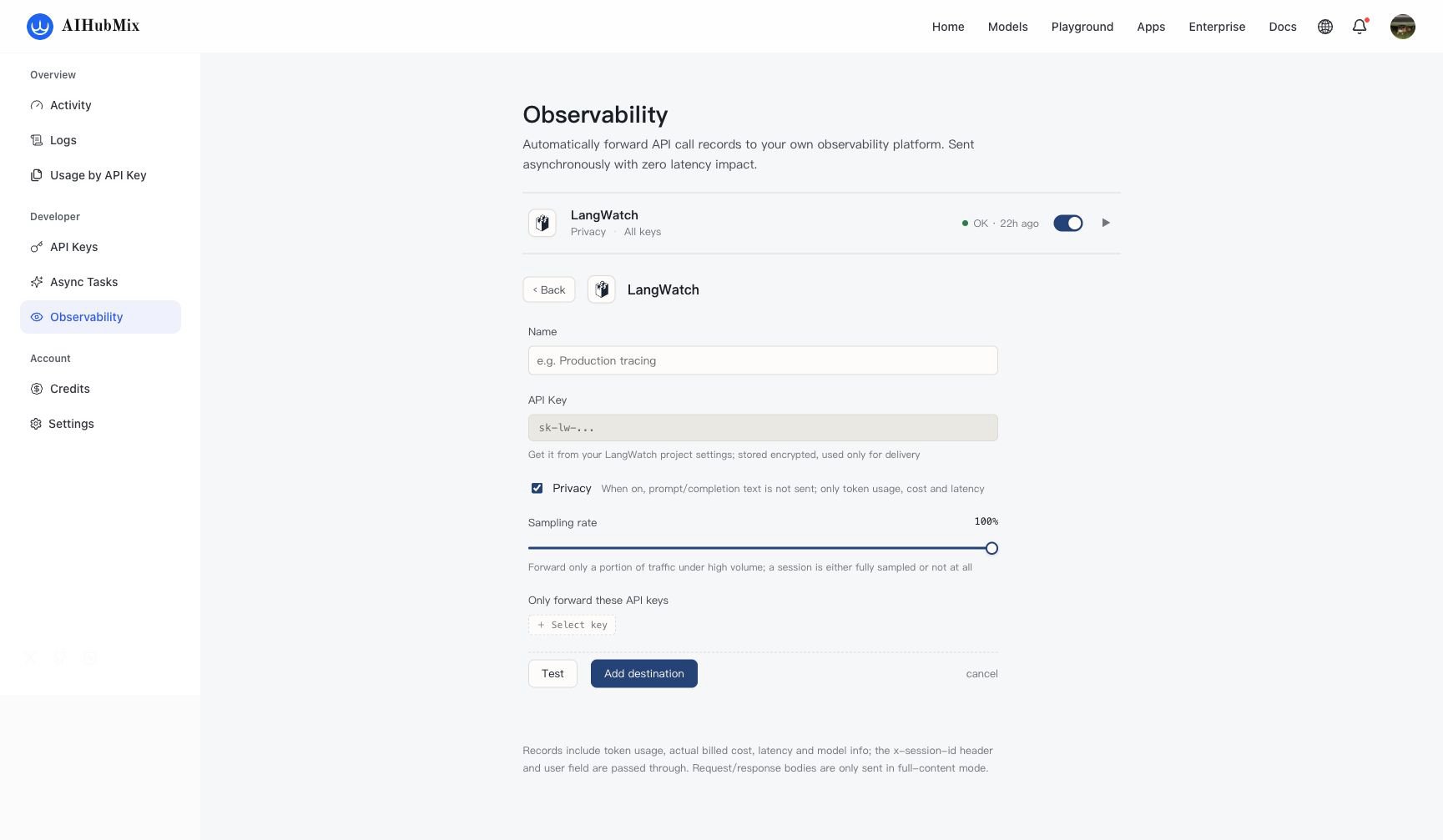
 3. Complete the settings:
| Setting | Description |
| ------------------------------- | ------------------------------------------------------------------------------------------------------------------------------------- |
| **Name** | Enter a recognizable destination name, such as `Production tracing`. |
| **API Key** | Paste the LangWatch Project API Key copied in the previous step. The key is stored encrypted and used only for delivery. |
| **Privacy** | When enabled, prompt and completion text is not sent. Token usage, actual billed cost, latency, and model information are still sent. |
| **Sampling rate** | Set the percentage of traffic to forward. Use `100%` for the initial verification. |
| **Only forward these API keys** | Optional. Select specific AIHubMix API keys to forward. Leave it empty to forward records from all keys. |
The `x-session-id` request header and the request `user` field are passed through with the record and can be used to correlate sessions or users in LangWatch.
3. Complete the settings:
| Setting | Description |
| ------------------------------- | ------------------------------------------------------------------------------------------------------------------------------------- |
| **Name** | Enter a recognizable destination name, such as `Production tracing`. |
| **API Key** | Paste the LangWatch Project API Key copied in the previous step. The key is stored encrypted and used only for delivery. |
| **Privacy** | When enabled, prompt and completion text is not sent. Token usage, actual billed cost, latency, and model information are still sent. |
| **Sampling rate** | Set the percentage of traffic to forward. Use `100%` for the initial verification. |
| **Only forward these API keys** | Optional. Select specific AIHubMix API keys to forward. Leave it empty to forward records from all keys. |
The `x-session-id` request header and the request `user` field are passed through with the record and can be used to correlate sessions or users in LangWatch.
Test and save
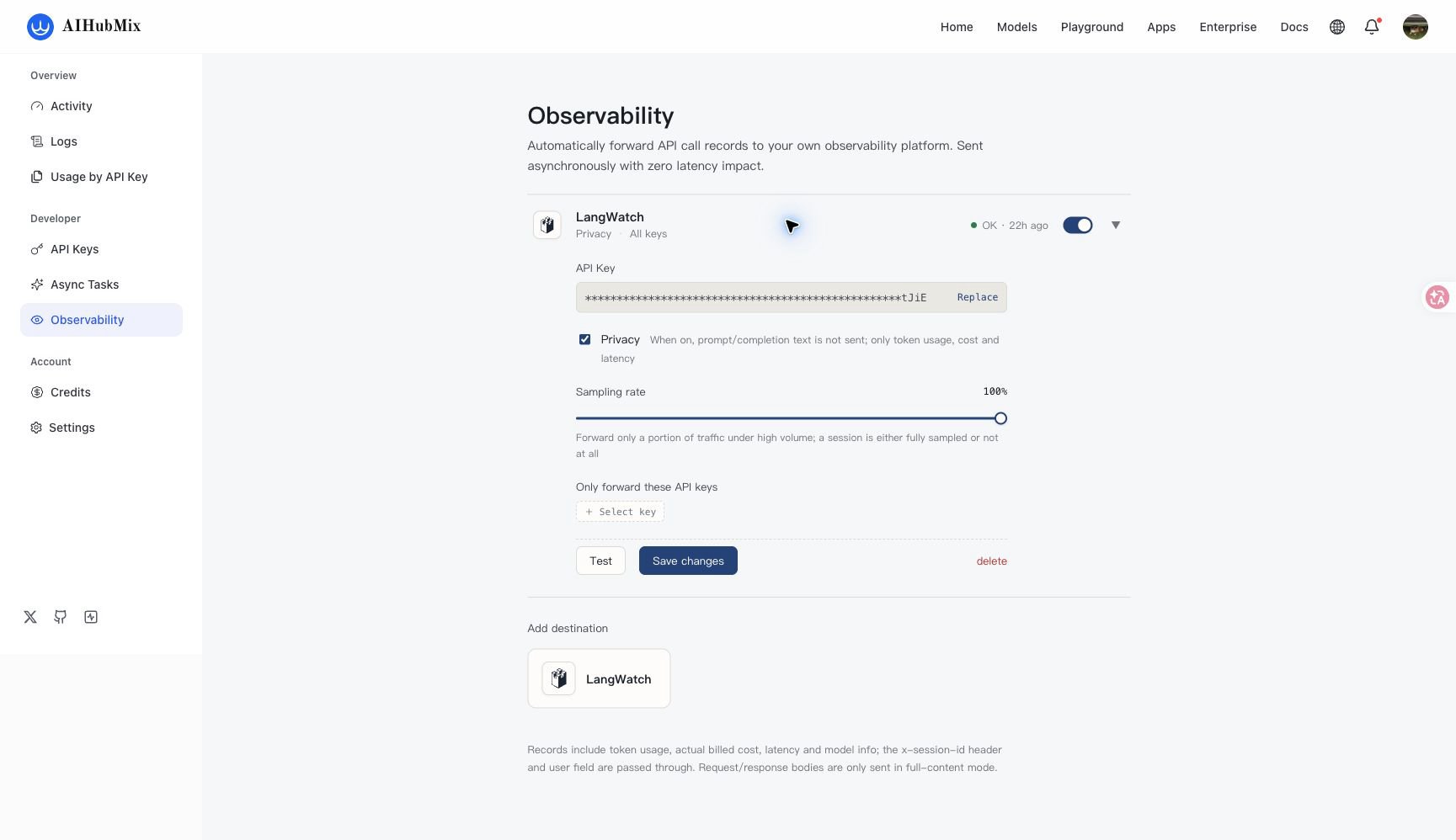
1. Select **Test**. After a successful connection, the button displays **Connected**.
2. Select **Add destination** to save a new destination.
3. Confirm that the destination is enabled and its status is **OK**.
For later configuration changes, select **Save changes**.
3. Send a verification request
Confirm that `AIHUBMIX_API_KEY` is already set in the current shell, then send a normal model request:
```bash cURL theme={null}
curl https://aihubmix.com/v1/chat/completions \
-H "Authorization: Bearer $AIHUBMIX_API_KEY" \
-H "Content-Type: application/json" \
-H "x-session-id: langwatch-tutorial" \
-d '{
"model": "gpt-4o-mini",
"messages": [
{
"role": "user",
"content": "What is the meaning of life?"
}
],
"user": "langwatch-tutorial"
}'
```
Records are delivered asynchronously. A trace can take several seconds to appear in LangWatch after the request completes.
4. Verify the trace in LangWatch
1. Open **Traces** in the target Project.
2. Find the model used by the request, or locate the record through the `x-session-id` or `user` value.
3. Confirm that the record includes latency, cost, token, and model information.
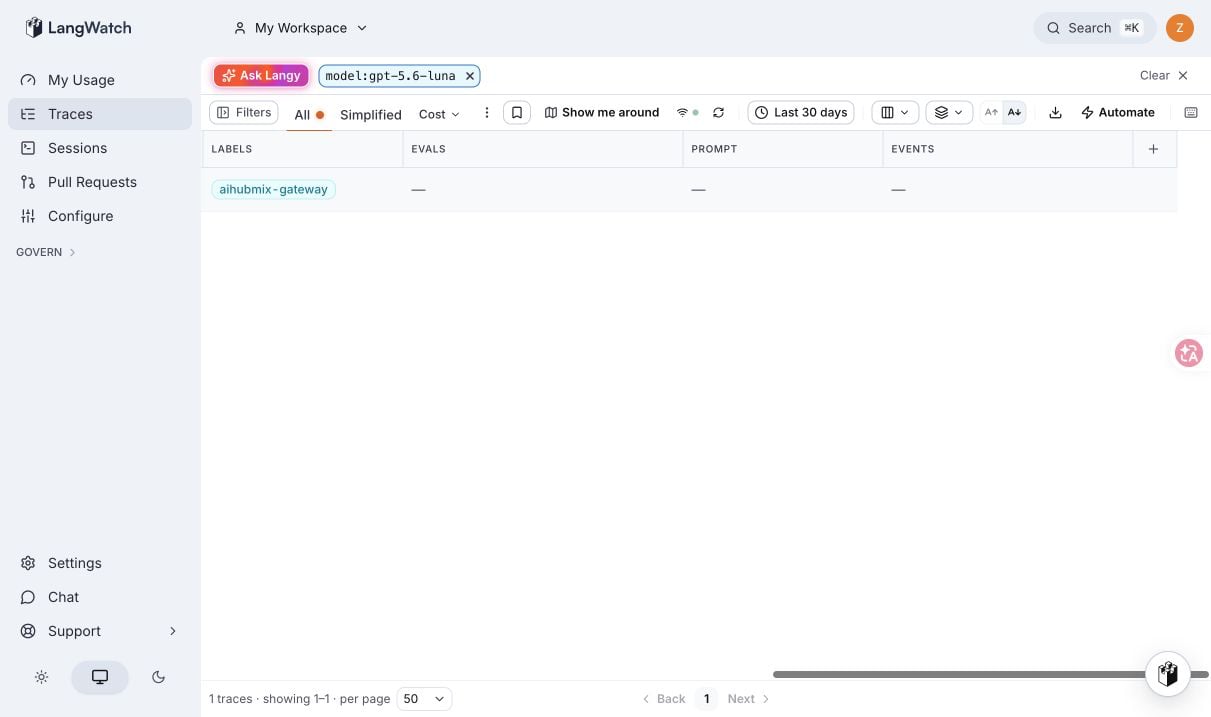
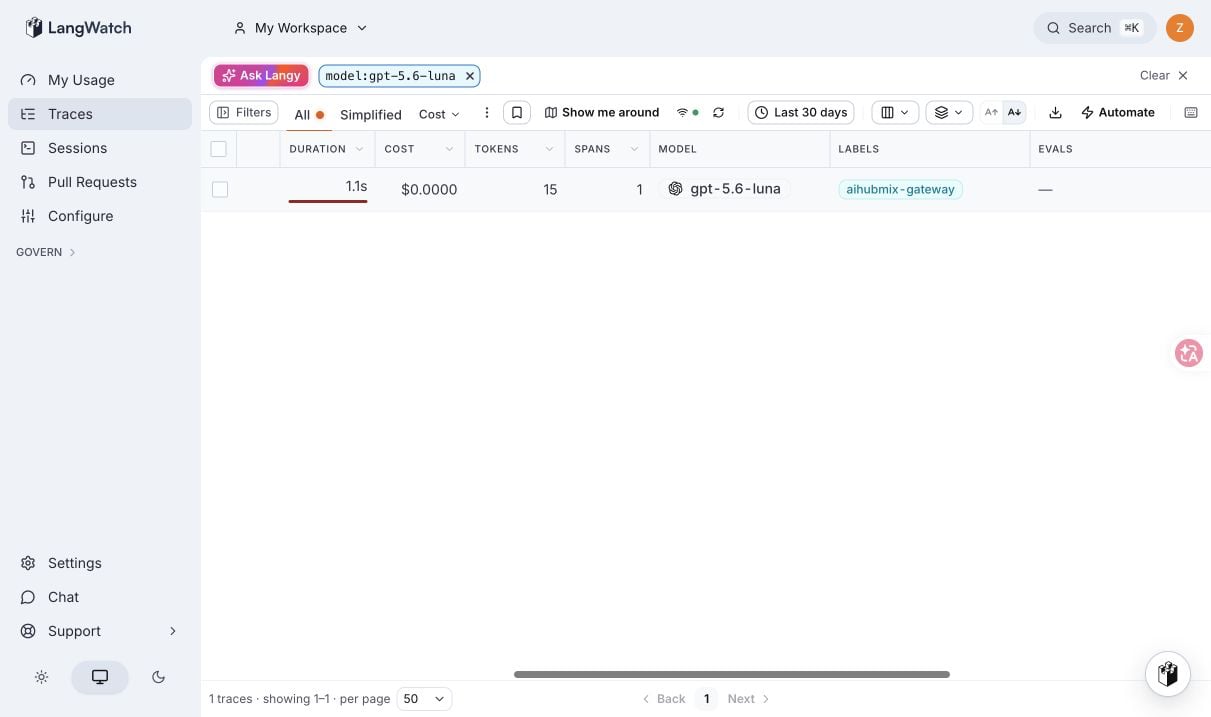 When Privacy is enabled, content columns such as Prompt remain empty while latency, cost, token, and model information remain available.
Troubleshooting
Test returns 401
Confirm that you copied the **Project API Key** from the target Project. Do not use a `pkey_*` credential from a Personal OTLP Endpoint or an organization-scoped or team-scoped key.
The destination is saved but no trace appears
Check each item:
* The destination is enabled and its status is **OK**.
* Sampling rate is greater than `0%`.
* If **Only forward these API keys** is configured, the request uses one of the selected AIHubMix API keys.
* Wait several seconds after the request completes, then refresh LangWatch Traces.
Does Privacy remove metrics?
Privacy stops prompt and completion text from being sent. Token usage, actual billed cost, latency, and model information are still sent.
***
Last updated: 2026-08-25