> ## Documentation Index
> Fetch the complete documentation index at: https://docs.aihubmix.com/llms.txt
> Use this file to discover all available pages before exploring further.
# Eudic Translator
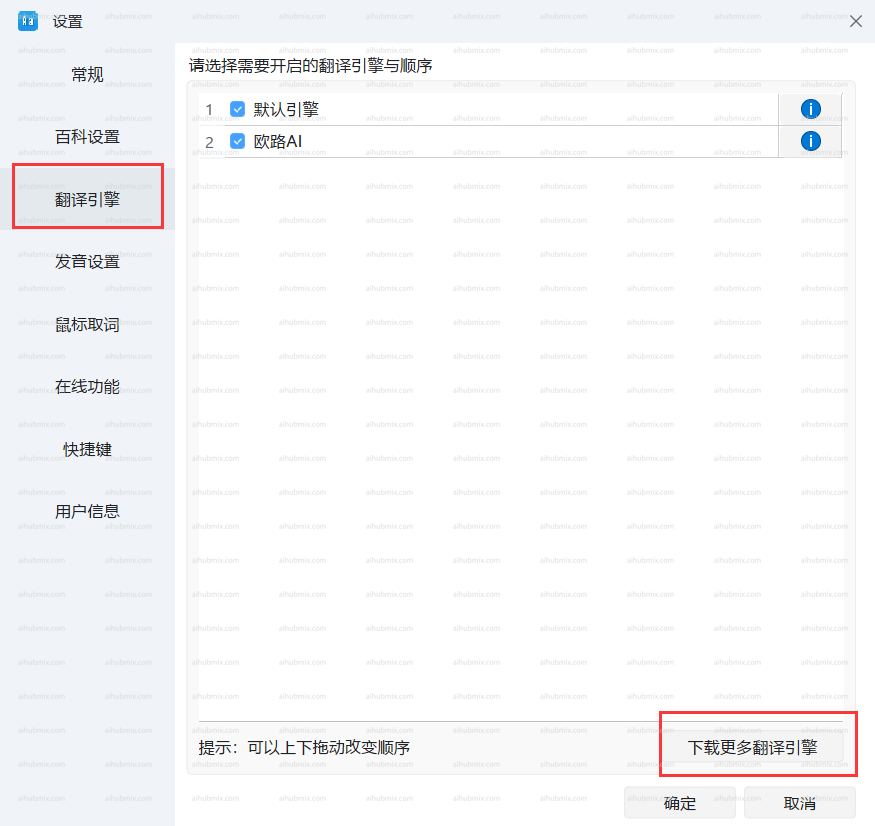
* Klicken Sie unten links auf das Zahnrad-Symbol, um die Einstellungsseite zu öffnen, und wählen Sie dann „Übersetzungs-Engine" und „Weitere Übersetzungs-Engines herunterladen".\\
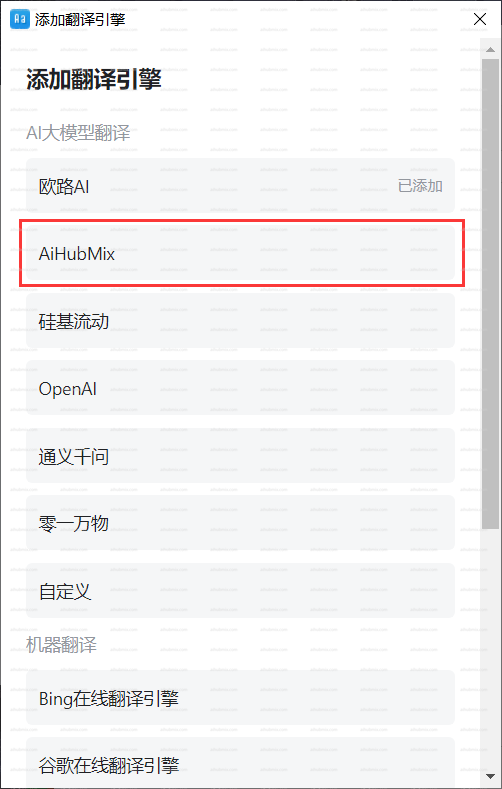
 * Fügen Sie eine Übersetzungs-Engine hinzu und wählen Sie unser AiHubMix.\\
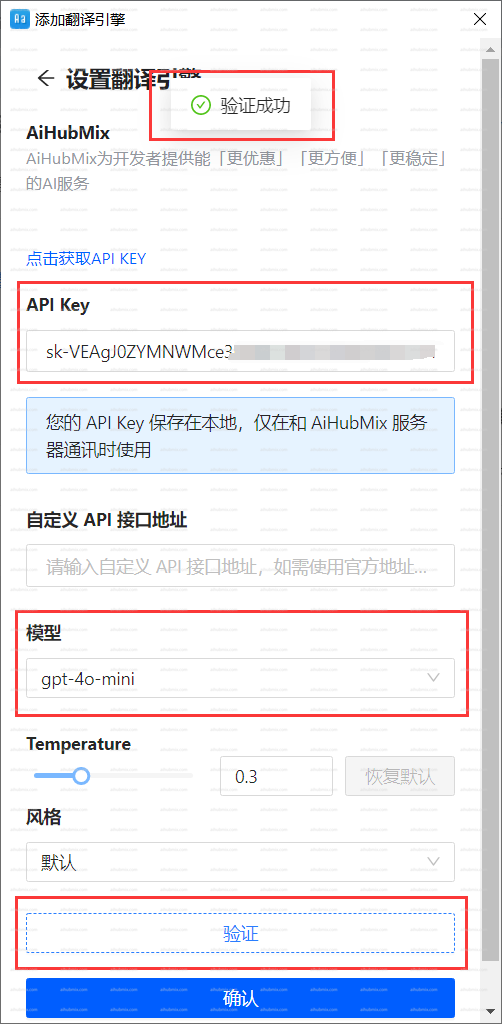
 * Geben Sie den [Schlüssel von unserer Website](https://aihubmix.com/token) in das Feld „API Key" ein.
* Wählen Sie das Modell und klicken Sie auf Authentifizieren. Klicken Sie nach erfolgreicher Verifizierung auf OK.\\
* Geben Sie den [Schlüssel von unserer Website](https://aihubmix.com/token) in das Feld „API Key" ein.
* Wählen Sie das Modell und klicken Sie auf Authentifizieren. Klicken Sie nach erfolgreicher Verifizierung auf OK.\\
 ***
Zuletzt aktualisiert: 2026-06-01
***
Zuletzt aktualisiert: 2026-06-01