 \
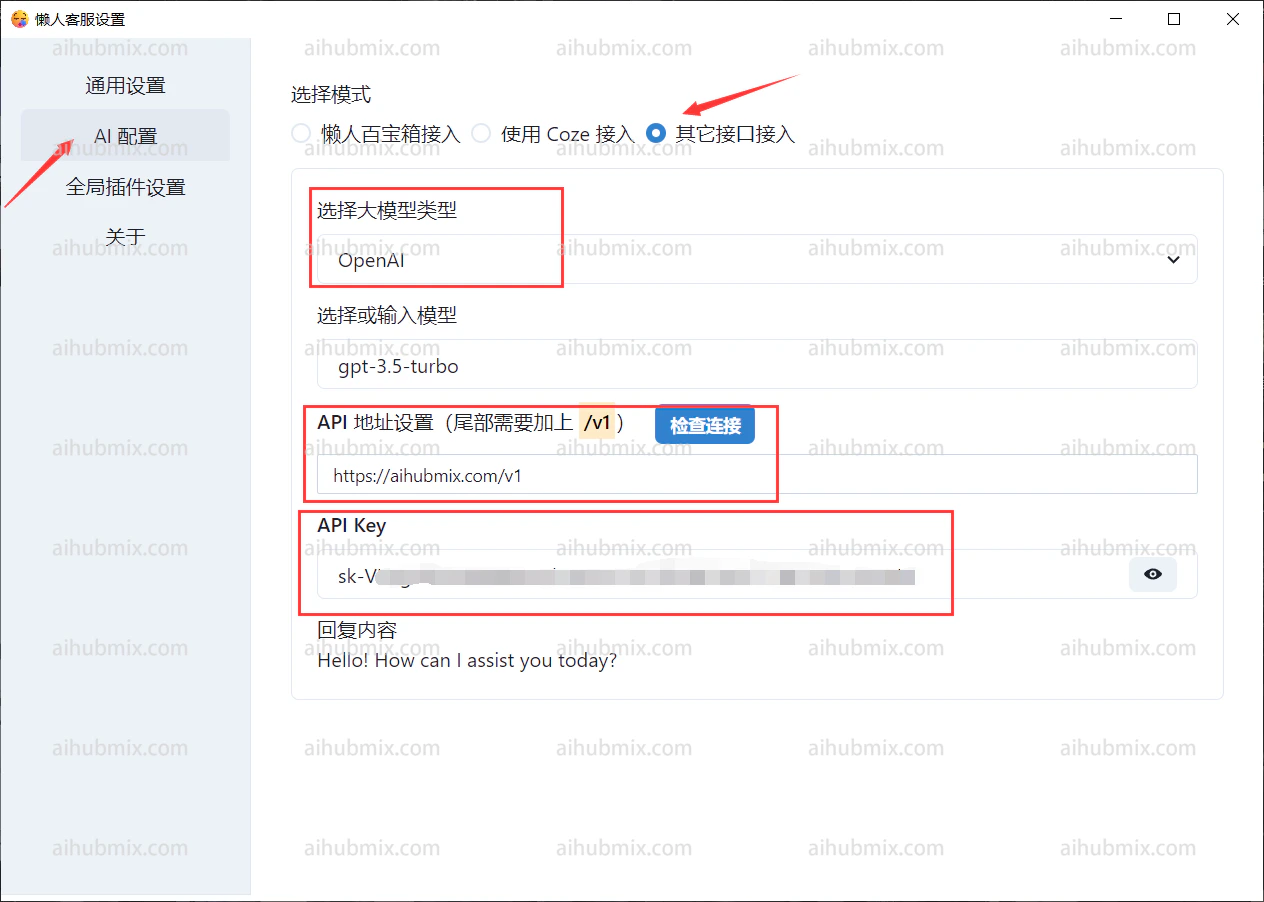
Wählen Sie in der KI-Konfiguration „Andere API-Schnittstelle".\
Setzen Sie die API-URL auf:
```
https://aihubmix.com/v1
```
Generieren Sie den API-Schlüssel über [den Schlüssel unserer Website](https://aihubmix.com/token).\\
\
Wählen Sie in der KI-Konfiguration „Andere API-Schnittstelle".\
Setzen Sie die API-URL auf:
```
https://aihubmix.com/v1
```
Generieren Sie den API-Schlüssel über [den Schlüssel unserer Website](https://aihubmix.com/token).\\
 ***
Zuletzt aktualisiert: 2026-06-01
***
Zuletzt aktualisiert: 2026-06-01