> ## Documentation Index
> Fetch the complete documentation index at: https://docs.aihubmix.com/llms.txt
> Use this file to discover all available pages before exploring further.

# FeelFish

> 在 FeelFish 中接入 AIHubMix：AI 小说写作客户端用单个 API key 接入模型辅助创作。

### 官网

FeelFish 官网：[https://www.feelfish.com](https://www.feelfish.com)

### 配置教程

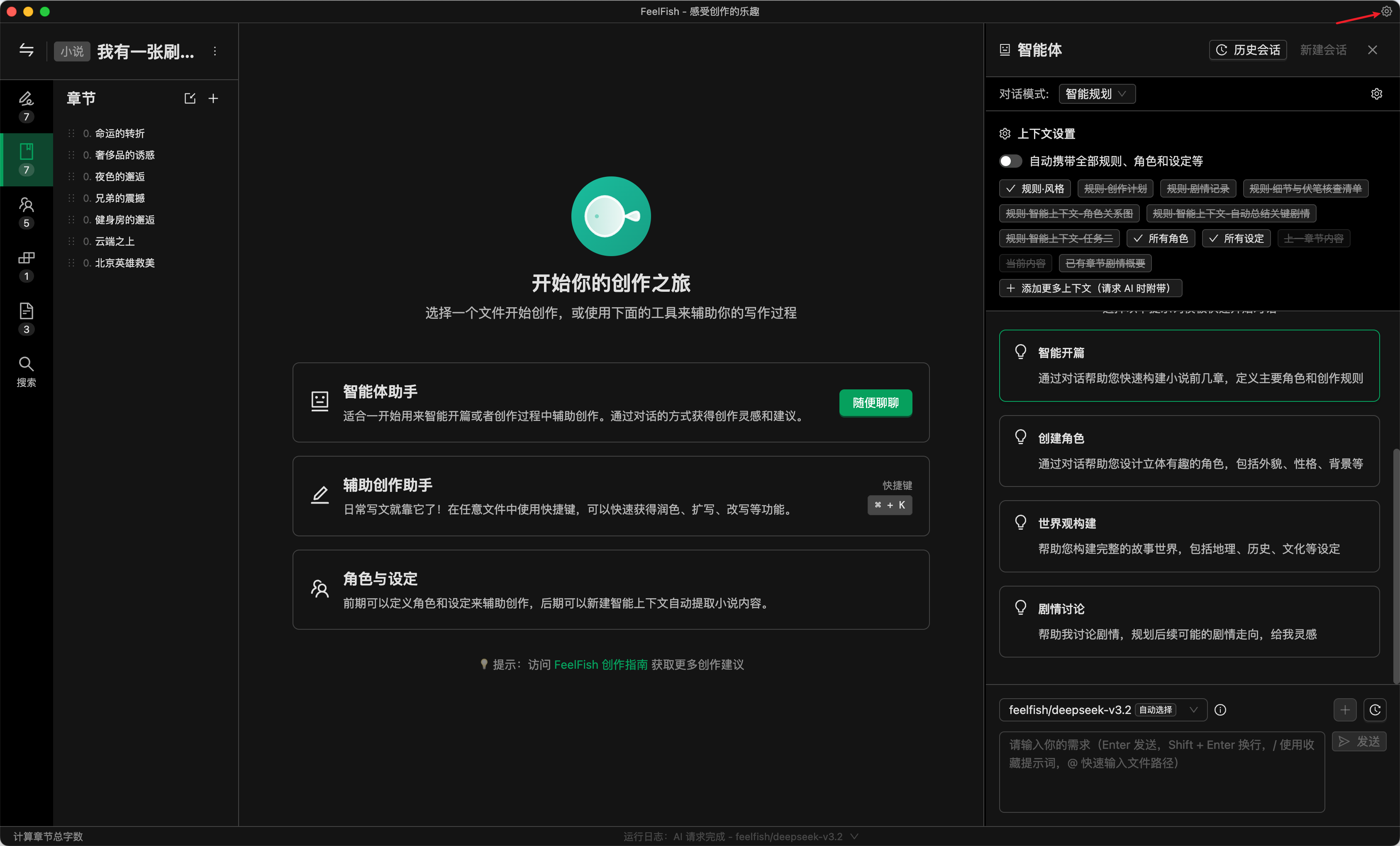
1. 点击右上角设置图标，进入软件设置弹窗。

<img src="https://mintcdn.com/aihubmix/drSnwBGOONu3gqrZ/public/cn/fs-1.png?fit=max&auto=format&n=drSnwBGOONu3gqrZ&q=85&s=efecc20d1eae43f0e8d7b189cdfd4a09" alt="Fs 1 Pn" width="3374" height="2038" data-path="public/cn/fs-1.png" />

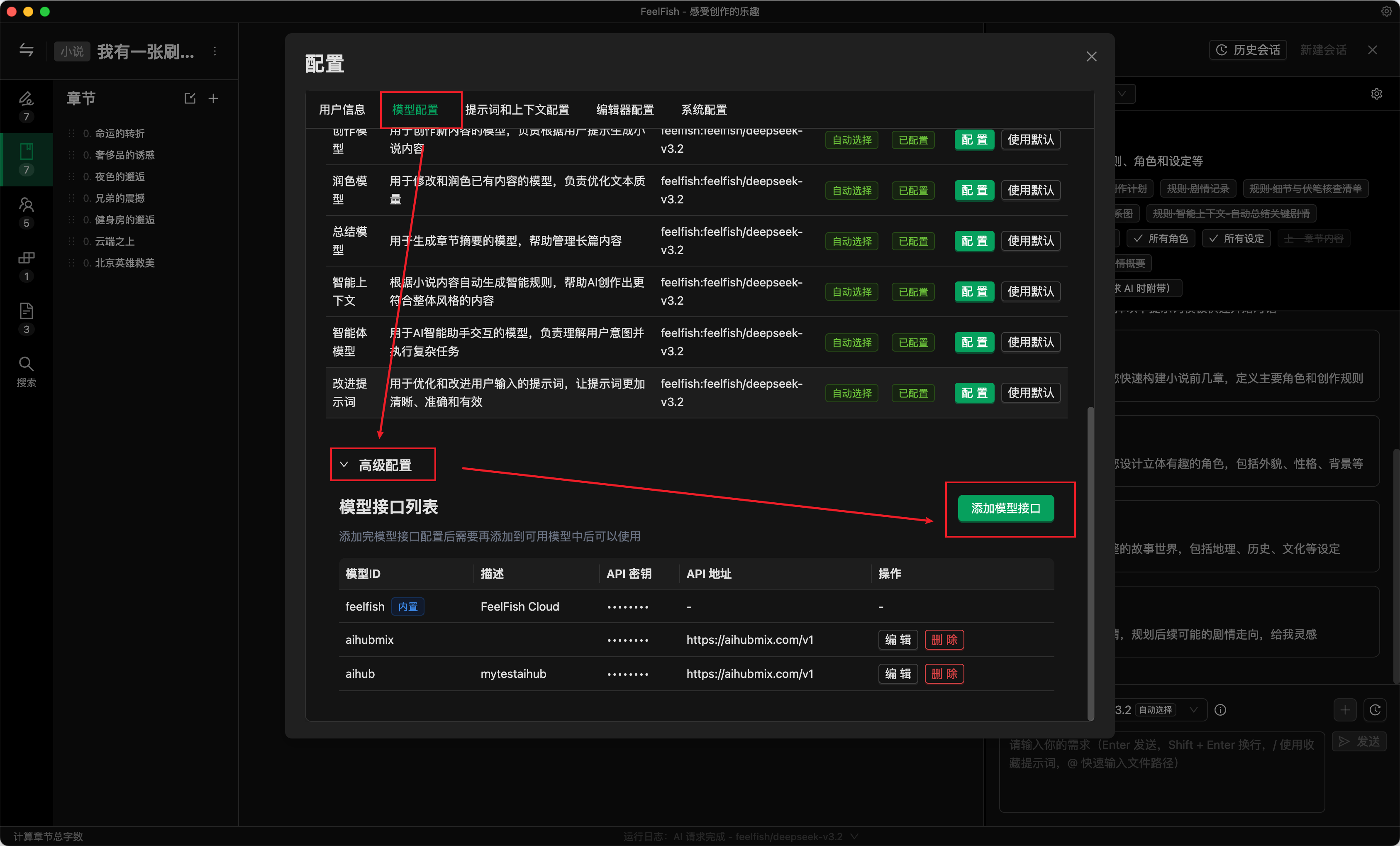
2. 切换到“模型配置”标签，滚动到下面找到高级配置，点击添加模型接口。

<img src="https://mintcdn.com/aihubmix/drSnwBGOONu3gqrZ/public/cn/fs-2.png?fit=max&auto=format&n=drSnwBGOONu3gqrZ&q=85&s=a41655790377c443c8a61f0d5914c825" alt="Fs 2 Pn" width="3374" height="2038" data-path="public/cn/fs-2.png" />

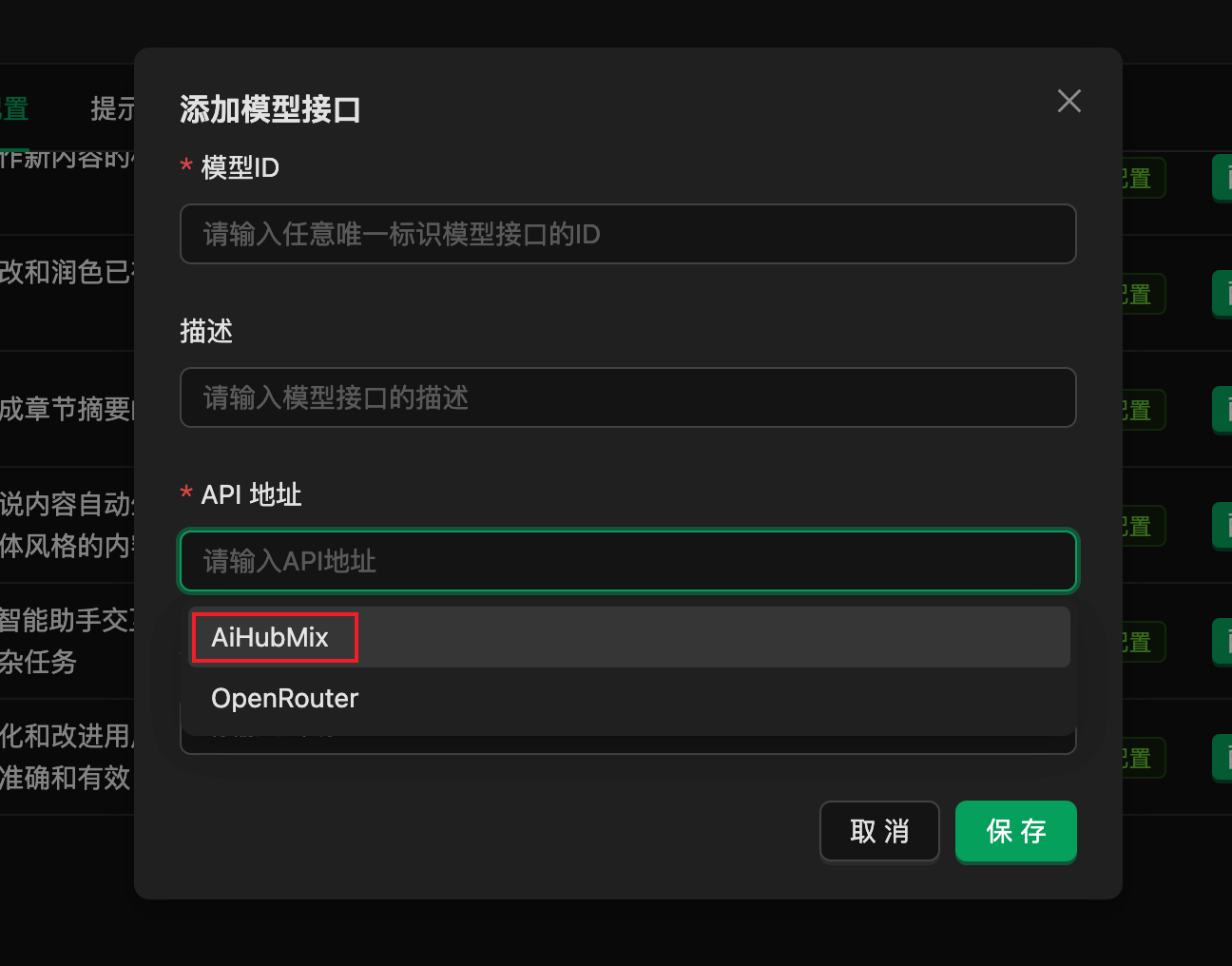
3. 在弹窗中填写相关信息。FeelFish 已预置 AIHubMix 的 API 地址，您仅需输入一个随机 ID 以及在 AiHubMix 平台生成的密钥，随后点击“保存”完成配置。

<img src="https://mintcdn.com/aihubmix/drSnwBGOONu3gqrZ/public/cn/fs-3.png?fit=max&auto=format&n=drSnwBGOONu3gqrZ&q=85&s=f13717b6c35122b264a4f58f0305eb25" alt="Fs 3 Pn" width="1296" height="1016" data-path="public/cn/fs-3.png" />

4. 回到配置栏顶部，添加可用模型。

<img src="https://mintlify.s3.us-west-1.amazonaws.com/aihubmix/public/cn/fs-4.png" alt="Fs 4 Pn" />

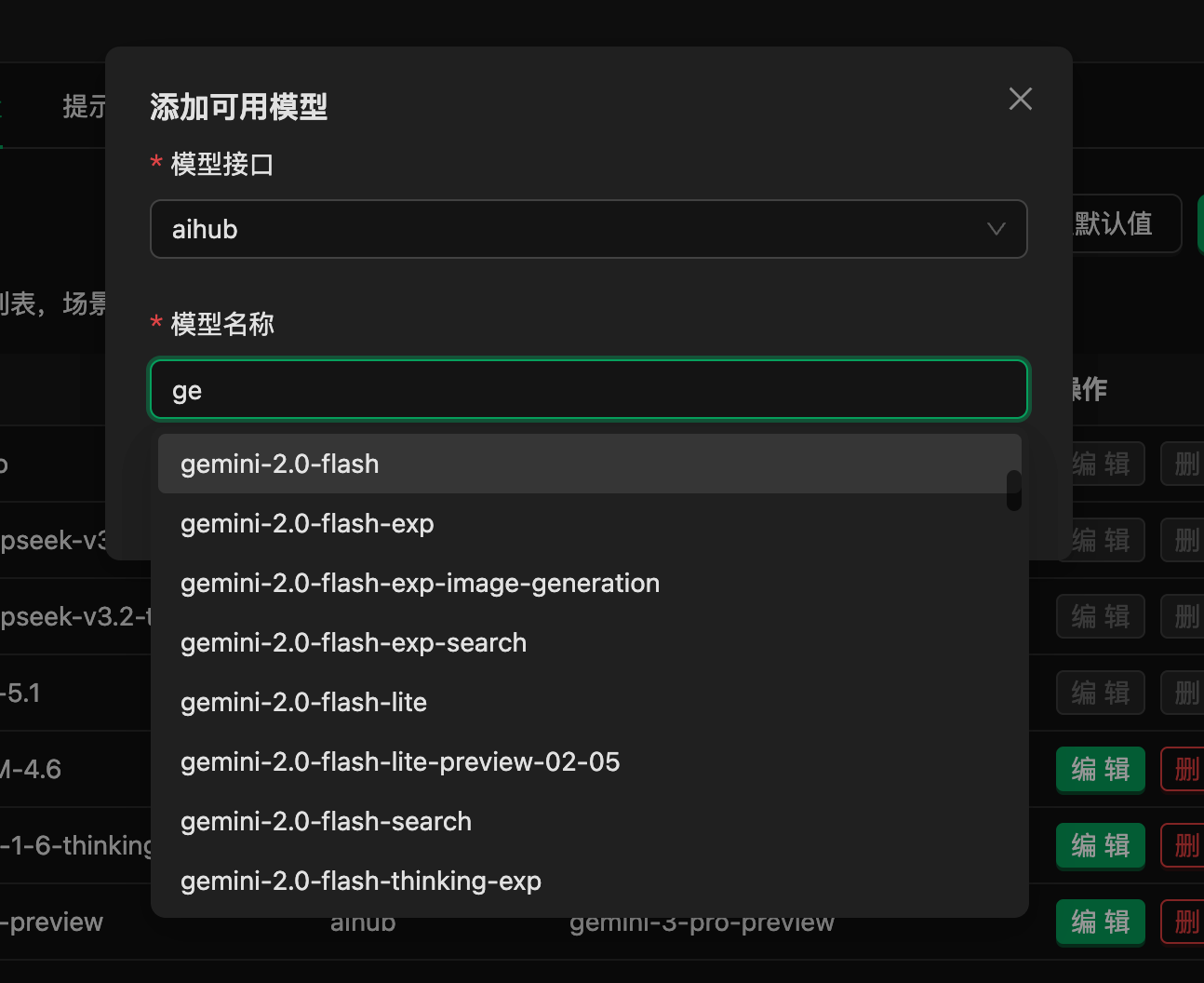
5. 添加AIHubMix中的模型至FeelFish。

<img src="https://mintcdn.com/aihubmix/drSnwBGOONu3gqrZ/public/cn/fs-5.png?fit=max&auto=format&n=drSnwBGOONu3gqrZ&q=85&s=6d88efd9fb496356914b123d53c957ab" alt="Fs 5 Pn" width="1294" height="1056" data-path="public/cn/fs-5.png" />

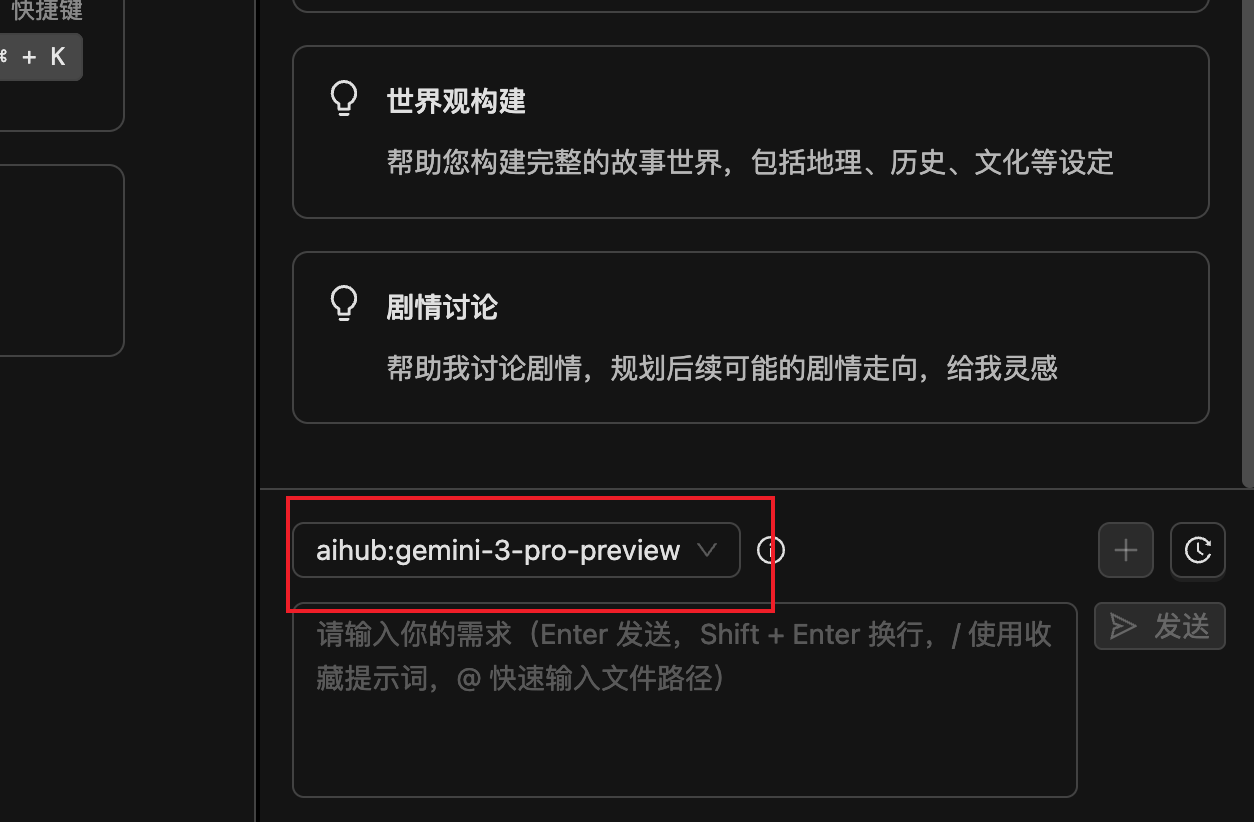
6. 在创作时选择需要的模型即可使用。

## <img src="https://mintcdn.com/aihubmix/drSnwBGOONu3gqrZ/public/cn/fs-6.png?fit=max&auto=format&n=drSnwBGOONu3gqrZ&q=85&s=50fc6a15d074036abd170fc7e0d0698f" alt="Fs 6 Pn" width="1254" height="822" data-path="public/cn/fs-6.png" />

更新时间：2026-06-01