> ## Documentation Index
> Fetch the complete documentation index at: https://docs.aihubmix.com/llms.txt
> Use this file to discover all available pages before exploring further.
# Cursor
> 在 Cursor 中接入 AIHubMix:在 AI 代码编辑器里用单个 API key 跨厂商调用模型,无需在多家服务间切换。
> Cursor 是当前最受欢迎的 AI 优先 IDE 之一,内置 Composer、Agent 模式与 Tab 补全,默认深度集成 Claude 与 GPT 系列模型。本文带你 **3 分钟完成 AIhubmix 接入**,用一个 Key 统一调用 Claude Opus 4.7 / Sonnet 4.6、GPT-4o、Gemini 2.5 等主流模型,并解决 **Cursor 调用 Claude 模型的特殊路由问题**。
***
## 下载并安装 Cursor
### 官方下载地址
| 平台 | 下载地址 |
| --------- | ------------------------------------------------------------ |
| Cursor 官网 | [https://cursor.com/](https://cursor.com/) |
| 各平台安装包 | [https://cursor.com/downloads](https://cursor.com/downloads) |
支持 macOS、Windows、Linux 三大系统。安装包均由官方签名,务必从上述官方渠道下载,避免误装山寨版本。
### 安装后首启动
首次打开 Cursor 时,它会询问是否从 VS Code 导入配置 —— **建议导入**,可以无缝迁移你原有的扩展、主题与快捷键。导入完成后即可进入 AIhubmix 配置流程。
***
## 通常使用方法
* 右上角点击齿轮进入设置页面,选择Models。
* 在Open API key下方输入[本站的Key](https://aihubmix.com/token)。\ 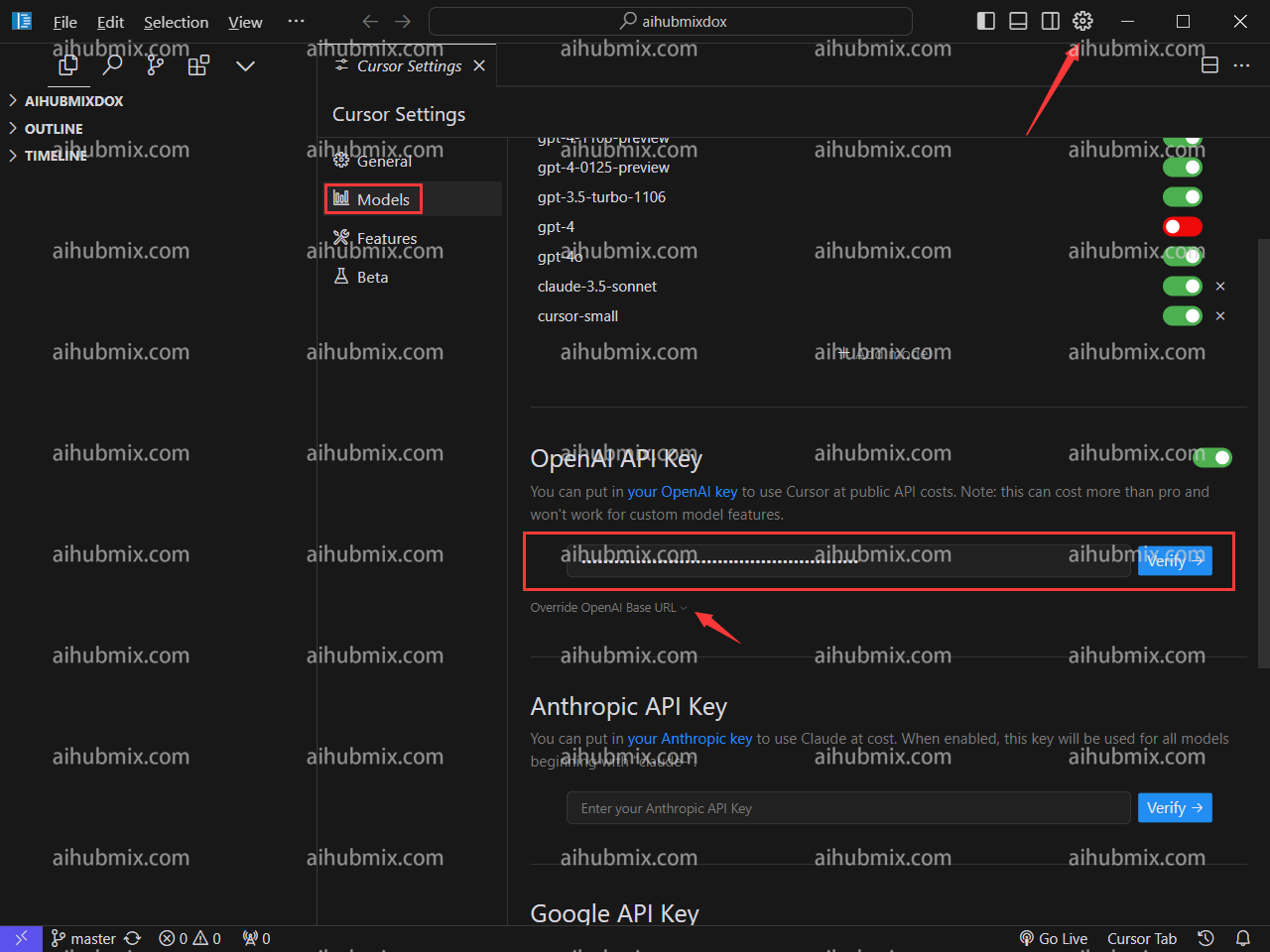 * 点击Override OpenAl Base URL,输入:
```text theme={null}
https://aihubmix.com/v1
```
* 点击Override OpenAl Base URL,输入:
```text theme={null}
https://aihubmix.com/v1
```
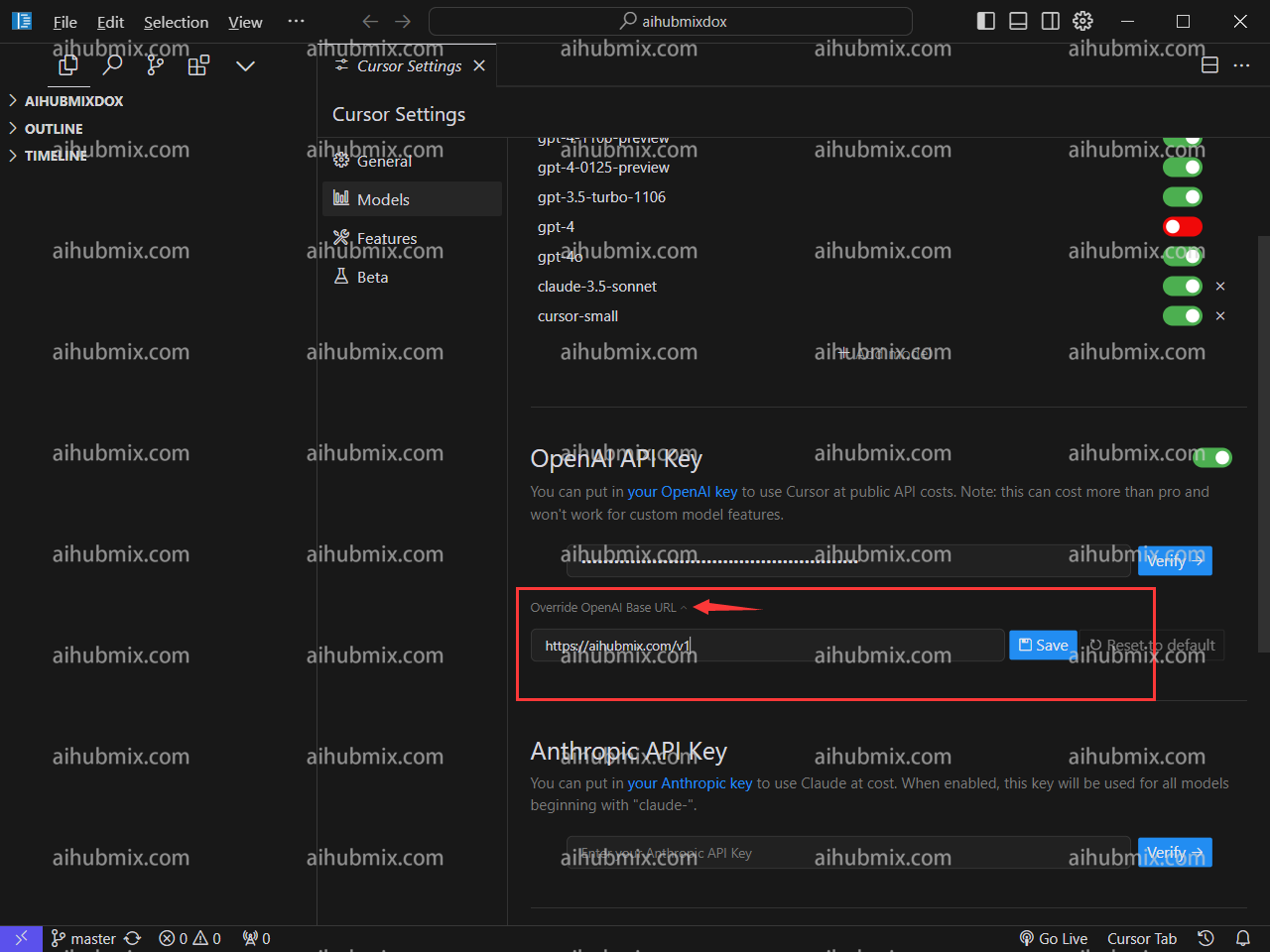 * 最后点击Verify验证通过即可。
## 特殊说明(在Cursor中使用claude-3.5的方法)
由于cursor自动根据请求名请求claude的api接口,所以为了可以通过我们的服务正常使用claude-3.5模型,\
我们新增了一个**anthropic-3-5-sonnet-20240620**的名字来映射到claude-3-5-sonnet-20240620,\
以此来绕过cursor的自动请求,从而通过我们走claude接口。
* 具体使用方法为:在模型列表中添加名为:**anthropic-3-5-sonnet-20240620**的模型。选择启用该模型即可。\
* 最后点击Verify验证通过即可。
## 特殊说明(在Cursor中使用claude-3.5的方法)
由于cursor自动根据请求名请求claude的api接口,所以为了可以通过我们的服务正常使用claude-3.5模型,\
我们新增了一个**anthropic-3-5-sonnet-20240620**的名字来映射到claude-3-5-sonnet-20240620,\
以此来绕过cursor的自动请求,从而通过我们走claude接口。
* 具体使用方法为:在模型列表中添加名为:**anthropic-3-5-sonnet-20240620**的模型。选择启用该模型即可。\ 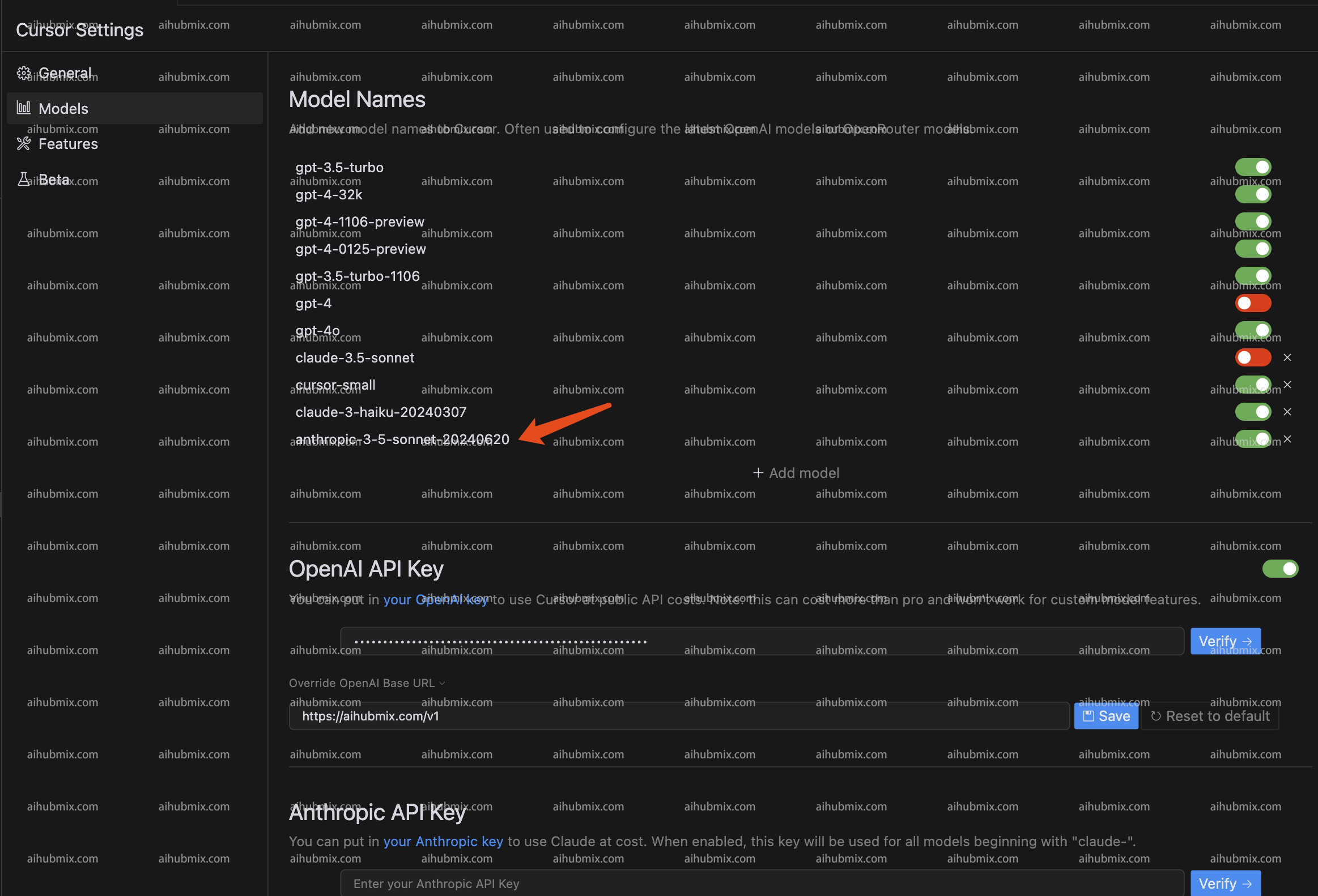 ***
更新时间:2026-06-01
***
更新时间:2026-06-01