> ## Documentation Index
> Fetch the complete documentation index at: https://docs.aihubmix.com/llms.txt
> Use this file to discover all available pages before exploring further.

# Kilo Code

## 插件配置

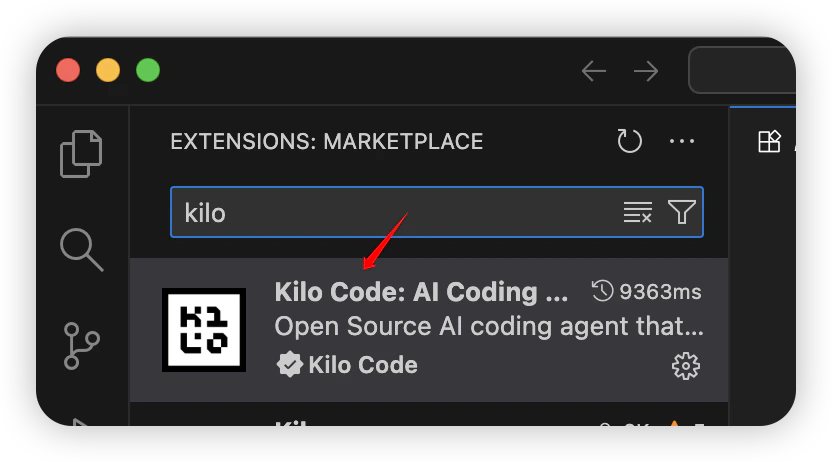
1. 运行 VS Code，安装 Kilo Code。

<Frame>
  <img src="https://mintcdn.com/aihubmix/hsnZJ3bKDY9b0fRA/images/iShot_2026-03-25_15.40.03-1.png?fit=max&auto=format&n=hsnZJ3bKDY9b0fRA&q=85&s=4a234aa28cd1adfb49e210f6fa174c06" alt="I Shot 2026 03 25 15 40 03 1" width="832" height="462" data-path="images/iShot_2026-03-25_15.40.03-1.png" />
</Frame>

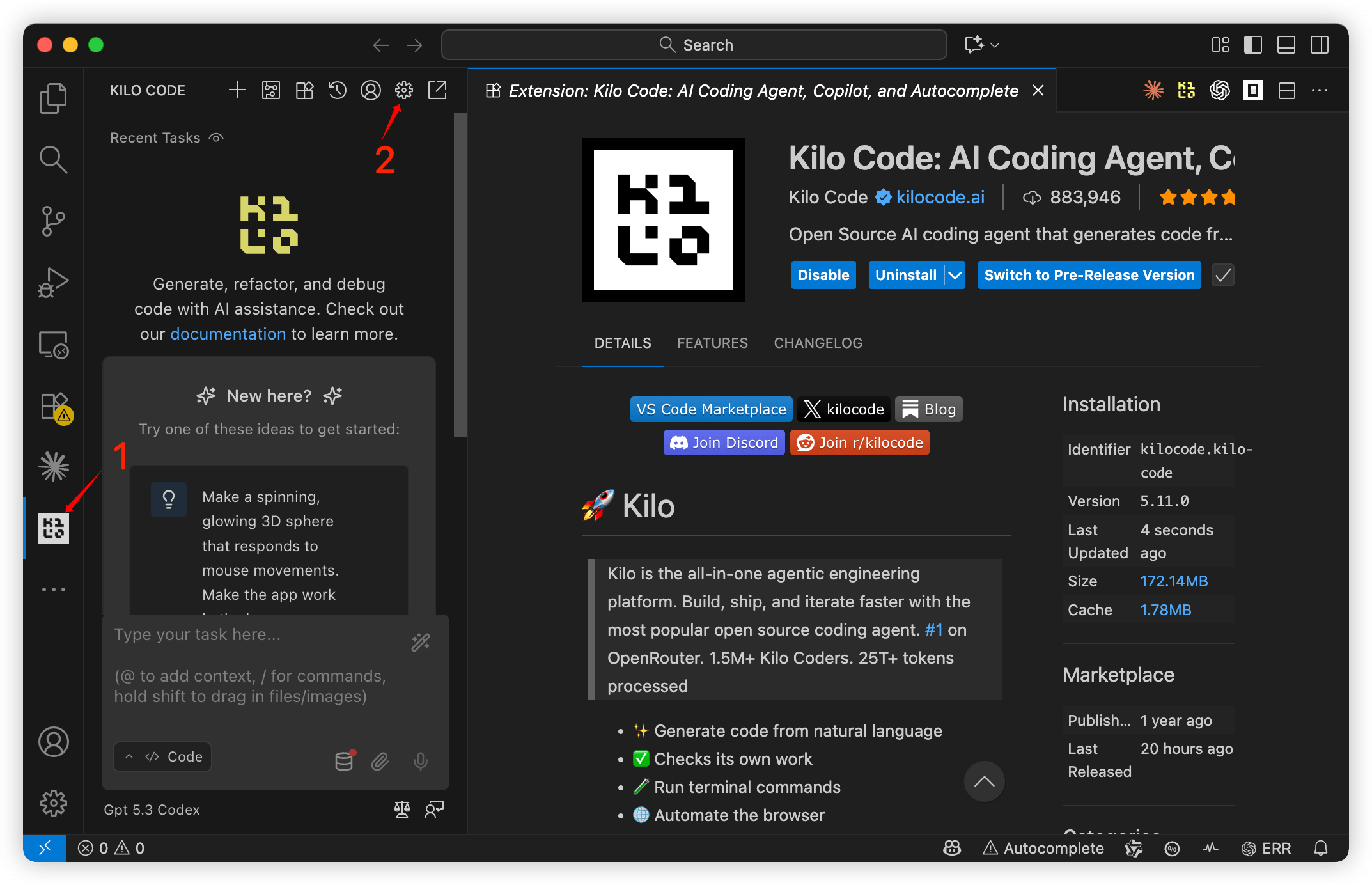
2. 点击 `Kilo Code` 插件图标，进入配置页面。

<Frame>
  <img src="https://mintcdn.com/aihubmix/_9KCLVJtZvMZUdll/images/kilo-code-provider-settings.png?fit=max&auto=format&n=_9KCLVJtZvMZUdll&q=85&s=77913f81c383935603f592bc0f0254b5" alt="微信图片 2026 03 25 154246 867" width="2146" height="1384" data-path="images/kilo-code-provider-settings.png" />
</Frame>

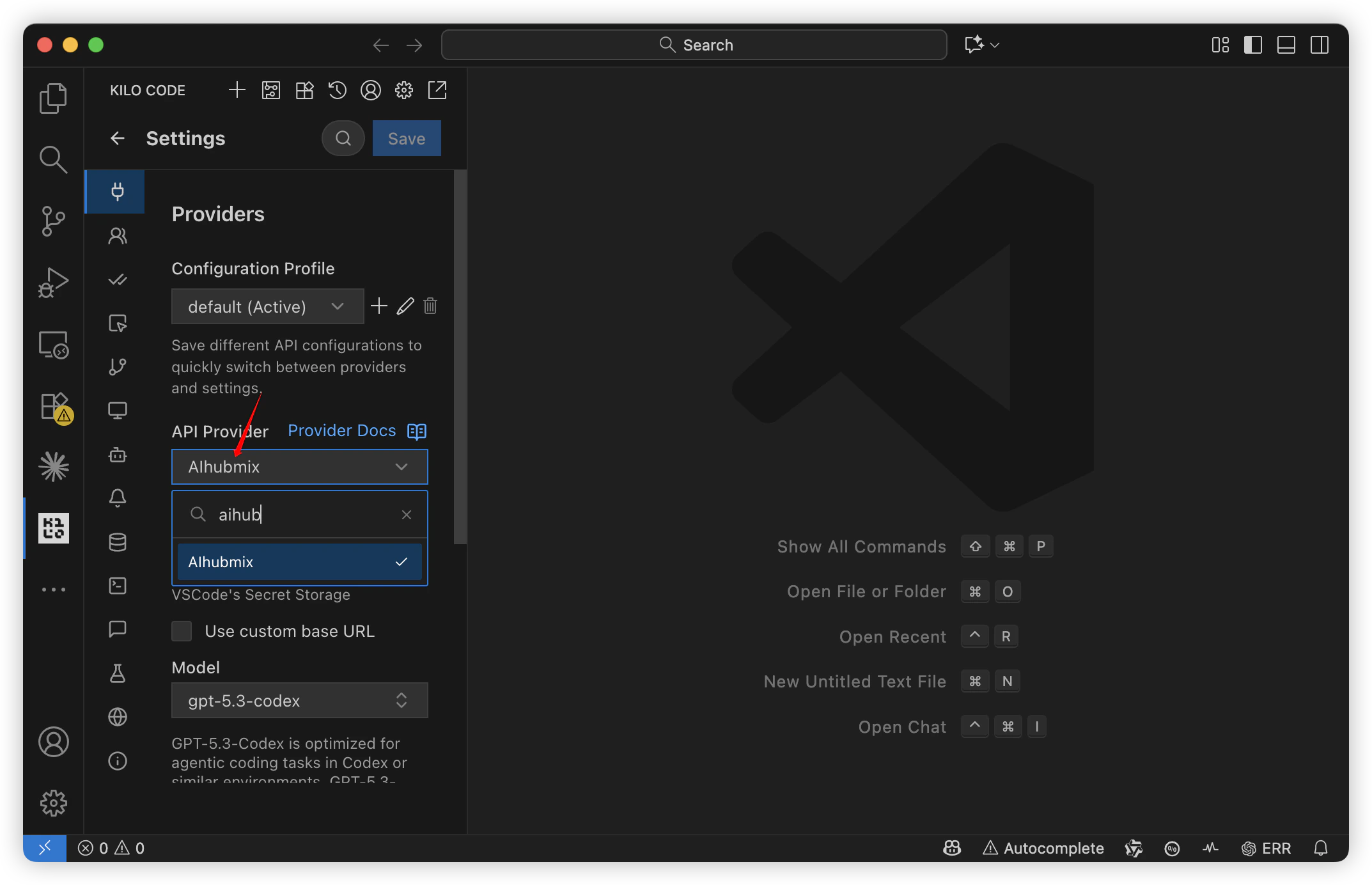
3. 设置 API Provider 为 `AIhubmix` 。

<Frame>
  <img src="https://mintcdn.com/aihubmix/hsnZJ3bKDY9b0fRA/images/iShot_2026-03-25_15.44.58.png?fit=max&auto=format&n=hsnZJ3bKDY9b0fRA&q=85&s=688255b0da76b63ba95b520ecf922712" alt="I Shot 2026 03 25 15 44 58" width="2146" height="1384" data-path="images/iShot_2026-03-25_15.44.58.png" />
</Frame>

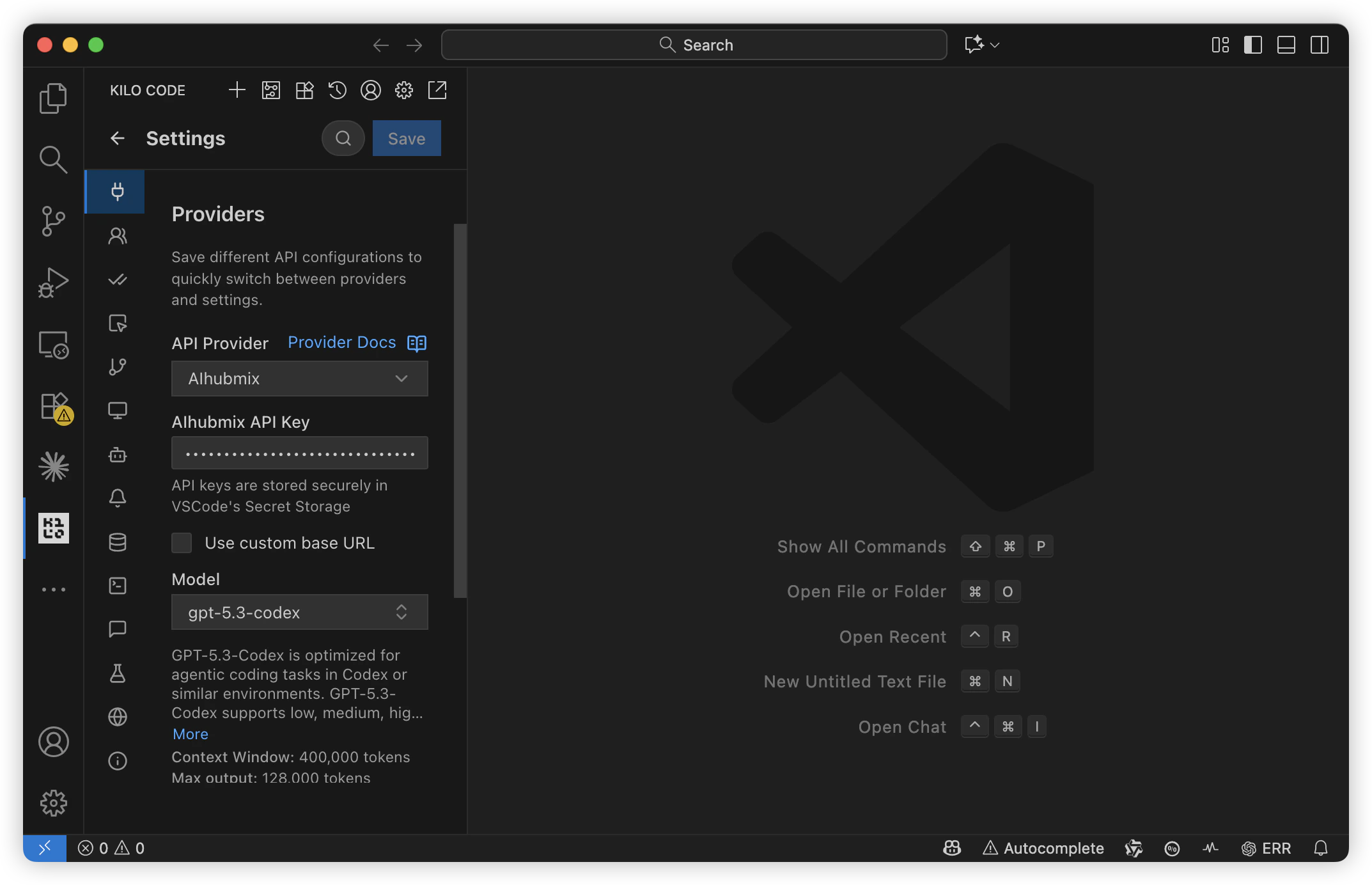
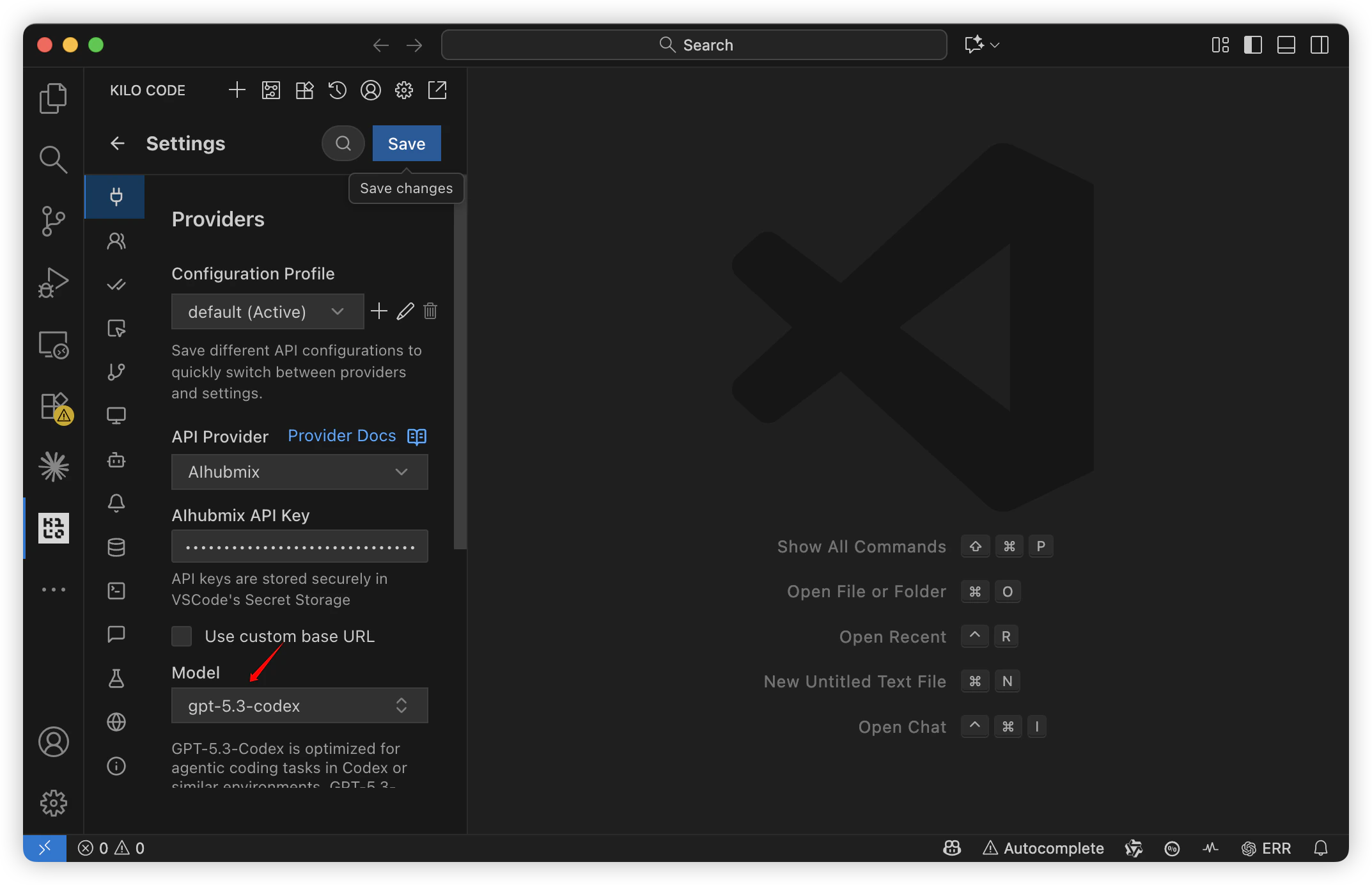
4. 填写 API Key，选择需要使用的模型。

<Frame>
  <img src="https://mintcdn.com/aihubmix/hsnZJ3bKDY9b0fRA/images/iShot_2026-03-25_15.46.39.png?fit=max&auto=format&n=hsnZJ3bKDY9b0fRA&q=85&s=a97bc95268b56debf586c237cc19fae9" alt="I Shot 2026 03 25 15 46 39" width="2146" height="1384" data-path="images/iShot_2026-03-25_15.46.39.png" />
</Frame>

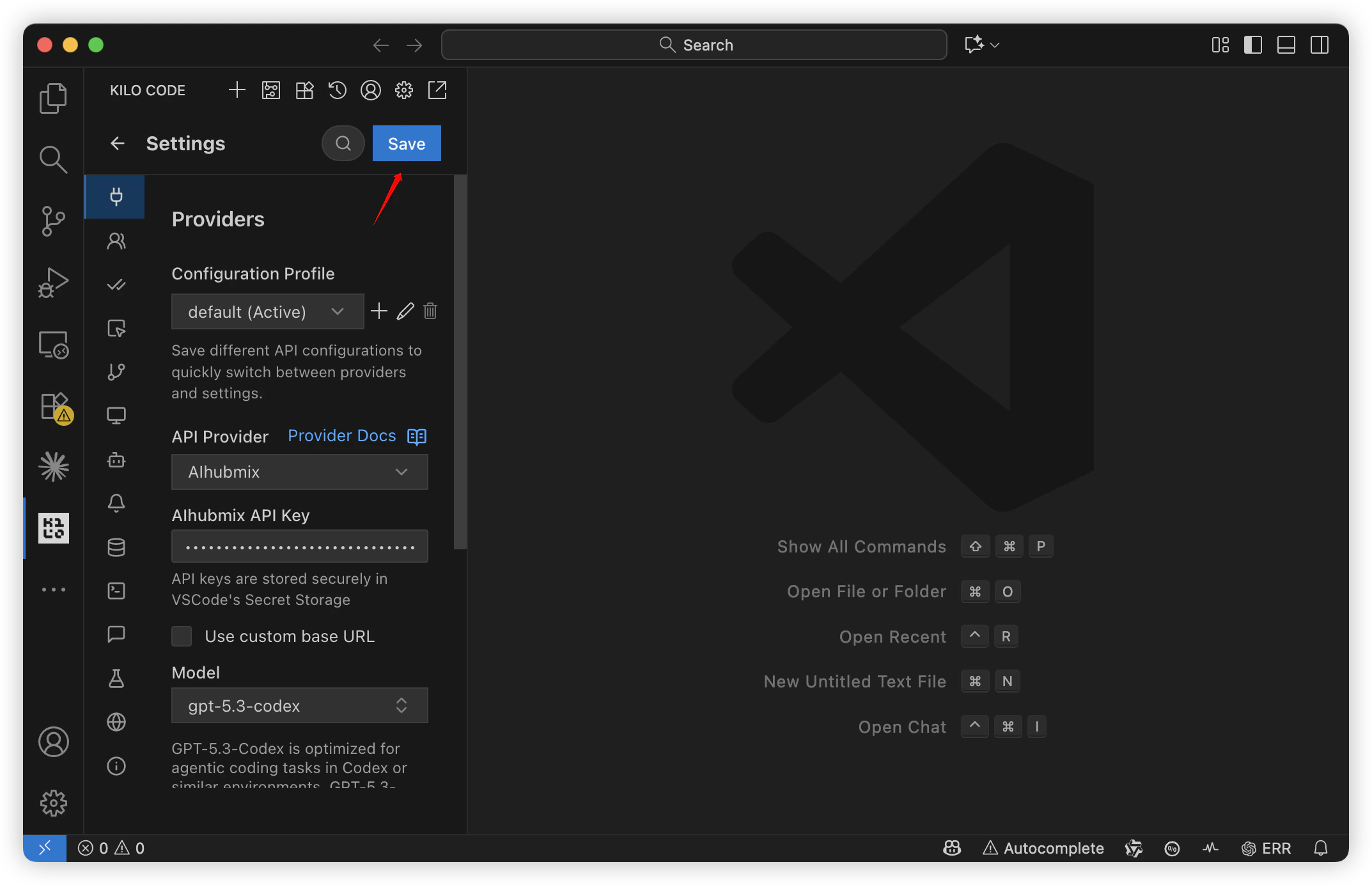
5. 保存信息。

<Frame>
  <img src="https://mintcdn.com/aihubmix/hsnZJ3bKDY9b0fRA/images/iShot_2026-03-25_15.50.20.png?fit=max&auto=format&n=hsnZJ3bKDY9b0fRA&q=85&s=ff77ed164f01be98eba1fd1ed7abd171" alt="I Shot 2026 03 25 15 50 20" width="2146" height="1384" data-path="images/iShot_2026-03-25_15.50.20.png" />
</Frame>

## 切换模型

1. 在模型配置页切换。

<Frame>
  <img src="https://mintcdn.com/aihubmix/hsnZJ3bKDY9b0fRA/images/iShot_2026-03-25_15.52.42.png?fit=max&auto=format&n=hsnZJ3bKDY9b0fRA&q=85&s=96fc18984924147bf2bbbdf32538e342" alt="I Shot 2026 03 25 15 52 42" width="2146" height="1384" data-path="images/iShot_2026-03-25_15.52.42.png" />
</Frame>

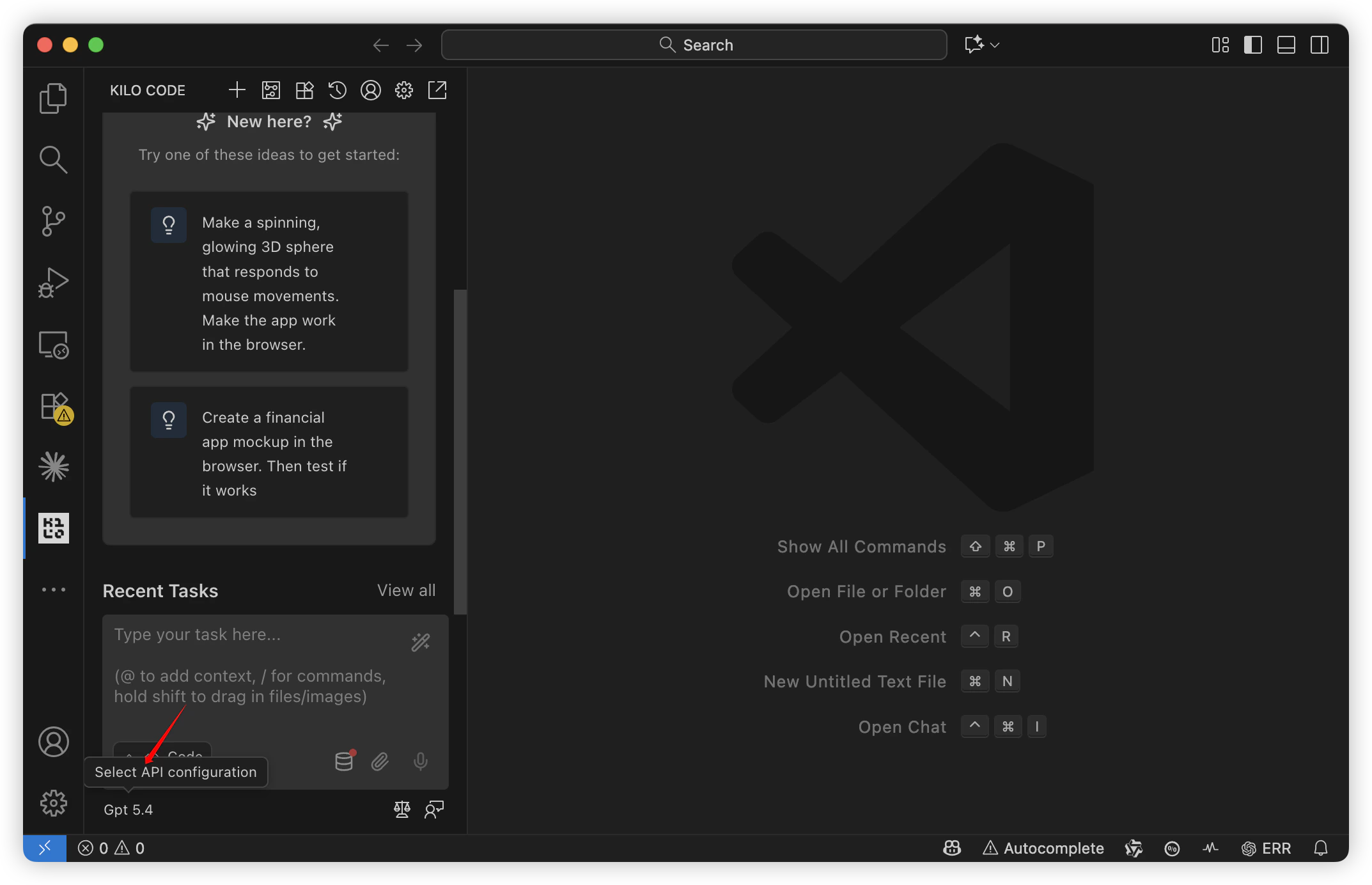
2. 在模型对话页面切换。

<Frame>
  <img src="https://mintcdn.com/aihubmix/hsnZJ3bKDY9b0fRA/images/iShot_2026-03-25_15.54.06.png?fit=max&auto=format&n=hsnZJ3bKDY9b0fRA&q=85&s=b33e1a404d522e28c987921dc87a1b1b" alt="I Shot 2026 03 25 15 54 06" width="2146" height="1384" data-path="images/iShot_2026-03-25_15.54.06.png" />
</Frame>

***

更新时间：2026-06-01